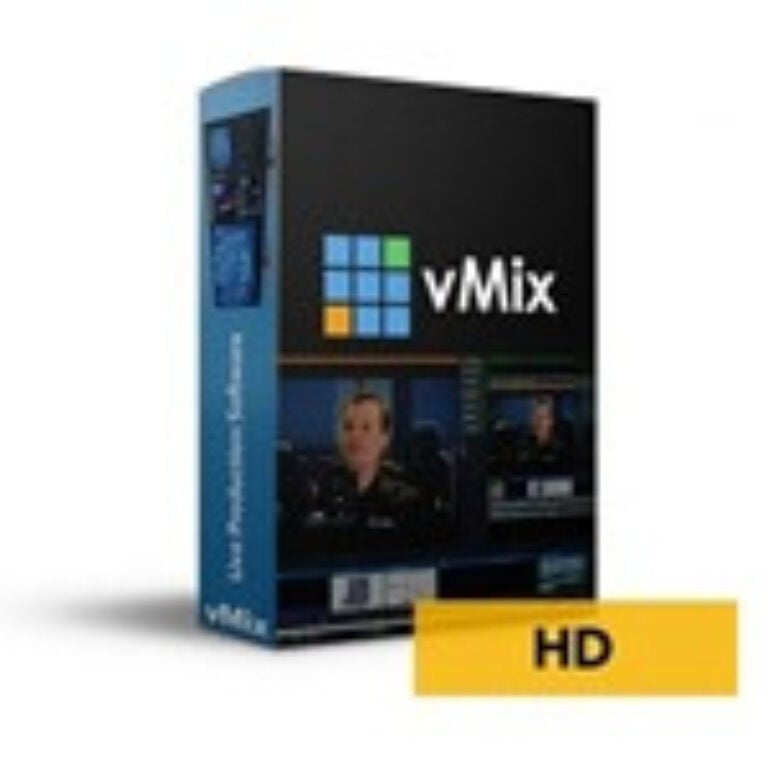

vMix HD Coupons & Pricing
vMix HD Plus Virtual Set Pack One for vMix
Includes Studio 200, 148, 159, 164, 180, 181, and 186 for vMix from Virtualsetworks
You may also like:

How to Use the vMix HD Coupon Code
- In the discount section on this page, click the Copy code button for vMix HD.
- A new WinningPC checkout tab opens and the code WINNINGPC10 is copied to your clipboard automatically.
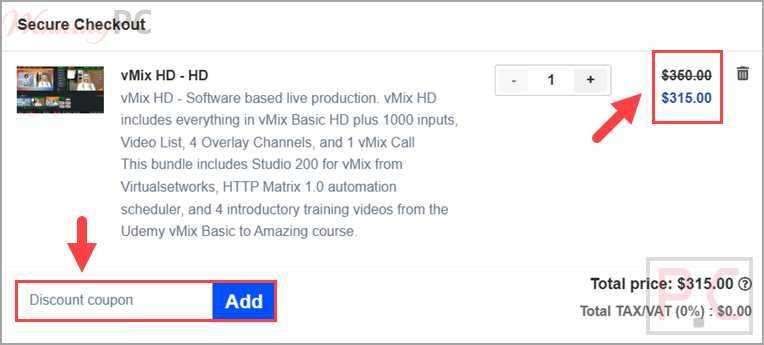
- On the checkout page, paste WINNINGPC10 into the coupon field.
- Confirm the price updates from $350 to $315 (10% off), then complete your payment to get the vMix HD bundle.
Is this vMix HD deal safe to use?
Yes. This is a discount on a genuine vMix HD license, not a cracked or grey-market key.
No crack or keygen
You install vMix’s own official build and activate it with a legitimate key. Nothing is patched or repackaged.
Official publisher bundle
You get a real vMix HD license from Virtualsetworks, the developer behind vMix, along with the Studio 200 and HTTP Matrix add-ons.
Secure checkout
Payment is handled on the store’s encrypted checkout page; your card details never pass through WinningPC.
A discount, not a subscription trap
The code simply lowers a one-time purchase price. There’s no hidden auto-billing tied to the coupon itself.
vMix HD Review & Features
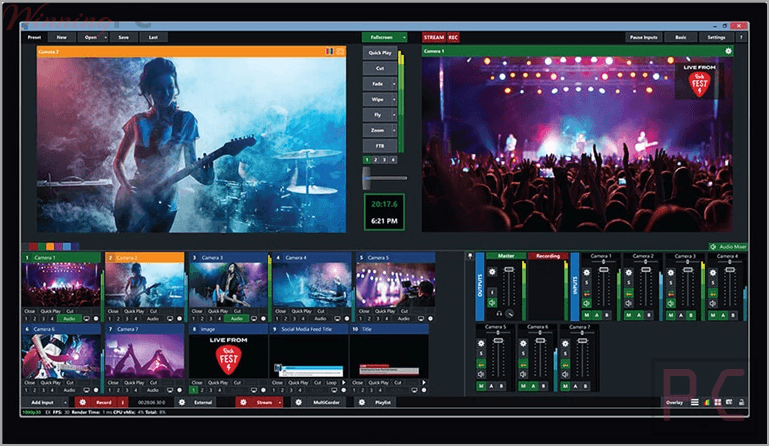
vMix HD stops being a hobbyist live production tool and starts feeling like a small broadcast truck. You get up to 1,000 total inputs and four overlay channels, which is what makes genuine multi-camera work possible: lower thirds, a logo bug, and a picture-in-picture guest can all live on screen at once without fighting each other. The single vMix Call slot lets you pull in one remote guest at broadcast quality, and the engine leans on 3D acceleration to juggle several HD sources without pinning your CPU. The honest limits: it is Windows only, the interface is dense enough that most people spend real time learning it, and instant replay and MultiCorder don’t arrive until the 4K tier. For a one-PC HD production, though, the feature-to-price ratio here is hard to beat.
Key features
- Up to 1,000 inputs, including cameras and NDI sources
- 4 overlay channels for layered graphics and picture-in-picture
- 1 vMix Call slot for a remote guest at production quality
- Live streaming to up to 3 destinations at once, plus SRT output
- 100+ built-in animated titles, scoreboards and tickers (GT Designer Standard), with professional color correction.
What we think
Screenshots
Which vMix HD Plan Should You Buy?
| Edition | Price (list) | Total inputs | Max resolution | Overlay ch. | vMix Call | Instant Replay | Best for |
|---|---|---|---|---|---|---|---|
| vMix HD | $350.0 | 1,000 | 1920×1080 | 4 | 1 caller | X | Multi-source HD productions, one remote guest |
| vMix Basic HD | $60 | 4 | 1920×1080 | 1 | X | X | Simple 1–2 camera streams |
| vMix 4K | $700 | 1,000 | 4096×2160 | 4 | 4 callers | 1 camera | 4K work, replay, PTZ, scripting |
| vMix Pro | $1,200 | 1,000 | 4096×2160 | 4 | 8 callers | 8 cameras | Large productions, sports replay, many remote guests |
If you need 4K output, instant replay, MultiCorder, PTZ control or scripting, you have to step up to 4K or Pro. If you’re producing in 1080p with a handful of sources and at most one remote caller, HD is the sweet spot.
vMix HD vs the alternatives
| Tool | Price | Platforms | Strength | Best for |
|---|---|---|---|---|
| vMix HD (our pick) | $315 w/ code | Windows only | 1,000 inputs, 4 overlays, replay-ready ecosystem | Multi-camera HD production on one PC |
| OBS Studio | Free (open source) | Windows, Mac, Linux | Genuinely capable, huge plugin community | Tight budgets, cross-platform, learning-friendly |
| Wirecast | $29.99/yr | High | 1000+ | Best for another use case |
Be honest with yourself on this one: if your budget is zero, OBS Studio does most of what a single-PC streamer needs and runs on Mac and Linux too. vMix earns its price when you want deep multi-input production, remote callers and a path up to replay and 4K without switching software.
Frequently Asked Questions
Is vMix HD a one-time purchase or a subscription?
It’s a one-time purchase. Your license includes the first 12 months of updates, after which the software keeps working but staying on the latest version costs an upgrade fee. There’s no recurring monthly charge.
Does vMix work on Mac?
No. vMix is Windows only, because it relies on Direct3D, a Windows graphics API. Mac users generally look at OBS Studio or Wirecast instead. Running it on a Mac would mean a Windows partition via Boot Camp on older Intel machines, which most people won’t want to bother with.
What’s the difference between vMix HD and Basic HD?
A lot. Basic HD ($60) caps you at 4 inputs and 1 overlay channel with no vMix Call. HD jumps to 1,000 inputs, 4 overlay channels, one remote caller and the Video List feature. If you’re doing anything beyond a simple one or two camera stream, Basic HD gets tight fast.
What exactly is in the WinningPC vMix HD bundle?
Four things: the vMix HD license itself, Studio 200 for vMix (a virtual set pack from Virtualsetworks), the HTTP Matrix 1.0 automation scheduler, and four introductory training videos from the Udemy “vMix Basic to Amazing” course. It’s a fuller starter kit than the bare vMix HD license.
Do I need a powerful PC to run vMix HD?
The baseline is modest: Windows 7 or newer and a DirectX 10-compatible graphics card. But real productions with several cameras, overlays, and simultaneous recording lean heavily on the GPU, so a stronger graphics card and an SSD make a big difference once you scale up.
Can I upgrade from vMix HD to 4K or Pro later?
vMix does offer paid upgrades between editions, so you’re not locked in if your needs grow.
System Requirements & Details
| Feature | Specifications |
|---|---|
| Operating System | Windows 7 or newer (64-bit) |
| Graphics | DirectX 10 compatible graphics card (stronger GPU recommended for multi-source work) |
| Output/streaming | Live streaming to up to 3 destinations simultaneously; SRT output; local recording |