On this page
vMix Basic HD Coupons & Pricing

You may also like:

vMix HD Plus Virtual Set Pack One for vMix
Includes Studio 200, 148, 159, 164, 180, 181, and 186 for vMix from Virtualsetworks, HTTP Matrix 1.0 automation scheduler, and 4 introductory
Virtual Set Pack One for vMix
Come in 2880 x 1620 (2.5K) resolution, slightly more than 1920 x 1080 to allow for virtual pans and zooms
vMix 4K with HTTP Matrix vMix Automation
Trigger up to a 100 commands by http
vMix 4K with HTTP Matrix vMix Automation Bundle
Bundle content: vMix 4K & HTTP Matrix 2
How to Use the vMix Basic HD Coupon Code
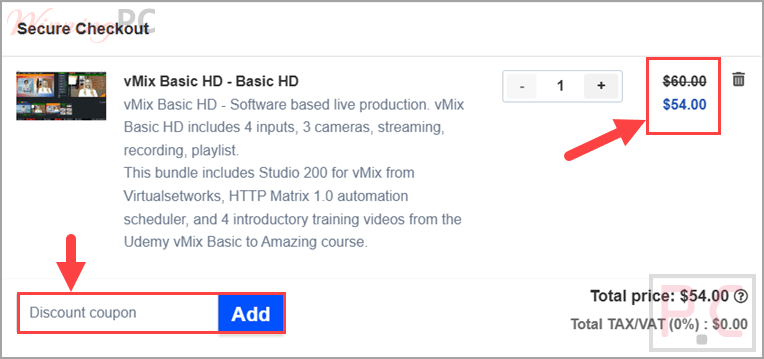
- Click the Copy Code button on this WinningPC page to copy WINNINGPC10. A new Virtualsetworks checkout tab opens automatically.
- On the checkout page, find the coupon/promo field and paste the code.
- Confirm the total drops to $54.00 (10% off), then fill in your details and pay.
- Your vMix Basic HD registration key arrives by email. Download vMix from the official site and activate it with that key.
Is this vMix Basic HD coupon legit?
Yes, this is a legitimate way to buy vMix Basic HD.
No crack or keygen
You receive a genuine vMix registration key and install vMix’s own official build. Nothing is patched or repackaged.
Authorized vMix reseller
Virtualsetworks is an official vMix partner store, not a grey-market key seller.
Secure checkout on the publisher’s store
Payment and card details are handled on Virtualsetworks’ own encrypted checkout, never on WinningPC.
Try before you buy
vMix doesn’t refund a change of mind, so it offers a fully functional 60-day free trial instead. Use it to confirm the software runs on your PC before you pay.
vMix Basic HD Review & Features
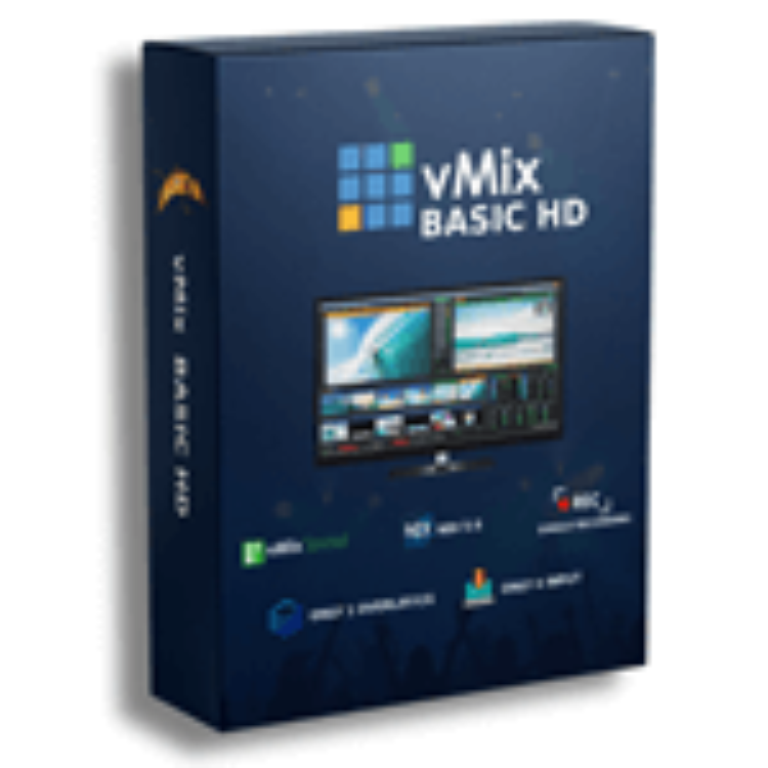
vMix Basic HD is the entry-level edition of vMix, the Windows live production suite that turns an ordinary PC into a broadcast-style video switcher. It runs four inputs and up to three cameras at Full HD 1080p, which makes it a fit for solo streamers, small churches, and school broadcasts that want clean multi-camera streaming without expensive dedicated hardware.
Key features
- Four inputs and three camera/NDI sources at Full HD 1080p, enough for a small multi-cam show
- Live stream to up to three destinations while recording locally at the same time
- GT Designer Standard: 100+ built-in animated titles, scoreboards, and tickers
- Professional color correction, one overlay channel, and a playlist for pre-loaded clips
- Accepts SDI, HDMI, NDI, SRT, and IP-stream inputs (one SRT output)
- Bundle extras: a Studio 200 virtual set, HTTP Matrix automation, and four training videos
What we think
Screenshots

Which vMix Basic HD Plan Should You Buy?
| Edition | List price | Inputs | Cameras | Max res | Standout extras | Best for |
|---|---|---|---|---|---|---|
| vMix Basic HD | $60 | 4 | 3 | 1080p | Streaming + recording, GT Standard titles | Solo and small streams |
| vMix HD | $350 | 1000 | 1000 | 1080p | Video List, 4 overlays, 1 vMix Call | Growing multi-cam shows |
| vMix 4K | $700 | 1000 | 1000 | 4K | MultiCorder, Instant Replay, PTZ, scripting | 4K + replay productions |
| vMix Pro | $1200 | 1000 | 1000 | 4K | 8 replay cameras, 8 vMix Call | Broadcast / large events |
vMix Basic HD vs the free and paid alternatives
| Tool | Price | Platform | Inputs | Note |
|---|---|---|---|---|
| vMix Basic HD | $54 with code | Windows | 4 | One-time; 3 simultaneous streams |
| OBS Studio | Free | Win / Mac / Linux | Up to 8 | Free and open source, but one stream output and a steeper setup |
| Ecamm Live | $15/mo | Mac | Many | Mac-focused, subscription |
| Streamlabs | Free / paid | Win / Mac | Varies | OBS-based with creator features |
Honest take: if budget matters more than simultaneous streams, free OBS Studio does more inputs than this paid tier. vMix earns its price on the three-way simultaneous streaming, the studio workflow, and the built-in titles.
Frequently Asked Questions
Is vMix Basic HD a one-time payment or a subscription?
One-time. $60 (or $54 with the code) buys a lifetime license with 12 months of free updates. After that, an optional upgrade fee extends updates, but you can keep using your activated version indefinitely with no recurring charge.
Can I get a refund on vMix?
Not for a change of mind. vMix doesn’t issue change-of-mind refunds, which is exactly why it pushes the free 60-day trial. Test it fully first; for unusual cases you can contact vMix support soon after purchase.
Does the code work on other vMix editions?
Reportedly yes. Virtualsetworks lists a 10% code across its vMix range, but we’ve only confirmed the $60 to $54 Basic HD price.
How many cameras and inputs does Basic HD support?
Four inputs and three cameras. That’s the hard cap on this tier. The next edition up (HD) jumps to 1,000 of each.
Does it work on Windows 11?
Yes. vMix runs on 64-bit Windows with a DirectX 10 graphics card, so Windows 11 is fine. There’s no Mac version.
What do I get in the Virtualsetworks bundle?
The vMix Basic HD license plus a Studio 200 virtual set, the HTTP Matrix 1.0 scheduler, and four Udemy vMix training videos, all at the same $60 list price.
Is there a free alternative to vMix Basic HD?
Yes, OBS Studio. It’s free, open source, and cross-platform, and it supports more inputs, though it streams to one destination at a time and takes more setup to get running.
System Requirements & Details
| Feature | Specifications |
|---|---|
| Operating System | Windows, 64-bit (vMix lists Windows 7 or higher) |
| Graphics | DirectX 10 compatible GPU (official minimum) |
| RAM | vMix suggests a quad-core CPU and 16GB RAM for smooth HD |
| Supported inputs | SDI, HDMI, NDI, SRT, IP streams, capture cards |
| Output/streaming | Up to 3 simultaneous live streams, 1 SRT output, fullscreen + external output |
| Maximum resolution | 1920 x 1080 (Full HD) |