
Aiarty Video Enhancer for Mac Coupons & Pricing
Aiarty Video Enhancer for Mac
2 plans · best save 37%
Lifetime ★ Best Deal
One license for 3 Macs | Free upgrade for lifetime
You may also like

Aiarty 3-in-1 Bundle for Mac (Lifetime)
Lifetime free upgrade Mac instant electronic delivery
Aiarty 3-in-1 Bundle (Lifetime)
Lifetime free upgrade windows instant electronic delivery
How to Use the Aiarty Video Enhancer for Mac Coupon Code
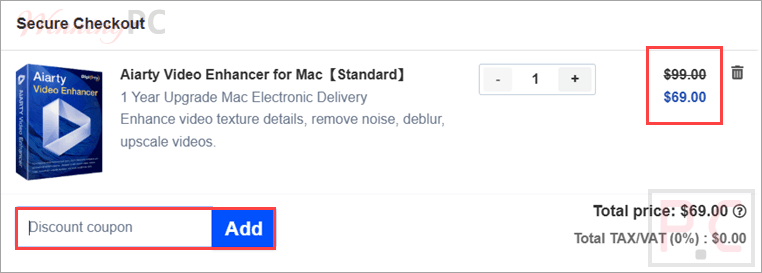
- Click Copy on a plan to copy the code VIPEXTRA.
- Open the official Aiarty Video Enhancer for Mac purchase page.
- Choose either the 1-Year license for 1 Mac or the Lifetime license for 3 Macs.
- Confirm that the 1-Year price changes to $69 or the Lifetime price changes to $149.
- Complete the secure payment on Aiarty’s store.
- Check your email for the license code, then open Aiarty Video Enhancer and select Settings > Register to activate it.
Can you trust this Aiarty coupon?
Yes. The coupon is intended for use on Aiarty’s official checkout rather than through a third-party key reseller.
Official software
You download the standard Aiarty installer and activate it with the license code delivered after purchase. No crack, patch, or key generator is involved.
Protected checkout
Aiarty states that its store uses HTTPS and SSL encryption, with payment processing handled by 2Checkout (Verifone).
Local video processing
Aiarty processes videos on your Mac instead of uploading the footage to an external enhancement server.
Refund protection
Paid licenses include a 30-day money-back guarantee under the publisher’s stated purchase terms.
Aiarty Video Enhancer for Mac Review & Features
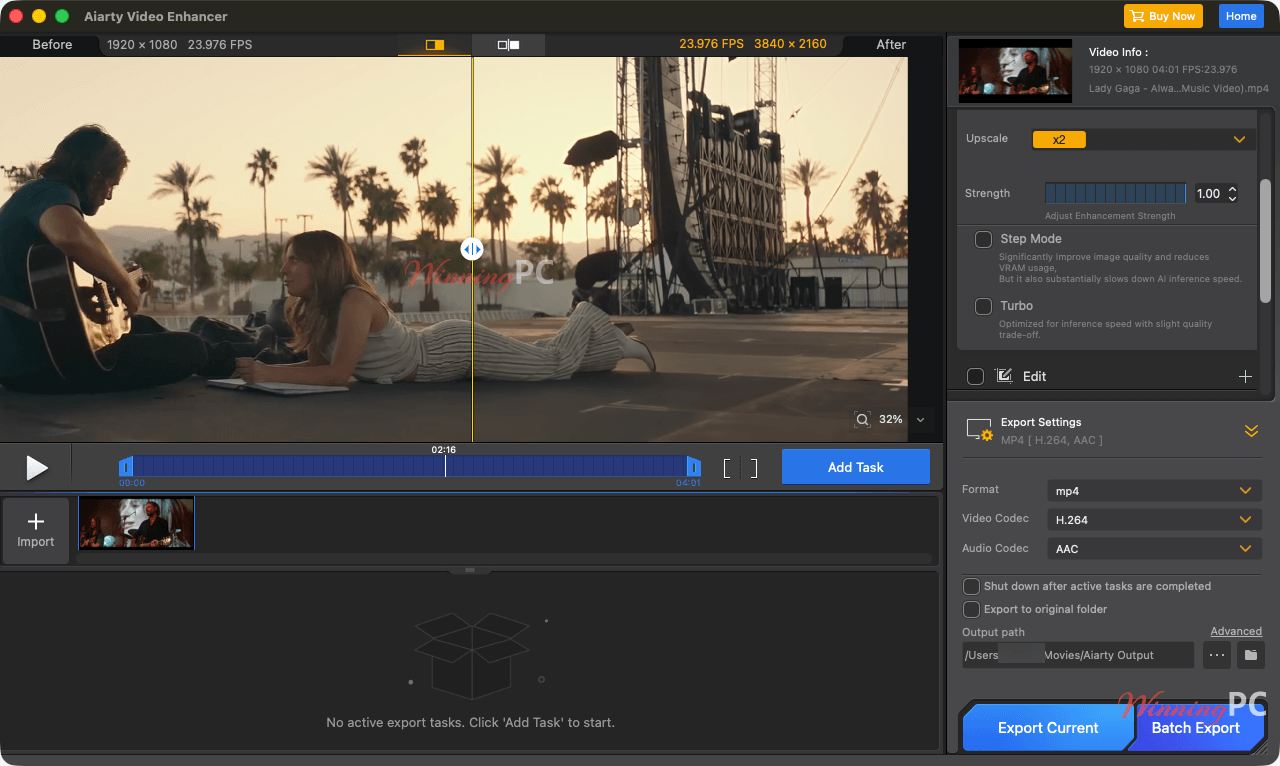
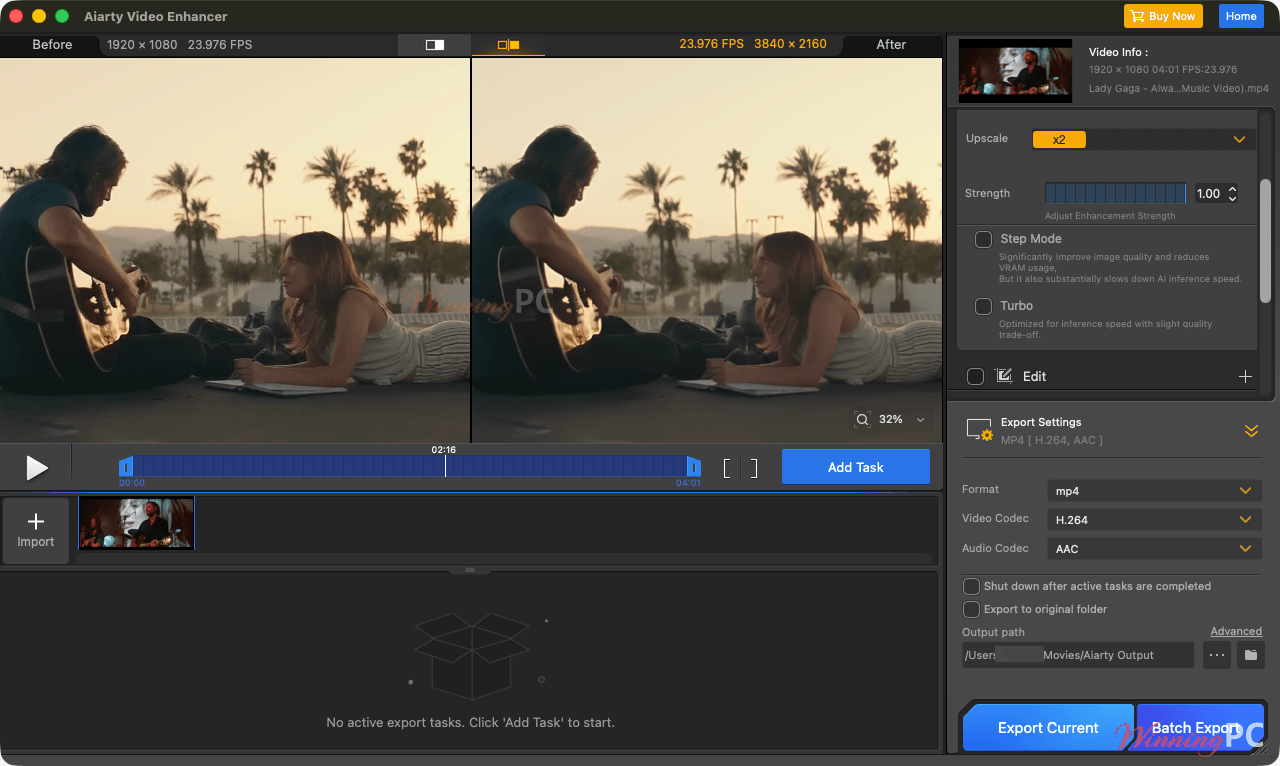
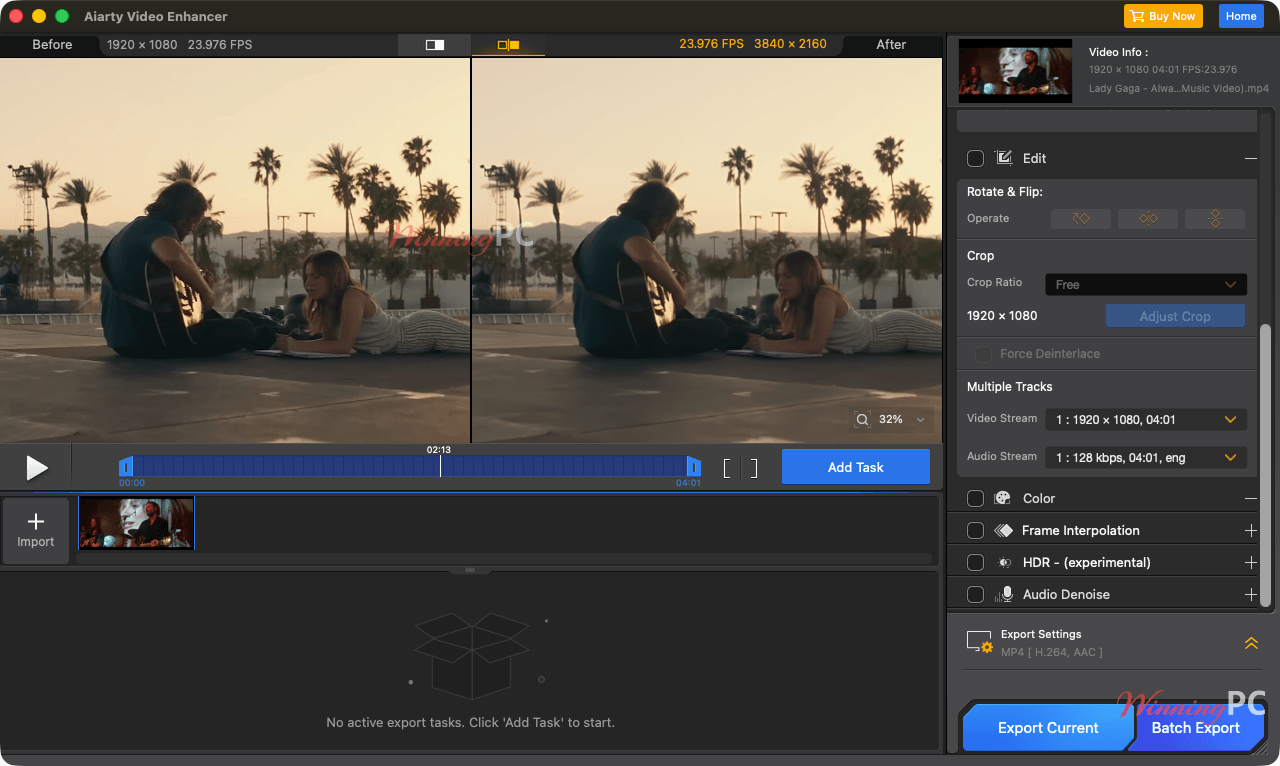
Aiarty Video Enhancer for Mac is an AI-powered desktop tool that restores blurry, noisy, low-light, and low-quality videos locally on Intel and Apple Silicon Macs, with support for up to 4K/120fps. This video enhancer tool has three AI models designed for different restoration tasks, giving users better control over video quality. Strength Control helps create more natural results, though AI processing requires powerful hardware, especially on Intel Macs, and exports are limited to MP4 and MOV.
Key features
- Three specialized AI models: moDetail-HQ v3 targets fine textures, Smooth-HQ v3 prioritizes faithful restoration, and superVideo vHQ handles severe noise and dark footage.
- Resolution and detail restoration: Upscale damaged or low-resolution footage to 4K while rebuilding detail in hair, skin, plants, fur, fabrics, and other textures.
- AI frame interpolation: Generate intermediate frames to raise choppy footage to 90fps, 120fps, or higher and create smoother motion or slow-motion sequences.
- Audio and color tools: Remove background noise, improve vocal clarity, adjust exposure and color, and convert SDR 8-bit footage to HDR 10-bit.
- Offline batch processing: Queue hundreds of clips, use GPU acceleration, and process files locally without sending the source footage to the cloud.
What we think
Screenshots
Which Aiarty Video Enhancer for Mac Plan Should You Buy?
Aiarty Video Enhancer vs other Mac video enhancers
| Tool | Referenced lifetime price | Device allowance | Notable positioning | Best for |
|---|---|---|---|---|
| Aiarty Video Enhancer for Mac | $149 with code | 3 Macs | Offline AI restoration, frame interpolation, audio cleanup, HDR and batch export | Users wanting a broad local enhancement workflow. |
| Tipard Video Enhancer for Mac | $22.50 with code | 1 Mac | Lower-cost enhancement alternative | Buyers prioritizing price over the broadest AI toolset. |
| AVCLabs Video Enhancer AI | $149.90 with code | 1 Mac | Dedicated AI video enhancement | Users comparing established premium AI enhancers. |
| AnyEnhancer | $188.29 with code | 1 Mac | AI enhancement subscription offering | Buyers willing to compare subscription-style licensing. |
Frequently Asked Questions
What is the lowest Aiarty Video Enhancer for Mac price?
The lowest listed price is $69 for the 1-Year, 1-Mac license after applying code VIP**TRA. The Lifetime license costs $149 and carries the larger 37% discount.
Is the Aiarty Video Enhancer for Mac Lifetime license a one-time purchase?
Yes. The Lifetime license is listed as a one-time $149 purchase for 3 Macs and includes free software updates for life.
Is there a free version of Aiarty Video Enhancer for Mac?
Yes. The free version lets you test the core enhancement tools without signing up or entering a credit card. Each processed video is limited to 120 seconds, exports contain a watermark, and batch export is unavailable.
How many Macs does each license support?
The discounted 1-Year plan covers 1 Mac, while the Lifetime plan covers 3 Macs.
Does Aiarty Video Enhancer for Mac upload videos to the cloud?
No. Aiarty states that video processing runs locally on the computer, so source footage is not uploaded to an external enhancement service.
Can Aiarty Video Enhancer for Mac convert SDR video to HDR?
Yes. It can convert SDR 8-bit footage to HDR 10-bit using Neutral, Bright, or Graded modes. An HDR-capable display is required to view the result accurately.
System Requirements & Details
| Component | Intel Mac | Apple Silicon Mac |
|---|---|---|
| Operating system | macOS 13.0 or higher | macOS 13.0 or higher |
| Processor | Any Intel processor | Apple M1, M2, M3, M4, M5, or later listed generation |
| Memory | 8GB or more | 8GB or more; 16GB recommended |
| Storage | 512GB or more | 512GB or more |
| Graphics | Dedicated GPU with at least 4GB VRAM | Apple integrated GPU, Metal, Neural Engine, and native CoreML support |
| Supported input formats | .avi, .flv, .mp4, .mkv, .mov, .webm, .wmv, .ts, .m2ts, .mts, .m4v, .3gp, .3g2, .rm, .rmvb, .mpeg, .mxf, .ogv, .vob, .asf, .divx, and .f4v | .avi, .flv, .mp4, .mkv, .mov, .webm, .wmv, .ts, .m2ts, .mts, .m4v, .3gp, .3g2, .rm, .rmvb, .mpeg, .mxf, .ogv, .vob, .asf, .divx, and .f4v |
| Supported Output Formats | .mp4, .mov | .mp4, .mov |
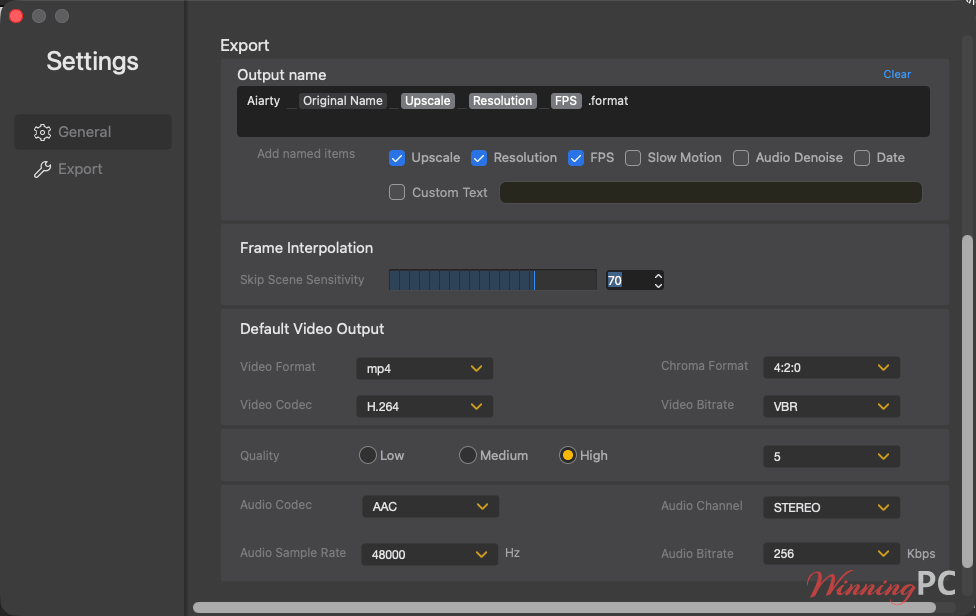
| Supported Output Codecs | H.264, H.265, ProRes, AV1 Chroma formats in settings: YUV 4:2:0, 4:2:2, or 4:4:4 (availability depends on codec and profile). | H.264, H.265, ProRes, AV1 Chroma formats in settings: YUV 4:2:0, 4:2:2, or 4:4:4 (availability depends on codec and profile) |