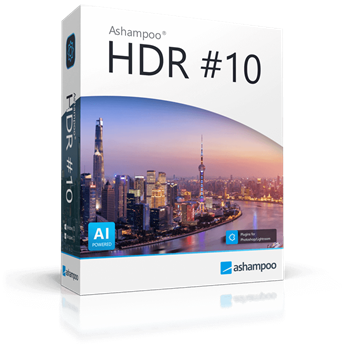

Ashampoo HDR #10 Giveaway
Ashampoo HDR #10
Creates images with a wide dynamic range, far surpassing the human eye and traditional camera techniques.
- Product
- Ashampoo HDR #10
- Product website
- ashampoo.com
- License
- Lifetime
- Platform
- Windows 11/10
- Usage
- Non-commercial only
- Updates
- No future upgrades
- Support
- No support
- Updated
- 2026-08-12
Continue on apps.microsoft.com
Share to reveal the installer and the official giveaway page.
The limited-time giveaway!
The free license is no longer available.
How to Get the Ashampoo HDR #10 License Key for Free
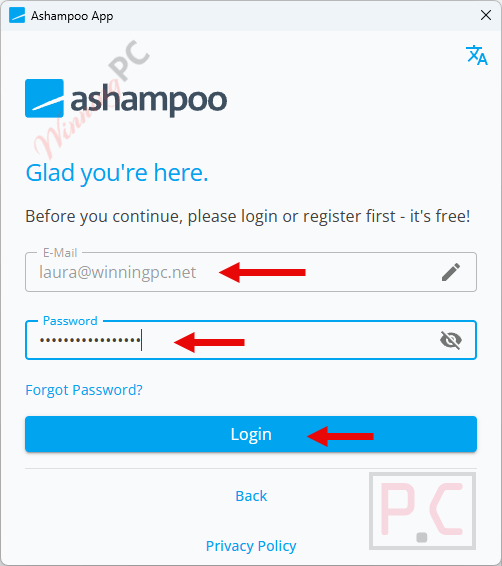
- Download and install the Ashampoo App on your Windows PC – this is required for installation and is free.
- Open the Ashampoo App. Log in with your existing Ashampoo account, or create a new free account at ashampoo.com/en-us/mca if you don’t have one.
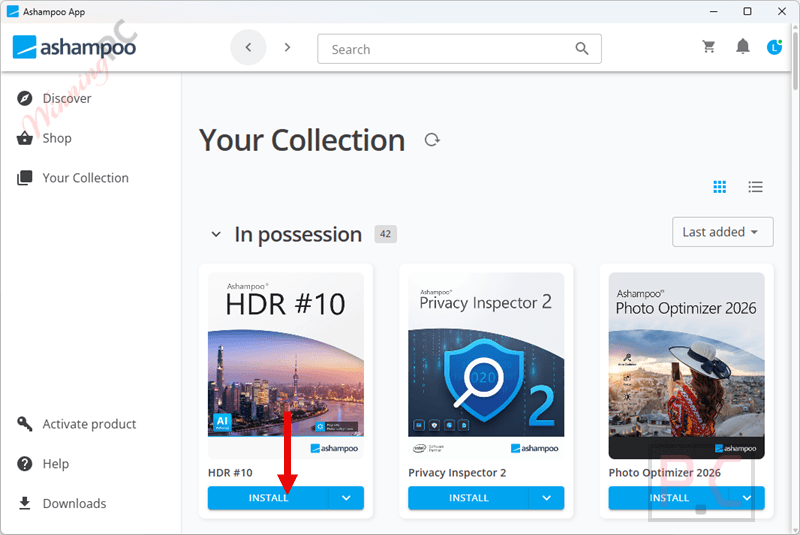
- Click the giveaway download button on this page to download Ashampoo HDR #10 for free.
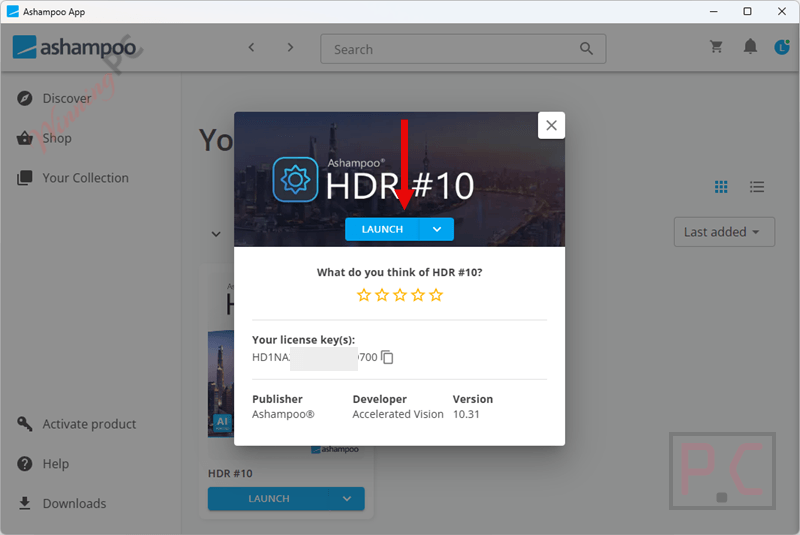
- With the App open, click the giveaway download link again. Ashampoo HDR #10 will install through the App.
- Launch Ashampoo HDR #10 when installation finishes. Your Lifetime license activates automatically through your Ashampoo account. No separate key entry needed.
Top HDR Software Coupon Codes Oct 2026

Is this Ashampoo HDR #10 giveaway safe and legit?
No crack or keygen
You install the genuine Ashampoo HDR #10 build and activate it through Ashampoo’s own App. Nothing is patched, repackaged, or sourced from a third party.
Official publisher giveaway
The Lifetime license is issued directly by Ashampoo through their account system, not through a reseller or grey-market key site.
Secure HTTPS checkout
If you later decide to buy the paid version, payment goes through Ashampoo’s encrypted official store. Your card details never touch WinningPC.
30-day money-back guarantee
Applies to paid purchases from Ashampoo’s store. The giveaway key is free, so there is no financial risk in claiming it.
Hands-on with Ashampoo HDR #10
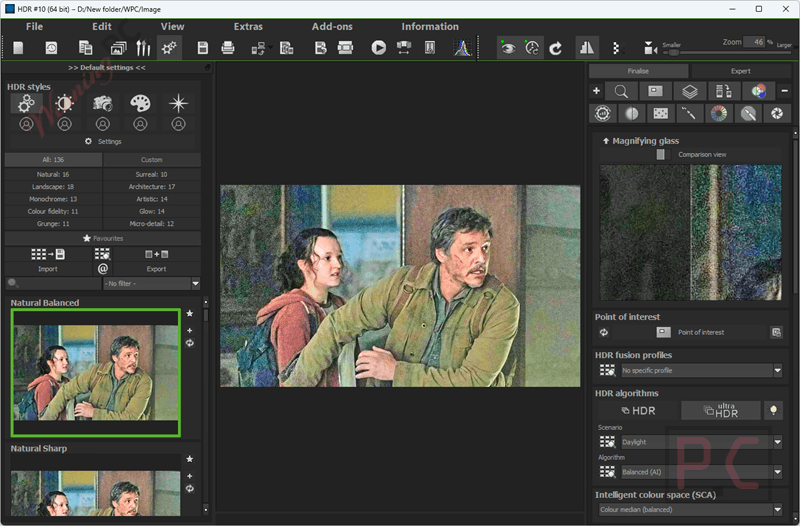
Ashampoo HDR #10 performs well on its main job. The 136 AI-optimised tone mapping presets are organised across ten scene categories, and they genuinely speed things up: instead of building a tone curve from scratch, you pick a preset that fits your lighting situation and the AI adjusts the output automatically. The ghosting correction is the standout feature. Multi-shot brackets of moving subjects (a pedestrian, a passing car) typically produce double-image artefacts in HDR software, and HDR #10 handles them more reliably than you’d expect at this tier. For more detailed photo editing, expert mode provides access to 11 AI effects and two AI masks (sky and depth), giving you precise, targeted adjustments beyond what the preset workflow offers. The main tradeoff: expert mode takes some navigation to get comfortable with, and the Ashampoo App requirement for installation adds a step that a traditional standalone installer wouldn’t.
Key features
- 136 AI-optimised tone mapping presets across ten categories, covering a wide range of lighting and scene types.
- Ghosting correction for moving objects in bracketed exposures, reducing double-image artefacts more reliably than basic HDR mergers.
- RAW support for 1,296 camera models, covering formats from a broad range of manufacturers including over 40 new RAW formats in this version.
- Expert mode with 11 AI effects and two AI masks (sky and depth) for layer-level precision editing.
- SCA intelligent colour space, virtual micro-details, and sensor error correction for fine-grained output control.
What we think
Frequently Asked Questions
Is the Ashampoo HDR #10 giveaway actually free – no strings?
Yes. The Lifetime license is issued at no cost through your Ashampoo account. You don’t need a credit card, and there’s no trial period – it’s a publisher-run giveaway, not a freemium upsell.
Does Ashampoo HDR #10 support RAW images?
Yes. Ashampoo HDR #10 supports RAW image processing and works with RAW files from many digital cameras. However, I would remove the claim that it supports exactly 1,296 RAW formats unless Ashampoo’s current documentation for HDR #10 specifically confirms that number.
Do I need the Ashampoo App to install HDR #10?
Ashampoo uses the Ashampoo App to download, install, and manage its software. However, I could not verify an official statement saying that the App must remain installed for HDR #10 to run after installation. It’s better not to make that claim.
Does Ashampoo HDR #10 run on Windows 11?
Yes. Ashampoo HDR #10 supports 64-bit Windows 11 and Windows 10. Ashampoo lists an Intel Core i3-class processor or comparable AMD CPU, at least 8 GB RAM, a DirectX-compatible graphics card, and a minimum screen resolution of 1600 × 900.
System Requirements & Details
| Field | Value |
|---|---|
| Operating system | Windows 11, Windows 10 |
| Processor | Intel i3 or comparable AMD processor |
| RAM | At least 8 GB |
| Graphics card | DirectX-compatible graphics card |
| Display | 1600 × 900 or higher |
| Supported input formats | RAW image files; 1,296 RAW formats from a wide range of camera manufacturers |
| Supported output formats | Not specified by Ashampoo |
| Installation requirement | Ashampoo App required for installation |
| Interface languages | German, English, British English, Dutch, French, Polish, Italian, Portuguese, Spanish, Japanese |