On this page
Clean Email Coupons & Pricing
How to Use the Clean Email Coupon Code
- Choose the plan you want to purchase (Monthly or Yearly), then click the coupon code link above.
- You will be redirected to the Clean Email page. Copy and paste the coupon code at the end of the checkout link. The discount will be applied automatically.
- Enter your email address to start using Clean Email. Then, click the “Upgrade with Discount” button on the dashboard.
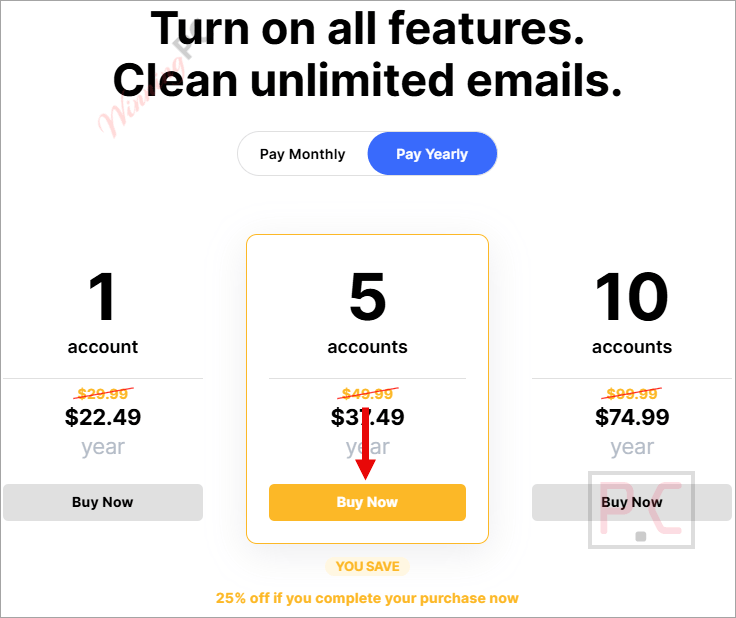
- Choose your Monthly or Yearly plan for 1, 5, or 10 accounts and enjoy your discount.
How well does Clean Email actually work?
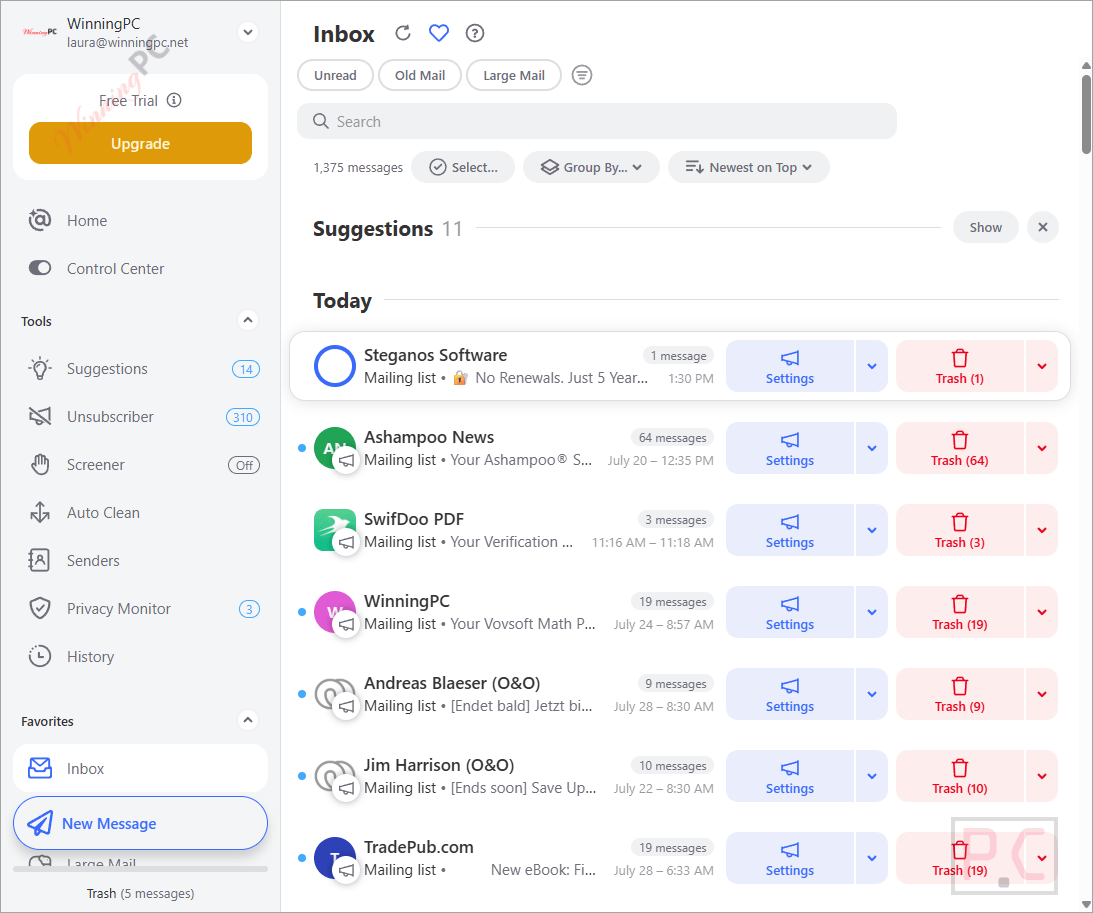
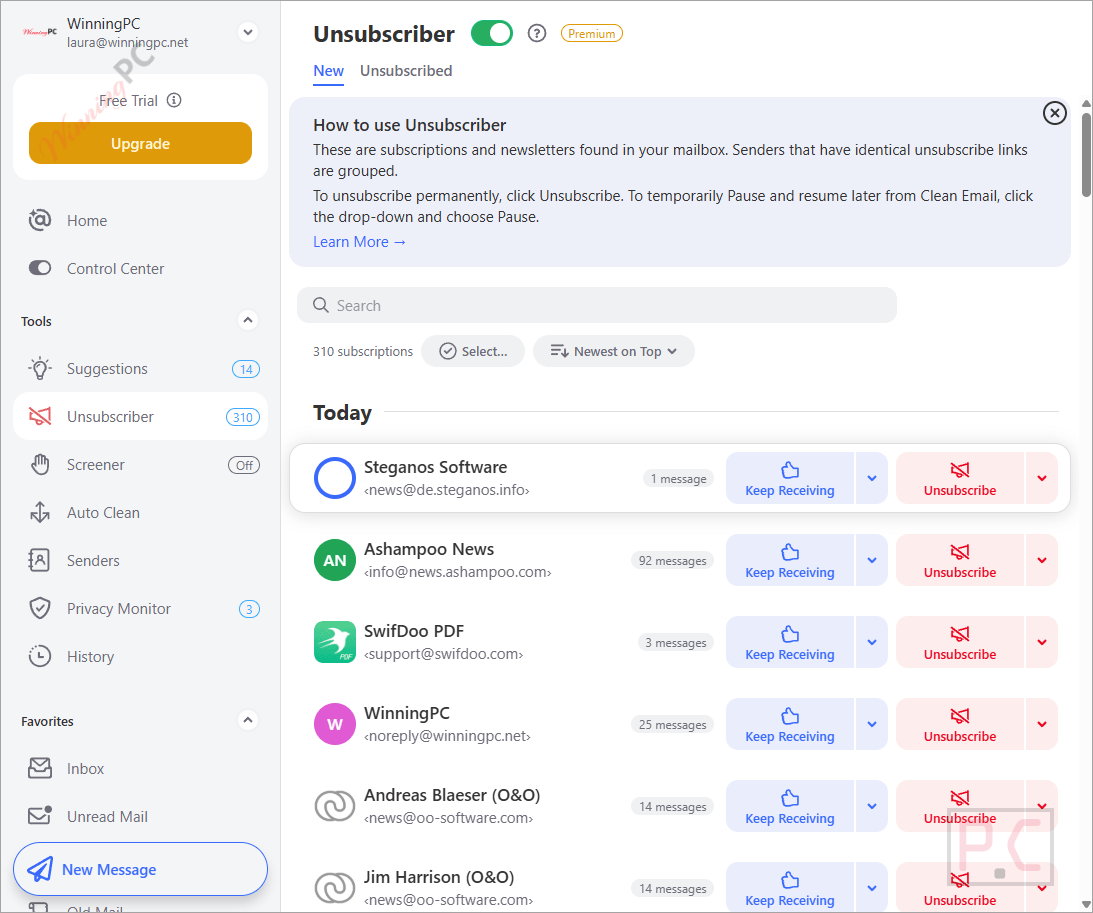
The feature that sets Clean Email apart from a simple bulk-delete tool is its Unsubscriber – and the difference is more than cosmetic. Most unsubscribe tools click a link and hope for the best. Clean Email goes further: it submits opt-out forms, follows header unsubscribe links, and if the sender keeps sending anyway, it intercepts their messages and moves them to trash before they reach your inbox. For persistent marketing lists, that second layer actually matters.
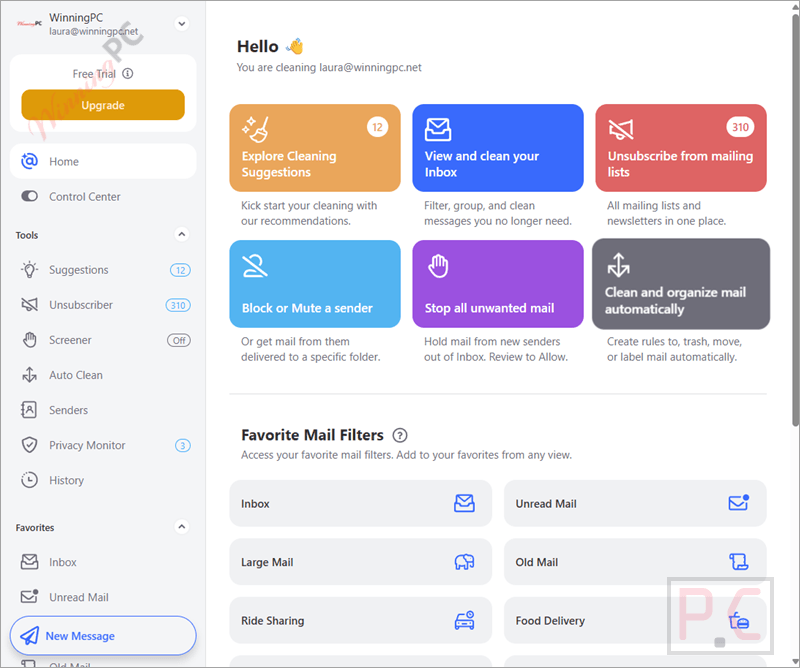
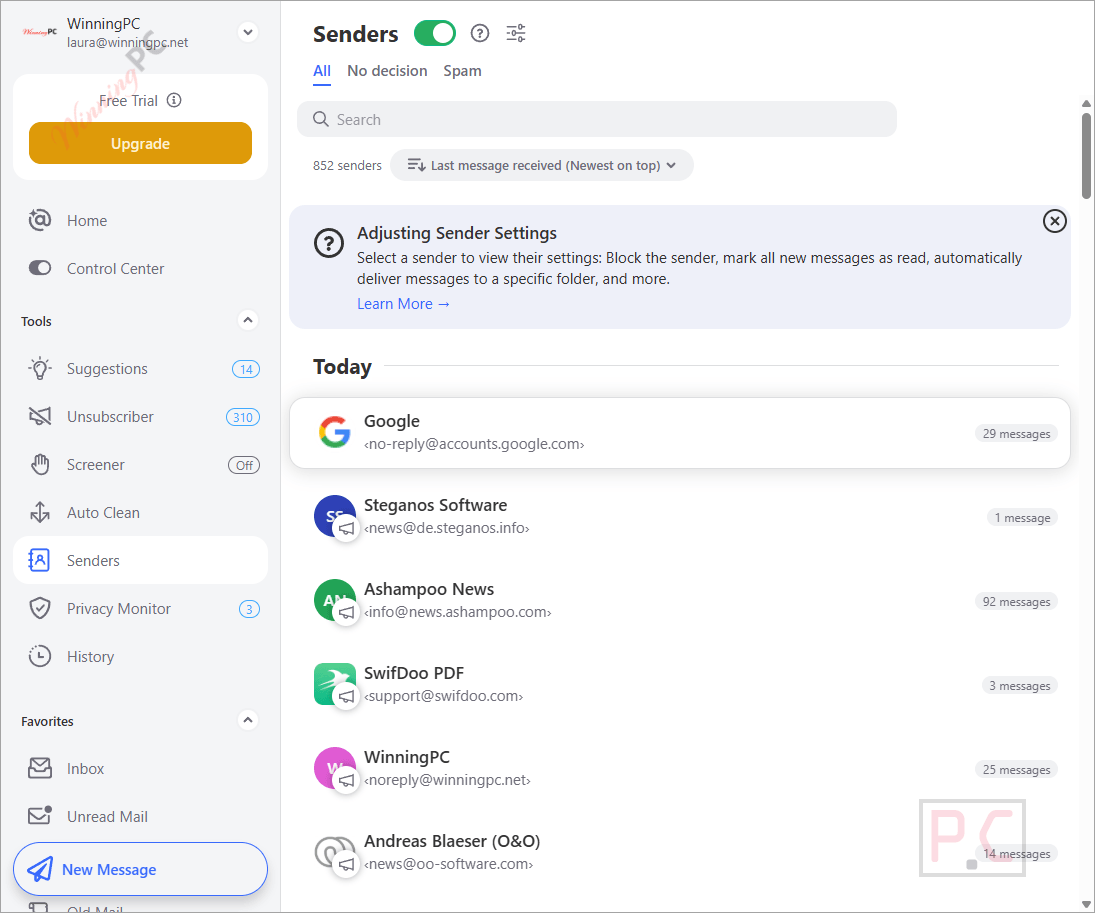
The Screener takes the opposite approach. Rather than cleaning up after senders you don’t know yet, it quarantines messages from first-time senders until you decide to allow or block them. That’s a proactive setup that typical filter-based tools don’t offer. The practical trade-off is occasional friction when a legitimate new sender gets held up, but for inboxes flooded with sign-up confirmation spam, the benefit outweighs the inconvenience.
Processing speed is worth flagging honestly: Clean Email says it can handle thousands of messages per second on its end, but your email provider sets its own API rate limits. For large, heavily cluttered inboxes – especially on Yahoo or some corporate IMAP setups – the first analysis run can take a while.
Key features
- Auto Clean rules: build automation by sender, subject, keyword, Smart Folder category, or message age – runs daily without any manual re-triggering.
- Unsubscriber with intercept logic: submits formal opt-out requests and catches future messages from senders who ignore them.
- Screener: quarantines messages from new senders before they hit your inbox; you review and approve or block.
- 30+ Smart Folders: pre-built categories (Online Shopping, Travel, Finance, Gaming, Food Delivery, and more) for instant bulk action without manual sorting.
- Privacy Monitor: automatically checks your email address against known data-breach databases and flags any incidents found.
What we think
Screenshots
Which Clean Email Plan Should You Buy?
| Plan | Price with Coupon Code | Per Account | Accounts | Best for |
|---|---|---|---|---|
| Yearly – 1 account | $22.49/yr | $22.49 | 1 | Solo users with a single inbox |
| Yearly – 5 accounts | $37.49/yr | $7.498 | Up to 5 | Households or freelancers with 2–5 inboxes |
| Yearly – 10 accounts | $74.99/yr | $7.499 | Up to 10 | Small teams or power users managing many accounts |
The 5-account and 10-account plans arrive at the same per-inbox cost (around $7.5/account) – both are dramatically better value than the 1-account plan at $22.49 per inbox. If you have two or more email addresses to manage, the 5-account plan at $37.49 is the pick: it carries the highest discount of the three (84% off) and the best per-account rate.
Frequently Asked Questions
Is there a free version of Clean Email?
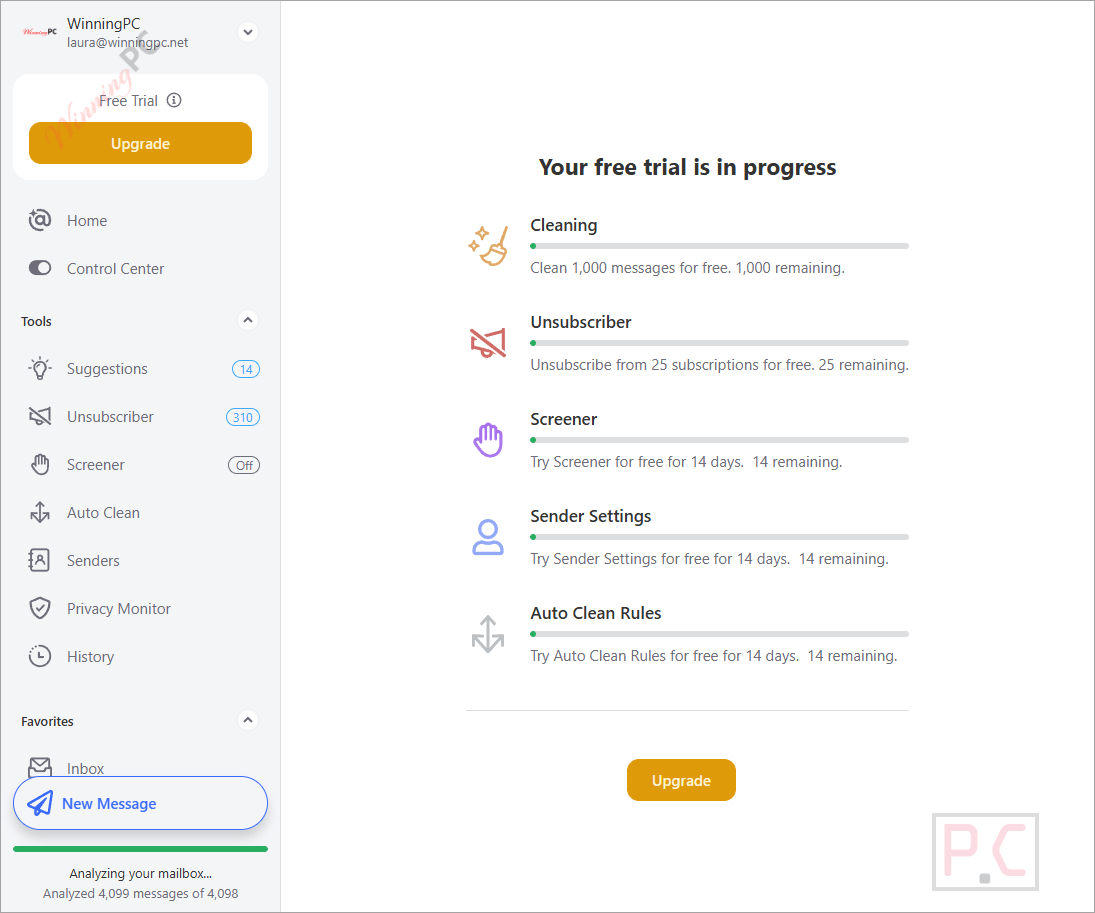
There’s no permanent free plan. Clean Email does let you clean up to 100 messages per week at no cost while Cleanup Reminders are enabled, which is enough to try it out. For full access to Auto Clean rules, the Unsubscriber, and the Screener, a Yearly subscription is required. At this deal price, the 1-account plan works out to $1.87 per month.
Which email providers does Clean Email support?
It supports Gmail, Yahoo, AOL, iCloud, and Outlook natively, plus any other provider that offers IMAP access. So if your host supports IMAP — most do – you can connect it.
Does blocking a sender actually stop their emails?
No, and this is worth knowing before you rely on it. Clean Email can only act on messages that have already arrived in your mailbox. When you block a sender, their future messages still get delivered to your mail server – Clean Email then moves them to trash automatically. The sender cannot be prevented from emailing you; only from cluttering your inbox.
Can Clean Email read the content of my emails?
Clean Email analyzes metadata – sender addresses, subject lines, attachment sizes, and message age – to generate cleaning suggestions. According to the company, individual message content is protected under their privacy policy, and mailbox access credentials are encrypted so even Clean Email staff cannot access them. The service is Google-certified and independently audited annually.
What you need to run Clean Email
| Field | Value |
|---|---|
| Native apps | Web, macOS, iOS (iPhone and iPad), Android |
| Web access | Any modern browser (covers Windows, Linux, Chromebook) |
| Supported email providers | Gmail, Yahoo, AOL, iCloud, Outlook, any IMAP provider |
| Accounts per plan | 1, 5, or 10 (depending on plan) |
| Internet connection | Required – Clean Email is a cloud-based service |