
On this page
Kids Tracing Printables Generator Giveaway
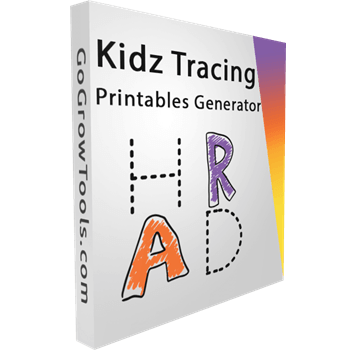
Kids Tracing Printables Generator
Instantly create alphabet tracing and handwriting practice PDFs - no design skills required.
- Product
- Kids Tracing Printables Generator
- Product website
- software giveaway
- License
- One-time personal license, 2 PCs, commercial use rights included
- Platform
- Windows 10/11
- Updates
- Free updates and upgrades
- Support
- Free email and chat support
- Extras
- Instant download, ready-to-sell setup, video tutorials
- Updated
- 2026-08-28
Continue on winningpc.com
Share to reveal the official giveaway page, then register there to receive your license.
This giveaway ended on .
The limited-time giveaway!
The free license is no longer available.
How to Get the Kids Tracing Printables Generator License Key for Free
- Open the Kids Tracing Printables Generator giveaway link on this page. The link carries the free-access tag, so the price should show as $0 rather than $49.
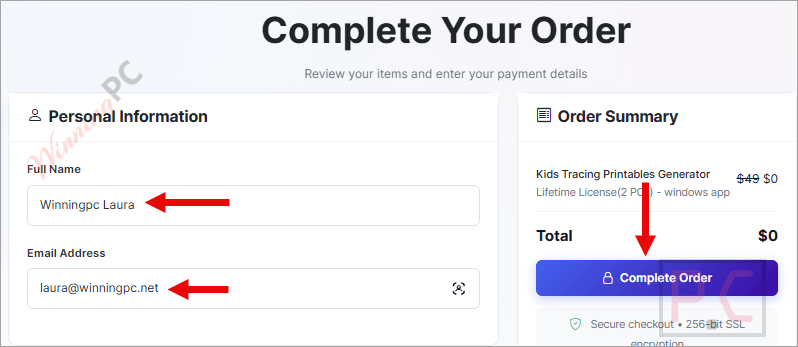
- Enter your name and email address on the GoGrowTools order form.
- Click Place Order. You will be shown the reseller panel and bundle upsells during checkout. Skip all of them, none are needed for the free license.
- Check your inbox for the confirmation email from GoGrowTools.
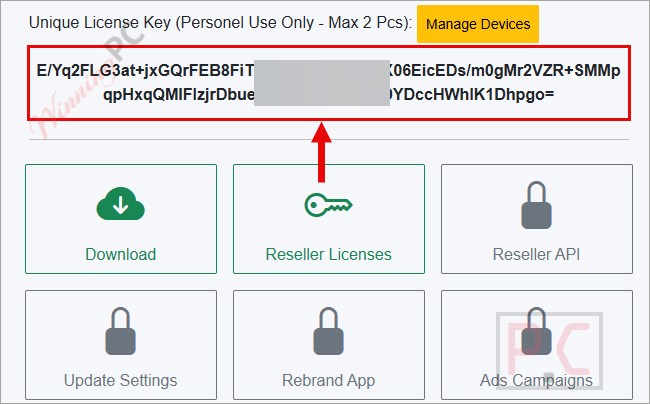
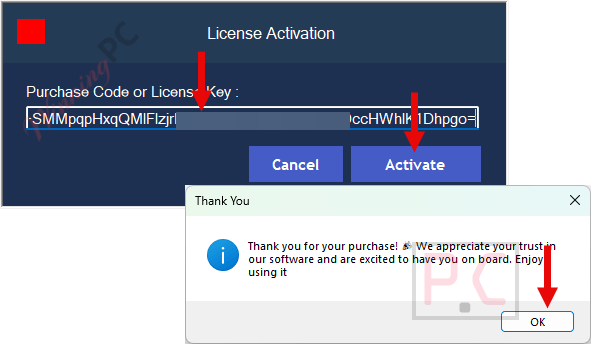
- Sign in at app.gogrowtools.com and open your dashboard. The license code and the Windows installer are both there.
NOTE: If the page shows $7 instead of $0, the giveaway has probably closed. No end date was published, so it can stop at any point.
What Kids Tracing Printables Generator is good at
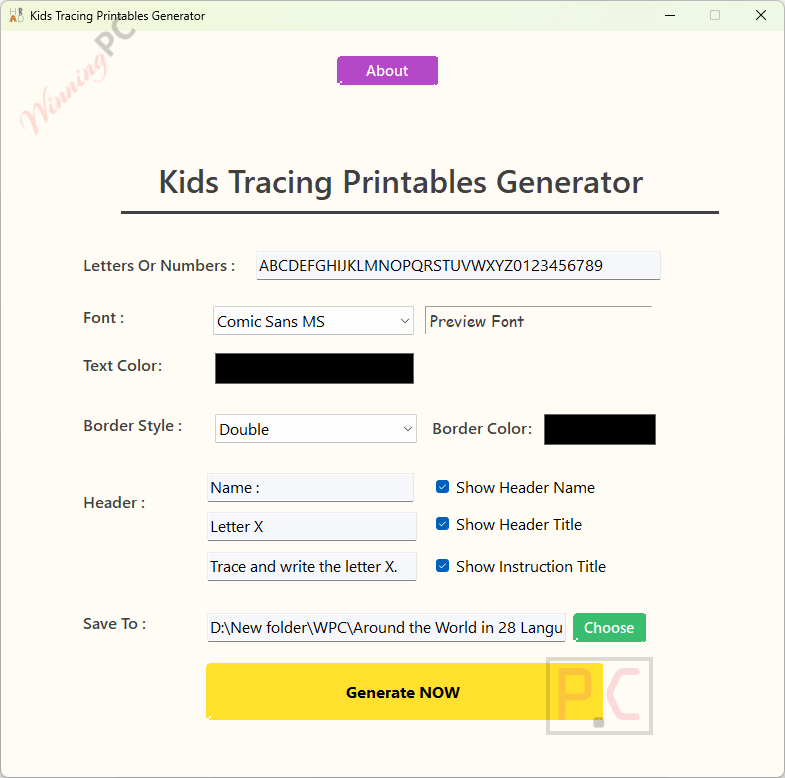
Kids Tracing Printables Generator is a narrow tool that does one job without asking much of you. You pick a tracing template, set colours, text, spacing and page count, then export. The part that matters most for anyone producing at volume is batch page generation: instead of duplicating a page and re-editing it, you set a number and get a consistent multi-page workbook in one pass. Because everything happens locally on Windows, there are no export credits, no watermark tier and no waiting on a browser to render a PDF. The trade-off is scope. It builds tracing and handwriting sheets, and that is the whole remit. If you were hoping for a general worksheet designer that also does maths grids, mazes and reading comprehension, this is not that.
Key features
- Batch page generation builds a full multi-page workbook from one setup, which is the difference between an evening of work and a coffee break.
- A4 PDF export aimed at ordinary home and classroom printers, so pages come out with proper margins rather than clipped edges.
- Colour, text, spacing and layout controls to keep sheets consistent with your classroom or shop branding.
- Runs offline on Windows 10/11, with no account check needed to generate a file.
- Templates for alphabet tracing, numbers, handwriting lines and practice sheets, sized for early learners.
What we liked, what we didn’t
Screenshots
Is there a cheaper or free option?
Plenty of free browser generators make tracing sheets. The honest question is whether you need what they don’t give you: offline batch output and a written commercial licence.
| Tool | Price | Where it runs | Batch multi-page PDF | Resale rights |
|---|---|---|---|---|
| Kids Tracing Printables Generator (our pick for sellers) | Free via giveaway, $49 list | Windows desktop | Yes, set a page count | Stated as included |
| Tools for Educators writing worksheet maker | Free | Browser | No, one sheet at a time | Not granted for resale |
| The Teacher’s Corner handwriting maker | Free | Browser, no signup | No | Not granted for resale |
| Canva | Free tier, paid Pro | Browser | Manual duplication | Restricted for template resale |
If you need six sheets for Monday’s class, open a free browser generator and be done in five minutes. The desktop tool earns its place when you are producing workbooks repeatedly and want a licence that clearly permits selling the output.
Frequently Asked Questions
Is Kids Tracing Printables Generator really free?
Yes. Through this giveaway the price is $0 for a one-time personal license, against a $49 list price. There is no trial period and no card required.
Can I sell the worksheets on Etsy or Amazon KDP?
Yes, the license includes commercial use rights, so the PDFs you export are yours to sell. One practical catch for KDP: A4 is an available paperback trim, but Amazon does not offer standard colour printing at that size, and most workbook buyers expect 8.5 x 11 inches. Check your interior margins too, because a PDF laid out for a home printer is not automatically upload-ready.
How many computers can I install it on?
Two. The personal license covers 2 PCs from a single key.
When does the giveaway end?
No end date has been published. That means it can close without notice, so claim it now rather than bookmarking it.
Does the free license include updates and support?
The publisher lists free updates, upgrades and email and chat support with the license, and does not state a separate rule for giveaway accounts.
Is this giveaway safe, and what happens to my email address?
The download and the key both come from the publisher’s own store and dashboard, so nothing is cracked or repackaged. You pay with your email address rather than money: GoGrowTools markets other tools and reseller offers, so use an address you don’t mind hearing from.
Does Kids Tracing Printables Generator work offline, and is there a Mac version?
It works fully offline once installed, since all processing happens on your PC. There is no Mac or web version, only Windows 10/11.
What you need to run it
| Field | Value |
|---|---|
| Operating system | Windows 10 / Windows 11 |
| Supported output formats | PDF, A4, print-ready |
| Other requirements | Internet needed once to download and activate. No connection required to generate worksheets. License covers 2 PCs |




obtaining the license is convoluted having to navigate aggressive upsell attempts but eventually one can login using an unverified email address and a password they provide and manage the apps added to your account and download them. The program DOES NOT support UNICODE characters so non-english character sets are NOT supported as the tracing font which presents the chosen characters as traceable dot pattern is a non-Unicode font file. So limited utility… you’re likely to use this once and to produce a single multi-page PDF with all the characters you are interested in teaching and then you’ll just print off the pages you want for the current lessons and not generate a PDF of just A and a and then for the next day B and b. Program seems portable except for license state as it is tied to the hardware the license was activated on. It tries to check the license on every execution so is not truly an offline only program.
Cannot do tracings for cursive writing fonts to teach joined up writing… so only good for block capitals non-cursive lowercase and numbers.
Changing the Font using the GUI does NOT affect the Font used in the produced PDF… its setting is ignored during PDF generation, might as well not be there! And the UI reverts to default settings on each startup… it does NOT remember anything from prior executions. I confirm you just want to add all the characters you might be interested in ever printing out and producing a single PDF and never use it again… really they could just do the generation server side and just offer a PDF of all standard characters and forget trying to sell the single use program that just about everyone will use once to produce the comprehensive PDF file and then just print pages they need each time and never bother with the cranky program again.
This vendor/developer is stealing LGPLv3 licensed wkhtmltoimage.exe and wkhtmltopdf.exe and wkhtmltox.dll by incorporating them into their closed source product without giving the projects attribution and providing a copy of the LGPLv3 license files.