

Vovsoft Text to PDF Converter Giveaway
Vovsoft Text to PDF Converter
Turns plain text (.txt) files into PDF format without complex configurations.
- Product
- Vovsoft Text to PDF Converter
- Product website
- vovsoft.com
- License
- Lifetime
- Platform
- Windows 11, 10, 8/8.1, 7, Vista
- Usage
- Non-commercial only
- Updates
- No future upgrades
- Support
- No support
- Updated
- 2026-09-25
Continue on vovsoft.com
The publisher handles registration and license delivery on its official website.
30% Off Vovsoft Text to PDF Converter Coupon Code
Vovsoft Text to PDF Converter Coupon Code

Vovsoft Universal License
115+ programs | Lifetime license | All future updates
Is this Vovsoft Text to PDF Converter giveaway safe and legit?
Yes. This offer comes directly from Vovsoft, the software’s own developer – not a reseller or grey-market site.
No crack or keygen
You download the official Vovsoft installer and activate it with a genuine key issued by the publisher. Nothing is patched, repackaged, or bundled with third-party software.
Official authorized source
This is Vovsoft’s own publisher giveaway. Any paid purchases go through PayPro Global, their established payment partner, not an unknown third party.
Secure checkout
If you decide to buy the paid version later, payment is processed on Vovsoft’s encrypted storefront. WinningPC never handles your payment details.
Zero financial risk
The giveaway license costs nothing, so there’s nothing to lose by trying it.
How to Get the Vovsoft Text to PDF Converter License Key for Free
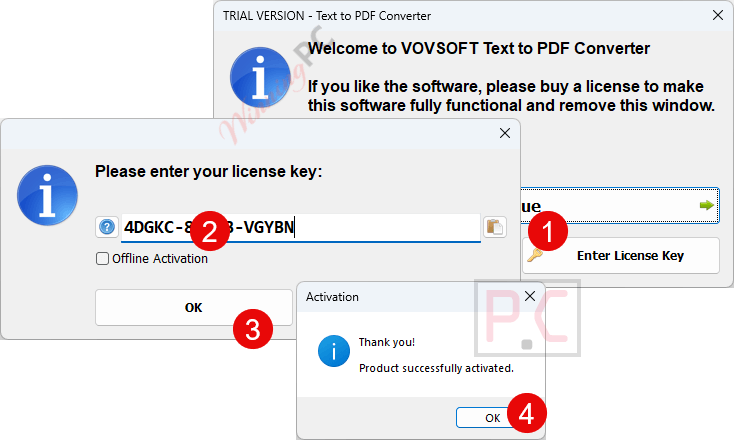
- Click the download button on this page to download the Vovsoft Text to PDF Converter on your computer.
- Run the installer on your Windows PC and follow the on-screen setup steps.
- When prompted, enter the product key to activate your Lifetime license.
- Open Vovsoft Text to PDF Converter – your licensed copy is ready to use.
Vovsoft Text to PDF Converter Review & Features
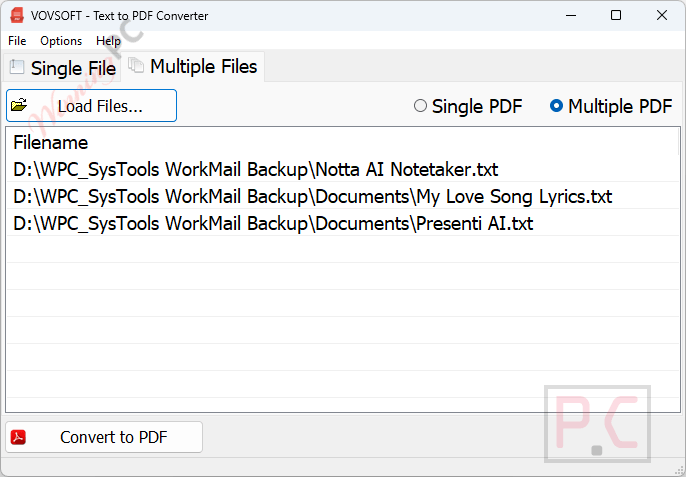
Vovsoft Text to PDF Converter gets the job done without friction. The batch mode is the real value: point it at a folder of TXT files and the converter processes the queue and outputs everything – either as separate PDFs per file or one merged document. Paper size choices run from compact A5 to large A0, plus Letter and Legal, so the output is actually print-ready rather than just a text dump dressed up as a PDF. That said, formatting control stops at font style and orientation. If your text files contain tables, markdown, or HTML tags, those come through as raw characters. UTF-8 support is confirmed, which means non-English text files won’t end up garbled.
Key features
- Batch conversion: process multiple TXT files in one run; output as separate PDFs or a single merged document.
- Full paper size range: A5, A4, A3, A2, A1, A0, Letter, and Legal supported.
- Font and orientation control: choose a font style and switch between Portrait and Landscape per job.
- UTF-8 support: handles non-ASCII characters correctly for international text files.
- Portable build available: the 2.34 MB portable version runs without installation, useful for USB deployment.
What we think
more Vovsoft Text to PDF Converter Screenshots
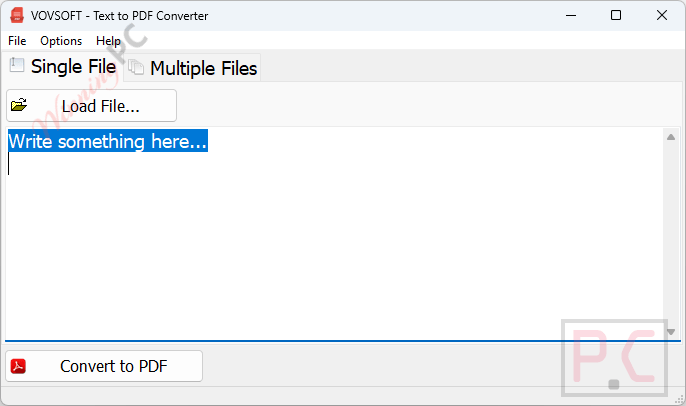
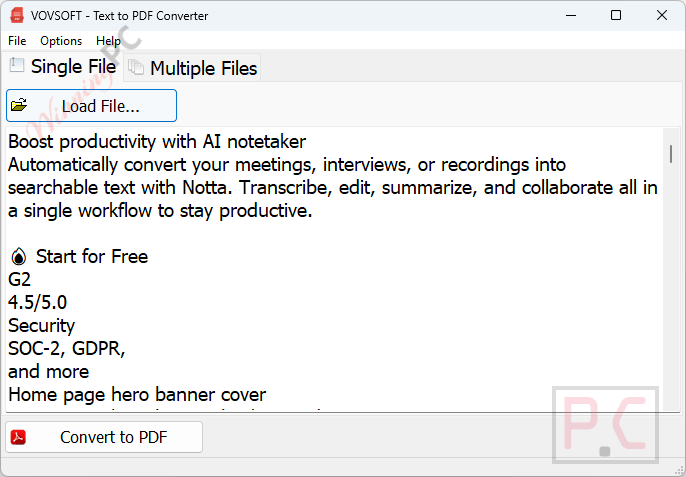
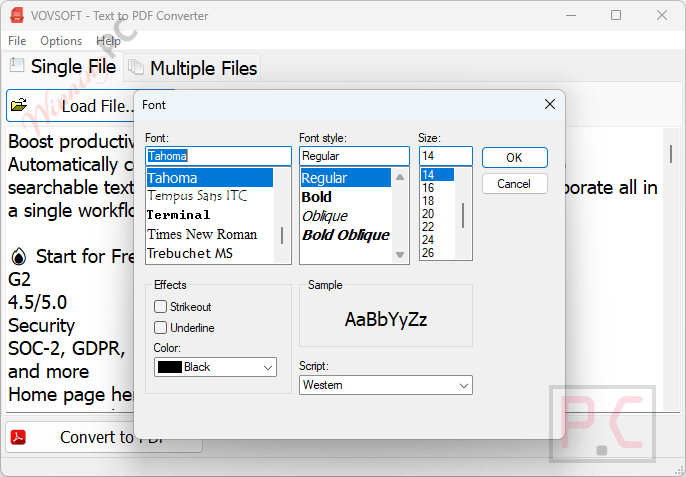
Frequently Asked Questions
Can I use this for commercial work?
No. The giveaway license is non-commercial only. If you need TXT-to-PDF conversion for client deliverables or a business workflow, the $19 paid Lifetime license covers commercial use and adds free upgrades and technical support.
Does it work on Windows 11?
Yes – Windows 11 is fully supported, along with Windows 10, 8/8.1, 7, and Vista, both 32-bit and 64-bit.
What happens to my key when the giveaway ends?
Your activated v1.2 license stays valid on that machine permanently. You keep all current features. What you won’t receive is any new features or bug fixes released after v1.2.
Can Vovsoft Text to PDF Converter process more than one TXT file at a time?
Yes. Batch processing is the core feature. Load as many TXT files as you need, then choose whether to combine them into one PDF or generate a separate file for each.
How is this different from exporting to PDF via Word or LibreOffice?
Speed and focus. Word and LibreOffice can open TXT files and export to PDF, but they launch a full office application and handle one file at a time unless you set up a macro. Vovsoft’s tool takes a whole folder, converts in batch, and requires no office suite at all.
Is there a version that runs without installing?
Yes. Vovsoft offers a 2.34 MB portable build that runs directly from any folder or USB drive – no installer, no admin rights needed.
System Requirements & Details
| Operating system | Windows 11, 10, 8/8.1, 7, Vista (32-bit & 64-bit) |
| Processor / RAM / disk | Not specified |
| File size | 3.62 MB (Installer) / 2.34 MB (Portable) |
| Supported input formats | TXT (plain text files) |
| Supported output formats | |
| Language | English |
| Other | Product key required for licensed use; portable version available (no install) |




Does not handle adding USER and OWNER password and digital signing protection… can do everything this does using a right click print to Save as PDF virtual printer.