
On this page
GRTSoft SSD Data Recovery Giveaway
GRTSoft SSD Data Recovery Giveaway
Get files off a RAW or corrupted SATA, NVMe or USB SSD. A TRIM check before the scan tells you what the drive can still return.
- Product
- SSD Data Recovery
- Website
- grtsoft.com
- License
- Lifetime
- Platform
- Windows 11/10/8.1/8/7 (32/64 bit)
- Installer
- ssdrecovery.exe
- Usage
- Non-commercial only
- Updates
- No future upgrades
- Support
- No support
- Updated
- November 13, 2026
Get your unique code by email
License key delivered free to your inbox within minutes.
Protected by Cloudflare Turnstile · Email quality checked by Reoon
All codes have been claimed or the giveaway has closed.
How to Get the GRTSoft SSD Data Recovery License Key for Free
Enter your email in the giveaway form above. WinningPC sends your free license code to that address.
Download and install SSD Data Recovery. If you can, install it on a different drive from the SSD you want to rescue, because any new write may land on cells that still hold your files.
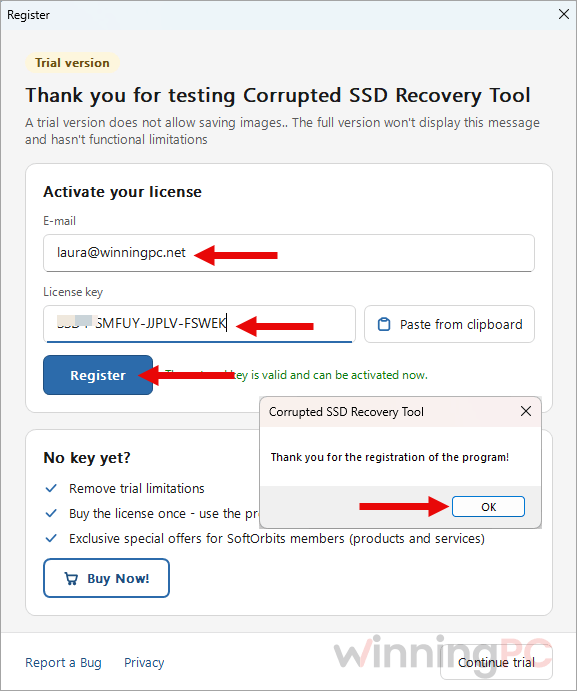
When setup finishes, click the “Register” button inside the program and enter your code. Do this before Nov 20, 2026: the terms require both installation and activation by that date.
Top SSD Data Recovery Softwares Coupon Code Nov 2026

EaseUS Data Recovery Wizard Pro Lifetime
One license for one computer | Lifetime free upgrades

iMyFone D-Back - Lifetime Plan
5 Device / 3 PC | Lifetime Free Upgrade Service | Lifetime Customer Support Service

Wondershare Recoverit Essential for Win - Perpetual License
Lifetime for 2 PCs

Magic Data Recovery Pro Edition - Perpetual
One license for one computer | Lifetime free upgrades

MiniTool Power Data Recovery - Personal Users Ultimate
1 License for 3 PCs | Lifetime Free Upgrade


Kernel Windows Data Recovery - Home User 1 Year License
Personal use only | 24*7 free technical support
Glarysoft File Recovery Pro - Lifetime License
One license for 2 PCs | 90-day money-back guarantee | Prompt email support service
Is this GRTSoft giveaway safe to use?
Yes. The license comes straight from the publisher, and the program itself is designed not to make a bad drive worse.
No crack or keygen
ou install GRTSoft’s own build and activate it with the code they email you. Nothing is patched or repackaged.
Read-only on the damaged drive
The program reads the SSD it scans and doesn’t write to it. Recovered files can’t be saved back onto the source volume, so you can’t overwrite what you came for by accident.
Official source
The free code is issued through GRTSoft’s giveaway form. Paid orders go through GRTSoft’s payment partners (Creem or Lemon Squeezy), so your card details never touch WinningPC.
Nothing to lose
The giveaway costs nothing. If you later buy the Yearly or Lifetime plan, you can request a refund within 15 days.
What GRTSoft SSD Data Recovery does well (and where it stops)
GRTSoft SSD Data Recovery flips that order, and it’s the main reason I’d reach for it on an SSD. Most recovery tools let you discover the TRIM problem last: you scan for an hour, see a reassuring list of file names, and get back files full of zeros. GRTSoft measures the drive before scanning and tells you plainly whether deleted files can still exist, which saves real time when the answer is no. In practice it’s a narrow tool, and that’s fine.
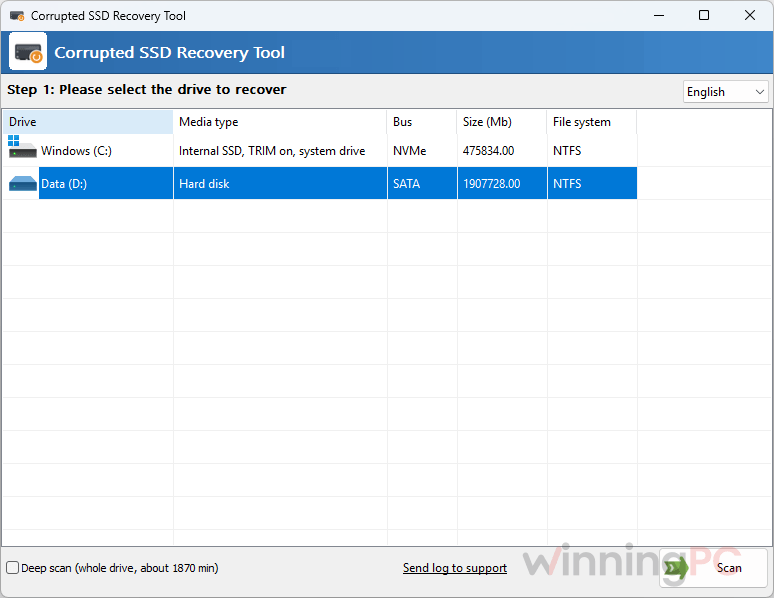
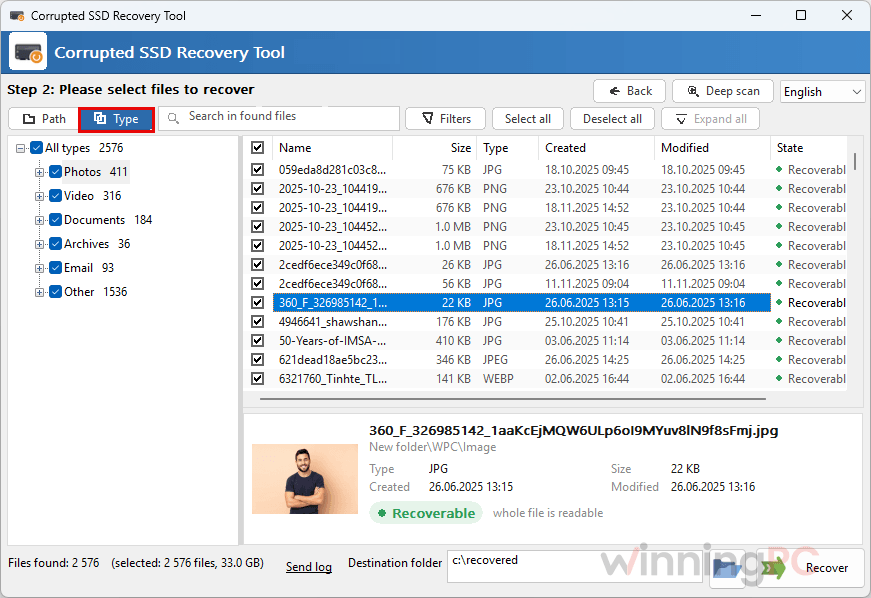
It shines on volumes that went RAW, lost their folders after a crash or keep asking to be formatted. It won’t conjure up files you deleted from an internal TRIM-enabled drive, and it can’t see an SSD that Windows no longer gives a drive letter. One subtlety worth knowing: the “wiped by TRIM” check happens when you save, so the scan list alone isn’t proof a file is intact. Use the preview pane before you celebrate.
Key features
- TRIM check before the scan. Three readings (is it solid state, does the drive report TRIM, are Windows delete notifications on) tell you within a minute what the drive can still return.
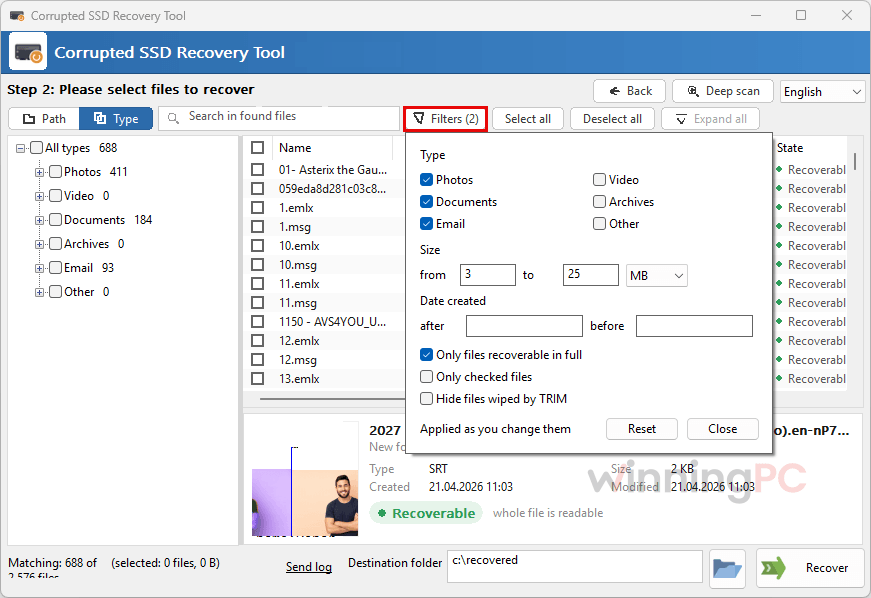
- Blank files get called out. Every block of each recovered file is checked, and empty ones are marked “wiped by TRIM” and counted in the summary.
- Quick scan, then Deep scan. Quick scan reads the file system records in seconds; if that finds nothing, Deep scan reads the whole drive and hunts for files by signature.
- Internal and external SSDs in one list. Each drive shows its media type and bus (SATA, NVMe or USB), including the SSD Windows runs from.
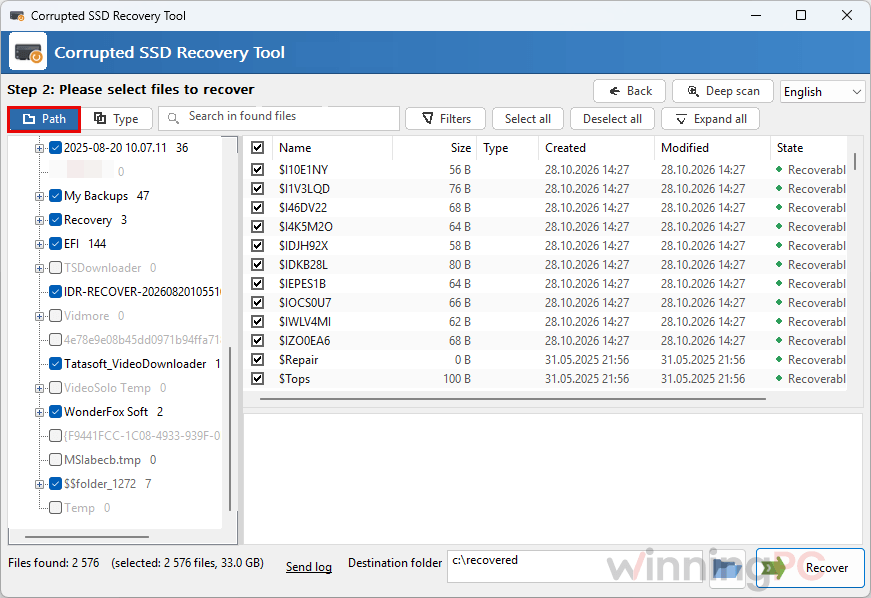
- Preview first, save elsewhere. Open any found file in the preview pane, tick what you need, and save it to another drive. The source SSD is refused as a destination.
What we think
More GRTSoft SSD Data Recovery Screenshots
Is there a cheaper or free option?
| Tool | Regular price | Free option | Best for |
|---|---|---|---|
| GRTSoft SSD Data Recovery | $39.99/year · $49.99 lifetime | Free in this giveaway; trial scans and previews | RAW or corrupted SSDs, with a TRIM check before you scan |
| AOMEI FastRecovery Professional | $48.96 Lifetime Upgrades/PC | Free edition, 30 MB per recovery | General recovery of deleted files on HDDs, SSDs and USB drives |
| iTop Data Recovery Pro | $29.99/life/PC | Limited free version | Budget all-round recovery |
| Magic Data Recovery Pro | $13.99/life/PC | Free trial | Broad file-type coverage |
| EaseUS Partition Recovery | $49.97/life/PC | Free trial | Bringing back a lost or deleted partition itself, rather than copying files off |
| Wise Data Recovery Pro | $39.99/yr/3pCs | Free version, up to 2 GB | Simple undelete on HDDs and USB sticks |
| TestDisk & PhotoRec | Free, open source | Fully free | Users comfortable with a text-based interface; partition repair plus signature recovery |
Frequently Asked Questions
Can GRTSoft SSD Data Recovery recover files I deleted from my SSD?
Not from an internal SSD with TRIM on, and no other program can either. Once a file leaves the Recycle Bin, Windows tells the drive those cells are free and the drive clears them. Where it does work is data that was never deleted: files on a RAW or corrupted volume, or behind a broken file system. Deleted files on a USB SSD often survive too, because many enclosures don’t pass TRIM through.
What happens if I don’t activate before Nov 20, 2026?
The giveaway terms require you to install and activate the code before Nov 20, 2026. Don’t save the email for later; register the program the day you get your code.
Does it work with M.2 NVMe drives?
Yes. M.2 is only the shape of the stick, so the drive shows up under its real bus, NVMe or SATA. The one condition is that Windows still gives the volume a drive letter.
My SSD isn’t detected in the BIOS. Can GRTSoft SSD Data Recovery help?
No. If the BIOS can’t see the drive, Windows can’t either, and that’s a job for a recovery lab with hardware tools.
Should I format the SSD when Windows asks me to?
No, recover first. Formatting writes a fresh file table over the records a scan still needs, and on an internal SSD Windows may send TRIM to the whole volume while it does it. Copy your files off while the drive is in the state it failed in, then repair or reformat.
Will recovered files keep their original names?
Not always. Files found by Deep scan’s signature search come back without their original names and folders, so use the preview pane to tell them apart before you save.
Can I use the free license at work?
No. The giveaway license is for non-commercial use only.
System Requirements & Details
| Field | Value |
|---|---|
| Operating system | Windows 11/10/8.1/8/7 (32/64-bit) |
| Processor | Intel i3, AMD Ryzen 5 or above |
| RAM | 4 GB or more |
| Graphics | NVIDIA GeForce series 8 and 8M, Intel HD Graphics 2000, Quadro FX 4800, Quadro FX 5600, AMD Radeon R600, Mobility Radeon HD 4330, Mobility FirePro series, Radeon R5 M230 or higher, with up-to-date drivers |
| Display | 1280 × 768, 32-bit color |
| Disk space | 1 GB free or more |
| Version / size | 4.15 · 6.7 MB (updated October 30, 2026) |
| Supported drives | Internal and external SATA, NVMe and USB SSDs, including the Windows system drive; the volume must have a drive letter |
| Recoverable file types (Deep scan) | 34 types in 7 groups, including JPG and PSD images, camera RAW files, archives, video and SQLite databases |
| Output | Recovered files are saved to a folder on a different drive; the source SSD is refused as a destination |
| Other requirements | Administrator rights (needed to open an internal drive) |