
Skip to content

Blur Video Free on Google Play (was $4.99)

Blur Video by SwiperyLab is free on Google Play (US) until Nov 29, 2026, 3:59 PM PT, down from $4.99. The listing declares no data shared with third parties, though it may collect device IDs. Worth installing if you need quick face censoring, background blur, or moving-object masking without desktop editing software.

Get it free on Google Play
Official Google Play link Ends Nov 29, 3:59 PM PT Rated 4.4 on Play (159) No data shared declared
Blur Video Free on Google Play (was $4.99)
On this page

Blur Video pricing and listing details

Price & specs
AppBlur Video
DeveloperSwiperyLab
StoreGoogle Play (US)
Regular price (US)$4.99
Price at check (US)$0.00
Offer endsNov 29, 2026, 3:59 PM PT
Data safetyNo data shared with third parties; may collect Device or other IDs (encrypted in transit; data cannot be deleted)
Rating4.4 out of 5 (159 reviews)
Installs10K+
Last updated in storeOct 30, 2026
Price checkedNov 26, 2026, 6:10 AM PT

It goes through as a $0.00 purchase, so it stays in your library. How app giveaways work.

Blur Video on the US Google Play store showing a price of $0.00
Price checked Nov 26, 2026, 6:10 AM PT

Privacy censoring and moving-object blur

Review & features

Blur Video focuses on hiding faces, backgrounds, and sensitive objects in Android clips without moving to a full desktop editor. Recent Google Play reviews from summer 2026 praise how fast it applies face blur and pixelation, though an October 2026 user review notes a startup crash and a June 2026 review asks for manual background replacement. If you also need ID photo editing on Android, see our Passport Photo listing.
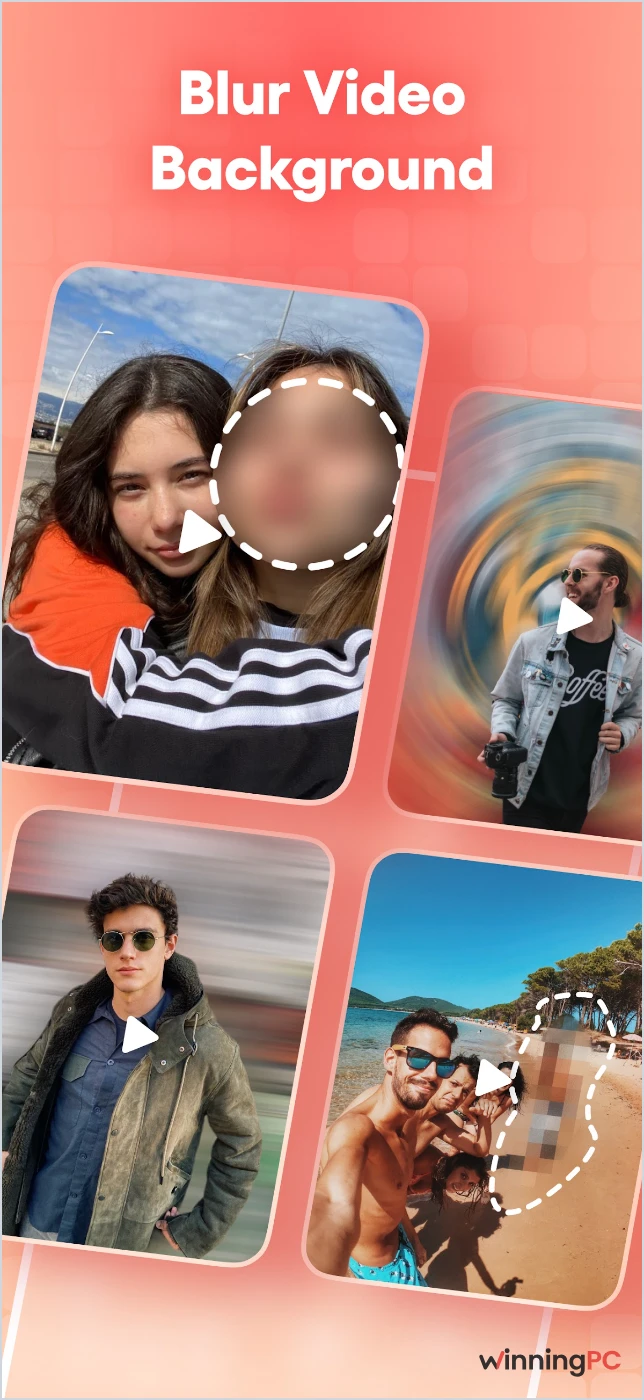
Blur Video face and background blur editor interface
Blur Video face and background blur controls

Key features

  • AI face blur with motion tracking: detects and obscures one or multiple moving faces in crowds automatically.
  • Blur, pixelate, crystalize, or emoji overlays: swap standard mosaic censoring for emojis or adjust blur intensity and edge softness.
  • Background blur: softens video backgrounds so the main subject stands out.
  • Keyframe shape blur: place point blur over logos or private text and track movement across frames with keyframes.

Should you grab it?

Verdict
7.2Expert Score
Good

Who it suits: Creators, parents, or anyone sharing street or family videos who wants automatic face tracking and keyframe object censoring on Android without paying $4.99.
Who should skip it: Users needing custom background image replacement or strict zero-ID collection, since the listing notes Device or other IDs may be collected and cannot be deleted. We found no independent forum discussion outside Play reviews.
This assessment is based on the store listing and user feedback, not our own hands-on test.

Functionality
7.4
Ease-of-use
7.2
Value
7.8
Privacy & ads
6.5
Pros
  • AI face tracking handles multiple people plus manual keyframe shape blur
  • Normally $4.99 on US Google Play with no ads or in-app purchases tagged on the listing
  • Listing declares no data shared with third parties and encryption in transit
Cons
  • Play Data safety states Device or other IDs may be collected and cannot be deleted
  • One October 2026 Play review reports failure to open, and there is no custom background swap

Community Comments (0)

Leave a review or comment

Your email address will not be published. Required fields are marked *

Reader rating (optional)Use arrow keys to browse stars, then press Space or Enter to save your rating.
Choose your rating
Choose 1–5 stars

WinningPC
Logo
Register New Account