
 Cathryn Lee
As a transfer tool, iMyFone iMyTrans (Pre iMyFone iTransor for WhatsApp) offers you the possibility to transfer WhatsApp between Android and iPhone, back up WhatsApp on iPhone Android, restore WhatsApp backup to iPhone Android, and export WhatsApp backup to computer. Besides, this tool exports WhatsApp chat to HTML and reads it as it appears on the phone.
iMyFone iMyTrans Coupons October 2026 (100% Working)

iMyFone iMyTrans 1-Month Plan
58% off coupon code: regular price $49.99, discounted price $20.99
iMyFone iMyTrans 1-Year Plan
53% discount code: regular price $59.99, discounted price $27.99
iMyFone iMyTrans Lifetime Plan
50% promotion code: regular price $69.99, discounted price $34.99

iMyFone Sitewide Coupon Code
Extra 30% discount promo code for all iMyfone products
iMyFone iMyTrans Giveaway License Key Free
- Product name: iMyFone iTransor for WhatsApp
- Website: https://www.imyfone.com/
- License type: 6-month
- Platform: Windows
- Download: itransor-for-whatsapp_setup.exe
- Giveaway link:
click here
How to get iMyFone iMyTrans license key?
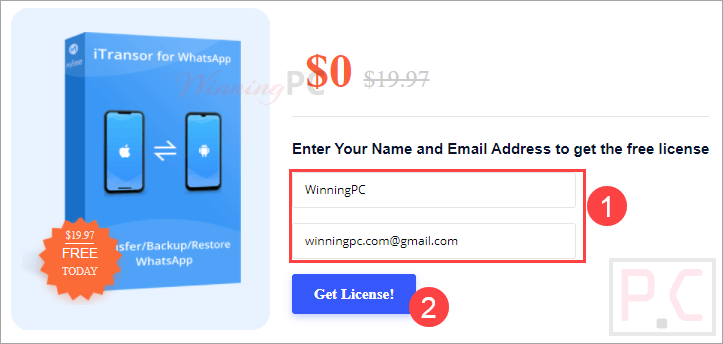
Open the iMyFone iTransor for WhatsApp giveaway page and fill in your information to get a iMyFone iMyTrans free license:
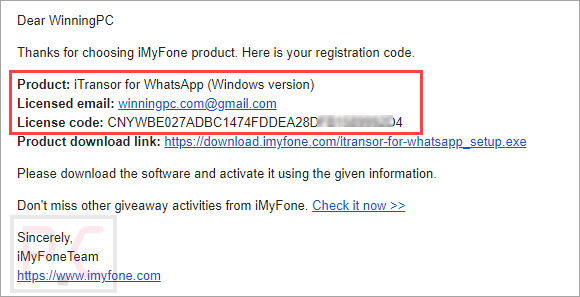
Check your mailbox to copy iMyFone iTransor for the WhatsApp registration code and get the download link:
Just open the software and register it with the above license information.
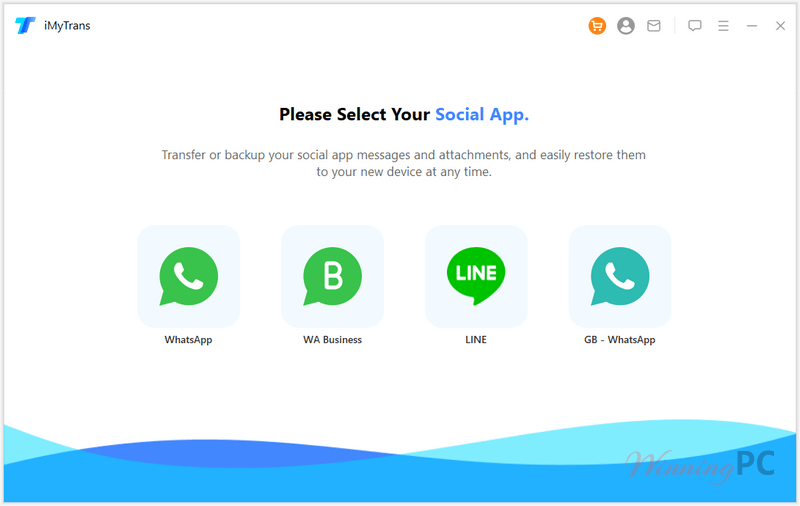
iMyFone iMyTrans main screenshot:
Feature Highlights
- Transfer WhatsApp/WA Business between iOS and Android
- Back-Up WhatsApp/WA Business in iOS and Android
- Restore WhatsApp/WA Business Backup to iOS and Android
- View WhatsApp/WA Business Backup
- Export WhatsApp/WA Business Chats, Images, Videos, Audios, etc.
- You can directly transfer WhatsApp from one phone to another, whether it is old or new, iPhone or Android.
- This software can fully scan your iTunes backups on the computer and then preview, export, and restore them.
- iMyFone iTransor for WhatsApp supports access to WhatsApp backups from Google Drive.
How to use iMyFone iMyTrans?
iMyFone iMyTrans allows you to transfer WhatsApp between iPhone and Android, back up WhatsApp on iPhone or Android phones/tablets, restore iOS/Android WhatsApp backup to iPhone or Android devices, and export WhatsApp backup to HTML and CSV/XLS.
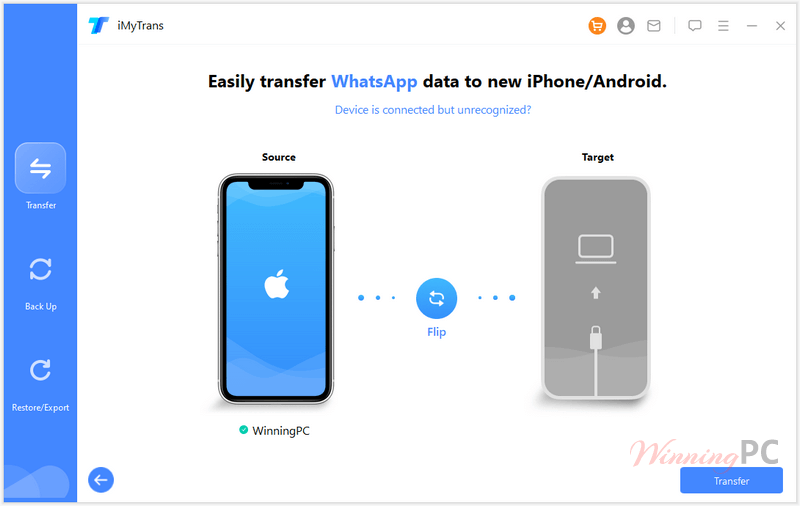
1. Transfer WhatsApp between iPhone and Android devices
– Install and launch iMyFone iMyTrans on your computer. Open it, and connect your devices to a computer with an original USB cable.
– Start transferring WhatsApp: Click the “Transfer” button when both devices are connected. Choose the type of WhatsApp you want to transfer
– Finish WhatsApp transfer
2. Backup WhatsApp on iPhone or Android
– Connect your phone, and choose whether to back up WhatsApp or WhatsApp Business.
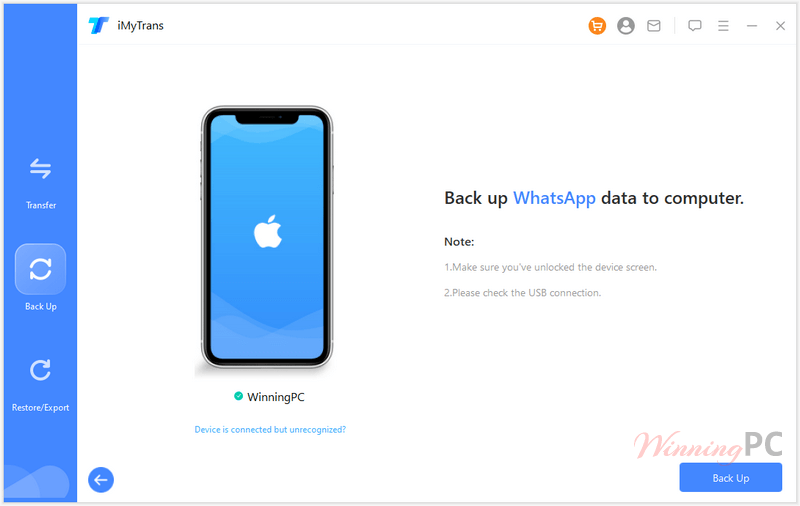
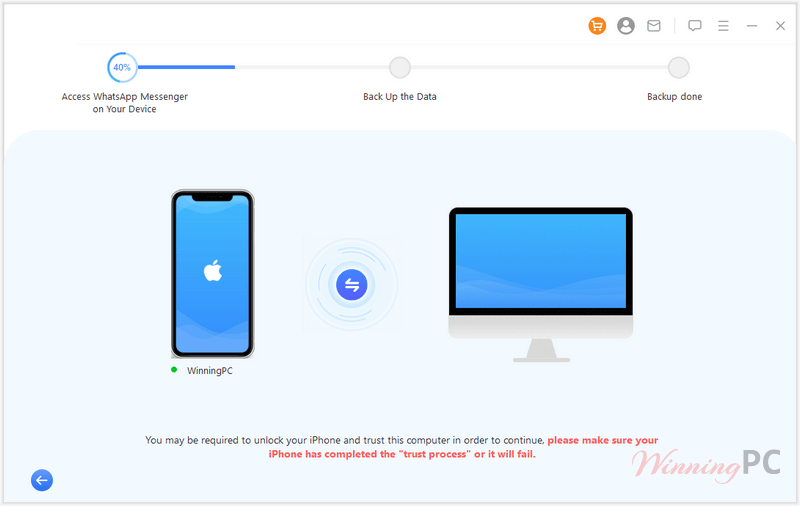
– Back up WhatsApp
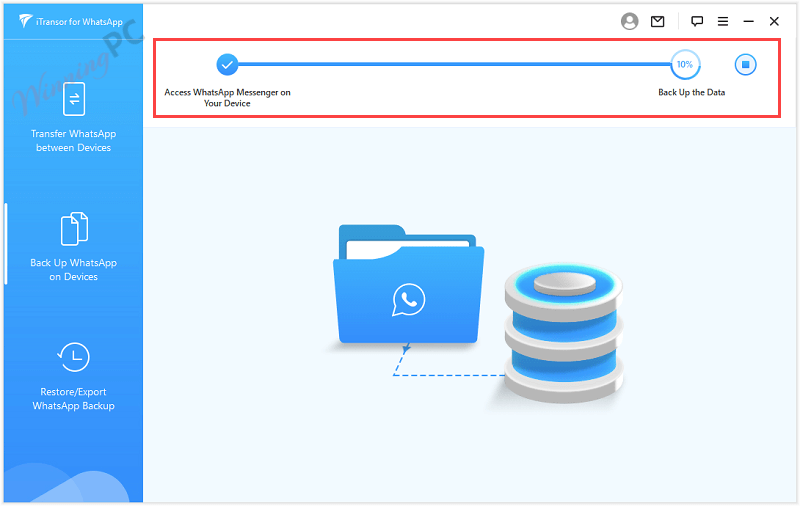
– Finish WhatsApp backup
3. Restore/ Export WhatsApp to iPhone or Android
– Choose a backup and connect your device
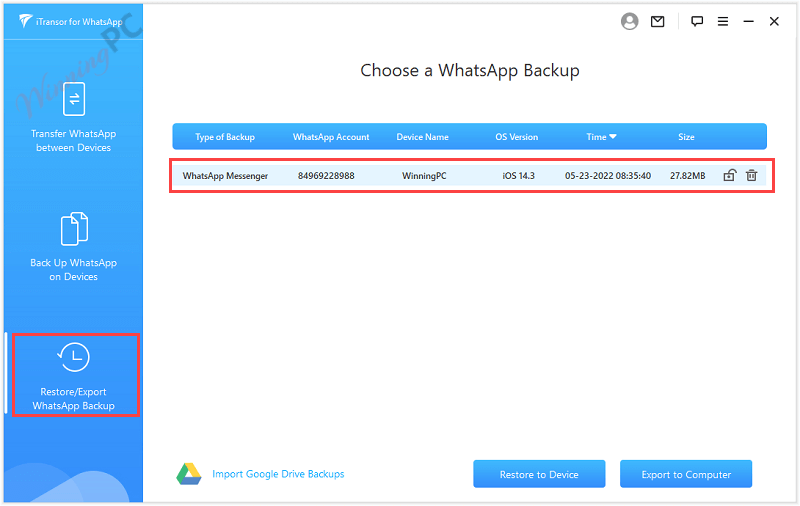
– Restore WhatsApp
– Finish WhatsApp restore
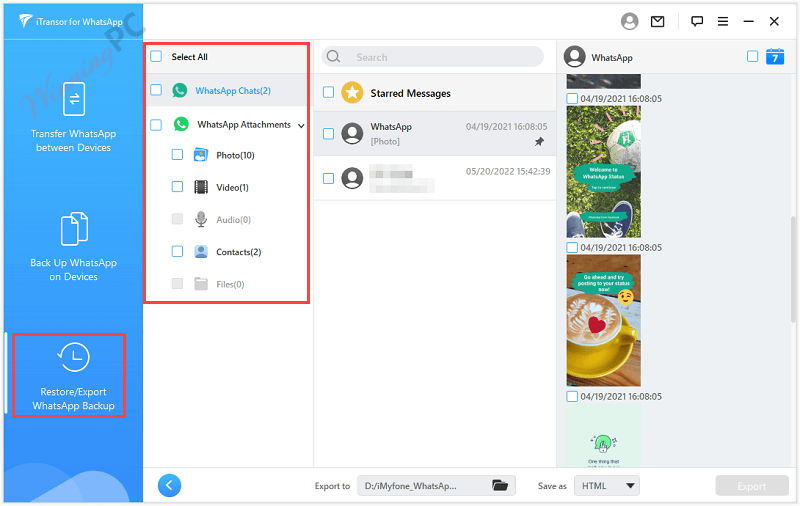
if you want to export WhatsApp chats to a computer, select a backup file and click on the “Export to Computer” button. Once the scanning is done, a preview panel will be shown that helps you choose the chat or attachment you want to export:
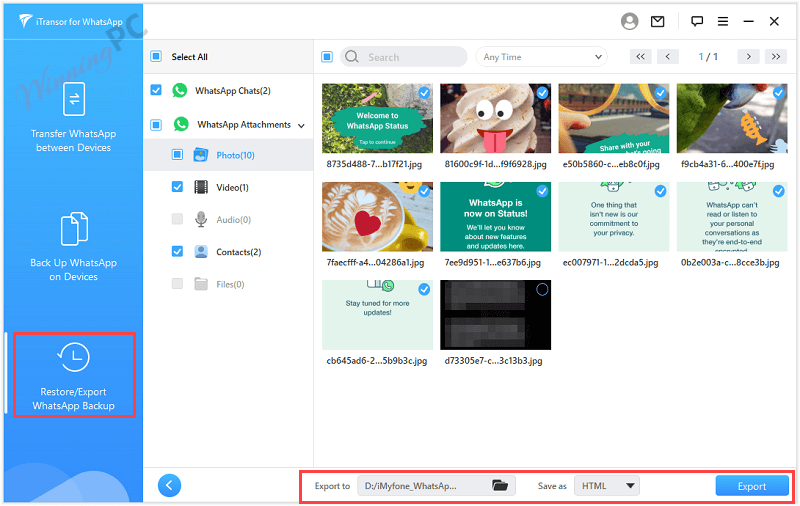
iMyFone iMyTrans supports WhatsApp chats export to HTML or CSV/XLS files, choose a type to save as, and click on the Export button:
Why Choose WinningPC
- Why Trust? We are committed to providing 100% valid and verified coupon codes, so you can always shop with confidence.
- Found an Invalid Coupon or a Better Deal? If you encounter an invalid code or a better offer, please let us know. Our team updates all discount information regularly to ensure accuracy.
- Official Authorization: We only share authentic discounts from trusted software developers.
- No Fake Discounts: Unlike some sites, we never use misleading deals. The final price you see is the true discounted price.
- Secure Purchases: All transactions are processed on the official vendor’s website, ensuring authenticity and data protection.
- Extra Support: If you face order or vendor issues, contact us. We’ll liaise with the vendor to help resolve your problem quickly.
Technical Details
| Language Support | English, Français, German, Japanese, Russian, Spanish, Swedish, and more… |
| Money Back Guarantee | 30-Day |
| Operating System | Mac OS, Windows |
| Shipping | Instant Delivery by Email |
| Subscription | 1-Month, 1-Year, Lifetime |
| Support Services | Tickets |




SHYT
This discount code just made switching phones stress-free with just one click, zero hassle, and my chats look exactly like they did on my old device. Huge thanks, WinningPC!
Used iMyFone iMyTrans to move my WhatsApp chats from Android to iPhone, worked smoothly and didn’t lose a single message. Interface was simple, but the transfer took a bit longer than I expected. Overall, pretty handy if you’re switching phones.
GOOD
hi