
 WinningPC
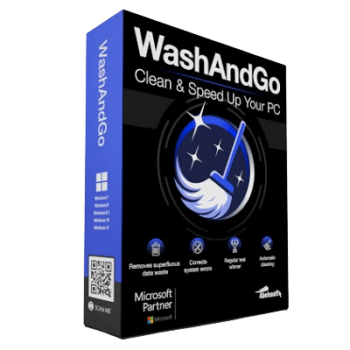
Abelssoft WashAndGo deletes unnecessary data from your system with little effort and thus ensures that your computer runs more stably and faster again. Among other things, the program removes temporary files and traces that arise during surfing. WashAndGo can also detect and repair system errors and fix incorrect entries in the registry.
Abelssoft WashAndGo
The No.1 PC cleaner: removes data junk quickly and safely.
- Product
- Abelssoft WashAndGo
- Product website
- abelssoft.de
- License
- Lifetime
- Platform
- Windows 11, 10, 8.1, 7
- Usage
- Non-commercial only
- Updates
- No future upgrades
- Support
- No support
Download safely
A fresh, short-lived download link is created only when you click.
The free license is no longer available.
Table of Contents
Top PC Optimization Software Coupon Code Sep 2026


Advanced SystemCare 19 PRO with 3 Free Gifts
Includes: Smart Defrag PRO (1 year subscription, 1PC) IObit Uninstaller PRO (1 year subscription / 1 PC) Advanced SystemCare PRO (1 year subscription / 3 PCs) Protected Folder (1 year subscription)


How to get the Abelssoft WashAndGo Full Version Download?
Click on the above download link to download and install the software on your computer.

To be able to use the program permanently, you must activate it free of charge from the manufacturer. When you start the program for the first time, enter your name and email address in the registration window that opens and click on the “Get free unlock e-mail now” button. Note: In some cases, a registration window does not appear at the end of the installation. However, you can still use the version without restrictions.


Abelssoft WashAndGo 2025 Main Screenshot!


Key Features
- Abelssoft WashAndGo removes unnecessary waste data
- Repairs system errors
- Removes traces
System Requirements & Details
| Language Support | English, Français, Italian, Spanish, Swedish, and more… |
| Money Back Guarantee | 30-Day |
| Operating System | Windows |
| Shipping | Instant Delivery by Email |
| Subscription | Lifetime |
| Support Services | Email, Tickets |




It was easy to install, but it didn’t work for me. It scans what it can clean, but it doesn’t start. I could not find a way to start the cleanup.
Hi,
I have tested the software again, and it worked for me. Please run the program with administrative permissions (right-click the program and select ‘Run as administrator…’) and let me know the results.