Ashampoo Taskbar Customizer helps you change the color and opacity of your taskbar. With a single click, you can make it semi-translucent or apply any color you like.
1
The Best Desktop Customizer Software Coupon Code
Coupon Code

Start Menu 8 PRO - 1 Year/ 1PC
45% Off coupon code: regular price $9.99, discounted price $5.49
−45%
UPSE•••Copy → 
25% Off Stardock Fences Coupon Code
Limited time offer: 25% off coupon code for all license, use discount code FENCE***25-OFF
−25%
FENC•••Copy → 
Stardock Object Desktop
20% discount coupon code: regular price $49.99, discounted price $39.99
−20%
No C•••Copy → 2
Ashampoo Taskbar Customizer Free Key
Giveaway Details
- Product name: Ashampoo Taskbar Customizer
- Website: https://www.ashampoo.com/
- License type: lifetime
- Platform: Windows
- Giveaway link: click here
- Download: taskbar_customizer_30849.exe
3
How to get the license key?
Instructions
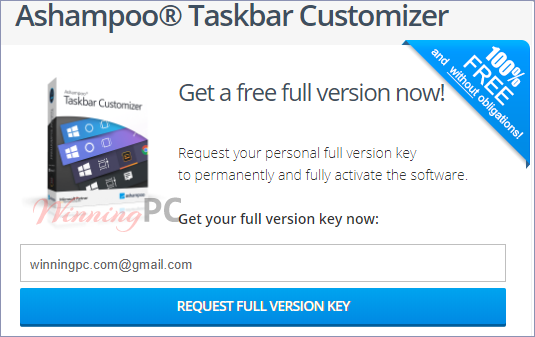
Open the giveaway page to get the license code for free.
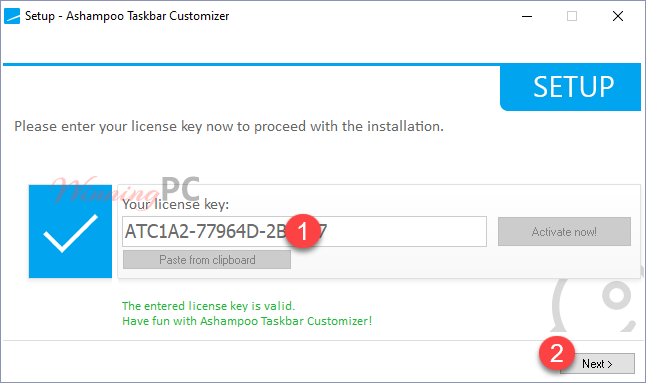
Install Ashampoo Taskbar Customizer on your computer then enter the license code above to activate it!
4
Ashampoo Taskbar Customizer Features
Feature Highlights
- Make the taskbar invisible
- Customizable taskbar opacity
- Freely selectable taskbar color
5
Technical Details
Product specification
| Language Support | English, Français, Italian, Spanish, Swedish, and more… |
| Money Back Guarantee | 30-Day |
| Operating System | Windows |
| Shipping | Instant Delivery by Email |
| Subscription | Lifetime |
| Support Services | Tickets |
6
User’s and Editor’s scores
Add your rating