WinningPC
FamiGuard Pro is a parental control app that allows you to control your child’s device remotely and see his activities. This powerful app will create a list of all websites and web pages, geofencing, app blocking, screen time limits, and location tracking for child protection. With FamiGuard, you can view what content your children are browsing online and monitor the detailed visit time and duration…
FamiGuard provides different versions tailored to specific needs, including FamiGuard for remotely checking and controlling your kids’ phone activities, FamiGuard Pro for remotely monitoring phones, tracking online activities, locating phone position and more, and FamiGuard for WhatsApp for specialized WhatsApp tracking. FamiGuard assists in managing what your children access and where they go to ensure your children are safe when they surf the web.
FamiGuard Pro Phone Monitoring Coupon Code Oct 2026
FamiGuard Pro - 1 Month Plan (1 Device)
43% off coupon code: regular price $55.99, discounted price $31.99
FamiGuard Pro - 1 Quarter Plan (1 Device)
44% discount code: regular price $85.99, discounted price $47.99
FamiGuard Pro - 1 Year Plan (1 Device)
40% discount coupon code: regular price $145.99, discounted price $87.99

FamiGuard Sitewide Coupon Code
Extra 20% discount promo code for all FamiGuard products
Key Features & Screenshots
- FamiGuard Pro is the ideal tool for parents to monitor and control their children’s phones. This one-stop solution will help you remotely monitor phones, track online activities, locate phone positions, and more.
- Manage Screen Time: FamiGuard Pro allows you to set daily or weekly screen time limits to encourage a balanced routine. You can also use this tool to check your kids’ screen time and app usage and decide what apps and when they can use to ensure children have time for other activities.
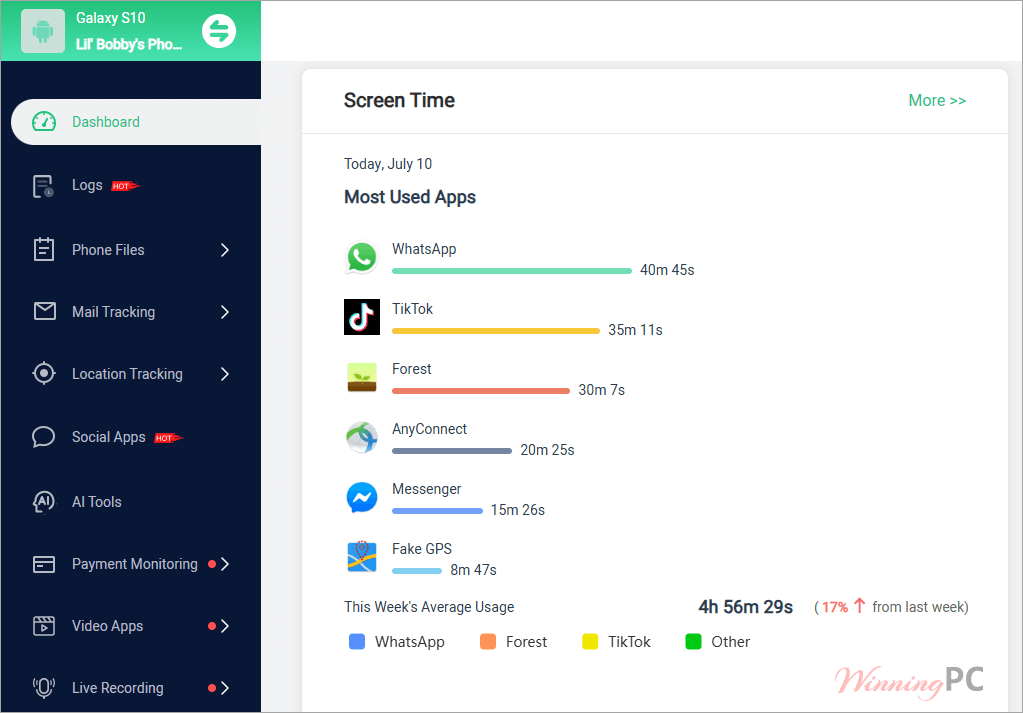
- Control App Downloads: This feature empowers you to manage the apps your children download onto their devices. You can see every new app installation in real time to assess whether an app is suitable or potentially harmful. You have the authority to uninstall an app directly from your child’s device if you suspect it is deemed inappropriate or unsafe.
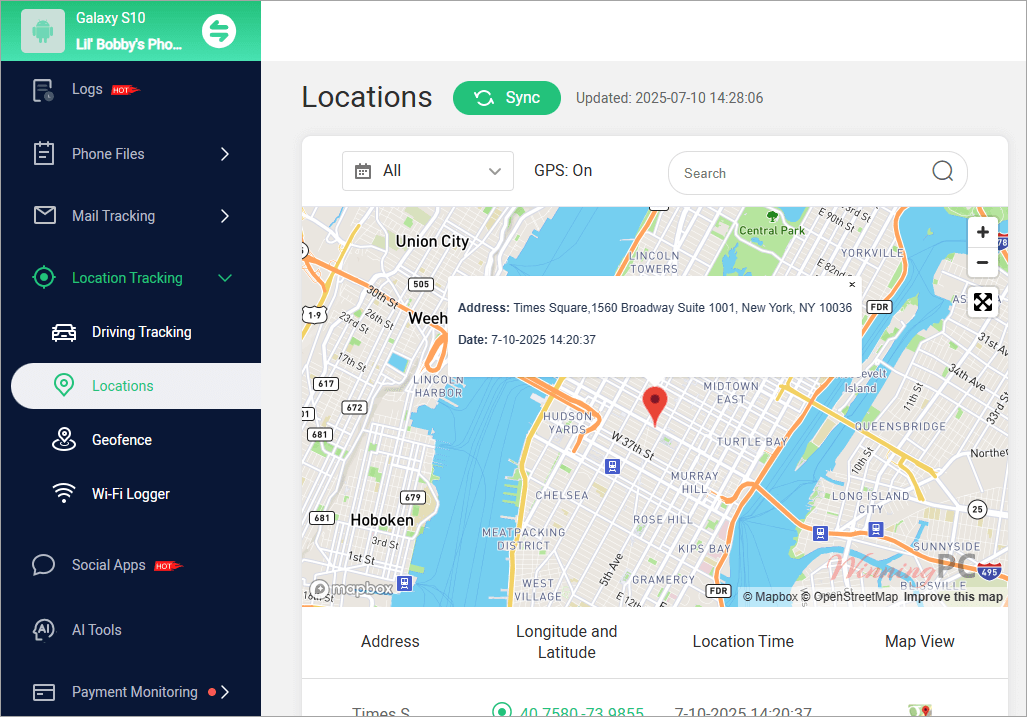
- Track Location: FamiGuard Pro offers an advanced location-tracking feature that allows you to monitor your loved one’s whereabouts discreetly. This tool lets you know where your children are going and who they are with, ensuring their safety without their awareness.
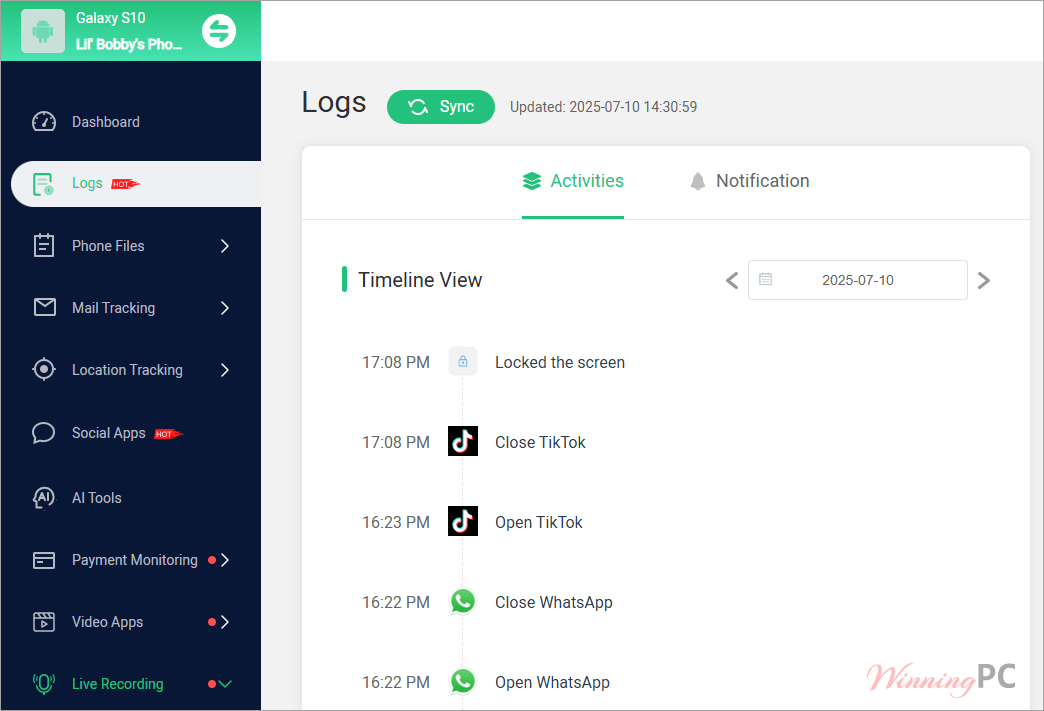
- Monitor Content: Not all content on social apps is suitable for minors to view. This monitor application is also designed to help you monitor content, including child’s messages, call history, photos, browser history, and social app content, to avoid potential risks like inappropriate content.
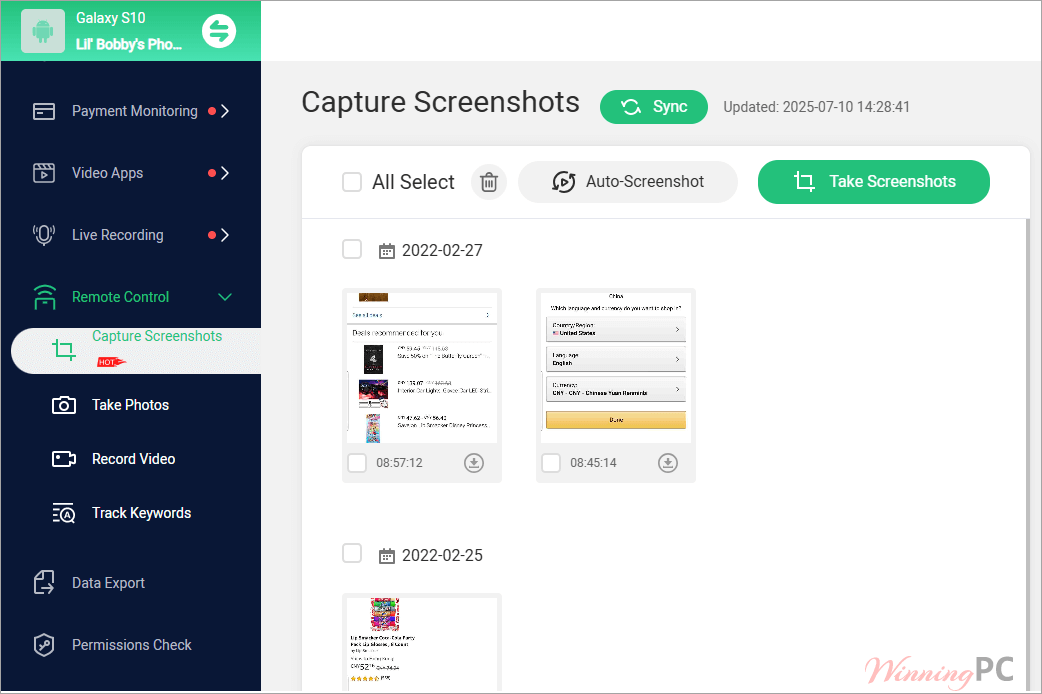
- Remote Control: If you want to remote control, iMyFone FamiGuard Pro handles that, too. It allows you to capture the real-time screen and sync it to your side for saving. You can use it to remotely turn on the camera on the target phone and take photos in secret. Besides, it maintains a watch on keywords and notifies recipients when delicate sensitive words are found.
- Live Recording: The enhanced monitoring capabilities include a robust recording feature. This function allows for discreet recording of the phone’s live screen, surroundings, phone calls, and app calls, enabling proactive measures to be taken before any potential threats arise.
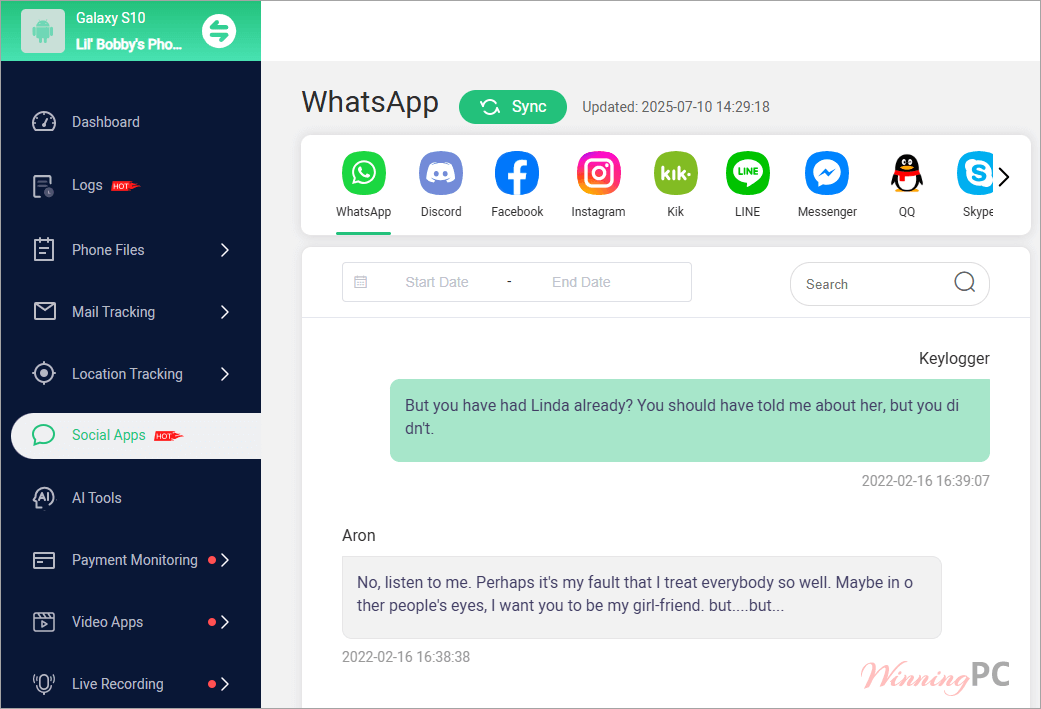
- Check Social App Activities: Monitors a range of social platforms, including Messenger, Threads, WhatsApp, Snapchat, Instagram, TikTok, Facebook, and Tinder, among others. This enables parents to oversee the messages and media their children exchange and understand their online interactions.
- Block App & Websites: Another noteworthy feature of this parental control app is that it lets you block harmful apps and websites, ensuring that children are shielded from inappropriate content. This functionality allows parents to specifically restrict access to apps and sites that may contain explicit or harmful material.
- Check WhatsApp Activities: Using iMyFone FamiGuard, you can monitor WhatsApp communications on your kid’s device, including messages and contacts, as well as check online statuses across both Android and iOS platforms. You will get all your child’s WhatsApp activities to enhance oversight and ensure safety in their digital interactions.
Conclusion: FamiGuard Pro is one of the most capable and feature-rich parental control apps available in 2025 — especially for Android users craving stealth, social media insights, and advanced remote monitoring. The support team is noted for being prompt and helpful, which eases setup.
However, stability issues on some Android devices, the ability for tech-savvy children to uninstall or bypass protections, and limited iOS capabilities pose significant challenges. Geofencing sometimes lacks reliability, and no app can replace strong communication, trust-building, and agreed-upon digital boundaries with children.
Frequently Asked Questions
What is FamiGuard Pro?
It is a powerful parental control and monitoring tool that helps parents supervise and manage their children’s digital activities on Android and iOS devices. It allows you to track location, calls, SMS, web browsing, social media, app usage, and more — all from a user-friendly dashboard.
How does FamiGuard Pro work?
On Android, you install a discreet app on the child’s device, granting necessary permissions.
On iOS, no installation is required — it works via the child’s iCloud account credentials and syncs available data. You then log in to the FamiGuard dashboard to monitor activities remotely.
Do I need to jailbreak or root my child’s device?
No. FamiGuard Pro does not require jailbreaking iPhones or rooting Android devices. It works on standard devices as long as permissions are granted (Android) or iCloud sync is enabled (iOS).
Can my child uninstall or bypass FamiGuard Pro?
Tech-savvy children may attempt to disable or remove the app on Android unless the device is properly secured. It’s recommended to set up device restrictions and discuss its use openly if appropriate.
Is it legal to use FamiGuard Pro?
It is intended for ethical use: monitoring your minor children, employees on company-owned devices, or with consent of the device owner. Laws vary by country — make sure you comply with applicable privacy laws in your region.
How much does FamiGuard Pro cost?
The standard price varies by subscription plan (monthly, quarterly, yearly). However, you can save up to 87% off with exclusive WinningPC discount coupon codes. Visit WinningPC.com for the latest coupon and maximize your savings!
How do I get the 87% off coupon?
Simply go to WinningPC’s FamiGuard Pro deal page, where you’ll find the latest verified coupon code. Apply it at checkout to enjoy up to 87% discount.
Technical Details
| Language Support | English |
| Money Back Guarantee | 30-Day |
| Operating System | Android (6 and above) All iOS devices and versions supported FamiGuard Pro for iCloud: No limit |
| Shipping | Activation details and instructions are sent instantly via email after purchase. |
| Subscription | 1-Month, 3-Month, 1-Year |
| Support Services | Email support Live chat (on official site) Online FAQ & knowledge base |