Cathryn Lee
BitRecover PST File Converter Wizard converts Outlook PST data into document formats, email files, desktop clients, cloud accounts, and mail servers. It also supports batch processing, damaged PST recovery, selective conversion, and automatic Outlook profile detection.
BitRecover PST Converter Wizard Coupon Code September 2026
BitRecover PST Converter Wizard
3 plans · best save 20%
Standard License ★ Best Deal
For 2 Machines | One-Year License with Free Upgrades & Support
Pro License
For 5 Machines | One-Year License with Free Upgrades & Support
Migration License
For 10 Machines | One-Year License with Free Upgrades & Support
Table of Contents
BitRecover PST File Converter: In-Depth Review & Features
Feature List
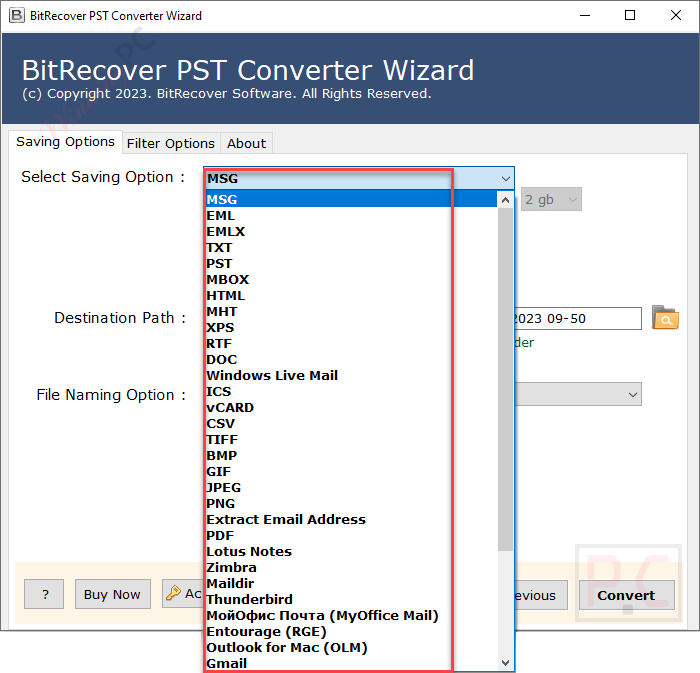
- 39 Saving Options: Export Outlook data to generic formats (PDF, EML, MSG), desktop clients (Thunderbird, Mac Outlook), and web services (Gmail, Office 365).
- Batch Processing: Select individual files or entire folders to convert multiple PST archives at the same time.
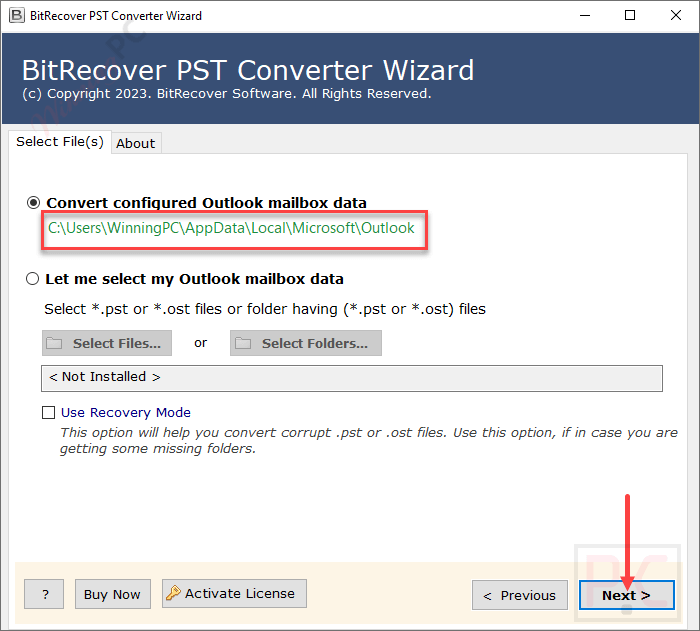
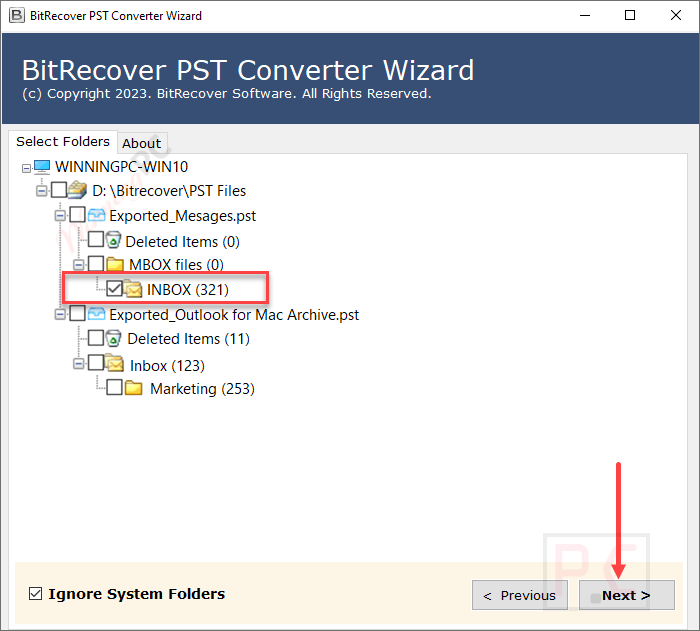
- Auto-Detect Profile: Automatically locates your configured Outlook profile data directly from your machine.
- Corrupted File Recovery: The built-in “Recovery Mode” repairs and converts damaged, inaccessible, or corrupted PST files.
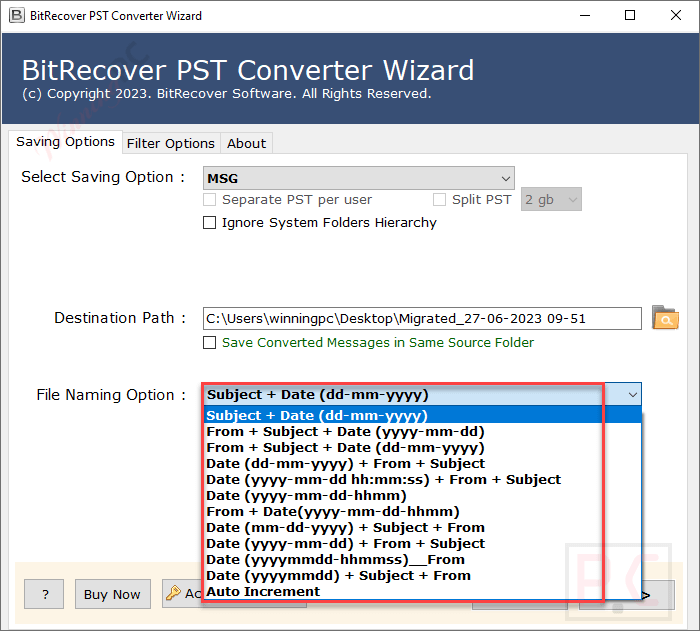
- Smart File Naming: Organize exported data chronologically using naming combinations like Date, Subject, From, and To.
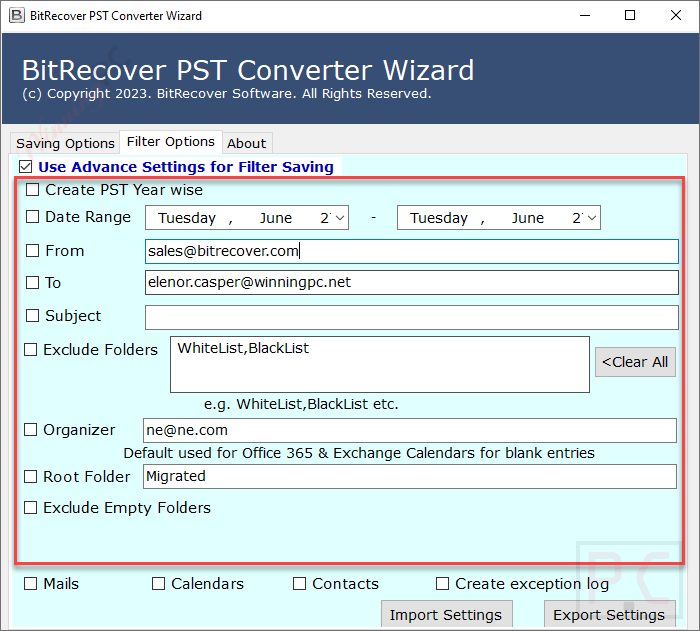
- Advanced Data Filters: Extract specific messages based on date ranges, senders, receivers, or subjects.
- Split Large PSTs: Divide oversized converted output into manageable sizes like 2GB, 5GB, 10GB, or 20GB.
- OAuth Authentication: Ensures highly secure data transfers to Google Workspace and Gmail using modern OAuth protocols.
- Folder Filtering: Exclude system-generated folders to extract only the necessary user-created files.
Pros & Cons
More BitRecover PST Converter Wizard screenshots!
Saving Option
File Maning Option
Advance Settings
Frequently Asked Questions
Where can I locate the latest promo codes for BitRecover PST File Converter Wizard?
If you want to find the most current and verified deals, your best stop is WinningPC. We regularly update our pages with exclusive discounts, alongside checking BitRecover’s official sales events.
What is the highest discount available for this software right now?
Currently, the top bargain you can claim is a 20% OFF discount. This special price reduction is available directly through the coupon box on WinningPC, applicable to the Standard, Pro, and Migration licenses.
Can I recover a damaged Outlook data file with this tool?
Yes. By enabling the “Use Recovery Mode” feature, you can safely repair and convert corrupted, damaged, or inaccessible PST files into healthy, readable formats.
Will my email attachments be lost during the transfer?
No, the converter maintains complete data integrity. Your attachments, inline images, sender details, subject lines, and HTML formatting are completely preserved during the export.
How does the auto file naming feature work?
When saving into single message formats like EML, PDF, or MSG, you can automatically name the resulting files using combinations like Entry Type, Date, and Subject. This allows you to rapidly organize and search your exported data.
Is it possible to extract emails from a specific date range?
Yes, the software includes advanced filtering. You can isolate and extract emails based on a specific date range, sender, receiver, or email subject line.
Can I export my Outlook data directly to an online email service?
You certainly can. The software allows direct imports to cloud platforms like Gmail, Office 365, Yahoo, G Suite, and Amazon WorkMail.
What if I don’t want to migrate system-generated folders like Spam or Trash?
You can easily omit them by checking the “Ignore System Folder” option. BitRecover PST File Converter Wizard will exclude all default system folders and only process the specific data you actually need.
System Requirements & Details
| Specification | Details |
|---|---|
| Language Support | English, Français, Italian, Spanish, Swedish, and more… |
| Operating System | Windows 11, 10, 8, 7; Windows Server 2025–2008. macOS Sequoia down to Mountain Lion. |
| Processor | Intel Pentium 2.4 GHz (Recommended) |
| RAM & Storage | Minimum 4 GB RAM, 200 MB free hard disk space |
| Supported Input | Outlook ANSI and Unicode PST and OST files |
| Supported Output | 39 formats including: PDF, MBOX, EML, MSG, Office 365, Thunderbird, Gmail, etc. |
| Supported Outlook Editions | Outlook 2021, 2019, 2016, 2013, 2010, 2007, and older editions |