WinningPC
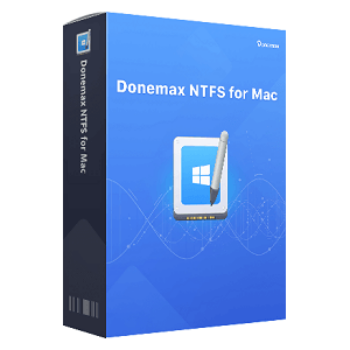
Donemax NTFS for Mac allows you to edit, save, copy, cut, move, delete, and add files to the drive without any restrictions. This means you can utilize any NTFS drive on your Mac without any limitations.
NTFS is a widely used file system developed by Microsoft for Windows. When you connect a drive in NTFS file format, your Mac won’t be able to read it; MacOS has read-only support for this file system. You can freely copy files from the NTFS drive to the Mac without any issues. However, to write to NTFS, you have to take advantage of third-party libraries or apps like Donemax NTFS for Mac.
Top NTFS for Mac Coupon Codes Oct 2026 (100% Working)
EaseUS NTFS for Mac (Monthly)
70% off coupon code: regular price $14.95, discounted price $4.48
EaseUS NTFS for Mac (Lifetime)
40% discount code: regular price $49.95, discounted price $29.97
DoYourData NTFS for Mac Lifetime License
50% Off: regular price: $49.00, discounted price: $24.50
DoYourData NTFS for Mac 1 Year License
50% Off: regular price: $29.00, discounted price: $14.50
DoYourData NTFS for Mac 1 Month License
50% Off: regular price: $15.00, discounted price: $7.50
Donemax NTFS for Mac License Key Free Download
- Product name: Donemax NTFS for Mac 3.1
- Website: https://www.donemax.com
- License type: lifetime
- Platform: Mac
- Download: DonemaxNTFSforMac.dmg
- Giveaway link: n/a
- License code – last updated: Mar 30, 2026
Click here...
- License code: MH1LI-PD2P2-VIFR7-CZGKN-GJSTX
How to get the license key?
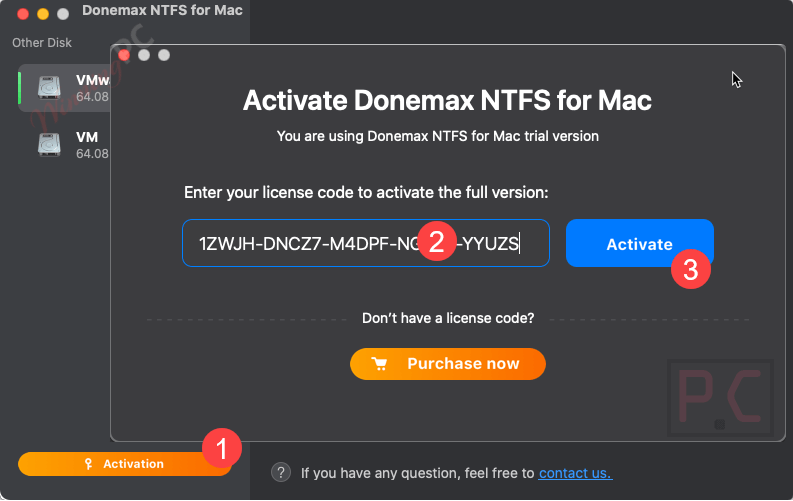
Download and install Donemax NTFS for Mac and then run it from Launchpad. Click the Activation icon and enter your license code to activate it to the full version:
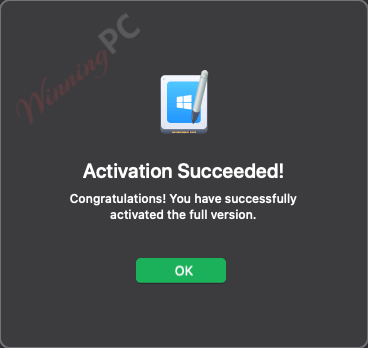
Enjoy it for a lifetime free!
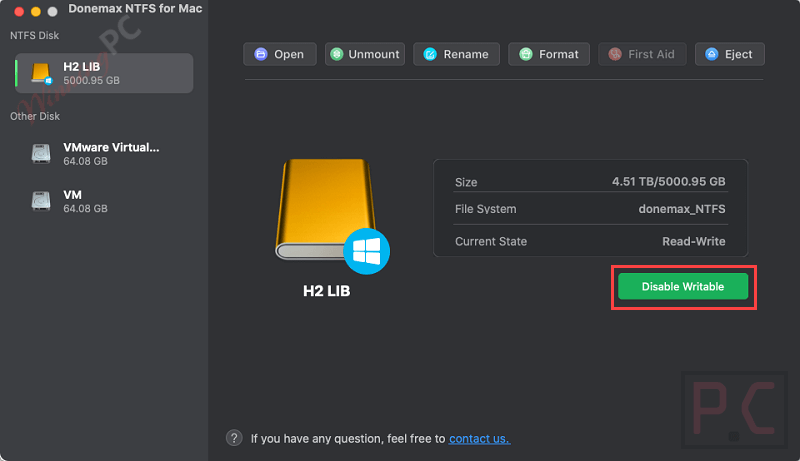
Donemax NTFS for Mac screenshot: now you can connect an NTFS drive to your Mac and give it permission to enable the Read-write function.

Under NTFS disk, you will see the connected NTFS drive and click it. You will see it is a Read-only drive; click “Enable Writable.” Now, you can read and write to the NTFS drive on your Mac:
Main Features
- Quickly mount or unmount the NTFS drive on your Mac with only 1 click.
- Reading and writing internal NTFS volumes and external NTFS hard drives, including an HDD/SSD/USB drive.
- Enable NTFS to write so that you can edit, delete, add, move, and save files in the NTFS drive without formatting it.
- Donemax NTFS for Mac is fully compatible with both Intel-based Macs and Macs with Apple M1/M2
- You can encrypt your drive using Boot Camp volume or BitLocker encrypted hard drive.
- High-speed to transfer data or manage data on NTFS drive on your Mac
Frequently asked questions
What is Donemax NTFS for Mac?
Donemax NTFS for Mac is a software that allows macOS users to read and write to NTFS drives natively, providing full access to Windows-formatted drives.
What are the key features of Donemax NTFS for Mac?
It includes features like one-click enable for read-write access, support for all NTFS drive types, and compatibility with macOS versions including Sonoma and Apple silicon chips.
Is Donemax NTFS for Mac easy to use?
Yes, it is designed for ease of use, requiring only a single click to enable full read-write access to NTFS drives.
How can I save on Donemax NTFS for Mac?
Use the coupon code 50O***M on WinningPC to save up to 67% when purchasing this Donemax product.
Where do I apply the coupon code for this Donemax software?
Enter the Donemax NTFS for Mac coupon code during the checkout process on the Donemax website to enjoy your discount.
Technical Details
| Language Support | English, and more… |
| Money Back Guarantee | 30-Day |
| Operating System | The register code will be sent to your email in minutes |
| Supported Mac | All Macs with Intel-based chips. All Macs with T2, Apple silicon M1/M2/M3 chips. |
| Supported File System | All NTFS/NTFS+, FAT, exFAT, APFS, HFS, HFS+, etc. |
| Shipping | Register code will be sent to your email in minutes |
| Subscription | 1-Month, 1-Year, Lifetime |
| Support Services | Email, Tickets, Forums |