
 Cathryn Lee
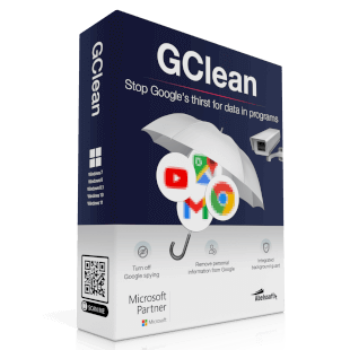
Abelssoft GClean is a privacy-focused Windows utility designed to stop unwanted Google data traffic, remove Google-related traces, and help users manage their online privacy. It can clean browsing data, detect tracking cookies, monitor new traces automatically, and provide tools for content removal requests.
Abelssoft GClean 2026 Giveaway
Verified download. No email required.
- Product
- GClean 2026
- Product website
- abelssoft.de
- License
- Lifetime
- Platform
- Windows 11 ~ 7
- Support
- No support
- Updates
- No future upgrades
- Usage
- Non-commercial only
- Updated
- 2026-06-18
Download safely
A fresh, short-lived download link is created only when you click.
The free license is no longer available.
Table of Contents
Top Browser Cleaner Coupon Codes (100% Working)

How to get the license key?
Download the installer by the above download link. Run the exe file and enter your name/email to activate GClean for free.
Note: If you install other Abelssoft giveaway products on your computer before. You can skip this step, the program will be registered automatically.

Enjoy it!

In-Depth Review & Features

Main Features
- Data Leak Prevention: Automatically stops unwelcome Google data usage that normally cannot be turned off manually.
- Google Delete Request: A specialized function that lets you submit a formal request to remove specific content, such as social media profiles or photo albums, from Google’s search index.
- Trace Deletion: Finds and erases flash cookies, saved form data, surfing history, and residual junk from various applications.
- G-Radar Automation: A background watcher that permanently monitors your system for incoming Google traces and sounds an alarm if a service attempts to save a new cookie.
- Centralized Dashboard: A single hub to configure your individual cleaning preferences and adjust security settings.
- Chrome Cleaning: Specifically targets Google Chrome to clear the download list, empty the cache, and forget saved passwords.
- Browser Check: Runs after every browsing session to detect if any secret modifications were made to your browser settings.
Pros & Cons
More Abelssoft GClean screenshots!


Frequently Asked Questions
What is the main purpose of this tool?
It helps you regain your privacy by stopping Google from collecting user profiles, deleting existing tracking traces, and governing how your data is shared.
Which specific Google services does it target?
It detects and manages data from Google Search, Mail, Maps, YouTube, Chrome, Analytics, Toolbar, Desktop Search, Earth, Updater, and Picasa.
Does this utility work if I don’t use Chrome?
Yes, it actively supports Microsoft Internet Explorer, Microsoft Edge, Mozilla Firefox, Opera, Apple Safari, and the t-online.de Browser.
What exactly is G-Radar?
G-Radar is an automated protection feature that runs continuously to spot new data garbage and warns you whenever a service tries to store a new tracking cookie.
Can I actually remove my information from Google search results?
Yes. The software includes an information removal request feature that allows you to ask Google to drop specific personal webpages or profiles from their search index.
What happens during a browser check?
The tool quietly inspects your system after you finish surfing the web to ensure no one has secretly changed your browser settings.
Will this program delete my saved passwords?
If you choose to do so, yes. It has the ability to clear your browsing history, cache, saved form data, and forget saved passwords, particularly within Chrome.
System Requirements & Details
| Feature | Specifications |
|---|---|
| Language Support | English, Français, Italian, Spanish, Swedish, and more… |
| Operating System | Windows 7, Windows 8, Windows 8.1, Windows 10 |
| Supported Input | Google-related traces, cookies, browser data, privacy settings |
| Supported Output | Deleted traces, cleaned browser data, privacy reports, content removal requests |



Virus is detected when is try to run by bitdefender
It may be a false positive detection because this is a custom build for a giveaway. Please check VirusTotal here: https://www.virustotal.com/gui/url/0914b1aacb548dbe6bc6b044a9b32037883ed3e7672f6fee2b7d49d40befa125?nocache=1