On this page
Abex Excel to All Converter Coupons & Pricing
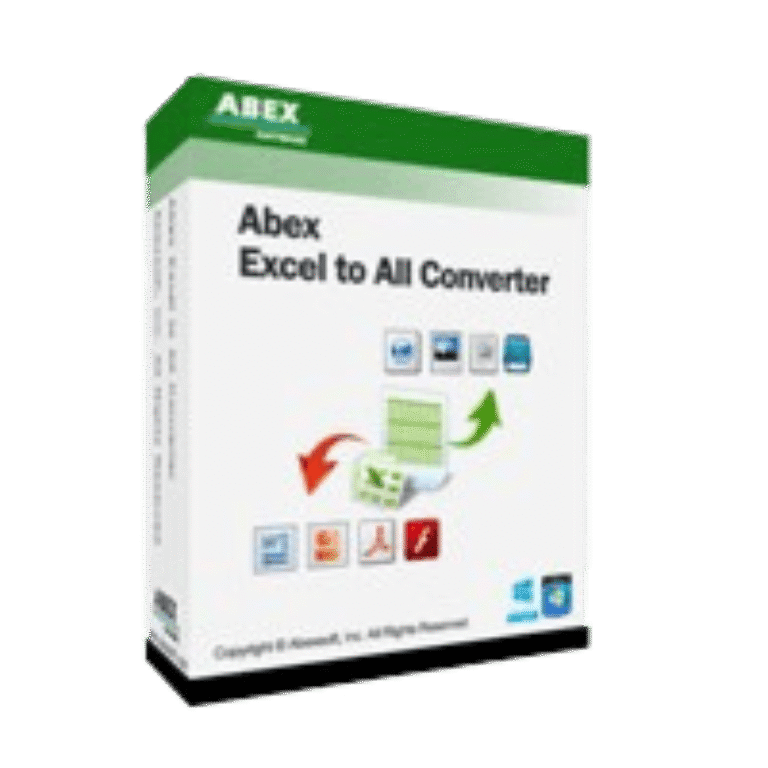
Abex Excel to All Converter
Single-user license | Free technical support and a lifetime free upgrade.
How to Use the Abex Excel to All Converter Coupon Code
- Copy the WinningPC coupon code
WIN***GPC40. - Open the official Abex Excel to All Converter purchase page.
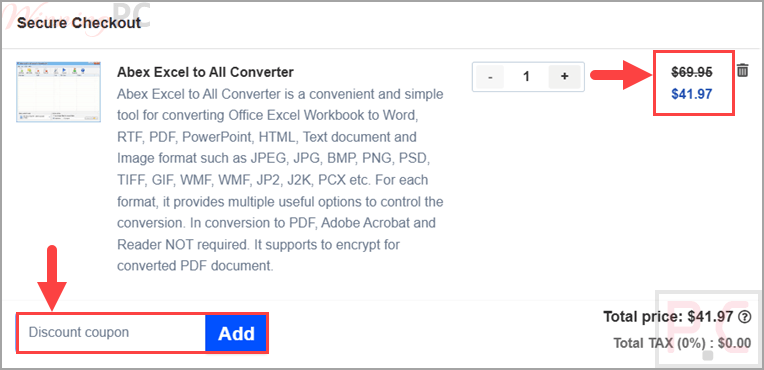
- Select the single-user license with a regular price of $69.95.
- Paste the code into the coupon or discount field during Abexsoft checkout.
- Confirm that the total changes to $41.97 before completing payment.
- Download the installer and use the registration details sent to your email to unlock the full version.
Is the Abex Excel to All Converter Safe and Legit?
Yes. This offer is for the official Abexsoft software and does not require a crack, patched installer, or unofficial activation method.
No crack or keygen
The coupon reduces the checkout price of a genuine license. It does not modify the program or bypass activation.
Official software
Download the installer from Abexsoft and activate it with the registration information issued after purchase.
Protected checkout
Payment is completed through the publisher’s authorized ordering process rather than through WinningPC.
30-day refund
The discounted license includes a 30-day money-back period, giving buyers time to confirm that the converter meets their needs.
Abex Excel to All Converter Review & Features
Abex Excel to All Converter allows you to convert Excel workbooks into documents, presentations, web pages, text files, PDF files, SWF files, or image files without manually rebuilding the layout. It is aimed at office users, students, and small teams that regularly handle XLS, XLSX, or XLSM files and want batch conversion instead of one-file-at-a-time exports.
Key features
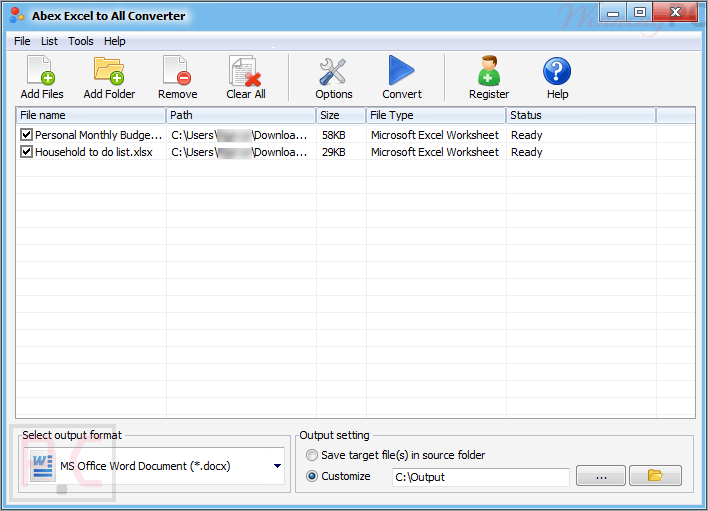
- Converts Excel workbooks to PDF, Word, PowerPoint, RTF, HTML, TXT, SWF, and image formats.
- Supports batch conversion, folder import, sub-folder import, and drag-and-drop document loading.
- Retains the original layout of Excel workbooks during conversion.
- Creates protected PDFs with password encryption and permission restrictions.
- Offers output controls for image size, color depth, JPEG quality, Word margins, PowerPoint slide size, and SWF frame settings.
What we think
Screenshots
Frequently Asked Questions
What is the latest Abex Excel to All Converter coupon code?
The latest coupon code in this offer is WIN***GPC40. It gives 40% off the single-user license, reducing the listed price from $69.95 to $41.97 when the code is applied at checkout.
Is the Abexsoft coupon checkout secure?
Yes, the source states that Abexsoft uses 2Checkout for secure order processing. Payment details such as credit card numbers, addresses, and order information are sent through a protected connection during checkout.
Does Abex Excel to All Converter require Adobe Acrobat?
No, Adobe Acrobat and Adobe Reader are not required for PDF conversion. The converter can create PDF files directly from supported Excel workbooks, and it also includes options for PDF password encryption and permission restrictions.
Which Excel formats can Abex Excel to All Converter process?
This software is described as supporting XLS, XLSX, and XLSM workbooks from Excel 2003 through Excel 2019. The source also says it can convert password-protected Excel files, which is useful for archived business spreadsheets.
What output formats does Abex Excel to All Converter support?
The supported output formats include PDF, Word, PowerPoint, RTF, TXT, HTML, SWF, and image files. The image list includes JPEG, JPG, BMP, PNG, TIF, GIF, EMF, WMF, PSD, PCX, DCX, JP2, J2K, and ICO.
Can Abex Excel to All Converter batch convert files?
Yes, it supports batch conversion for multiple Excel documents. You can add an entire folder, include sub-folders, drag and drop files, save/load conversion lists, and place converted files in source or separate output folders.
Does Abex Excel to All Converter work on Windows 11?
Yes, Windows 11 is listed as supported in the system requirements. The source also lists Windows Vista, Windows 7, Windows 8, and Windows 10, with a 1GHz Intel/AMD processor and at least 256MB RAM required.
Is the trial version the same as the paid version?
The trial provides the main program functions but places limitations on conversion output. Purchasing and registering the software removes those trial restrictions.
System Requirements & Details
| Feature | Specifications |
|---|---|
| OS Support | Windows Vista, Windows 7/8/10/11 |
| Processor | 1GHz Intel/AMD processor or above |
| RAM | 256MB RAM; 512MB or above recommended |
| Free disk space | 100MB space for installation |
| Supported input | XLS, XLSX, XLSM |
| Supported output | Presentation: PPT, PPTX, PPTM, PPS, PPSX, PPSM Image: JPEG, JPG, BMP, PNG, TIF, GIF, EMF, WMF, PSD, PCX, DCX, JP2, J2K, ICO Other output: SWF |