
On this page
ACDSee Photo Studio Pro Giveaway
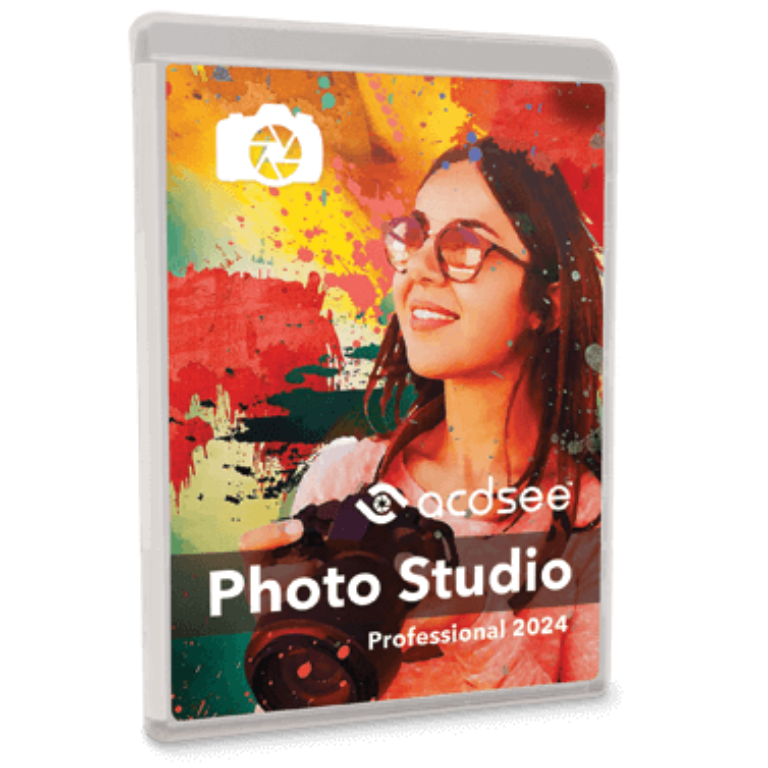
ACDSee Photo Studio Professional
ACDSee Photo Studio Professional is fortified with industry-leading Artificial Intelligence (AI) powered features to significantly enhance your photography workflow.
- Product
- Photo Studio Professional 2025
- Product website
- acdsee.com
- License
- 1-Year
- Platform
- Windows 10 & Windows 11
- Usage
- Non-commercial only
- Updates
- No future upgrades
- Support
- No support
- Updated
- 2026-09-10
Continue on acdsee.com
Share to reveal the official giveaway page, then register there to receive your license.
The free license is no longer available.
Top Photo Editing Software Coupon Code Oct 2026

Fotor Pro+ Annual Plan
3600 credits/year | 100,000+ Templates & Assets

AVCLabs PhotoPro AI - Lifetime Plan
1-License for 1-PC | Free Update & 24/7 Support
Is this ACDSee Photo Studio Professional giveaway safe?
Yes. This is a publisher-authorized giveaway run directly through ACD Systems – the developer behind ACDSee software since 1994.
No crack or keygen
You receive a genuine license key issued by ACD Systems itself. The software you download is the official installer, nothing patched or repackaged.
Official authorized source
The registration goes through ACD Systems’ own giveaway system. WinningPC links to the official page and does not handle your key or any payment information.
Secure HTTPS registration
Your name and email go to ACD Systems directly over an encrypted connection and are used solely for key delivery.
No financial risk
The giveaway key is free, so there is nothing to lose. If you later decide to purchase the full paid version, ACD Systems backs it with a 30-day money-back guarantee.
How to get the ACDSee Photo Studio Pro License Key for free?
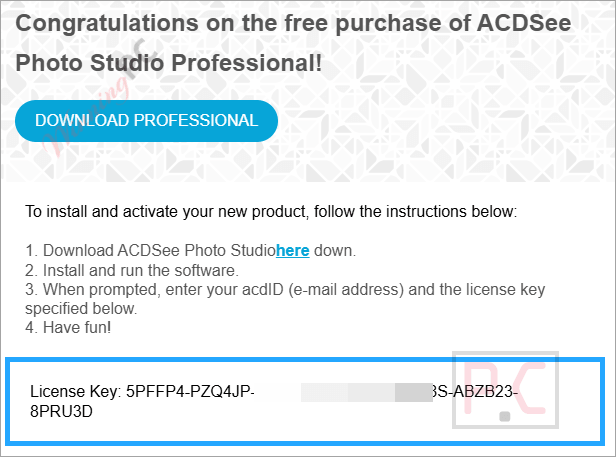
- Click the giveaway button above to open the official ACD Systems registration page.
- Enter your name and email address, then click the “Register” button.
- Check your inbox for an email from ACDSee containing your personal registration code.
- Use the download link in the email (or on the giveaway page) to download and install ACDSee Photo Studio Professional on your Windows PC.
- Open the program and enter your license key in the activation prompt. Your 1-Year license is now active.



What ACDSee Photo Studio Professional actually does well
The standout strength here is the combination of a professional DAM toolkit with non-destructive RAW editing in a single perpetual-license application. It’s the kind of pairing Lightroom offers as a subscription, and ACDSee Photo Studio Professional has been refining it for decades. The new Auto-Stack feature is genuinely useful if you shoot bursts or HDR brackets: point it at a folder, tune the thresholds, and it groups related frames automatically by GPS location, capture time, or visual likeness. On the editing side, non-destructive RAW processing with Light EQ and Color/Tone Wheels is solid and fast, though not quite at Lightroom’s calibration depth. The 2027 addition of generative AI tools (Fill, Remove, Text-to-Image) puts it level with what competitors now offer, though expect results closer to “good enough” than Firefly-quality on complex scenes. The learning curve is real: this is a pro-grade DAM and editor with a lot of surface area, and first-time users will need time with the documentation.

Key features
- Non-destructive RAW editing with Light EQ, Color/Tone Wheels, AI Develop Presets, and support for 750+ camera RAW formats – edit with full control and revert at any time.
- Generative AI suite: Text-to-Image generation, Generative Fill, Generative Edit, and AI Remove for seamless object erasure, all built into the application.
- Auto-Stack and Custom Stacking: automatically group burst shots, brackets, and near-duplicates by GPS location, capture time, or AI visual similarity; save settings as a preset for reuse.
- AI-powered catalog tools: AI Keywords (zero-effort tagging), AI Reverse Image Search, AI Face Detection and Facial Recognition, and People Mode for fast library navigation.
- Photomerge tools: panorama stitching, HDR processing, and focus stacking for composited shots.
System Requirements & Details
| Operating system | Windows 10 / Windows 11 (64-bit editions only) |
| Processor | Intel or AMD 64-bit; Intel i5 or better recommended |
| RAM | 8 GB minimum; 16 GB or more recommended |
| Graphics | DirectX 12 compatible (feature level 12_0 or later); 2 GB VRAM minimum, 4 GB recommended |
| Display | 1920 × 1080 or greater recommended |
| Disk space | 5 GB available hard drive space |
| Additional | Valid email address + internet connection required for activation and online services; Microsoft DirectX 12; Windows Media Player 9.0; Microsoft Edge |
| Supported input formats | 750+ RAW camera formats (Canon, Nikon, Sony, Fujifilm, Pentax, GoPro RAW); JPEG XL (JXL); AVIF (static); WEBP (including animated); HEIF; PDF; standard formats (JPEG, PNG, TIFF, BMP, GIF) |
| Supported output formats | JPEG; PNG; TIFF; AVIF (static); JPEG XL (JXL). |




Unable to install!! Asks for a password when there is no place to register a password. CRAP! How can a German company think it can penetrate the world market when it doesn’t even have english instructions. Very amateurish company even if it has been around for years. Get on with the program! no pun intended.
During installation, after entering your email address, they will send you a temporary password. Just use this password to continue the installation.
Another way, you can reset your password/ register an account on the homepage.