

AceBIT Password Depot Giveaway
AceBIT Password Depot
Secure passwords on every device: Password Depot stores, autofills & syncs across Windows, macOS, iOS, Android & browsers.
- Product
- AceBIT Password Depot
- Product website
- personal.password-depot.de
- License
- Lifetime
- Platform
- Windows, macOS, Linux, iOS, Android, Web
- Usage
- Non-commercial only
- Updates
- No future upgrades
- Support
- No support
Continue on winningpc.com
The publisher handles registration and license delivery on its official website.
The limited-time giveaway!
The free license is no longer available.
AceBIT Password Depot Discount Promo Code Oct 2026

Password Depot 18 New License
Get the unrestricted, full version of Password Depot and secure your sensitive data!
Password Depot 18 Upgrade
You already own an older version of Password Depot? Then use the preferential price and save €20!
Password Depot 18 Family
Enjoy Password Depot with up to five people - family or friends. You decide who you provide with a license.
Is this AceBIT Password Depot giveaway safe?
Yes. This is a legitimate, direct giveaway from AceBIT, the German developer behind Password Depot, with no third-party resellers or grey-market key sites involved.
No crack or keygen
You receive a genuine license key issued by AceBIT itself. The installer downloads directly from the publisher’s official giveaway page, nothing patched or repackaged.
Official publisher giveaway
Registration goes through AceBIT’s own system. No unauthorized distributors. Just the developer handing out keys directly to end users.
Your data stays with you
Password Depot doesn’t transmit your vault to AceBIT’s servers unless you configure it to. The vendor has no default access to your stored credentials, which removes one of the main risks associated with cloud-only password managers.
Secure checkout if you upgrade later
Should you choose to buy a paid plan, payment is handled directly on AceBIT’s encrypted store. Card details never touch WinningPC.
AceBIT Password Depot Giveaway License Key Free
- Click the giveaway button below to open the official AceBIT Password Depot registration page.
- Fill out the registration form with your name and email address.
- Check your inbox for an email from AceBIT and click the confirmation link inside to verify your address.
- Use the download link provided in the confirmation to get the official Password Depot giveaway installer.
- Install Password Depot on your device of choice.
- Launch the program and enter the AceBIT license key sent to your email to activate your free Lifetime license.


AceBIT Password Depot review: what it actually does
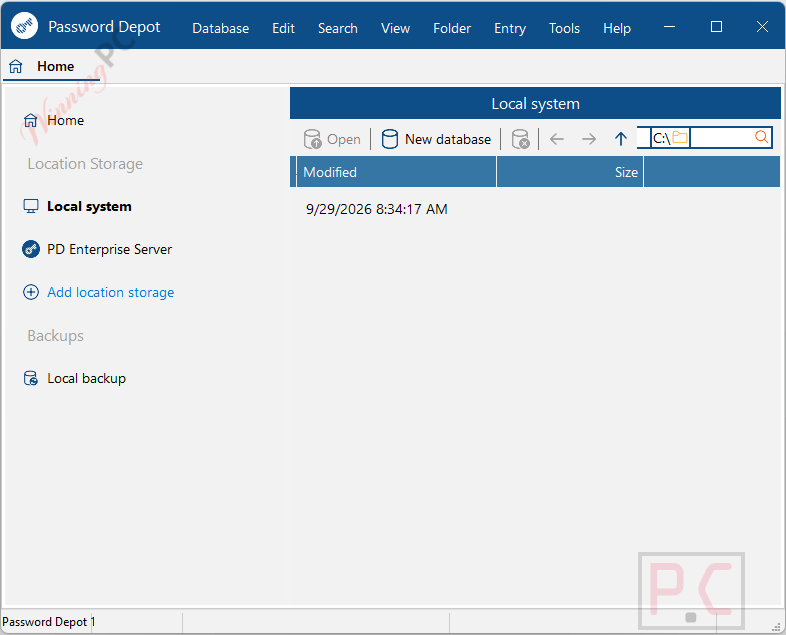
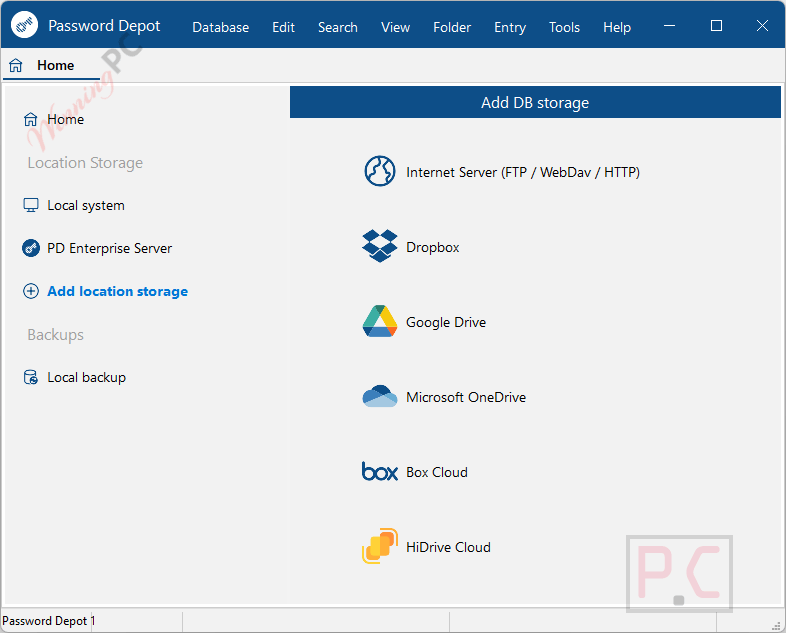
Password Depot‘s core advantage is storage flexibility. Rather than defaulting to a proprietary cloud, it puts the decision entirely on you: local folder, USB stick, home NAS via SFTP or WebDAV, or any cloud service you already use. For users managing sensitive credentials or working in compliance-sensitive environments, that distinction has real practical weight.
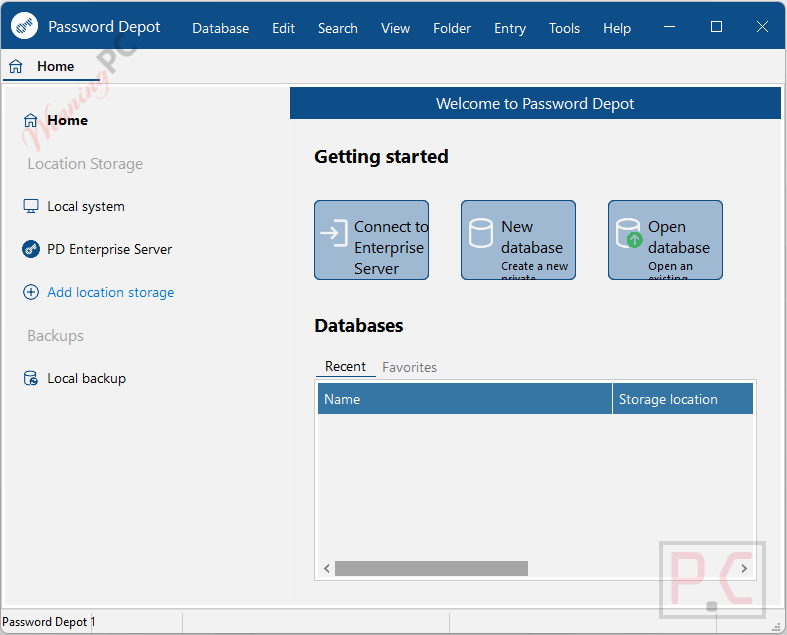
The AES-GCM encryption mode goes a step beyond AES-256 by also authenticating the database, so tampering with the vault file is detectable, not just difficult. The app handles far more than passwords: credit cards, software licenses, RDP and PuTTY connection profiles, and encrypted file attachments each have purpose-built templates. The Explorer-style tree navigation feels immediately familiar to long-time Windows users, though it looks dated compared to modern web-first tools.
Key features
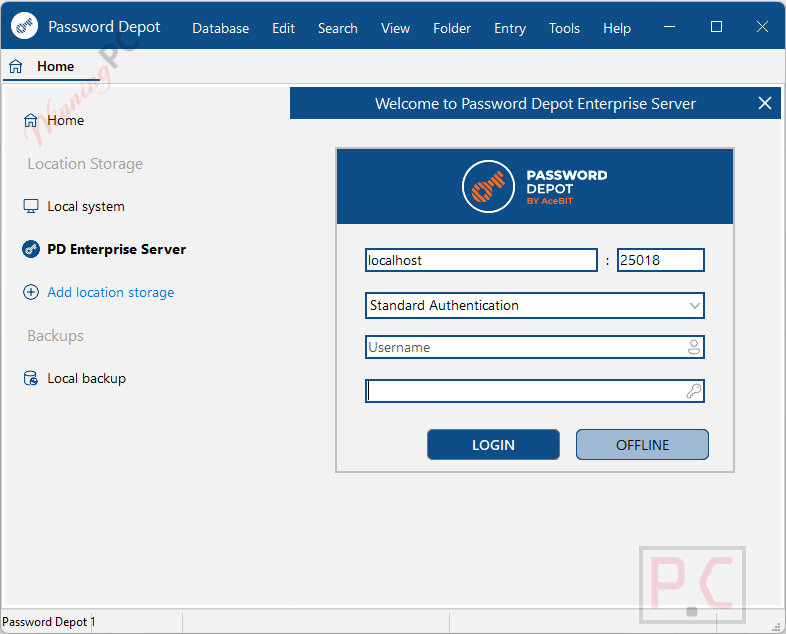
- Flexible Deployment: Run the server in your own data center or privately within your Azure tenant.
- Identity Management Integration: Import and sync users from Active Directory, Microsoft Entra ID, and OIDC providers.
- REST API v2.0: Connect internal AI agents, automated processes, and DevOps pipelines to use secrets without hardcoding credentials.
- Advanced Authentication: Support for SSO, Windows Hello, and MFA via FIDO2/WebAuthn (e.g., YubiKey) and authenticator apps.
- End-to-End Encryption: Databases are secured with AES-256, and all client-server traffic is protected via TLS 1.3.
- Granular Server Policies: Define access rights, password rules, and allowed record types using role-based access control (RBAC).
- Controlled Sharing: Share records via time-limited links or use the seal feature, requiring supervisor approval (four-eyes principle).
- SIEM & Syslog Export: Forward real-time log entries of logins and admin actions to external Syslog servers via RFC 5424.
- High Availability: Maintain operational resilience with automated backups and real-time mirroring to a secondary server instance.
- Cross-Platform Access: Access vaults via a 64-bit Windows server service supporting Windows, macOS, iOS, Android, Linux, and web browsers.
pros & cons
more screenshots
Frequently Asked Questions
Can I use the giveaway license for work or my business?
No. The giveaway key is for non-commercial use only. If you manage credentials for a business, even a freelance or side-project operation, the paid Personal license (€99.95) is the right option.
Is Password Depot a subscription, or do I buy it once?
You buy it once. Both the giveaway Lifetime key and the paid Personal license are one-time purchases with no ongoing fees. AceBIT does not charge annually for continued access to the software.
Does the free giveaway key include future updates?
No. The giveaway license activates the version you receive permanently, but you won’t receive free upgrades to future major releases. If AceBIT ships Password Depot 20, a paid upgrade would be required. The paid New License includes updates within version 19.
How does Password Depot sync across devices without a vendor cloud?
Password Depot stores your vault as a single encrypted file. You sync that file yourself by placing it on a service you already use: Google Drive, OneDrive, Dropbox, or a home server via SFTP or WebDAV. Every device running Password Depot can then open the same file. No AceBIT account or proprietary sync server is involved.
System Requirements & Details
| Feature | Specifications |
|---|---|
| Language Support | English, Français, Italian, Spanish, Swedish, and more… |
| Money Back Guarantee | 30-Day |
| Operating System | Server: 64-bit Windows. Clients: Windows, macOS, iOS, Android, Linux, Web interface |
| Shipping | Full version license code will be sent to you within minutes |
| Subscription | Lifetime |
| Support Services | Email, Phone |



The installer pdepot18.exe itself seems to be 32-bit, does it contain the 64-bit version despite that?
Because there is a 32-bit installer available under the name pdepot18_win32.exe.
Are these English language versions or multilingual?
Can this be reinstalled after computer system crash/reinstall?
Current version on their site is v19 NOT this depreciated version 18 and version 18 is available as a 32bit executable on their site at https://www.password-depot.de/download/v18/pdepot18_win32.exe
The giveaway page requires successful reception of a script generated email which may be blocked by your email provider and if it is the page will not tell you and will not tell you if you’ve entered an impossible email address where a domain may not even exist, there is no fault recognition in the pages back end scripting so don’t be surprised if getting the license key fails for you as it did for me but claimed it had sent it when it clearly did not.
A Question why is Microsoft based systems password depot the only paid for strand? MacOS and all others are completely FREE even for the current version… the only way we get it free is wait until the version is no longer sold and the next version is being sold then we might be offered the thrown away no longer sold version!
current version on their site is version 18, this is for their previous version 17 so will not match the description on their site:-( Can’t find any feature comparison of Free vs paid/giveaway… maybe archive.org will have a proper feature list of version 17…
supplied installer is 64bit ONLY! Use archive.org to access the old site of the vendor to find nearest to 17.2.6 32bit installer… there is text about freeware mode … it’s not freeware it’s freemium mode as the “freeware mode” significantly reduces functionality:
“You can use Password Depot in freeware mode with the following restrictions:
You can only manage 20 passwords: If your password list contains more than 20 passwords, you cannot add passwords or edit existing ones. You must have exactly 20 or less passwords, in order to be able to add or modify them.
You can only use one password list in freeware mode (which means that it is not possible to open other psw files).
Some functions are not available.”
Some functions are not available???? list them! that’s like the upto 80% off could mean 0% off or 1% off but no more than 80% off but it doesn’t have to ever be 80% off.
Couldn’t get onedrive connected to the 32bit 17.2.3 the last version 17 on archive.org under vista. The online documentation is for version 18 so not entirely helpful for giveaway users… maybe archive.org can help with that too.
Password Depot 16 – Vollversion exklusiv für Computer Bild-Leser
https://www.password-depot.de/cb/version16.htm?awc=32929_1695137869_c0cab372068f7b87058d3d17cf10157c