Laura Marano
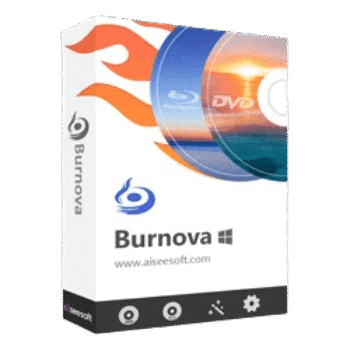
Aiseesoft Burnova turns local videos into DVD/Blu-ray discs, ISO files, or folders. It also includes menu templates, subtitle/audio options, and basic video editing before burning.
Aiseesoft Burnova
3 plans · best save 50%
📄 Licensing & Support Details
- License Type: 1-Year, Lifetime license
- 30-Day Money-Back Guarantee
- Free Upgrades
- Technical Support
- 100% Secure.
📝 How to apply
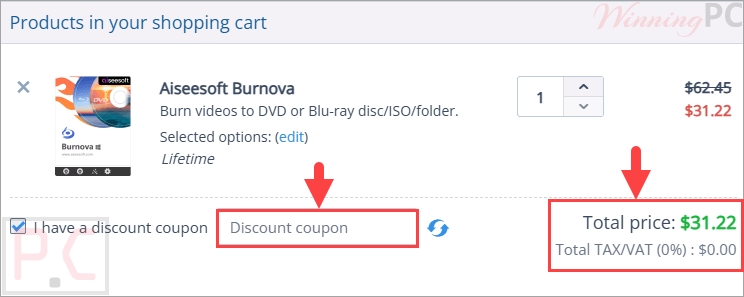
By selecting ‘Copy Code’ in the coupon area above, the code is copied, and you are sent to the checkout to use it for your discount.
Aiseesoft Burnova Free License Key Download
Open the Aiseesoft Burnova giveaway page and fill in your information, then check your mailbox to copy the license code for free:
- Product name: Aiseesoft Burnova
- Website: https://www.aiseesoft.com
- License type: 1-year
- Platform: Windows
- Download: burnova.exe
- Giveaway: Burnova giveaway link

Install or open the software, and register it with your email/ registration code:

Enjoy it for 1-year free:

Aiseesoft Burnova: In-Depth Review & Features

Key Features:
- Burn local videos to DVD disc, DVD folder, or DVD ISO file.
- Create Blu-ray disc, Blu-ray folder, or Blu-ray ISO file.
- Supports DVD-R, DVD+R, DVD-RW, DVD+RW, DVD-5, DVD-9, and more.
- Works with Blu-ray-25 and Blu-ray-50.
- Includes menu templates for holiday, family, travel, wedding, and other styles.
- Lets you add background images and opening video clips.
- Supports external audio tracks and subtitles.
- Built-in tools for rotate, flip, clip, crop, brightness, contrast, watermark, and effects.
- Real-time preview for checking changes before burning.
- Supports NTSC and PAL TV standards.
- Uses Intel, CUDA, and AMD acceleration for faster Blu-ray burning.
- Can save DVD projects for later burning.
Pros & Cons:
More screenshots:

Frequently Asked Questions
Are there any promo codes for Aiseesoft Burnova?
Yes. WinningPC lists current coupons, and you can also check the official Aiseesoft store for direct offers.
What is the best Aiseesoft Burnova discount right now?
The best listed deal on WinningPC is 50% OFF, with the 1 Year license reduced from $35.95 to $17.97.
What does Aiseesoft Burnova do?
It burns local videos to DVD or Blu-ray disc, folder, or ISO file.
Can Burnova create Blu-ray discs?
Yes. It can burn videos to Blu-ray-25 and Blu-ray-50 discs.
Does it support DVD ISO output?
Yes. You can create DVD ISO files, DVD folders, and DVD-format discs.
Can I add subtitles?
Yes. It supports subtitle editing and adding SRT, SUB, SSA, and ASS files.
Can I edit videos before burning?
Yes. You can rotate, flip, clip, crop, adjust brightness/contrast, add watermarks, and apply effects.
Does Burnova include DVD menu templates?
Yes. It includes menu templates for styles like holiday, family, travel, and wedding.
What video formats can I import?
It supports formats such as MP4, AVI, WMV, MKV, MOV, M2TS/MTS, VOB, FLV, MPEG, 3GP, and more.
Does it work on Windows 11?
Yes. The supported systems include Windows 11, 10, 8/8.1, 7, Vista, and XP.
System Requirements & Details
| Operating System | Windows 11, Windows 10, Windows 8/8.1, Windows 7, Windows Vista, Windows XP. |
| Processor | 1GHz Intel/AMD CPU or above |
| RAM & Storage | 1GB RAM or more for DVD/BD creating |
| Supported Input | 3GP, AVI, FLV, MKV, MPEG, VOB, MP4, MOV, RMVB, TS, WMV, ASF, HD MP4, HD MOV, HD MTS, HD M2TS, and more. |
| Supported Output | DVD disc, DVD folder, DVD ISO; Blu-ray disc, Blu-ray folder, Blu-ray ISO. |