
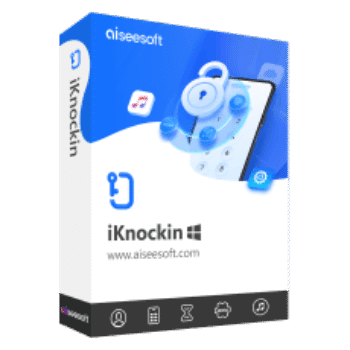
The current Aiseesoft iKnockin coupon is AISESU*D, giving 50% off — that drops the price from $39.90 to $19.95. ✅ Verified Oct 2026 by Laura, with a 30-day money-back guarantee. Click “Copy” below, then paste the code at checkout on Aiseesoft’s site.
Aiseesoft iKnockin (Aiseesoft iPhone Unlocker) is an iOS unlocking tool designed to help users remove iPhone and iPad screen passcodes, delete Apple ID accounts, bypass Screen Time restrictions, remove MDM profiles, clear iTunes backup encryption settings, and unlock SIM restrictions on supported Apple devices.
Aiseesoft iKnockin for Windows
3 plans · best save 50%
1 Month/6 iOS Devices ★ Best Deal
Free updates and 24/7 customer support
Aiseesoft iKnockin for Mac
3 plans · best save 50%1 Month/6 iOS Devices ★ Best Deal
Free updates and 24/7 customer support
Table of Contents
Aiseesoft iKnockin Giveaway License Key for Free
Aiseesoft iKnockin
Aiseesoft iKnockin is the instant activation key to the locked iPhone, which can unlock forgotten screen restriction passcode, and remove Apple ID to get full controls of iPhone, iPad and iPod.
- Product
- Aiseesoft iKnockin
- Product website
- aiseesoft.com
- License
- 1-year
- Platform
- Windows 11, 10, 8, 7 Supported
- Installer
- iknockin.exe
- Usage
- Non-commercial only
- Updates
- No future upgrades
- Support
- No support
Continue on winningpc.com
Share to reveal the official giveaway page, then register there to receive your license.
This giveaway ended on .
50% Off Aiseesoft iKnockin - 1 Month/6 iOS Devices
Activate Guide: How to get the Aiseesoft iPhone Unlocker Key
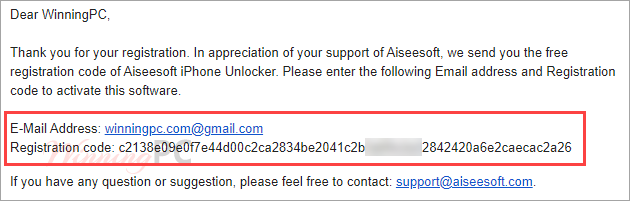
Open the Aiseesoft iKnockin giveaway page and enter your name/ email and submit the form. Check your mailbox for the Aiseesoft iKnockin registration code free:
Install the software on your computer then open it and register for the full version:

Enjoy one of the best iPhone iPad and iPod unlocker application for free:

In-Depth Review & Features
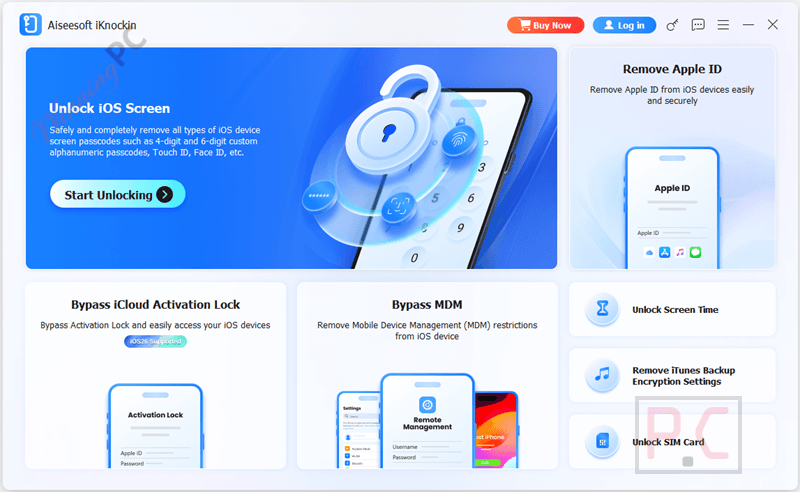
Main Features
- Wipe Lock Screen Passcodes: Easily removes 4-digit, 6-digit, Touch ID, and Face ID locks from disabled, broken, or damaged iPhones.
- Bypass Apple ID: Erases forgotten Apple IDs, allowing you to activate the device with a new account and avoid tracking from the previous owner.
- Manage Screen Time: Recovers or removes Screen Time restriction passcodes entirely without causing any data loss on the device.
- Remove MDM Profiles: Disables Mobile Device Management supervision so you can use all device functions without corporate restrictions.
- Clear iTunes Encryption: Removes forgotten iTunes backup passwords, allowing you to create new, unencrypted local backups.
- Unlock SIM Restrictions: Frees your device from specific carrier limitations.
- Fast 3-Step Process: Simply connect via USB, download the appropriate firmware, and click a button to start the removal process.
Pros & Cons
More Aiseesoft iKnockin screenshots!
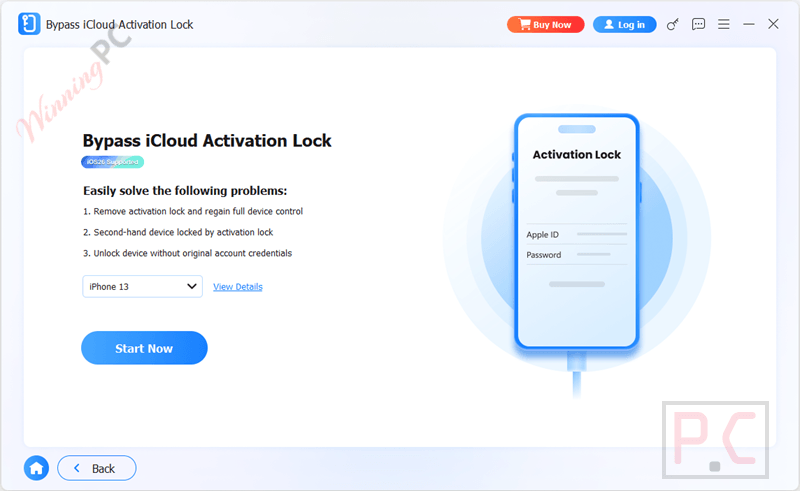
Bypass iCloud Activation Lock
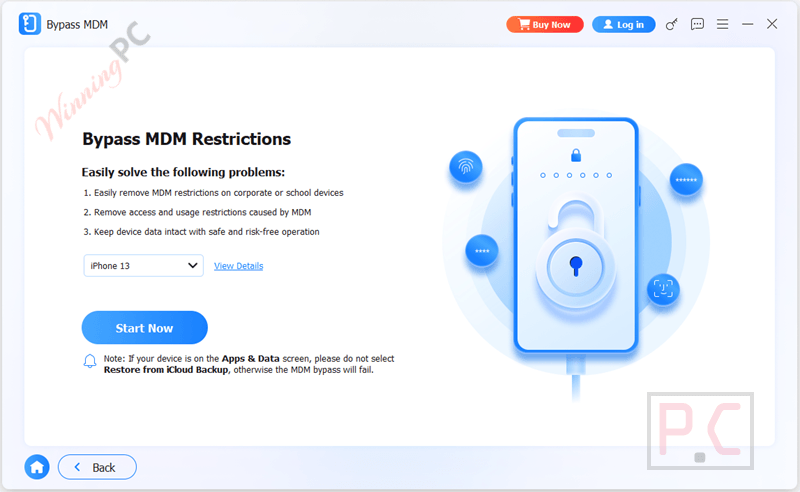
Bypass MDM Retrictions
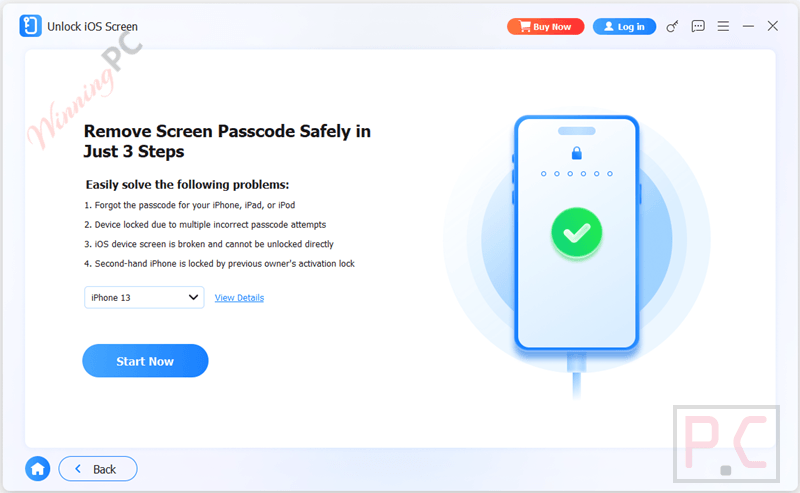
Remove Screen Passcode
Frequently asked questions
Where can I find active promo codes for Aiseesoft iKnockin?
You can grab the most reliable, verified deals for this software directly on WinningPC, alongside any current promotions featured on Aiseesoft’s official store.
How much can I save on this unlock tool right now?
Currently, you can secure a massive 50% OFF on all subscription tiers (1-Month, 1-Year, or Lifetime) by using the discount featured on WinningPC.
What happens to my photos and apps if I use the Apple ID removal feature?
When you bypass an Apple ID, all existing data, settings, and files on your iOS device will be completely erased.
Will I lose my data if I remove the Screen Time password?
No. Unlike the Apple ID bypass, taking off the Screen Time restriction passcode is perfectly safe and will not cause any data loss on your iPhone or iPad.
Can I use this software to get rid of a corporate MDM profile?
Yes, it features a dedicated tool to remove Mobile Device Management (MDM) profiles, allowing you to use all device functions without your company monitoring you.
Does this work if my iPhone screen is shattered?
Absolutely. If your screen is damaged and you cannot physically tap the numbers to enter the passcode, this software can bypass the lock screen from your computer.
Can I unlock my device if “Find My” is still turned on?
It depends on the task. For removing an Apple ID on devices running iOS 11.4 or later, you must have Two-Factor Authentication enabled. However, for recovering Screen Time or iTunes backup passwords, “Find My” must be toggled off completely.
Is it possible to recover my old lock screen passcode?
No, there is no way to recover an old lock screen passcode. The software will wipe it entirely so you can get back into the device and set up a brand-new passcode.
What exactly do I need to do to unlock a disabled iPhone?
It only takes three steps: connect your phone to your computer via a USB cable, confirm your device model to download the correct firmware, and click “Start Removing.”
System Requirements & Details
| Operating System | Windows 11/10/8.1/8/7 iOS up to 26; iPadOS up to 26 |
| CPU | 1GHz Intel/AMD CPU or above and Apple M-series chips (including M5) |
| RAM | 1GB RAM or more |
| Hard Disk Space | 200 MB and above free space |





I feel happy that the post you have shared may be a new insight today and forever. thank you!!
IT IS GOD