Laura Marano
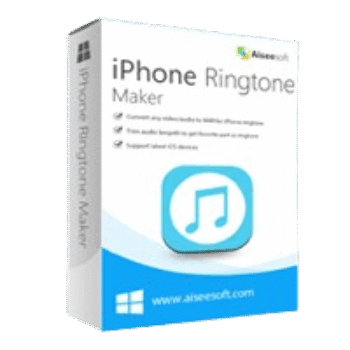
Aiseesoft iPhone Ringtone Maker helps you turn videos and audio files into iPhone-compatible M4R ringtones. It also lets you trim ringtone length, add fade effects, and transfer ringtones directly to iPhone, iPad, iPod, iTunes, or your PC without relying on iTunes for creation.

Aiseesoft iPhone Ringtone Maker
Lifetime license | Free lifetime updates.
Aiseesoft iPhone Ringtone Maker for Mac
Lifetime license | Free lifetime updates.
You may also like

EaseUS Ringtone Editor (Lifetime)
One license for 1 PC | Up to 5 iOS devices | Lifetime free upgrades
📄 Licensing & Support Details
- License Type: Lifetime license.
- 30-Day Money-Back Guarantee
- Free Upgrades
- 24/7 Customer Support
- 100% Secure.
📝 How to apply
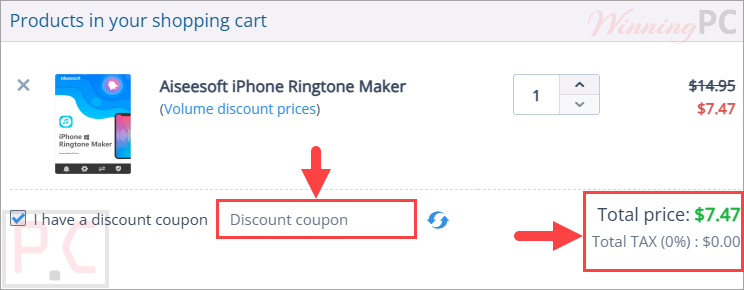
Press the ‘Copy Code’ button found in the coupon area above to copy the code, after which you will be forwarded to the checkout to claim your savings.
Aiseesoft iPhone Ringtone Maker: Review & Features

Key Features:
- Convert video files such as MP4, AVI, WMV, MKV, MOV, and more into iPhone M4R ringtones.
- Create ringtones from audio formats including MP3, AAC, WAV, WMA, FLAC, OGG, and others.
- Select custom start and end points for precise ringtone creation.
- Adjust ringtone duration to meet iPhone ringtone length requirements.
- Apply fade-in and fade-out effects before exporting.
- Transfer created ringtones directly to iPhone, iPad, iPod touch, iTunes, or PC.
- Support simultaneous connection of multiple iOS devices.
- Import multiple audio and video files for batch ringtone creation.
- Preview ringtone effects before exporting.
- Rename and remove existing iPhone ringtones.
- Generate lossless M4R ringtone files.
- Compatible with the latest iOS versions and a wide range of Apple devices.
- Simple interface suitable for beginners.
Pros & Cons:
More screenshots:


Frequently Asked Questions
Where can I find discounts for Aiseesoft iPhone Ringtone Maker?
You can check WinningPC for the latest verified deals and coupon codes. It’s also worth checking the official Aiseesoft website during seasonal promotions and special sales events.
What’s the biggest saving currently available?
The current best offer is 50% OFF, reducing the Lifetime License price from $14.95 to $7.47 through the coupon deal featured on WinningPC.
Can I create an iPhone ringtone from an MP3 file?
Yes. The software supports MP3 and many other audio formats and converts them into the M4R format required by iPhone.
Can I make a ringtone from a video?
Yes. You can extract audio from video files and convert the selected section into an iPhone ringtone.
Does the software support fade-in and fade-out effects?
Yes. You can add fade-in and fade-out effects before exporting your ringtone.
Can I transfer ringtones directly to my iPhone?
Yes. The program allows direct transfer of created ringtones to compatible iPhone devices.
Is iTunes required to create ringtones?
No. You can create ringtones without iTunes, although the software can also export files to iTunes if desired.
Can I preview my ringtone before saving it?
Yes. A preview feature allows you to listen to the ringtone and make adjustments before export.
Does it support batch ringtone creation?
Yes. Multiple audio or video files can be imported and processed to save time.
What is the output format of the generated ringtone?
All generated ringtones are exported in M4R format, which is the standard ringtone format for iPhone.
System Requirements & Details
| Operating System | Windows 10/8/8.1/7/Vista, Windows XP (SP2 or later) Mac OS X 10.7 or above (including macOS Big Sur and macOS Monterey) |
| Processor | 1GHz Intel/AMD CPU or above |
| RAM | 1GB RAM or more |
| Supported Input | Video: TS, MTS, M2TS, TRP, TP, MPG, MPEG, MPEG2, VOB, DAT, MP4, M4V, RM, RMVB, WMV, ASF, MKV, AVI, 3GP, 3G2, FLV, SWF, F4V, MPV, MOD, TOD, QT, MOV, DV, DIF, MJPG, MJPEG, WebM. Audio: MP3, MP2, AAC, AC3, WAV, WMA, M4A, RA, RAM, OGG, AU, AIF, AIFF, APE, FLAC, CUE. |
| Supported Output | M4R |
| Supported Devices | iPhone, iPad, and iPod touch models including the latest supported generations. |