


Allavsoft for Windows Giveaway
Allavsoft for Windows Giveaway
Batch Download Video, Music and Subtitles from 1000+ websites
- Product
- Allavsoft
- Website
- allavsoft.com
- License
- Lifetime
- Platform
- Windows XP~11
- Installer
- allavsoft.exe
- Support
- Not included
- Updates
- No future upgrades
- Usage
- Non-commercial only
- Updated
- September 22, 2026
Get your unique code by email
License key delivered free to your inbox within minutes.
Protected by Cloudflare Turnstile · Email quality checked by Reoon
WinningPC currently provides one of the best available discount codes for this product. Use the current offer while it is still active.
Allavsoft Video Downloader License Key Free Download
- Download the official Allavsoft for Windows installer from the WinningPC giveaway page or Allavsoft’s homepage.
- Run the installer and complete setup on your Windows PC.
- Scroll to the giveaway registration section on this page and copy the provided registration information (name and license key details).
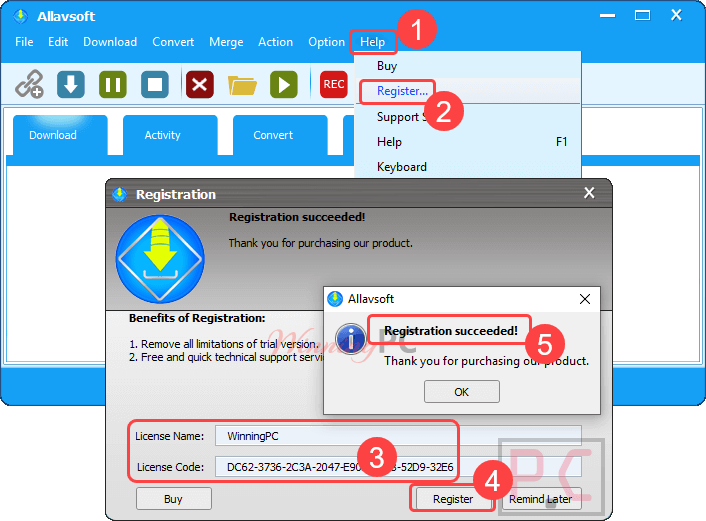
- Open Allavsoft, go to Register (or Help > Register) and enter the registration details.
- Click OK or Activate – Allavsoft will confirm your license is active.
Allavsoft Video Downloader Coupon Codes (100% Working)
Allavsoft for Windows
4 plans · best save 82%
How well does Allavsoft for Windows work?
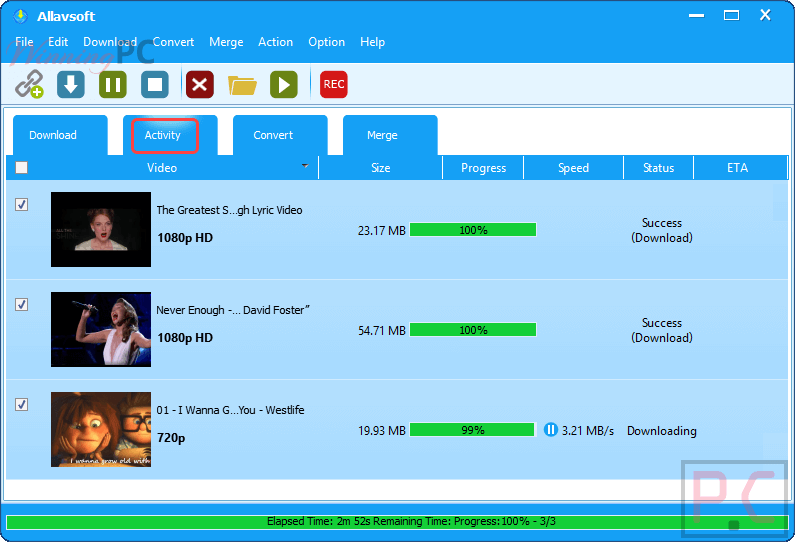
The headline number is 1,000+ supported sites, and that’s where Allavsoft for Windows builds its case. Spotify is the standout – most video downloaders don’t touch it, but Allavsoft converts Spotify tracks and playlists to MP3 with ID3 tags intact, which matters if you’re building a local music library. Batch downloading handles multiple URLs in one queue, and the automatic ad-skip is a quiet time-saver: it detects ad segments in the stream so you’re not cutting around them after the fact. Niche capabilities like VR 360, 8K resolution downloads, chapter preservation, and scheduled off-peak downloading put it ahead of most single-purpose tools. Free CLI alternatives like yt-dlp cover similar ground for technically comfortable users – Allavsoft’s real advantage is the GUI, which makes the whole workflow accessible without a terminal.
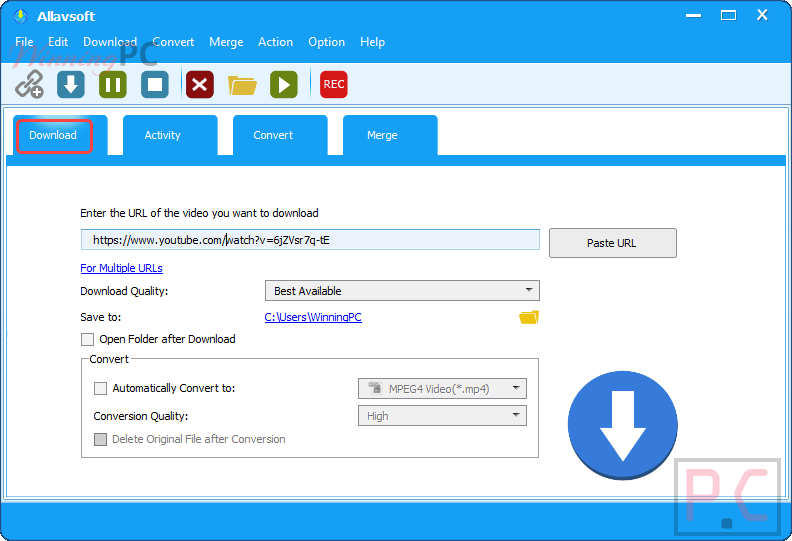
Key features
- Download video and audio from 1,000+ sites, including YouTube, Spotify, Vimeo, Facebook, Twitter, Deezer, Crunchyroll, Napster, and Soundcloud.
- Spotify-to-MP3 (and FLAC, WAV, AAC, and more) with full ID3 tag support in two steps.
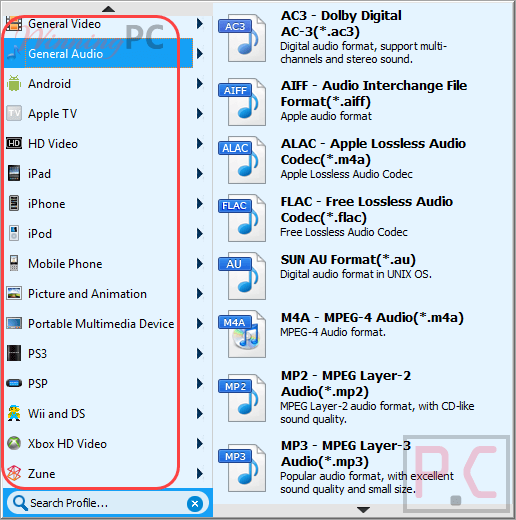
- Output to major video formats: MP4, AVI, WMV, MOV, WebM, FLV, Apple ProRes, VOB, TS, RMVB, and more.
- Batch downloads with automatic ad detection and skipping.
- Resolution support up to 8K – plus 4K, 1080p, 720p, HD, 3D, and VR 360.
- Breakpoint resume, scheduled downloads, auto-shutdown on completion, and chapter preservation.
- Built-in video player for previewing downloaded files.
pros & cons
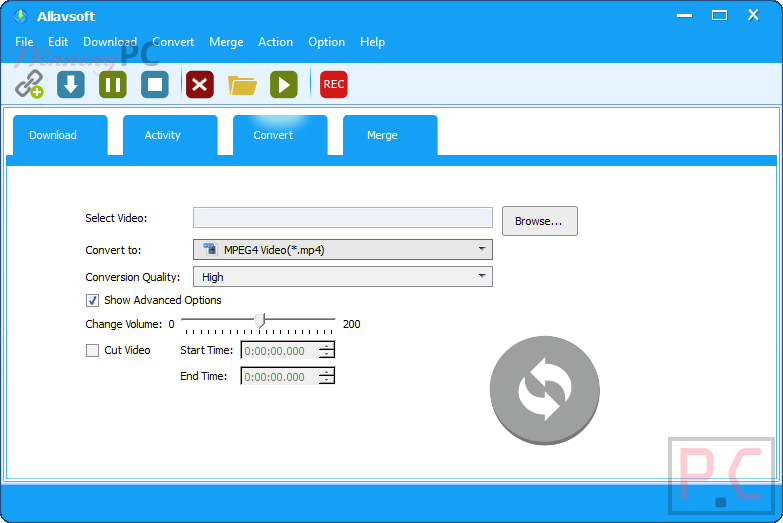
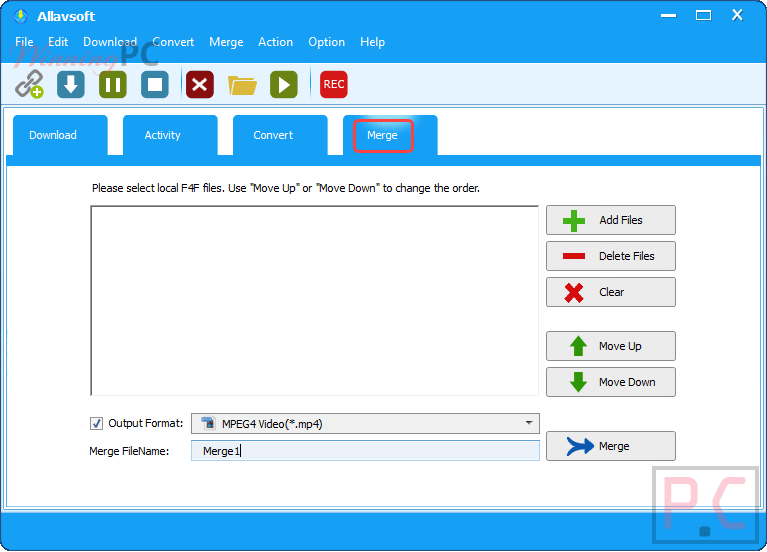
more screenshots

Common questions about Allavsoft
Is Allavsoft free to download?
Allavsoft is free to get right now through this giveaway – a Lifetime license worth $99.99 at no cost. Outside this promotion, it’s a paid app starting at $14.99/year with the WinningPC code.
What’s the cheapest way to buy Allavsoft?
With code Give7***Off, the 1-Month plan is $9.99. For ongoing use, the Lifetime plan at $18 is the better deal – it’s one cent more than the 3-Year plan ($17.99) with the same code, so Lifetime is the clear pick between those two.
Does Allavsoft actually download Spotify music?
Yes. Paste a Spotify track or playlist link, choose your output format (MP3, FLAC, WAV, AAC, and more), and click Download. Artist, title, and album tags (ID3) are preserved in the exported file.
What output formats does Allavsoft support?
Video: MP4, AVI, WMV, MOV, WebM, FLV, TS, VOB, RMVB, MPEG-1, MPEG-2, DV, ASF, OGV, and Apple ProRes. Audio: MP3, FLAC, WAV, AAC, M4A (Apple Lossless), AIFF, RA, OGG, AU, and WMA.
Free license vs paid: what the giveaway leaves out
| Feature | Paid License | Giveaway License |
|---|---|---|
| Cost | From $14.99/year (with code) | Free |
| License duration | 1 Month/1 Year/3 Years/Lifetime | Lifetime |
| Future updates | ✅ Included | ❌ No future upgrades |
| Technical support | ✅ Included | ❌ Not included |
| Commercial use | ✅ Allowed | ❌ Non-commercial only |
| Latest version | ✅ Always current | Version available at giveaway time |
| Money-back guarantee | 30-day money-back guarantee | N/A (it’s free) |
System Requirements & Details
| Operating System | Windows 11, 10, 8, Vista, XP, 2000 |
| Processor | 1GHz Intel or AMD or faster |
| Disk space | 30MB free for installation |
| Display | 800×600 (Super VGA), 16-bit color or higher |
| Supported input | URLs from 1,000+ streaming sites: YouTube, Spotify, Vimeo, Facebook, Twitter, Deezer, Soundcloud, Napster, Qobuz, Dailymotion, Crunchyroll, Lynda, Udemy, PBS, BBC, and many more. |
| Supported output (video) | MP4, AVI, WMV, MOV, MPEG-1, MPEG-2, VOB, ASF, RMVB, DV, TS, Apple ProRes, WebM, FLV, OGV. |
| Supported output (audio) | MP3, WMA, WAV, AAC, M4A (Apple Lossless), AIFF, RA, FLAC, OGG, AU |
| Other requirements | Active internet connection required for downloading |


Amaizing app
Thanks for your giveaway code; it worked for me.
the code seems to be expired.
What should I enter as the license name? I’ve tried WinningPC and several other options but it keeps coming up with Registration failed.
Hi,
The giveaway may have ended 🙁
Hi,
A new license code is added.
Can you provide the latest giveaway licence key? Thanks
Hey,
You can get a free license code now.