Laura Marano
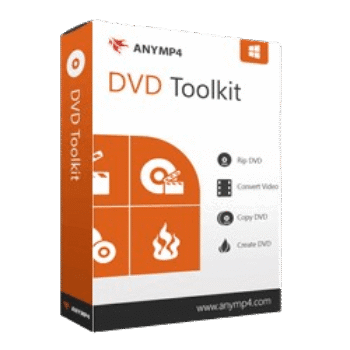
AnyMP4 DVD Toolkit lets you rip homemade DVDs, convert video and audio files, burn videos to DVD discs, and back up DVD content with multiple copy modes. It also supports 4K and HD video conversion, basic video editing, and playback optimization for portable devices.
AnyMP4 DVD Toolkit for Windows
2 plans · best save 50%
AnyMP4 DVD Toolkit for Mac
2 plans · best save 50%
📄 Licensing & Support Details
- 30-Day Money Back Guarantee
- License Instant Delivery by Email
- 100% Clean & Secure Purchase
- Free Customer Support
- Free Technical Support
- Free Upgrades.
📝 How to apply
Click ‘Copy Code’ in the box above. We’ll automatically copy it and send you straight to checkout so you can claim your discount.

AnyMP4 DVD Toolkit: In-Depth Review & Features

Key Features:
- Convert homemade DVDs to MP4, MOV, AVI, FLV, M4V, MP3, AAC, and more
- Supports HD 1080p and 720p video conversion
- Convert 4K and HD videos into popular formats
- Burn videos to blank DVD discs in 1:1 ratio
- Save DVD projects as ISO files or DVD folders
- Copy and back up homemade DVDs with Full Copy, Main Movie, and Custom modes
- Supports DVD Disc, DVD Folder, DVD IFO, and ISO files
- Compatible with iPhone, iPad, Samsung Galaxy, Xbox 360, PSP, Apple TV, and more
- Includes video editing and optimization tools
- High conversion and copying speed
- User-friendly interface for beginners and regular users.
Pros & Cons:
More screenshots


Frequently Asked Questions
Where can I find AnyMP4 DVD Toolkit promo codes or discounts?
You can usually find the latest AnyMP4 DVD Toolkit coupons on WinningPC, alongside official AnyMP4 seasonal promotions and limited-time software sales.
What’s the biggest discount currently available for AnyMP4 DVD Toolkit?
Right now, WinningPC features a 50% OFF deal for both the 1-Year and Lifetime licenses of AnyMP4 DVD Toolkit.
Can AnyMP4 DVD Toolkit rip DVDs to MP4?
Yes. The software can convert homemade DVDs into MP4 and many other video formats like MOV, AVI, and FLV.
Does the software support 4K video conversion?
Yes. It supports converting 4K and HD videos into multiple output formats.
Can I burn videos to a DVD disc?
Yes. You can burn MP4, WMV, AVI, MTS, TS, and other video formats to a blank DVD disc.
Is AnyMP4 DVD Toolkit available for Mac?
Yes. It supports Mac OS X 10.9 or later, along with Windows systems.
Does the toolkit support ISO files?
Yes. You can both create and save DVD projects as ISO files.
Can I copy DVDs with this software?
Yes. It includes DVD copy and backup tools with Full Copy, Main Movie, and Custom modes.
What payment methods are accepted?
AnyMP4 accepts Credit Card, PayPal, Wire Transfer, and other payment methods.
System Requirements & Details
| Language Support | English, Français, Italian, Spanish, Swedish, and more… |
| Operating System | Windows 10, Windows 8, Windows 8.1, Windows 7, Windows Vista, Windows XP Mac OS X 10.7 or above (including macOS Monterey) |
| Processor | Intel Core 2 Duo or AMD Athlon processor, 2 GHz or faster. |
| RAM & Storage | 2GB RAM or more |
| Supported Input | DVD Disc, DVD Folder, ISO, MP4, MOV, AVI, MKV, FLAC, MP3, AAC, MTS, TS, and more. |
| Supported Output | MP4, AVI, MOV, MKV, MP3, WAV, FLV, WebM, HD video, 3D video, DVD Disc, ISO files. |