

AnyMP4 Video Repair Giveaway
AnyMP4 Video Repair
Fix broken, corrupted, damaged, and unplayable MP4/MOV/3GP video.
- Product
- AnyMP4 Video Repair
- Product website
- anymp4.com
- License
- 1-Year
- Platform
- Windows 11, 10
- Usage
- Non-commercial only
- Updates
- No future upgrades
- Support
- No support
- Updated
- 2026-09-05
Continue on anymp4.com
Share to reveal the official giveaway page, then register there to receive your license.
The limited-time giveaway!
The free license is no longer available.
AnyMP4 Video Repair Coupon Code & Pricing
AnyMP4 Video Repair for Windows
3 plans · best save 77%
3-User License (Lifetime ) ★ Best Deal
Lifetime license for 3 PCs | Lifetime free upgrades.
AnyMP4 Video Repair for Mac
3 plans · best save 77%3-User License (Lifetime) ★ Best Deal
Lifetime license for 3 Macs | Lifetime free upgrades.
📄 Licensing & Support Details
- 30-Day Money Back Guarantee
- License Instant Delivery by Email
- 100% Clean & Secure Purchase
- Free Customer Support
- Free Technical Support
- Free Upgrades.
📝 How to apply
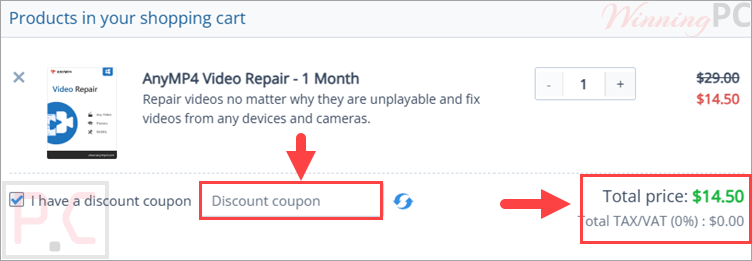
Clicking the ‘Copy Code’ button in the coupon section above will copy the code and redirect you to the checkout page to receive your discount.
Is the AnyMP4 Video Repair giveaway safe and legit?
Yes. This is a legitimate offer run through AnyMP4’s official publisher page. Here is why it checks out:
No crack or keygen
You install AnyMP4’s genuine, unmodified build and activate it with a real license key delivered to your email. Nothing is patched or repackaged.
Official publisher giveaway
The free key comes directly from AnyMP4, not a grey-market reseller or third-party key site.
Files stay on your machine
AnyMP4 states clearly that no data is stored after your repair session ends. Your video files are processed locally.
Secure paid checkout
If you choose to buy instead, transactions go through AnyMP4’s encrypted store, with a 30-day money-back guarantee on all paid plans.
How to Get the AnyMP4 Video Repair License Key for Free?
- Please enter your Name and E-mail Address and click on the “Get Free Registration Code” button.
- In a few minutes, you will receive an email with an annual license. Your E-mail address will only be used to receive the registration code, it will not be shared or stored for any other purpose.
- Download and install the software on your computer. Click on the key icon on the main window software. Copy and paste the license code to activate the software with full features!
- Got it for 1-year free!


AnyMP4 Video Repair: In-Depth Review & Features
AnyMP4 Video Repair does one thing and stays focused on it: fixing corrupted MP4, MOV, and 3GP footage. The AI-based repair process analyzes a damaged clip against a healthy reference video from the same device, then rebuilds the broken header and data. In practice, that covers a solid range of real-world failures – choppy frames, black screens, no-audio playback, and error codes like 5, 150, 3553, and 232011 that tend to appear in Google Drive or on dashcams after a rough recording session. Resolution support up to 16K is a genuine plus for drone and professional camera users working with high-end footage. The one honest caveat: the 99.99% success rate claim holds only when you have a good sample file from the same device. Without one, success depends more on the type and depth of the corruption.

Key features
- Repairs corrupted, choppy, black-screen, and audio-out-of-sync MP4, MOV, and 3GP video files.
- Supports footage from drones (DJI, Holy Stone), camcorders (Sony, Canon, GoPro), dashcams, CCTV cameras, and storage devices (SD card, USB, hard drive).
- Handles HD, 4K, 8K, 12K, and 16K resolution video.
- Preview the repaired clip before committing to save – no file is overwritten until you confirm.
- Fully local processing: no data is stored or transmitted after the repair session ends.
pros & cons
more screenshots!


AnyMP4 Video Repair vs the alternatives
| Tool | Platform | Price (approx.) | Format support | Best for |
|---|---|---|---|---|
| AnyMP4 Video Repair (this deal) | Win + Mac | $29.97 lifetime (with code) | MP4, MOV, 3GP | Drone, dashcam, GoPro footage; giveaway available now. |
| Stellar Repair for Video | Win + Mac | $44.99/yr (with code) | MP4, MOV, AVI, MKV + more | Broader format support; stronger brand reputation. |
| Aiseesoft Video Repair | Win + Mac | $29.97/lifetime (with code) | MP4, MOV, AVI | Similar feature set; frequent giveaway promotions. |
| ArkThinker Video Repair | Win + Mac | $39.92/lifetime (with code) | MP4, MOV, AVI | Similar repair workflow; supports damaged videos from many devices. |
| Kernel Video Repair | Win + Mac | $34.3/lifetime (with code) | MP4, AVI, MKV + more | Windows-only users who need wider format coverage. |
| Bitwar Video Repair | Win + Mac | $59/lifetime (with code) | MP4, MOV, AVI | Budget entry point; watch the subscription model. |
| VLC Media Player | Win + Mac + Linux | Free | Many formats (playback only) | Minor playback hiccups – not a repair tool, but free to try first. |
The free option to check first: before paying for any repair tool, open the file in VLC. VLC can sometimes work around minor codec issues that look like corruption. If VLC can’t play it either, you have a real corruption problem and a dedicated tool is warranted.
Frequently Asked Questions
Where can I find AnyMP4 Video Repair coupons or deals?
WinningPC is the primary source for current coupons, but you can also check the official AnyMP4 website for promotions.
What is the best discount available for AnyMP4 Video Repair?
The 1-Year License is 50% off, Lifetime License 40% off, and Lifetime License for 3 PCs is 77% off on WinningPC.
Can AnyMP4 Video Repair fix corrupted videos?
Yes, it repairs video files with missing or damaged information if the correct data can be restored.
Is it safe to repair a corrupted video?
Yes, the software ensures your files are handled securely via encrypted connections and stores no data after repair.
Which video formats are supported?
Currently supports MP4, MOV, and 3GP. AVI, MKV, and WMV support is coming soon.
How do I fix video playback errors like error 5?
This playback error often happens in Google Chrome when trying to open a Google Drive video. You can try clearing your browser cache, using a private window, or updating Chrome. If the original file itself is damaged, you can use AnyMP4 Video Repair to mend it.
What should I do if a video fails to load on my iPhone?
Check your internet, clear browser cache, try incognito mode, update your browser, or repair the video using AnyMP4 Video Repair.
How can I fix videos that don’t play on iPhone?
Use a compatible video player, restart your iPhone, or repair the file on your computer with AnyMP4 Video Repair, then transfer it back.
Can this software repair YouTube video glitches?
Yes, it can fix downloaded YouTube files that are unplayable, along with troubleshooting connection and browser issues.
System Requirements & Details
| Language Support | English, Français, Italian, Spanish, Swedish, and more… |
| Operating System | Windows 11, Windows 10 Mac OS X 10.15 or above |
| Processor | 1GHz Intel/AMD CPU or Apple M-series / 1GHz Intel Processor. |
| RAM & Storage | Windows: 1GB+ RAM; Mac: 512MB+ RAM (1024MB recommended) |
| Supported Input | MP4, MOV, 3GP |
| Supported Output | MP4, MOV, 3GP (H.264, H.265) |



Total BS.
This is not a self standing program that runs on your computer and you have to UPLOAD to company your video PLUS a sample video for reference.
Do not trust a company with private videos or data plus if you have to send a working sample video what is the point, you already have a working copy ?
1 year extended trial license of illegal “unlicensed FFMPEG” GUI
I was excited to try this software only to realize It Doesn’t Do much of anything…the fixed video looks and plays with all the same defects I was trying to fixed,So I’m Totally confused about what it’s purpose is ??????