

Aoao Video Watermark Pro is a video watermark software for Windows. It helps the user to embed text, image, logo, signs to your videos in batches. Just with a few clicks, you can watermark a batch of videos and protect your original work.
Aoao Video Watermark Coupon Code Nov 2026

Aoao Video Watermark Pro - Special Offer
86% Off coupon code, regular price $69.95, discounted price $9.95
Aoao Video Watermark Pro
60% Off coupon code, regular price $69.95, discounted price $27.96
Aoao Photo Watermark + Aoao Video Watermark Pro Bundle
64% Off coupon code, regular price $109.85, discounted price $39.96
Aoao Photo Watermark + Aoao Video Watermark Pro Bundle for SOS
92% Off coupon code, regular price $99.85, discounted price $7.99
Aoao Video Watermark Pro Free License Key
- Product name: Aoao Video Watermark Pro 5.2
- Website: https://www.aoaophoto.com/
- License type: lifetime
- Platform: Windows
- License code – last updated: July 29, 2021
Click here...
- Username: winningpc
- License key #1: AO-VWPB-71C2D00787-2E0382EB7E-7B5B88F206 Installer (updated: July 29, 2021)
- Note: Please check the “Instructions” section: Register by editing the setup.ini file to register it if you failed
Download and install Aoao Video Watermark Pro on your PC.
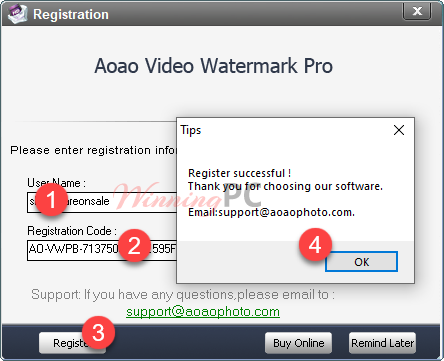
Open and register to the Pro version by the above license key.
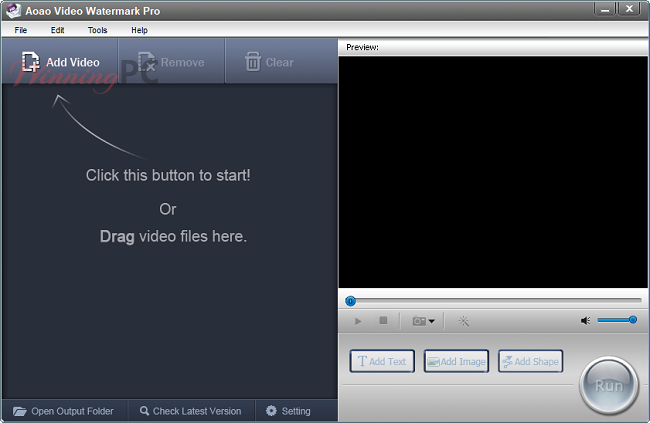
Main screenshot:
Register by editing the setup.ini file (thanks to Atila)
– Step 1. Install and open the program then quit it!
– Step 2. Open the folder name “Aoao Video Watermark Pro” in the C:\Documents\ AoaoPhoto Digital Studio
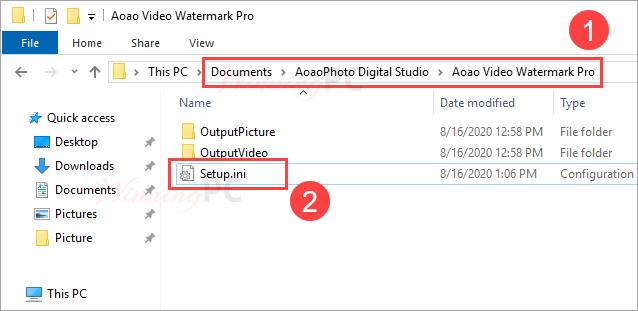
– Step 3. Open the Setup.ini file (if you don’t find this file, just show the “Hiden Items” in the Windows settings
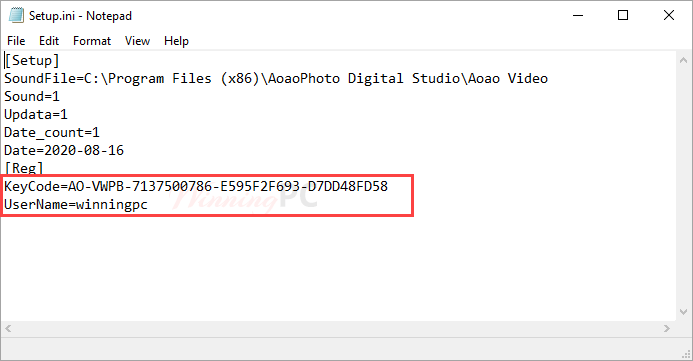
Insert the above key code and username then save this file:
Open Aoao Video Watermark Pro and enjoy it!
Key Features
- Add Text/Image/Shape Watermark to Videos
- Create Dynamic Watermark and Subtitle Effects
- Provide 200+ Free Watermark Materials
- Add Specific Effects to Video
- Support a wide range of video formats: AVI, MP4, FLV, MOV, MPG, etc.
Technical Details
| Language Support | English, Français, Italian, Spanish, Swedish, and more… |
| Money Back Guarantee | 30-Day |
| Operating System | Windows |
| Shipping | Instant Delivery by Email |
| Subscription | Lifetime |
| Support Services |





dont work
Hi.
Please use this giveaway installer for the latest license code: https://cloud.filezilla.io/winningpc/aoao/video-watermark-pro-5.3Jan2021.exe
expired code 🙁
We have a giveaway code now!
‘Editing setup.ini’ method doesn’t work with updated license code
Hi Vladimir,
You don’t need to use the ‘Editing setup.ini’ method. Just use the latest license code directly.
Yes, i’ve done editing setup.ini and added key and username
but, when i starts software, it again asks me to provide registration details. when adding details in software, it says invalid.
Please help again. setup.ini file has been saved perfectly, i have checked twice
like this
[Reg]
KeyCode=VC-VWPB-8047B00786-B4475BF2D5-8C6839FF40
UserName=winningpc
Bro, software says the code is invalid
can you pls help me with new appropriate code
thanks in advance
Did you try to activate by “editing the setup.ini file” method with the license key #2?
Thanks , now it works !
The updated instructions & license code solved the issue.