
On this page
Apeaksoft Video Converter Ultimate Giveaway
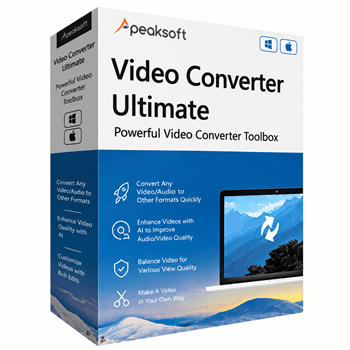
Apeaksoft Video Converter Ultimate
Convert videos, audio to more than 1,000 formats.
- Product
- Apeaksoft Video Converter Ultimate
- Product website
- apeaksoft.com
- License
- 1-Year
- Platform
- Windows 11, 10, 8.1, 8, 7 (32-bit/64-bit)
- Usage
- Non-commercial only
- Updates
- No future upgrades
- Support
- No support
- Updated
- 2026-09-05
Continue on apeaksoft.com
Share to reveal the official giveaway page, then register there to receive your license.
The limited-time giveaway!
The free license is no longer available.
Apeaksoft Video Converter Ultimate Plans & Coupon Codes

Apeaksoft Video Converter Ultimate - Lifetime
Free updates & support for lifetime
Apeaksoft Video Converter Ultimate for Mac - Lifetime
Free updates & support for lifetime
Is this Apeaksoft Video Converter Ultimate giveaway safe and legit?
Yes – this is a legitimate publisher-authorized giveaway, not a cracked copy or grey-market key.
No crack or keygen
You receive a genuine Apeaksoft activation code delivered directly to your email. The installer is the publisher’s official build; nothing is patched, repackaged, or modified.
Official authorized source
The giveaway runs through Apeaksoft’s own distribution. WinningPC does not handle key issuance – the license code comes from the publisher to your inbox.
Secure HTTPS checkout (paid plans)
If you choose the paid Lifetime license instead, payment is processed on Apeaksoft’s encrypted store. Your card details never pass through WinningPC.
30-day money-back guarantee
All paid plans include a 30-day refund window. The giveaway key is free, so there’s no financial risk on either path.
How to Get the Apeaksoft Video Converter Ultimate Key Free?
- Click the giveaway link to open the official Apeaksoft giveaway page.
- Enter your name and email address, then submit the registration form.
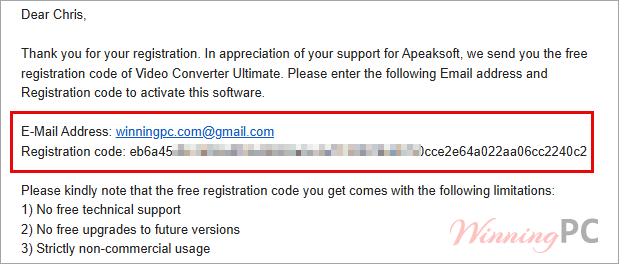
- Check your inbox for an email from Apeaksoft with your free 1-Year license code.
- Download Apeaksoft Video Converter Ultimate from the official site and install it on your PC.
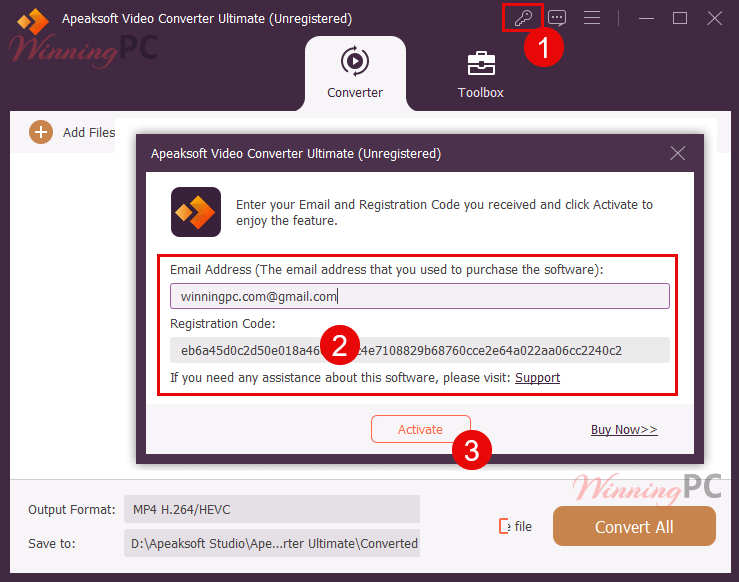
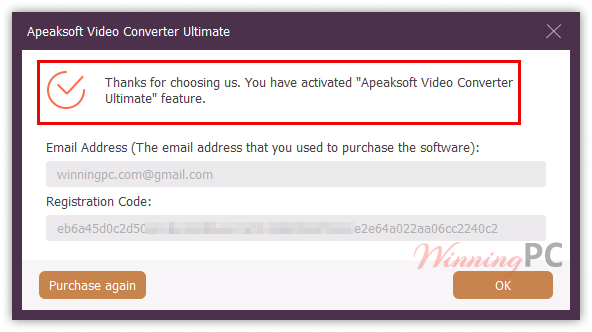
- Launch the software, open the license activation window, and enter your code to unlock the full version.
Apeaksoft Video Converter Ultimate: In-Depth Review & Features
Apeaksoft Video Converter Ultimate‘s main strength is format coverage. It reads input from 8K and 5K HEVC files all the way down to legacy SD containers, so camcorder footage, phone video, DVD rips, and social downloads all process without format-matching headaches. Hardware acceleration via AMD, Intel HD Graphics, and NVIDIA CUDA/NVENC/NVDEC gives batch jobs a real speed boost compared to software-only converters.
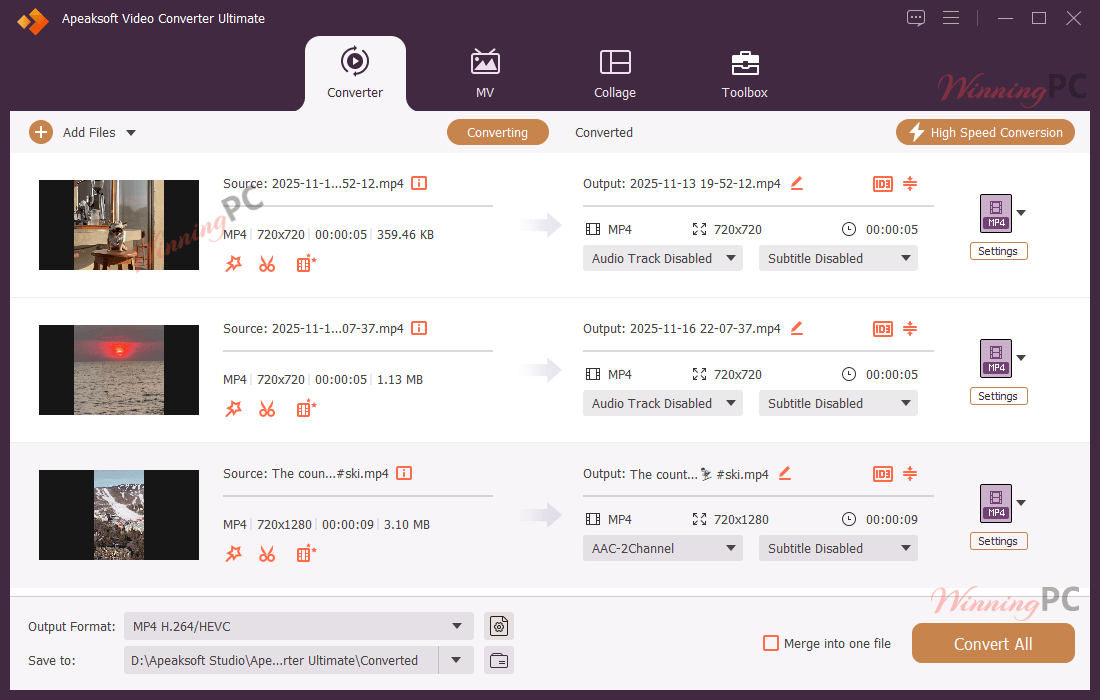
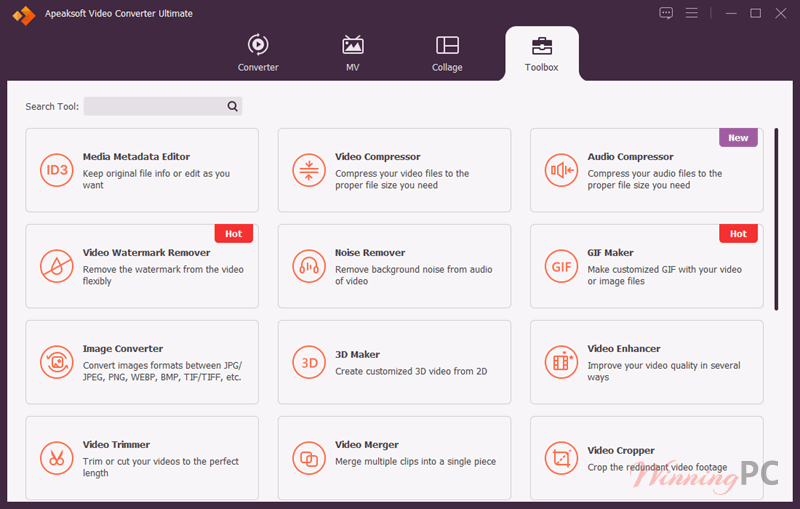
The built-in toolbox goes further than most competitors: the video enhancer handles upscaling, noise reduction, stabilization, and brightness correction in four separate tools; the screen collage fits up to 13 clips into a single frame; and lossless output is genuinely lossless, not just high-bitrate. The flip side is that this depth takes time to navigate. The interface is organized, but first-time users will spend a while exploring before the toolbox starts to feel intuitive.
Key features
- 1,000+ format conversions with 8K/5K support: handles HEVC, MKV, MOV, FLV, and 40+ audio formats, plus device presets for iPhone 17, Galaxy S25, PS4, Xbox, and editing apps like Adobe Premiere and Final Cut Pro.
- GPU-accelerated batch conversion: AMD, Intel HD Graphics, and NVIDIA CUDA/NVENC/NVDEC acceleration cuts processing time significantly on larger video libraries.
- Built-in video enhancer: upscales resolution, reduces noise, corrects brightness and contrast, and stabilizes footage – four adjustments most standalone converters skip entirely.
- MV maker and screen collage: create slideshows with ready-made themes (travel, sports, holidays) or put up to 13 videos side by side in a single frame for comparison edits or social content.
- Extended toolbox: crop, trim, merge, rotate, compress, reverse, add watermarks, create GIFs, build 3D videos, and edit metadata, all without leaving the app.
pros & cons
more screenshots!
Apeaksoft Video Converter Ultimate vs the alternatives
| Tool | Price | Platform | Key strength | Best for |
|---|---|---|---|---|
| Apeaksoft Video Converter Ultimate (this deal) | $0 giveaway / $31.22 lifetime | Win + Mac | 1,000+ formats, editing toolbox, 8K/5K, GPU acceleration | Power users who need broad format coverage and built-in editing tools |
| VideoProc Converter AI | $29.95/lifetime | Win + Mac | AI upscaling and GPU acceleration | Users who prioritize AI-enhanced video processing |
| HitPaw Univd | $55.96/lifetime | Win + Mac | Polished UI with AI conversion tools | Users who want a cleaner interface with AI features |
| WonderFox HD Video Converter Factory Pro | $11.96/lifetime | Windows only | Low-cost HD conversion | Budget Windows-only users with basic conversion needs |
| MiniTool Video Converter Pro | $69.99/yr | Windows | Subscription with ongoing support | Users who prefer a paid plan with guaranteed updates |
| HandBrake | Free (open source) | Win + Mac + Linux | Zero cost, solid baseline conversion | Anyone who only needs standard format conversion and has no need for editing tools |
Frequently Asked Questions
What is Apeaksoft Video Converter Ultimate used for?
It converts, edits, and enhances videos and audio. It also includes extra tools such as 3D maker, GIF maker, MV creator, and collage maker.
Does it support 4K and HD videos?
Yes, it supports SD, HD, Full HD, 2K, 4K, and even some 8K formats.
Can I edit my videos before converting?
You can trim, rotate, crop, merge, add filters, apply effects, and more.
What devices does it support?
Apeaksoft Video Converter Ultimate updates & support for lifetime outputs formats optimized for iPhone, iPad, Galaxy devices, PlayStation, Xbox, TVs, Adobe Premiere, and more.
Can I create slideshows or MVs?
Yes. It includes an MV Maker with themes and music options.
Can I convert multiple files at the same time?
Yes. Batch conversion is supported – add files from different source formats and convert them all in one run. Output format can differ per file if needed.
Does it support GPU acceleration?
Yes. Apeaksoft Video Converter Ultimate supports AMD, Intel HD Graphics, NVIDIA CUDA, NVENC, and NVDEC hardware acceleration. On compatible hardware, batch conversion runs noticeably faster than software-only processing.
Can I adjust audio and subtitles?
Yes, you can sync audio, replace tracks, and add subtitles.
Is there a discount?
Yes! WinningPC provides an exclusive 50% discount coupon code for Apeaksoft Video Converter Ultimate (Windows and Mac).
System Requirements & Details
| Field | Value |
|---|---|
| Operating system | Windows 11, 10, 8.1, 8, 7 (32/64-bit); macOS 10.12 and above (incl. macOS 26 Golden Gate Beta; Apple Silicon supported) |
| Processor | Windows: 1 GHz Intel or AMD; Mac: 1 GHz Intel or Apple Silicon |
| RAM | 2 GB minimum |
| Supported input formats | 8K/5K: H.265/HEVC MP4, H.265/HEVC MKV · 4K UHD: MP4, AVI, FLV, WebM, TS, MKV, MOV, MXF · HD: MPEG2 HD, MPEG4 HD, QuickTime HD, WMV HD, HD TS/MTS/M2TS/TRP/TP · SD: 3GP/3G2, AVI, DV, MOD, MJPEG, FLV/SWF/F4V, MKV, MPEG/VOB/DAT, MP4/M4V, MPV, QT/MOV, RM/RMVB, TOD, TS/TRP/TP, WMV/ASF · Audio: AAC, AIFF, CUE, FLAC, M4A, MP3/MP2, APE, OGG, AC3, RA/RAM, AU, WAV, WMA |
| Supported output formats | Video SD/HD: MPG, MPEG-1/2/4, H.264, DivX, XviD, AVI, FLV, MP4, M4V, MKV, MOV, 3GP, 3G2, WMV, ASF, DPG, TS/MTS/M2TS, DV, VOB, AMV, WebM, MXF, OGV, TRP, F4V, SWF · 4K UHD: H.265 MP4, H.264 MP4, ProRes MOV, WebM-VP8/VP9, 4K AVI, 4K MKV, YouTube 4K MP4 · 8K/5K: H.265/HEVC MP4 and MKV · 3D: Anaglyph, side-by-side, and top-and-bottom in MP4, MOV, MKV, WMV, WebM, AVI, FLV, VOB, TRP, SWF, ASF, OGV · Audio: AAC, AC3, AIFF, AMR, AU, FLAC, M4A, M4B, M4R, MKA, MP2, MP3, OGG, WAV, WMA, DTS, APE, ALAC |
| Device presets | iPhone 17/16/15/14/13/12/SE series; iPad (all current models); iPod touch; Android (Samsung Galaxy S25/S24/S23, Motorola, LG, Sony, HTC, etc.); PS4, PS3, PSP, PS Vita; Xbox One/360; Nintendo DS; Wii |
| Editing software presets | iMovie, Final Cut Pro/Express, Sony Vegas, Adobe Premiere, Avid Media Composer |

![[Contest] Keeprix Giveaway: Win 1 of 40 All-in-One Downloader Licenses with Free Updates](https://winningpc.com/wp-content/uploads/2026/10/keeprix-all-in-one-downloader-box.png "keeprix all in one downloader")


Also don’t forget to delete the downloaders temporary files that are NOT cleaned up after installation or even uninstallation!
C:\Users\[YOURUSERNAME]\AppData\Local\Temp\Apeaksoft\Apeaksoft Video Converter Ultimate
It contains a copy of the real installer which is 124MBytes not the incompetent downloader… also don’t forget the choose custom installation and deselect the join customer experience improvement program as that is an excuse to harvest usage details and system details from you… Personally I do not trust this illegal developer to honour my choice to opt out of spying upon my usage for their gain… Why would they abide by our contract if they won’t abide by FFMPEG.ORG licensing contract?
Seems a comment this is referring to about the illegal abuse of FFMPEG.ORG license terms and distribution of the binaries was deleted…
It is an illegal distribution of hacked open source FFMPEG DLLs that do all the conversion and media manipulation, they provided just the GUI like most Chinese closed source developers