

Auslogics BitReplica is a Windows backup tool for protecting documents, photos, music, videos, and other files from hard drive failure, virus attacks, or accidental deletion. It lets you create backup profiles, schedule backups, save files to external drives, networked PCs, or cloud storage, and restore full backups or selected files.

You may also like:
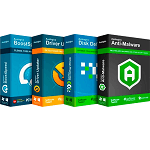
Auslogics Essential Tools
1-year subscription | Includes Auslogics BoostSpeed, Auslogics Driver Updater, Auslogics Anti-Malware, Auslogics Disk Defrag Ultimate.
📄 Licensing & Support Details
- License: 1-year subscription.
- Support: Fast professional support via email and in-app question tool.
- Refund Policy: 30-day money-back guarantee.
📝 How to apply
- Simply select the “Copy Code” button in the coupon box above.
- The discount code will be applied automatically, and you’ll be redirected to complete your purchase with the reduced price.
Auslogics BitReplica Giveaway License Key Free
- Product name: BitReplica
- Publisher: Auslogics
- Website: https://www.auslogics.com/
- License type: 1-year
- Price:
$29.95$0.0 - Platform: Windows 7, 8, 8.1, 10, 11.
- License code & download – last updated: Oct 09, 2024
Click here...
Unlocking content...
📝 Note: Please follow the Activation Guide to successfully claim your license.
How to get the Auslogics BitReplica license key for free?
Download the installer for Auslogics BitReplica by the above download link and install it on your computer. Launch your BitReplica trial and click on Help – Register BitReplica, in the menu in the top left corner of the program window.
In the window that appears, right-click inside the registration field and choose Paste to enter your license key:

Press the Register button, and restart the application. Enjoy!

In-Depth Review & Features

Key Features
- Create multiple backup profiles with unique settings tailored for different file groups.
- Utilize full, incremental, and differential backup engines to drastically reduce wasted disk space.
- Direct integration with supported online cloud storage services for off-site archiving.
- Flexible automation with options for hourly, daily, or weekly scheduling.
- Advanced filtering to exclude specific file attributes or extensions (such as *.tmp or *.log files).
- Execute specific programs or commands immediately before or after a scheduled task runs.
- Export and import configuration settings to easily transfer your profiles to a new PC installation.
- Keep track of past tasks by viewing a searchable history log of program actions.
Pros & Cons
More Auslogics BitReplica screenshots:
Create a new backup by Auslogics BitReplica:

Choose a backup method:

Advanced option

Frequently Asked Questions
Where is the best place to find active promo codes for Auslogics BitReplica?
You can always find verified discounts and the newest deals for Auslogics BitReplica right here on WinningPC, alongside checking the official Auslogics website for seasonal promotions.
What is the biggest price drop available for this backup software right now?
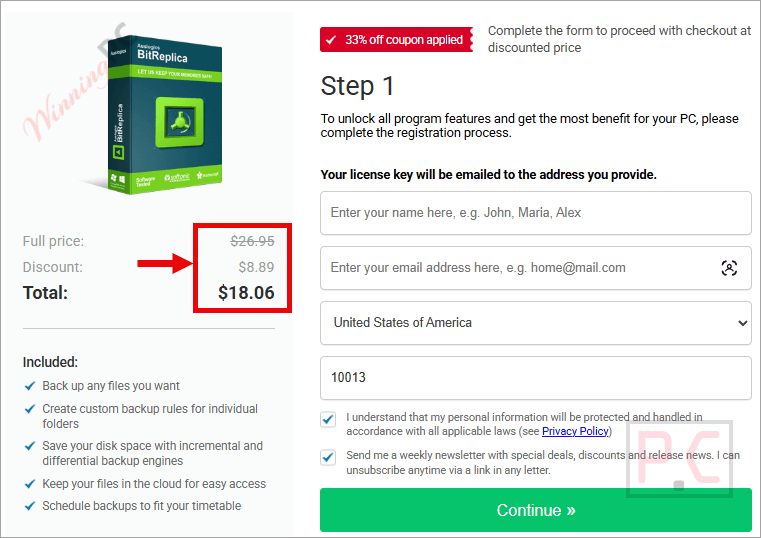
Currently, you can grab a 40% OFF discount on WinningPC, dropping the regular price of $29.95 down to just $18.06.
Do I need BitReplica installed on my PC to access my saved files later?
No. All backups are stored in an open format, meaning they are saved as a regular folder or a .zip file. You can easily open or unzip them without needing to use the software.
Can I filter out junk files when archiving my folders?
Yes. In the Advanced section of your profile settings, you can exclude files by type or attribute so you don’t waste space saving temporary or log files.
Will this program back up data straight from my digital camera?
Yes, it supports practically any connected storage media. You can connect your camera, USB flash drive, or SSD and select it as the source folder.
What happens if I only need to recover a single deleted photo?
The extended restore options let you explore your backup folder to select and recover individual files, saving you the trouble of restoring the entire archive.
Is there a way to keep my backup settings if I reinstall Windows?
Yes. Navigate to “File – Configuration – Export” in the program menu to save your profile configurations. You can import this file later to restore your exact setup.
System Requirements & Details
| Feature | Specifications |
|---|---|
| Language Support | English, Français, German, Italian, Spanish, Swedish, and more… |
| Operating System | Windows 11, 10, 8/8.1, 7 SP1 (32-bit & 64-bit) |
| Processor | 32-bit and 64-bit supported |
| RAM & Storage | 256 MB RAM / 42 MB available hard disk space |
| Supported Input | HDDs, SSDs, USB flash drives, networked drives, cameras |
| Supported Output | Local drives, networked PCs, supported cloud storage |



Thank you!
Pros: - generous offer
- practical
Cons: n/a
Here is your license key for BitReplica:
Y26MH-APUD7-B3QGH-9KJA2-7KZS6