Laura Marano
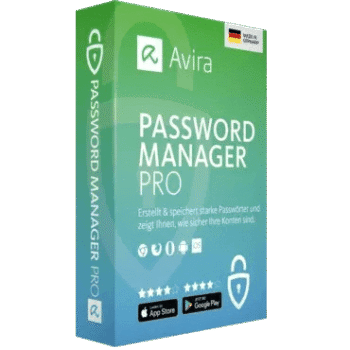
Avira Password Manager Pro helps users create strong passwords, autofill logins for websites and apps, and import passwords from browsers or other password managers using CSV files. Passwords are encrypted before being stored in the cloud, and the browser extension also alerts users about account security and privacy risks.
Avira Password Manager Pro
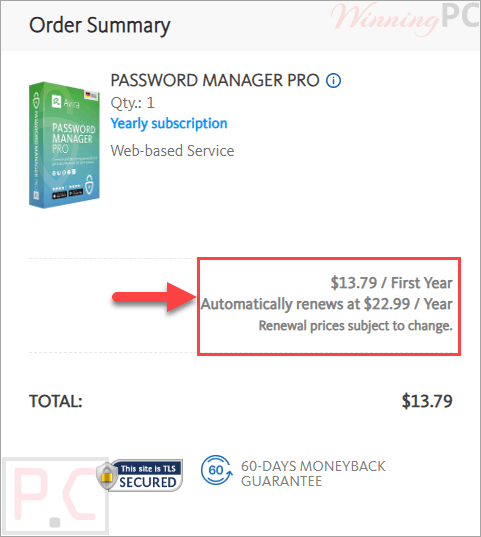
2 plans · best save 40%
📄 Licensing & Support Details
- License type: 1-month, 1-year license
- Cancel anytime and get a full refund within 14 days for monthly plans or 60 days for annual plans.
- Unlimited access via a toll-free number and email
- Automatic updates
- Secure payment.
- Automatically renews, unless the renewal is canceled.
📝 How to apply
By selecting the ‘Copy Code’ option, you store the data and are instantly taken to the payment page to apply your savings.
Avira Password Manager Pro Free Key
- Product name: Avira Password Manager Pro
- Website: https://avira.com
- License type: 6-month
- Platform: all
- Giveaway link: click here
- Download: (Avira homepage)
How to get the license key?
On the Avira Password Manager Pro giveaway page, please enter your email address to receive the activation link for 6-months of free license:

Remember to check your inbox to activate your Password Manager Pro license for free. You’ll need to sign in with your Avira account (or make a new one if you don’t have one yet).

Create an account:

You will get the Password Manager Pro 6 months license for free once successfully logged in.

Avira Password Manager Pro: In-Depth Review & Features

Key Features:
- Automatically generates strong and unique passwords
- Securely stores passwords in an encrypted cloud vault
- Auto-fill login credentials on websites and apps
- Syncs passwords across PC, Mac, Android, iPhone, and tablets
- Access passwords with one master password
- Supports Touch ID and Face ID on mobile devices
- Includes optional two-factor authentication
- Detects weak, duplicate, or reused passwords
- Alerts users if an account has been compromised in a data breach
- Checks website safety status
- Stores secure notes and credit card information
- Lets users scan credit cards using the mobile app
- Imports passwords from browsers and other password managers
- Supports unlimited devices
- Regularly backs up password data
- Includes mobile authenticator support for 2FA accounts.
Pros & Cons:
More screenshots:


Frequently Asked Questions
Where can I find Avira Password Manager promo codes or discounts?
You can usually find updated Avira Password Manager Pro deals on WinningPC, along with official seasonal offers from Avira’s website.
What’s the biggest current discount available?
Right now, WinningPC features a 40% OFF discount for both the monthly and yearly plans of Avira Password Manager Pro.
What does it do?
It stores your passwords securely, auto-fills login forms, generates strong passwords, and syncs everything across your devices.
Does Avira Password Manager work on mobile devices?
Yes. It supports Android and iPhone devices and includes mobile auto-fill support.
Can this Password Manager detect hacked accounts?
Yes. The security status feature can notify you if your online accounts were involved in a data breach.
Is my password data encrypted?
Yes. Avira uses 256-bit bank-grade encryption to protect your passwords and sensitive information.
Can Avira access my passwords?
No. Only you can access your passwords using your master password.
Does it support Face ID and fingerprint login?
Yes. Mobile devices can use Touch ID or Face ID for easier access.
Can I import passwords from my browser?
Yes. You can import passwords from supported browsers or CSV files exported from other password managers.
Does the software support unlimited devices?
Yes. You can use Avira Password Manager Pro on unlimited devices.
System Requirements & Details
| Operating System | Android 4.4+, iOS 11.0+, Windows, macOS |
| Supported Input | Passwords, notes, credit cards, browser imports, CSV files |
| Supported Output | Synced passwords, secure notes, auto-fill credentials |
| Browser Support | Chrome, Firefox, Edge, Opera (Current & Previous versions) |