Laura Marano
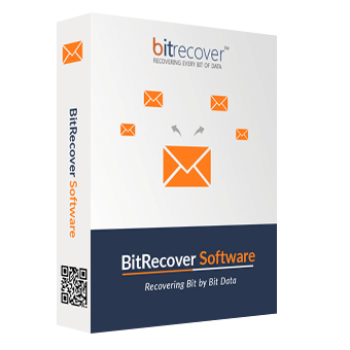
BitRecover VHD Recovery Wizard is designed for retrieving files from damaged, inaccessible, deleted, formatted, or partitioned virtual disks. It provides several recovery modes for virtual drives created with platforms such as Microsoft Hyper-V, Oracle VirtualBox, Sun VirtualBox, and Citrix XenServer.
BitRecover VHD Recovery Wizard
2 plans · best save 60%
Table of Contents
In-Depth Review & Features

Feature List
- Broad Compatibility: Extracts data from virtual disks formatted with FAT, NTFS, HFS+, and EXT4 file systems.
- Multiple Recovery Modes: Offers specific scanning options for Deleted, Partitioned, Raw, and Formatted virtual drive scenarios.
- Crash Retrieval: Bypasses virtual machine boot failures, allowing you to pull files even if the guest OS shows a black screen or Blue Screen of Death.
- Partition Restoration: Retrieves information from deleted, missing, or damaged virtual disk partitions.
- Deep Search: Includes a smart search function that quickly locates specific file names or types within massive virtual drives.
- Differencing Disk Support: Safely processes automatically managed VHD (AVHD) files used by Hyper-V.
- Architecture Support: Reads and recovers information from both Master Boot Record (MBR) and GUID Partition Table (GPT) structures.
- Fixed & Dynamic Disks: Processes both statically allocated and dynamically expanding virtual drives.
Pros & Cons
More BitRecover VHD Recovery Wizard Screenshots!
Select Recovery Option

Drive Information

Searching

Raw Data Recovery

Frequently Asked Questions
Are there any valid promo codes available for BitRecover VHD Recovery Wizard right now?
Yes, you can easily find active promo codes and promotional offers for this software directly on WinningPC, alongside official developer campaigns.
How can I get the absolute lowest price on this software?
Currently, the best savings you can secure is a 20% OFF deal, which is exclusively accessible through WinningPC’s coupon section.
Will this tool work if my virtual machine refuses to start and shows a Blue Screen of Death?
Yes, BitRecover VHD Recovery Wizard is specifically built to bypass those boot errors and extract your files directly from the physical storage location of the virtual disk.
Can I use this to retrieve files from Oracle VirtualBox?
Yes, it fully supports virtual drives created by Oracle VirtualBox, as well as Microsoft Hyper-V, Sun VirtualBox, and Citrix XenServer.
What if I accidentally deleted a whole partition inside the virtual disk?
BitRecover VHD Recovery Wizard includes a dedicated partition recovery mode designed to find and restore data from missing, damaged, or re-partitioned sections of your virtual drive.
Does it support modern file systems like NTFS?
Yes, it is compatible with a wide range of file systems, including older FAT16 structures as well as modern NTFS, EXT4, and HFS+ formats.
Can it fix the “corrupted and unreadable” error message?
If you encounter this error when trying to mount your virtual drive via Windows disk management, this utility can still read the file contents and help you extract your data.
Do I have to recover the entire virtual disk if I only need one document?
No, you do not. BitRecover VHD Recovery Wizard includes an advanced search capability that lets you locate and extract specific files, saving you time and hard drive space.
System Requirements & Details
| Feature | Details |
|---|---|
| Language Support | English |
| Operating System | Windows 11 64-bit; Windows 10, 8, and 7 in 32-bit or 64-bit editions; Windows Server 2022, 2019, 2016, 2012 R2, and 2008 |
| Processor | Intel Pentium 1GHz minimum; 2.4GHz recommended |
| RAM & Storage | Minimum 4GB RAM and 100MB of free hard disk space |
| Supported Input | VHD, VHDX, AVHD, and AVHDX; the supplied data also lists VMDK support |
| Supported Output | Recovered files saved to a selected local or physical disk location |
| Disk Structures | MBR and GPT |