On this page
BulkPrinter PRO Coupons & Pricing
How to Use the BulkPrinter PRO Coupon Code
In the Coupons & Pricing box above, click the “Get Deal” button.
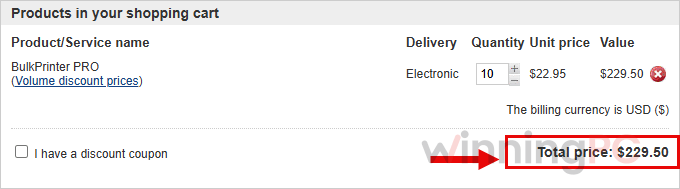
BulkPrinter PRO’s checkout on PDFZilla’s store opens with the discounted price already applied. Check the total: the 10-License pack should show $229.50.
Fill in your payment information and complete the order. Your BulkPrinter PRO license code is delivered once the payment goes through.
Is the BulkPrinter PRO deal legit?
Yes. The Get Deal link takes you straight to the official BulkPrinter PRO checkout run by PDFZilla, the same developer behind the PDFZilla PDF editor.
No crack or keygen
You install the official build from pdfzilla.com and unlock it with a genuine license code. Nothing is patched or repackaged.
Official developer checkout
The discount comes from the publisher’s own store, not a reseller or a grey-market key site.
Secure HTTPS checkout
Payment is handled on the publisher’s encrypted store, so your card details never touch WinningPC.
Test it before you pay
The free edition of BulkPrinter installs from the same site, so you can check it against your own printer and files first.
BulkPrinter PRO Review & Features
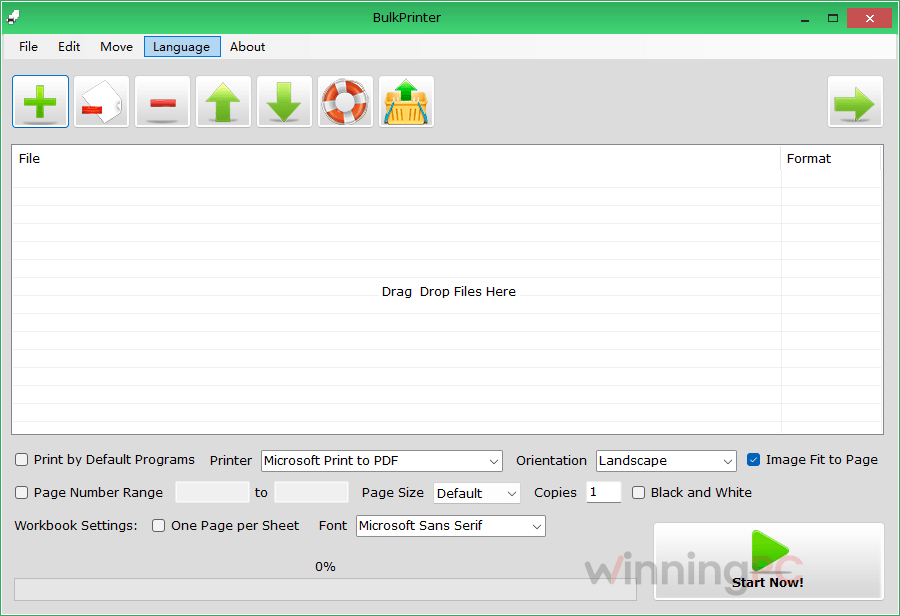
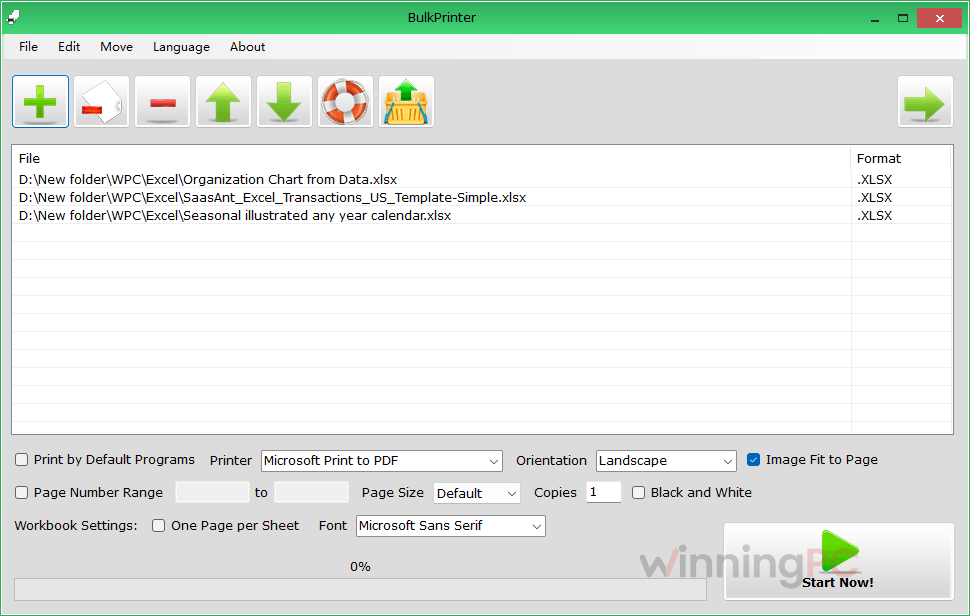
BulkPrinter PRO‘s real selling point is the mixed queue. You can drop a PDF contract, a Word letter, an Excel sheet and a folder of JPGs into the same list, set things up once, and leave the printer to it. The settings cover what most offices actually change (orientation, paper size, page range, copies), and the black-and-white switch is a quiet money saver if your color cartridges cost what most do.
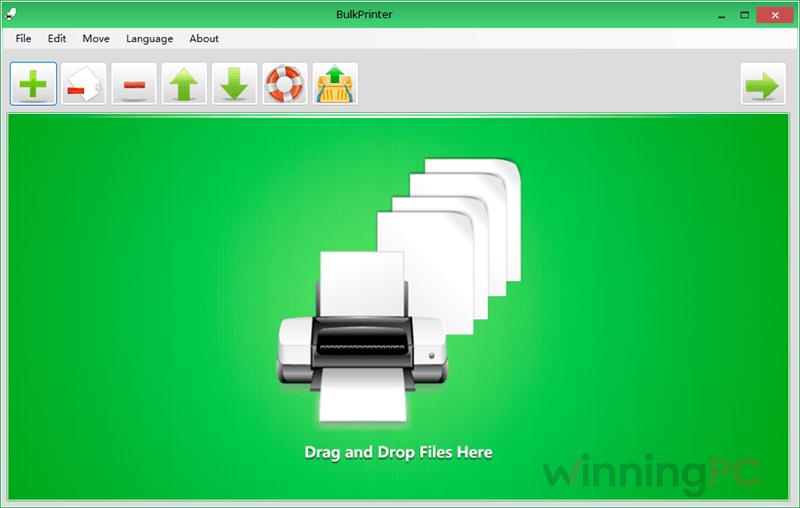
The “Print by Default Program” option is a smart safety net: if BulkPrinter’s own printing engine doesn’t handle a particular file well, you can hand the job to whatever app normally opens it. Where it falls short is depth. This is version 1.0, and the feature list doesn’t mention duplex control, paper tray selection, scheduled jobs or watch folders. Orientation also can’t be forced on some files, which the developer admits. Think of it as a tidy print queue, not print management software.
Key features
- One queue for every format: PDF, Word, Excel, PowerPoint, TXT and image files print in a single run, with no app-switching between them.
- Settings applied once: pick portrait or landscape, A4/A5/Letter and other paper sizes, a page range, and how many copies of each file.
- Forced black and white: print color documents in grayscale when you only need a reference copy.
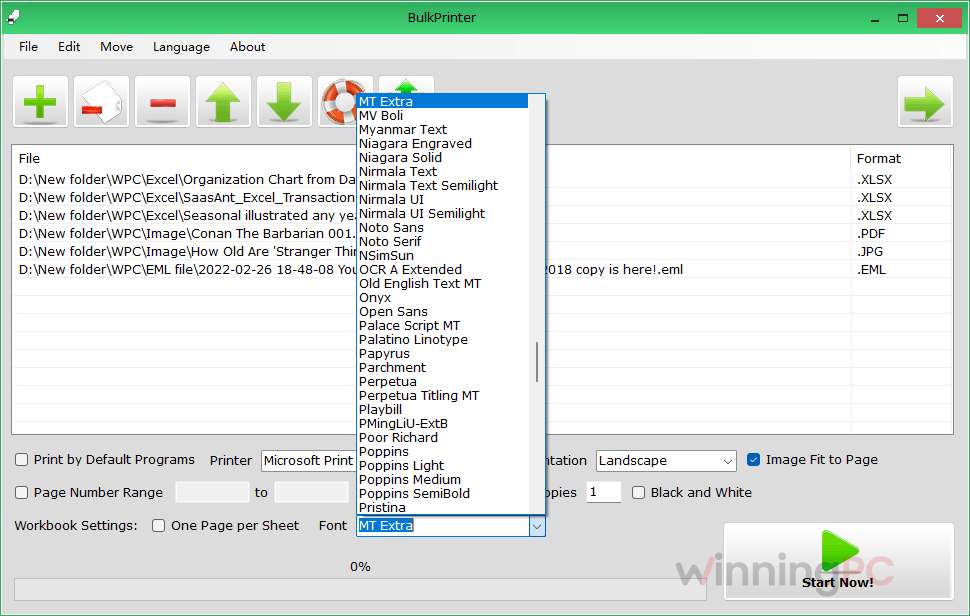
- Spreadsheet control: “One Page Per Sheet” fits a whole worksheet on a single page, or leave it off to split long sheets, and choose the font for Excel output.
- Image Fit to Page: stretches photos to fill the paper instead of leaving wide margins.
What we think
More BulkPrinter PRO Screenshots
Is there a cheaper or free option?
| Tool | Price | Formats | Best for |
|---|---|---|---|
| BulkPrinter PRO (our pick for small offices) | $29.95 single, $229.50 for 10 with the deal | PDF, Office, TXT, common image formats | Simple mixed-format batches at a low per-seat cost |
| Print Conductor (fCoder) | Free for non-commercial use; business license $149 per user, cheaper from 5 users | 90+ formats, including CAD drawings | Home users (free), or businesses needing broader format support |
| Windows File Explorer (built in) | Free | Whatever your default apps open | Printing a handful of same-type files now and then |
If you only print for personal use, Print Conductor’s free edition is hard to argue with, and it handles more formats. BulkPrinter PRO makes more sense for businesses, where it costs a fraction of Print Conductor’s commercial license.
Frequently Asked Questions
Do I need a coupon code for BulkPrinter PRO?
No. The 23% discount is applied automatically when you click “Get Deal”, so there’s nothing to copy or paste at checkout.
Does the 23% discount cover the Single License?
The confirmed deal price is on the 10-License pack: $229.50 instead of $299.50. For the Single License (regular $29.95), click Get Deal and check the total on the checkout page before you pay.
Is BulkPrinter PRO a one-time payment or a subscription?
It’s a one-time purchase, not a recurring subscription. Check the checkout page for the license terms on updates before you buy.
Is there a free version of BulkPrinter?
Yes. BulkPrinter has a free edition you can download from pdfzilla.com. It’s limited compared with PRO, so it’s best used to test compatibility with your printer and files before upgrading.
Can BulkPrinter print an Excel worksheet on one page?
Yes. Turn on “One Page Per Sheet” in the Workbook Settings and the whole worksheet is scaled onto a single page. Leave it off if you’d rather have long sheets split across several pages so the text stays readable.
Can I print only some pages of each file?
Yes. Set a page number range before you start. For example, 1 to 3 prints only the first three pages of a five-page document.
How is this different from selecting files in File Explorer and clicking Print?
File Explorer can send a few files to the printer, but each one opens in its own program and you get no shared settings. BulkPrinter queues different formats together and applies orientation, paper size, page range, copies and black-and-white to the whole batch in one go.
System Requirements & Details
| Field | Value |
|---|---|
| Operating system | Windows 11 / 10 / 8 / 7 / Vista / XP or later (32-bit and 64-bit), Windows Server |
| Processor | Pentium or better (Pentium 4 or higher recommended) |
| RAM | 128 MB minimum, 256 MB recommended |
| Disk space | 25 MB |
| Supported input formats | PDF, DOC, DOCX, XLS, XLSX, CSV, PPT, PPTX, TXT, JPG, PNG, GIF, TIF/TIFF, BMP |
| Prints to | Any printer installed on Windows (your default printer is preselected) |
| Interface languages | English, French, German, Dutch, Japanese, Korean, Chinese, Italian, Greek, Spanish, Portuguese, Polish, Arabic, Czech, Danish, Hungarian, Finnish |