Cathryn Lee

If your contact list is a mess of duplicate entries, missing emails, and scattered data across iCloud, Outlook, and Google, you know the headache. Most contact managers are either too basic or overpriced. We’ve secured exclusive codes for Cisdem ContactsMate so you can fix your address book without overpaying.
Status: ✅ Active & Verified
Last Checked: Oct 2026
Offer: Up to 68% Off Lifetime Licenses

Cisdem ContactsMate for Windows - Lifetime License
35% off: regular price $61.99, discounted price $39.99
Cisdem ContactsMate for Windows - Lifetime License for 2 PCs
55% off: regular price $123.98, discounted price $55.99
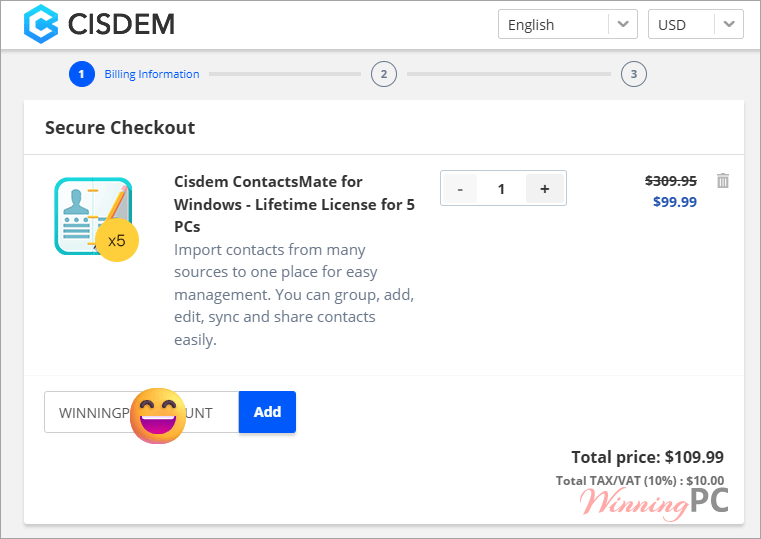
Cisdem ContactsMate for Windows - Lifetime License for 5 PCs
68% off: regular price $309.95, discounted price $99.99
for macOS
Cisdem ContactsMate for Mac - Lifetime License
35% off: regular price $61.99, discounted price $39.99
Cisdem ContactsMate for Mac - Lifetime License for 2 Macs
55% off: regular price $123.98, discounted price $55.99
Cisdem ContactsMate for Mac - Lifetime License for 5 Macs
68% off: regular price $309.95, discounted price $99.99
Business License
Cisdem ContactsMate for Mac - Business License
36% off: regular price $80.99, discounted price $51.99
Cisdem ContactsMate for Mac - Business License for 2 Macs
55% off: regular price $161.98, discounted price $72.79
Cisdem ContactsMate for Mac - Business License for 5 Macs
68% off: regular price $404.95, discounted price $130.39
Price Comparison Table
| License Type | Official Price | WinningPC Price | You Save |
| Lifetime / 1 PC | $61.99 | $39.99 | 35% OFF |
| Lifetime / 2 PCs | $123.98 | $55.99 | 55% OFF |
| Lifetime / 5 PCs | $309.95 | $99.99 | 68% OFF (Recommended) |
Redemption Guide
- Click the activation link above for the specific plan you want (1, 2, or 5 PCs).
- You will be redirected to the official Cisdem checkout page.
- Check the “Order Summary”. You will see the discount code is already loaded and the price slashed.
What is Cisdem ContactsMate?
Managing contacts shouldn’t feel like a part-time job. Cisdem ContactsMate is a centralized hub for your digital Rolodex. It’s designed for professionals, small business owners, or anyone tired of having “John Smith” saved three times with different phone numbers.
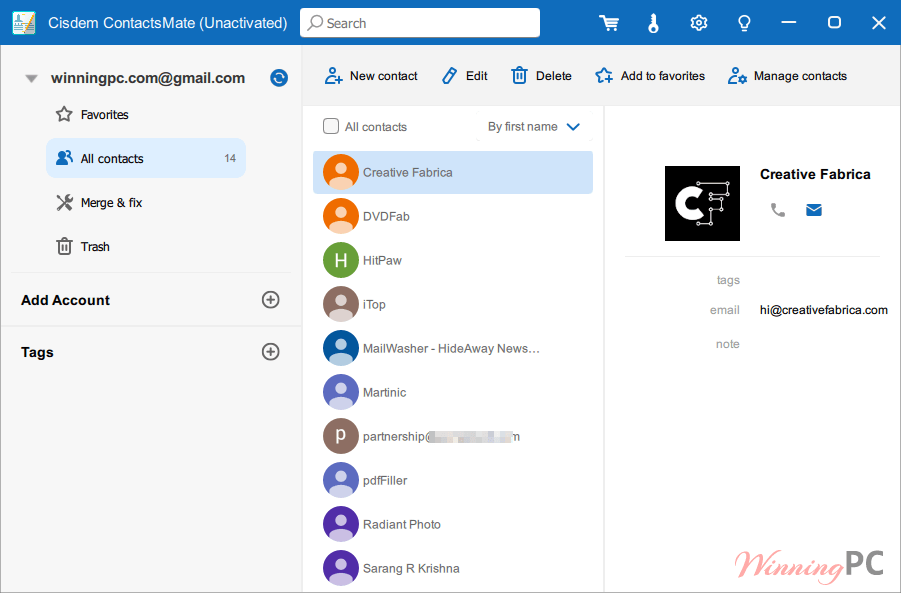
It pulls data from Apple Contacts, Google, Outlook, and CSV files, then uses a scanning engine to find duplicates and formatting errors (like invalid characters or missing @ signs). Whether you need to batch-export a mailing list to Excel or sync your Mac contacts with Outlook for Windows, this tool handles the heavy lifting.
In-Depth Review & Features
- The “Contact Cleanup” Engine
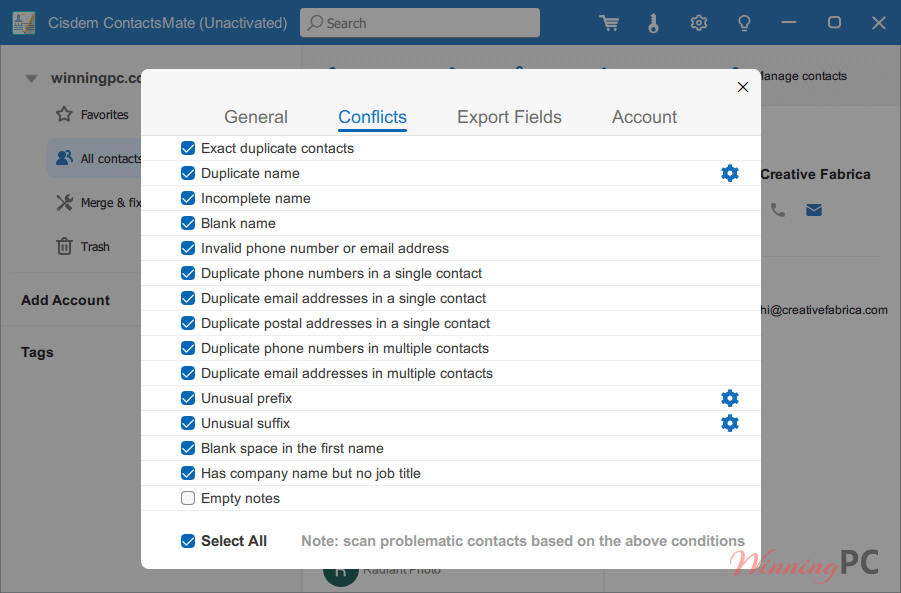
The standout feature is the scan for “problematic” contacts. It doesn’t just look for identical names; it finds partial matches, conflicting info, and formatting gore (like names with weird symbols). You can merge, delete, or ignore these in bulk.
Use Case: Cleaning up a 5,000-person CSV list before importing it into a CRM or email marketing tool. - Multi-Platform Sync
On Mac, it talks to iCloud, Yahoo, and AOL. On Windows, it focuses on the big two: Google and Outlook. It effectively bridges the gap between different ecosystems.
Benefit: You stop manually typing phone numbers into different apps. Change it once; it updates everywhere. - Precision Exporting
You aren’t stuck with one format. You can export to CSV, vCard, Excel, or even Docx. If you use Shutterfly for holiday cards, there is a dedicated export preset for that.
Benefit: Zero-friction migrations when moving from one service to another.
Pros & Cons
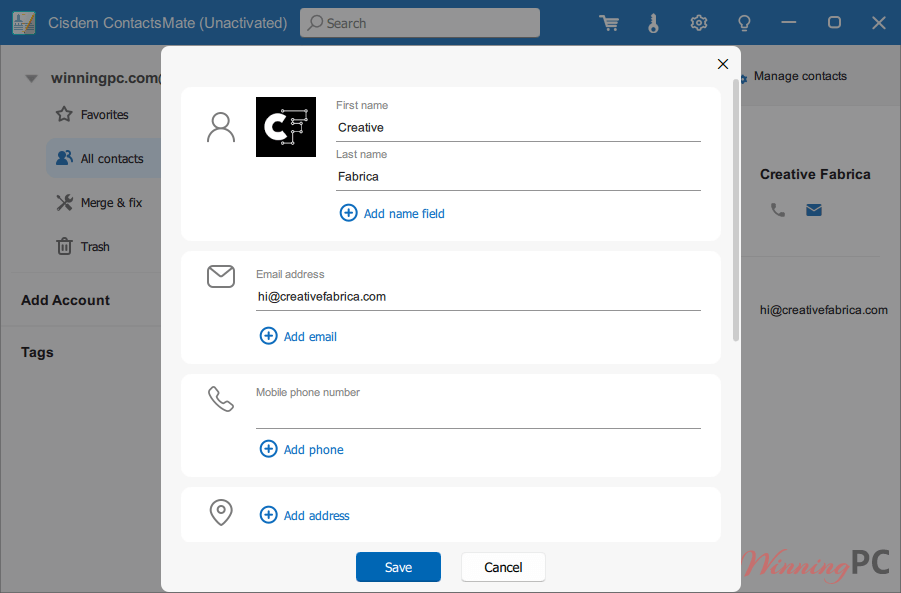
More screenshots
Frequently Asked Questions
Is there a limit on how many contacts it can handle?
No. Whether you have 100 or 10,000 contacts, the engine performs the same.
What counts as an “invalid character”?
Usually, it’s data that breaks system logic—like an email address missing the “@” or a phone number containing letters. The software flags these so you can fix them before they cause sync errors.
Can I use this for my business mailing list?
Yes. Use the “Custom Fields” export to pull specific data into an Excel sheet for bulk emailing or CRM uploads.
What happens if the sync fails with Outlook?
Commonly, this is just a refresh delay. If a direct sync hangs, we recommend using the CSV (Outlook) export/import method, which is foolproof.
Technical Details
| OS | Windows 10, Windows 11 (64-bit) | macOS 10.11 or later. |
| Processor | 1GHz Intel or AMD (Standard for any modern PC). |
| RAM | 512MB physical RAM (Bare minimum, runs on almost anything). |
| Disk Space | 100MB free space. |
| Input (Import) | CSV, vCard (VCF). |
| Output(Export) | CSV (Optimized for Outlook, Google, Apple, Yahoo, Shutterfly), vCard, Excel (XLSX), Docx, HTML, TXT, Numbers, Pages. |