

On this page
Vovsoft Contact Manager Giveaway
Vovsoft Contact Manager
Helps you organize your contacts
- Product
- Vovsoft Contact Manager v2.3
- Product website
- vovsoft.com
- License
- Lifetime
- Platform
- Windows 11, 10, 8/8.1, 7, Vista
- Usage
- Non-commercial only
- Updates
- No future upgrades
- Support
- No support
- Updated
- 2026-09-14
Continue on vovsoft.com
Share to reveal your free license code, then activate it inside the app.
This giveaway ended on .
30% Off Vovsoft Contact Manager Coupon Code
Vovsoft Contact Manager Coupon Code Nov 2026


Vovsoft Universal License
115+ programs | Lifetime license | All future updates
Is this Vovsoft Contact Manager giveaway safe and legit?
Yes – this is a legitimate giveaway run directly by Vovsoft, the software’s own publisher, not a reseller or key broker.
No crack or keygen
You install Vovsoft’s official build and activate it with a genuine publisher-issued key. Nothing is patched, modified, or repackaged.
Official publisher source
The free license comes straight from Vovsoft’s own giveaway program. WinningPC links directly to that page; no grey-market key sites are involved.
Secure checkout for the paid option
If you choose the 30% discount instead, payment goes through Vovsoft’s own encrypted store – your card details never touch WinningPC.
Free giveaway, zero financial risk
The giveaway key costs nothing, so there is nothing to lose on the free route.
How to get Vovsoft Contact Manager License for Free
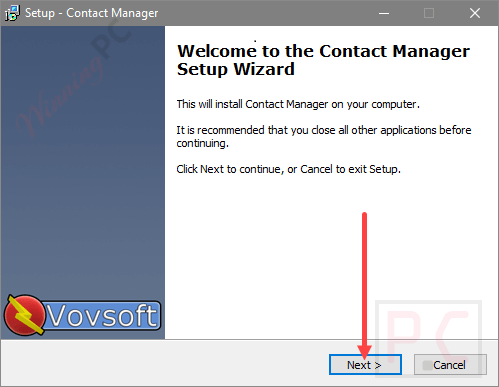
- Click the above download link to start the software installation process on your computer.
- Use the Vovsoft Contact Manager license code to activate it and access all of the features after the installation is finished.
- Got it for free and with all features for a lifetime!

Hands-on with Vovsoft Contact Manager
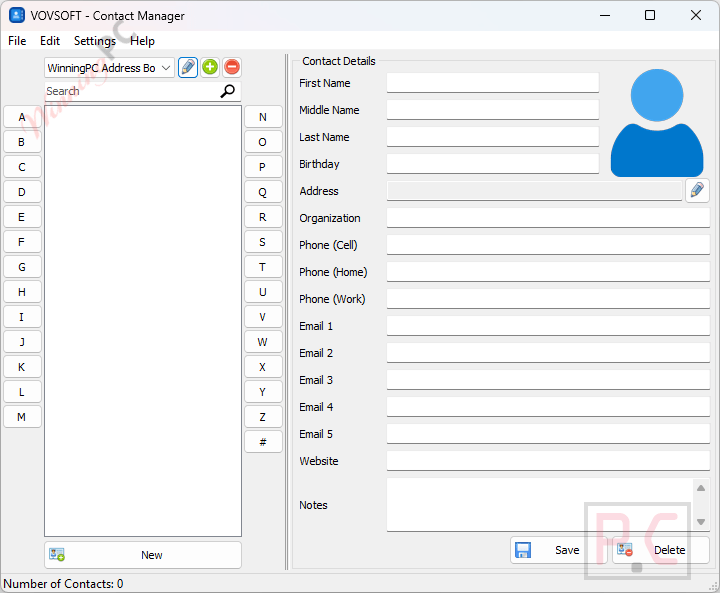
Vovsoft Contact Manager does one job and it does it cleanly: give you a local address book that does not depend on Google, iCloud, or your phone being nearby. The two-panel layout takes about 30 seconds to figure out. List on the left sorted alphabetically, editable form on the right. VCF/vCard support is the standout practical feature here. If you are switching phones, migrating away from Outlook, or just want a backup copy of your contacts that lives on your own machine, that import/export path is genuinely useful.
The portable version is a nice touch too, particularly if you use shared or work computers. The limitation worth stating upfront: this is a contact book, not a CRM. No task scheduling, no email integration, no call logging. If you need more than a well-organized digital Rolodex, you will hit the ceiling quickly.
Key features
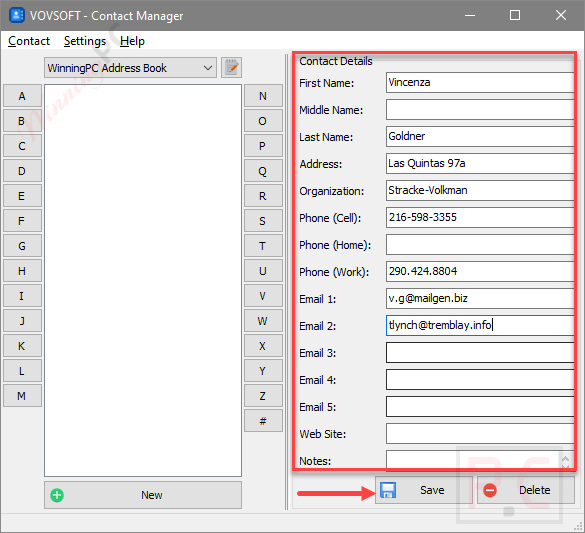
- Store contacts locally with names, phone numbers, email addresses, postal addresses, organizations, websites, photos, and custom notes.
- VCF/vCard import and export for moving contacts between phones, apps, and backup locations.
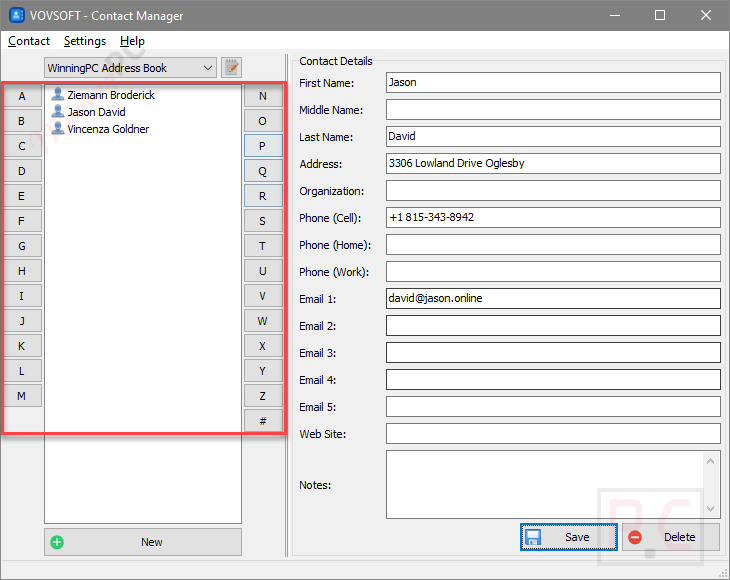
- Alphabetical browser panel with a dedicated # section for number-prefixed entries.
- Portable version (4.81 MB) that runs from a USB drive with no installation required.
- Interface available in 30+ languages including English, French, German, Japanese, Arabic, Vietnamese, and more.
pro & Cons
more screenshots!
Frequently Asked Questions
Is the Vovsoft Contact Manager giveaway legit?
Yes. The license comes directly from Vovsoft, the software’s publisher, through their own giveaway program. You install the genuine app and activate it with a real key – no cracks, no third-party resellers.
What is the catch with the free license?
The giveaway key is locked to version 2.3, with no free updates and no tech support. If Vovsoft ships a significant new version, you would need to buy a paid license to access it. For a simple contact book that changes slowly, most users will find that trade-off acceptable.
Can I install it on more than one computer?
No. The giveaway license covers one computer only. If you need it on a second machine, you would need a separate license.
What file formats does it support for import and export?
Vovsoft Contact Manager supports VCF (vCard) files for both importing and exporting. VCF is the standard format used by Android, iOS, Outlook, and Gmail, so moving contacts in and out is straightforward.
Is there a portable version?
Yes – Vovsoft offers a 4.81 MB portable build that runs without any installation. Handy if you want to carry your contact book on a USB drive or prefer to avoid installing software on a shared or work PC.
System Requirements & Details
| Operating system | Windows 11, 10, 8/8.1, 7, Vista (32-bit & 64-bit) |
| Processor / RAM / disk | Not specified |
| Supported import format | VCF / vCard |
| Supported export format | VCF / vCard |
| File size | 5.33 MB (Installer) · 4.81 MB (Portable) |
| Languages | English + 30 additional languages (Arabic, Chinese, French, German, Hebrew, Hindi, Japanese, Korean, Portuguese, Russian, Spanish, Turkish, Vietnamese, and more) |
| Internet required | Required for giveaway registration; not required for everyday use |



much improved experience with this version. Database is retained over a shut down, restart now and VCF import parsing has greatly improved. It does not manage the contacts of specific programs as such but allows one to import, exported, contacts from those programs and devices and build a persistent central database that can then be exported as CSV or VCF files to be imported back into programs that support that operation.