Laura Marano
Stop lying to yourself – you aren’t “multitasking,” you’re procrastinating. Whether it’s a quick scroll through Reddit or a “five-minute” YouTube rabbit hole, your focus is being shredded. We’ve all been there, and that’s why we secured these exclusive discounts for Cisdem Focus for Mac. It’s time to lock down your Mac and actually get your work done.
Status: ✅ Active & Verified
Last Checked: October 2026
Offer: Up to 60% Off Lifetime Licenses
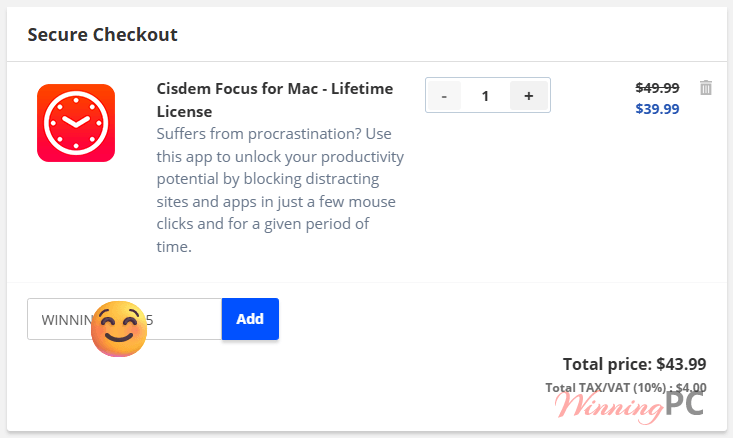
Cisdem Focus for Mac - Lifetime License
20% off: regular price $49.99, discounted price $39.99
Cisdem Focus for Mac - Lifetime License for 2 Macs
44% off: regular price $99.98, discounted price $55.99
Cisdem Focus for Mac - Lifetime License for 5 Macs
60% off: regular price $249.95, discounted price $99.99
Price Comparison Table
| Plan Name | Official Price | WinningPC Price | You Save |
| Lifetime (1 Mac) | $49.99 | $39.99 | 20% OFF |
| Lifetime (2 Macs) | $99.98 | $55.99 | 44% OFF |
| Lifetime (5 Macs) | $249.95 | $99.99 | 60% OFF |
How to Redeem Your Coupon
- Choose your preferred license from the discount section above.
- Click the “Copy Code” button to head to the secure checkout.
- The discount is usually auto-applied. If not, paste the code provided in the “Coupon Code” box.
- Watch the total price drop instantly.
What is Cisdem Focus for Mac?
At its core, Cisdem Focus is a digital “do not disturb” sign for your brain. It’s a productivity suite designed specifically for macOS users who struggle with digital distractions. Unlike simple timers, this tool integrates a Pomodoro timer, App Blocker, and Website Filter into one interface.
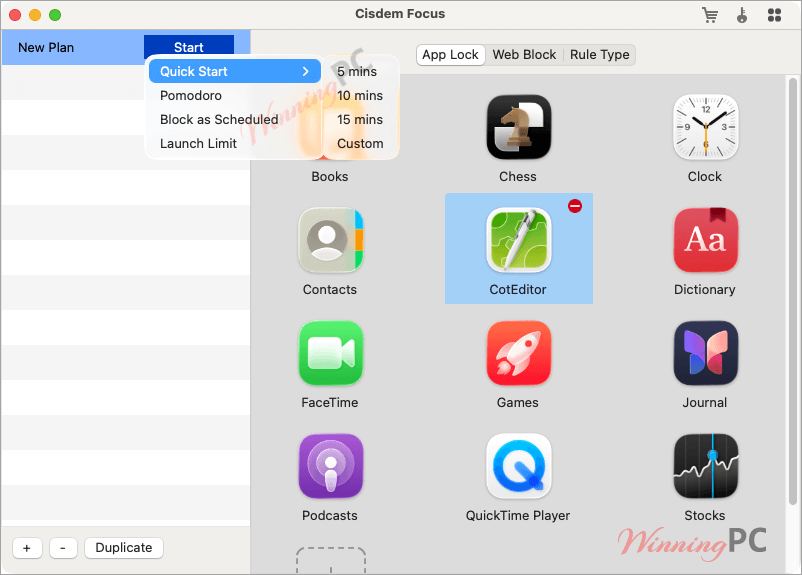
It’s built for freelancers, students, or anyone who finds themselves closing a work tab only to reflexively open social media. It doesn’t just track your time; it actively protects it.
Why This Isn’t Just Another Timer
- Granular Blocking (Not All-or-Nothing)
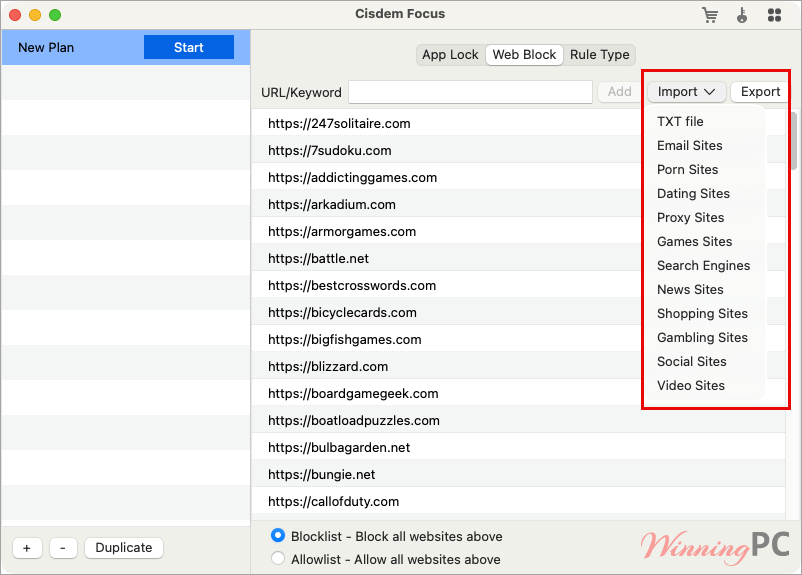
You don’t have to go off-grid to be productive. You can block specific URLs, entire categories (like “Social Media”), or even specific keywords.
Use Case: You need to research on the web but keep ending up on Twitter. You can block twitter.com while keeping the rest of the web open. - The Pomodoro Integration
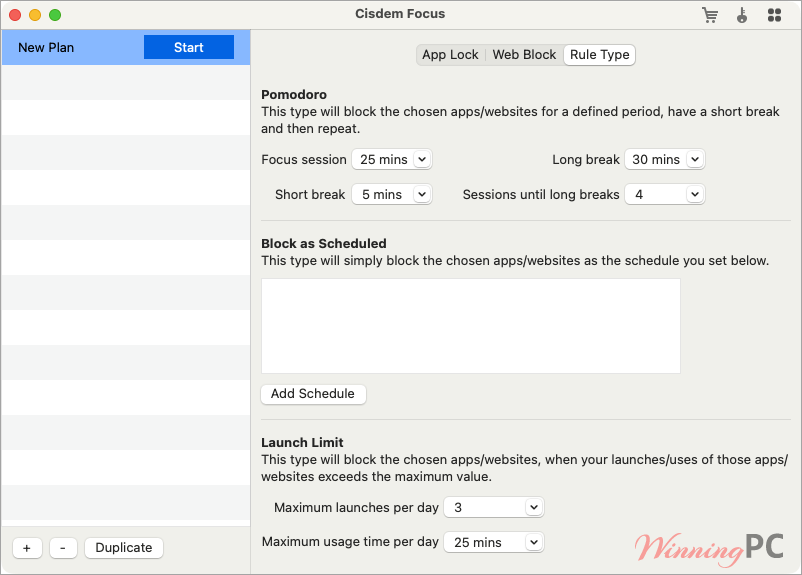
It uses the classic 25/5 technique (25 minutes of work, 5 minutes of rest). The app automates this cycle, locking your “distraction list” the moment the work session starts. Benefit: Prevents burnout by forcing breaks, but ensures those breaks don’t turn into hour-long distractions. - Hardcore & Password Modes
If you have zero self-control, Hardcore Mode is your best friend (or worst enemy). Once started, you cannot quit the app or bypass the blocks until the timer hits zero.
Benefit: Essential for “crunch time” when the temptation to disable the blocker is too high. - Detailed Productivity Analytics
Cisdem Focus provides a “receipt” of your day. It tracks how many times you tried to open blocked apps and where your time actually went.
Benefit: It’s easy to ignore a feeling of unproductivity, but it’s hard to ignore a graph showing you launched Instagram 40 times in two hours.
Pros & Cons
More screenshots
Frequently Asked Questions
Does it work with Brave or Microsoft Edge?
Yes. It supports the six most popular browsers on Mac: Safari, Chrome, Opera, Opera X, Brave, and Edge. If you use an obscure browser, we recommend adding that entire app to the “Block List.”
What is the “Hardcore Mode”?
This is the nuclear option. It prevents you from quitting the program or changing settings until your focus session ends. No “cheating” allowed.
Can I use one license on multiple Macs?
The standard license is for 1 Mac. However, our 44% and 60% off coupons apply to the 2-Mac and 5-Mac bundles, which are much better value for families or power users.
Is there a trial version?
Yes, you can test all features for 3 days before the license kicks in.
Technical Specifications
| Operating System | macOS 10.12 (Sierra) through macOS 15.0 (Sequoia) |
| Processor | Fully supports Intel and Apple Silicon (M1/M2/M3/M4) chips |
| Memory | Minimum 512MB RAM |
| Disk Space | Tiny footprint (~50MB) |