Laura Marano
We’ve all been there: you receive a “PDF” that is actually just a grainy photo of a document, and you need to edit it now. Adobe Acrobat wants a monthly ransom to help you, and free online converters usually butcher your formatting or leak your data. We’ve partnered with Cisdem to fix this. We have exclusive coupon codes that slash the price of Cisdem PDF Converter OCR by up to 62%, letting you grab a lifetime license for less than the cost of a few months of a Creative Cloud subscription.
Status: ✅ Active & Verified
Last Checked: Oct 2026
Offer: Up to 62% Off Lifetime Licenses
Cisdem PDF Converter OCR for Mac
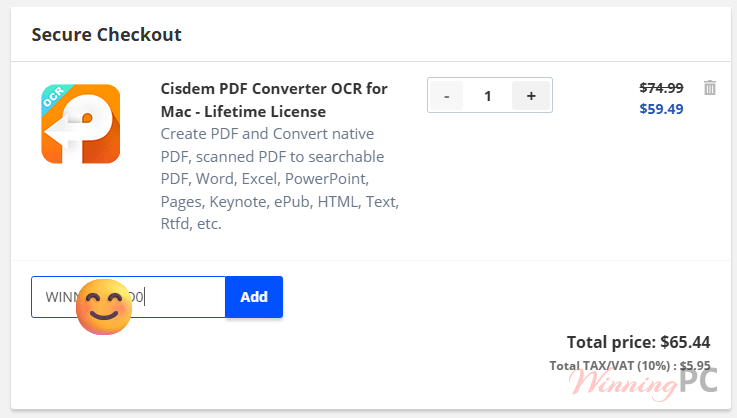
Cisdem PDF Converter OCR for Mac - Lifetime License
21% Off: regular price $74.99, discounted price $59.49
Cisdem PDF Converter OCR for Mac - Lifetime License for 2 Macs
44% Off: regular price $149.98, discounted price $83.29
Cisdem PDF Converter OCR for Mac - Lifetime License for 5 Macs
60% Off: regular price $374.95, discounted price $148.74
Cisdem PDF Converter OCR for Mac – Business License
Cisdem PDF Converter OCR for Mac - Business License
24% Off: regular price $99.99, discounted price $76.49
Cisdem PDF Converter OCR for Mac - Business License for 2 Macs
46% Off: regular price $199.98, discounted price $107.09
Cisdem PDF Converter OCR for Mac - Business License for 5 Macs
62% Off: regular price $499.95, discounted price $191.24
Cisdem PDF Converter OCR for Windows:
Cisdem PDF Converter OCR for Windows - Lifetime License
21% Off: regular price $74.99, discounted price $59.49
Cisdem PDF Converter OCR for Windows - Lifetime License for 2 PCs
44% Off: regular price $149.98, discounted price $83.29
Cisdem PDF Converter OCR for Windows - Lifetime License for 5 PCs
60% Off: regular price $374.95, discounted price $148.74
Special Offers

Cisdem PDF Converter OCR, PDF Password Remover and PDF Compressor Bundle for Mac - Lifetime License
38% coupon code: regular price $149.97, discounted price $93.49
Price Comparison Table
| Plan Name | Official Price | WinningPC Price | You Save |
| Single Lifetime | $74.99 | $59.49 | $15.50 |
| 2-Device Lifetime | $149.98 | $83.29 | $66.69 |
| 5-Device Lifetime | $374.95 | $148.74 | $226.21 |
| Business (5 Users) | $499.95 | $191.24 | $308.71 |
Redemption Guide
- Click the deal link: choose your preferred plan from our discount list above. The discount is baked into the link.
- Verify the cart: check that the “WinningPC Discount” is visible in your cart summary.
- Checkout: enter your payment details and email.
- Activate: you’ll receive a license key via email. Open the software, click the key icon, and paste your code.
What is Cisdem PDF Converter OCR?
Most PDF tools are either “Readers” (useless for editing) or “Creators” (useless for existing files). Cisdem is the bridge between them. Cisdem PDF Converter OCR is a powerhouse designed for office workers, students, and researchers who deal with a mountain of paper documents that need to become digital, searchable, and editable files.

If you have a stack of scanned receipts, old contracts, or locked-down PDFs, this PDF converter tool turns them into Word, Excel, or searchable PDFs in seconds.
In-Depth Review & Features
- Accurate OCR (Optical Character Recognition)
This is the “brain” of the software. It recognizes text within images.
– The Benefit: You don’t have to manually retype a 20-page scanned contract.
– Use Case: You take a photo of a textbook page with your phone. Cisdem identifies the text (supporting 50+ languages like English, Chinese, and Spanish) and turns it into a Word doc you can actually edit. - Layout Preservation
Cheap converters often strip away tables and images, leaving you with a mess of unformatted text.
– The Benefit: It keeps the “look and feel” of the original.
– Use Case: Converting a financial report PDF into Excel. Instead of a giant text dump, Cisdem places the data into the correct rows and columns. - Two-Way Conversion
It’s not just for extracting data; it’s for creating it.
– The Benefit: Create industry-standard PDFs from 40+ formats.
– Use Case: You have a PowerPoint, three Word docs, and two JPEGs. You can merge them all into one professional, password-protected PDF.
Pros & Cons
More screenshots


Frequently Asked Questions
Is this a lifetime license or a subscription?
These deals are for Lifetime Licenses. You pay once, and you own that version forever with no monthly fees.
What are the trial limits?
The trial lasts 14 days and only lets you convert the first 3 pages of any document. Our coupon removes these limits instantly.
Can I use the Mac license on Windows?
No. Licenses are platform-specific. Make sure you select the correct version (Win or Mac) at checkout.
Does it work with encrypted PDFs?
Yes, as long as you have the password to open the file, Cisdem can convert it into an unprotected format.
Technical Specifications
| System Requirements | Windows: Windows 10 or 11 (64-bit). 1GHz CPU, 512MB RAM, 1GB Disk Space. Mac: macOS 10.14 to macOS 15 (Sequoia). Intel or Apple Silicon (M1/M2/M3) supported. |
| Supported Formats | Inputs: PDF (including scanned), BMP, PNG, JPEG, DOCX, XLSX, PPTX, HTML, iWork (Mac). Outputs: Word, Excel, PowerPoint, Searchable PDF, EPUB, RTF, CSV, and Images. |