Laura Marano
Nowadays, technology is an integral part of our lives. You’re a teacher, and having the right computer monitoring software can help you monitor students to enhance classroom productivity. Unlike competitors, Classroom Spy Professional was developed to help educators monitor and control student activities in a computer-based learning environment. This means teachers can seamlessly control screen activities, block websites, control computers, share documents, block applications, and much more with a few clicks.
With the help of Classroom Spy Professional, you can observe what your students are doing via screens of computers connected to the network. It also allows you to take control of a remote computer by controlling the mouse and keyboard. Additionally, you have the ability to send a message to a remote computer and/or lock the remote computer. If the teacher wants to make the presentation by showing his live screen to students, Classroom Spy Professional handles that, too.
Top Computer Monitoring Software Coupon Code Oct 2026

HT Parental Controls Annual Plan
63% Off coupon code, regular price $90, discounted price $33.60
FamiGuard Pro - 1 Year Plan (1 Device)
87% discount coupon code: regular price $671.88, discounted price $87.99

Spyrix Personal Monitor
55% Off coupon code, regular price $158, discounted price $71.10

SPYERA for Computer - Year
66% Off coupon code: regular price $588, discounted price $199
Key Features and Screenshots
- Real-Time Monitoring: Classroom Spy Professional is designed to help teachers view live screens of all student computers simultaneously to monitor their activities, see what students are doing in real-time, and provide guidance as needed.


- Screen Sharing: To facilitate collaborative learning and interactive sessions, the software allows for screen sharing between the teacher and students to demonstrate tasks and provide guidance.

- Remote Control: Teachers can take control of student computers, including mouse and keyboard functions, to demonstrate tasks, assist or correct actions directly, troubleshoot issues, or guide them through assignments.
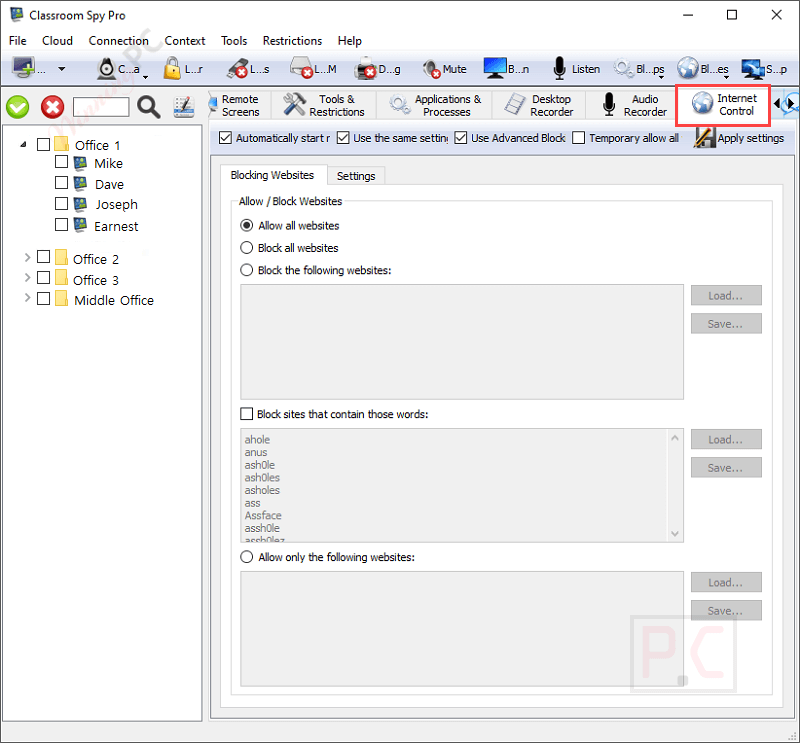
- Internet Control: Teachers can allow, restrict, or block access to specific websites or applications to ensure students stay on task and avoid inappropriate content, as well as to ensure a focused learning environment.

- Messaging and Chat: To foster engagement and collaboration, this computer monitoring software for schools allows teachers and students to communicate through messaging and chat features.

- File Management: Through the software interface, educators can easily share files, documents, or assignments with students directly. It also helps teachers collect files from student computers to streamline the collection of assignments.

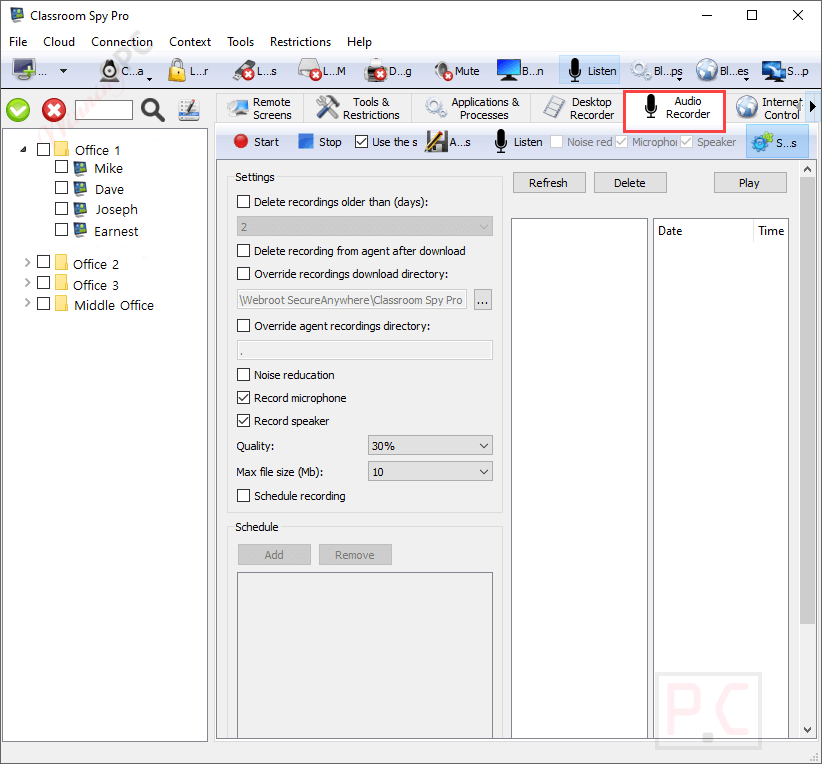
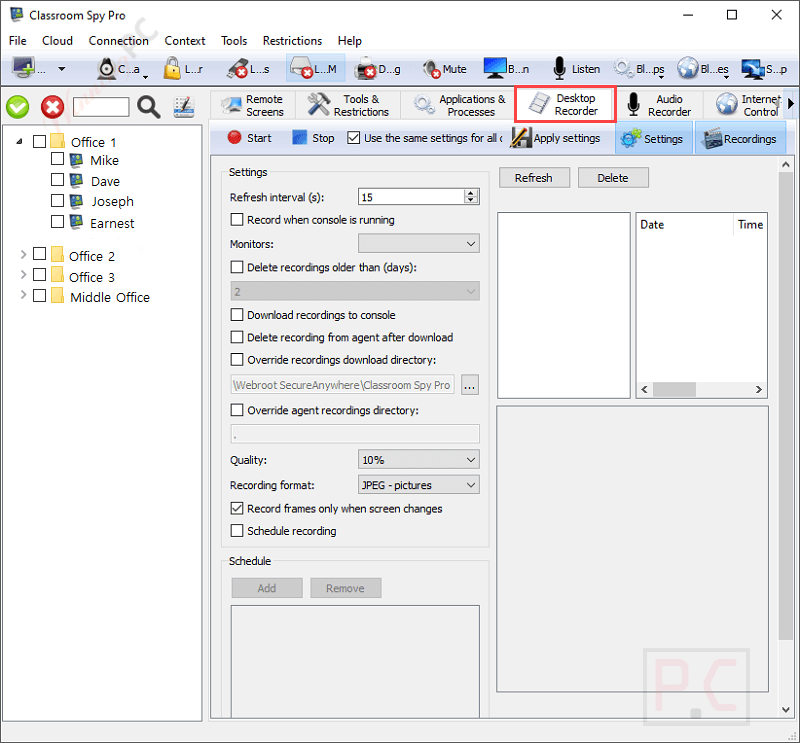
- Activity Recording: When detecting that students are doing their own work during class and not paying attention to the lesson, the teacher can record student computer screens to AVI files for later review or evidence of activities.
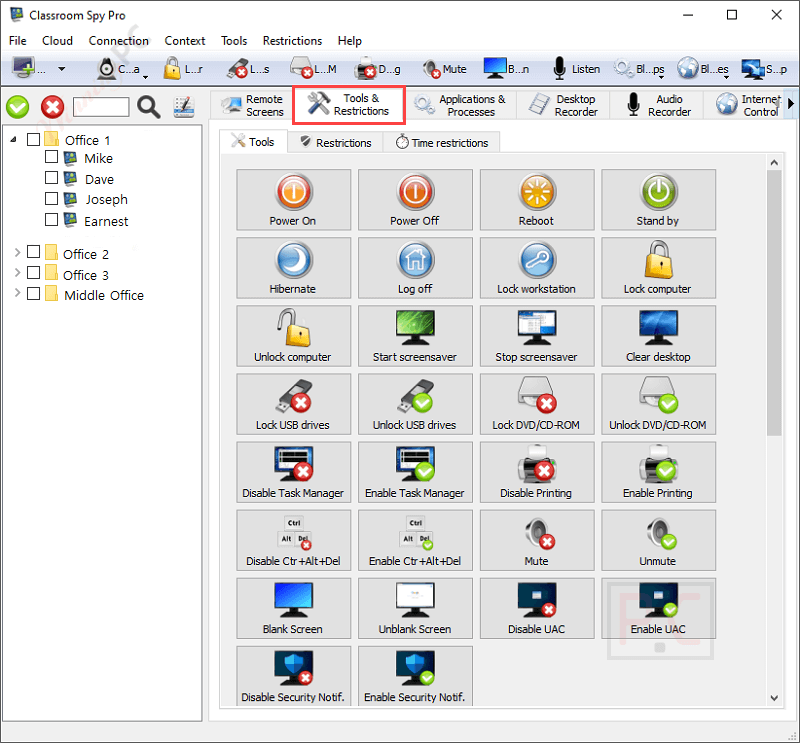
- Power Management: To maintain control over classroom activities, teachers are allowed to remotely power off, restart, hibernate, or lock student workstations to maintain control over classroom activities.
- Security Features: Password protection is incorporated throughout the software to grant access to the monitoring console and individual agent setups. To avoid unwanted access, all communication ports that the software uses can be encrypted.
- Versatile Connectivity: This powerful tool works on LAN, WLAN, VPN, and over the Internet, making it versatile for various classroom setups. It also supports the monitoring of thin clients and Terminal Services (RDP) sessions.
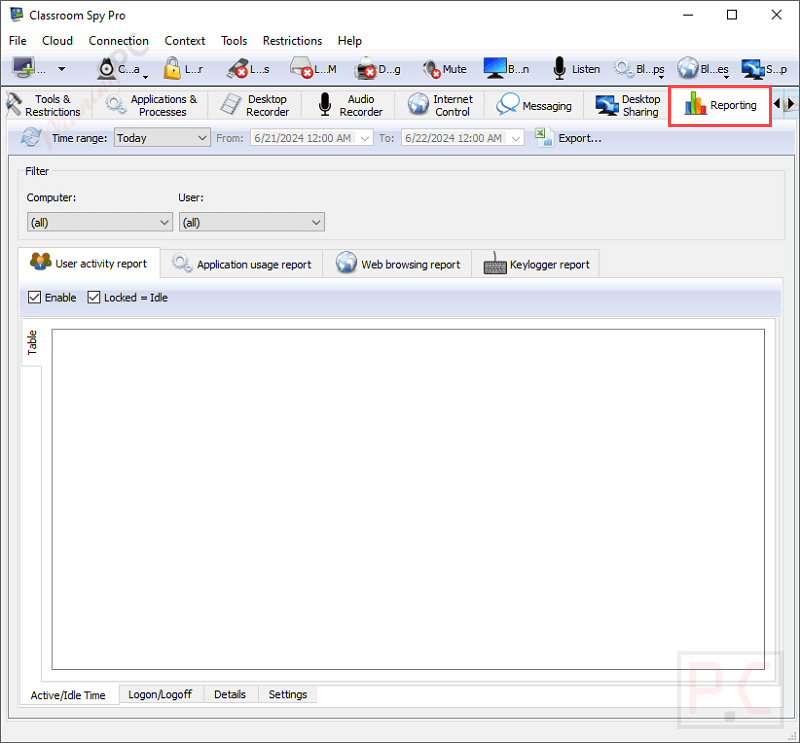
- Customizable Alerts: When students are trying to access prohibited websites or using unapproved apps, it will send an alert to inform teachers of particular student actions. The teacher can export reports to a .txt file or a .csv file for use later.
Frequently asked questions
What should I do if I can’t see student monitor screens?
The problem is usually caused by a firewall or antivirus software. Windows automatically installs and enables firewall. Make sure that port TCP 5444 is open on student PCs firewall.
You can try to temporarily disable a firewall on the student’s PC to see if this solves the connectivity problem.
You can read more about enabling ports on Windows Firewall here:
http://windows.microsoft.com/en-us/windows/understanding-firewall-settings#1TC=windows-7
Note that you may have more firewalls installed. Some antivirus software automatically install the firewall. In this case you have to open port on all firewalls.
If you are still facing problems try to use IP instead of hostname when adding student PC to the console.
Why blocking web pages on a classroom PC is not working?
On Windows XP, Windows Vista, Windows Server 2003, or Windows Server 2008, you need to install the update from this web page:
http://support.microsoft.com/kb/971513
Update has to be installed on all PCs where the agent is installed and is necessary to successfully block web pages on various web browsers.
Where recorded MPG4 files are stored?
MPG4 files are located on the student PC in the\dr subfolder where the agent is installed.
My Antivirus or Antispyware detected your software as dangerous.
When our software became more popular, a lot of antispyware and antivirus programs started to recognize it as dangerous.
Our software does not open any secret doors or anything similar – it just allows you to monitor other PCs, and this is enough for antivirus and antispyware software production companies to flag it as dangerous.
The only way to avoid this is to put our software on the exclusion list.
Technical Details
| Language Support | English and more… |
| Money Back Guarantee | 30-Day |
| Operating System | Windows Vista, Windows 7, Windows 8/8.1, Windows 10/11 Mac OS X 10.11 and up Linux (X11 only) Ubuntu, Fedora, Zorin, OpenSUSE,… iOS (iPhone / iPad) Android |
| Shipping | Register code will be sent to your email in minutes |
| Subscription | Lifetime |
| Support Services | Email, Tickets |