Laura Marano
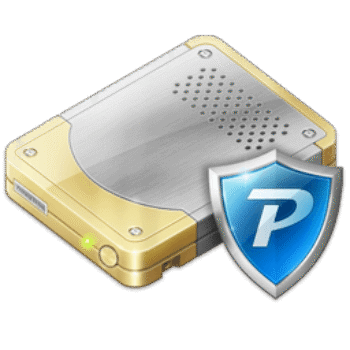
To protect sensitive information, I use Privacy Drive from Cybertron Software to hide my data from others or encrypt my files on a removable storage device for transport, preventing them from being accessed if the device is stolen or lost. This encryption software can create virtual encrypted disks on my computer. I mount them like regular drives, put my files inside, and everything is automatically encrypted and hidden when the drive is dismounted. Privacy Drive uses AES 128- and 256-bit encryption to lock my sensitive information, ensuring no one can access it.
Privacy Drive Plans & Coupon Codes (100% Working)
Privacy Drive - 1 Year License
50% Off coupon code, regular price $39.95, discounted price $19.95
Key Features and Screenshots
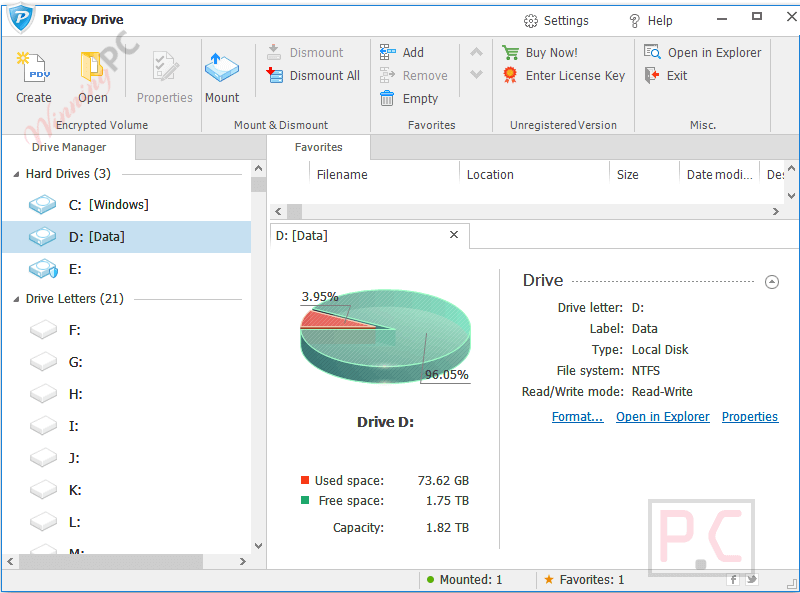
- Encrypted virtual drives: Create secure containers that show up in Windows as normal drive letters. Anything you copy inside is automatically protected.
- Real-time protection: Files are encrypted and decrypted instantly as you use them; no separate “encrypt” or “decrypt” steps are needed.
- Strong AES security: Protect your data with AES 128-bit or 256-bit encryption, suitable for both personal and business use.
- Works like a regular disk: Open, save, drag-and-drop, and edit files with your favorite programs without changing your workflow.
- Portable secure containers: Store encrypted volumes on USB drives, external disks, or cloud services and unlock them on any PC with Privacy Drive installed.
- Clean, simple interface: A built-in drive manager makes it easy to create, mount, and dismount secure drives, even if you’re not very technical.
- No backdoor access: Only your password unlocks the data. If you forget it, nobody else can recover your files.
How to Use (Step-by-Step Guide)
Step 1. Install Privacy Drive
Download, install, and open Privacy Drive on your Windows PC.
Step 2. Create an encrypted volume
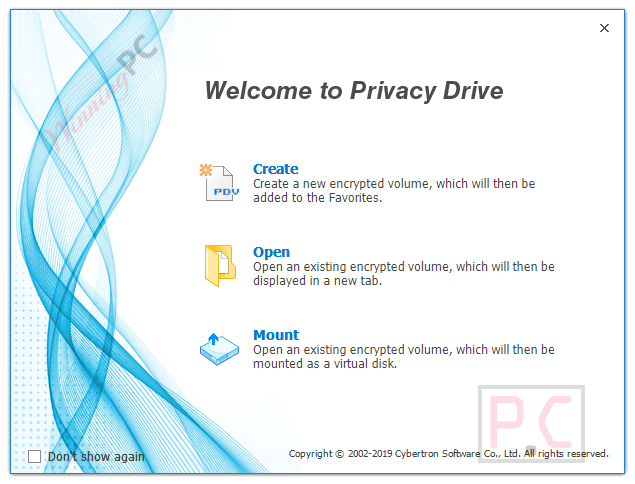
Click Create/New Volume, choose a location and filename, set the size, select AES-128 or AES-256, and create a strong password.

Step 3. Mount the volume
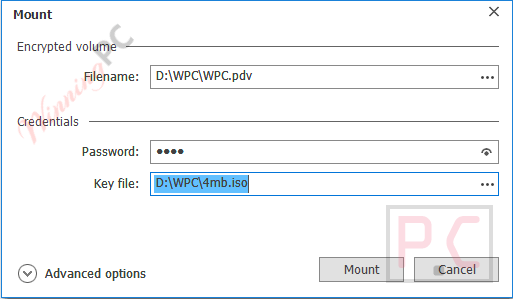
Pick a free drive letter (e.g., P:), click Mount, select your .pdv file, and enter your password. A new drive appears in File Explorer.
Step 4. Add your files
Drag and drop files or save documents directly into this drive. Everything is encrypted automatically.
Step 5. Dismount to lock
When finished, return to Privacy Drive, select the drive, and click Dismount. The drive disappears and your data is locked.
Step 6. Access later
Mount the same .pdv file again with your password whenever you need your secure files.
Frequently Asked Questions
How does Privacy Drive protect my files?
It uses strong AES 128-bit or 256-bit encryption. When your secure drive is mounted, you can open and edit files normally. When you dismount it, all data inside the container becomes unreadable without the correct password.
Can I store my encrypted container on a USB or external drive?
Yes. Your encrypted data lives in a single container file, which you can move to USB sticks, external hard drives, or even network locations. Just install Privacy Drive on the target PC, mount the file, and unlock it with your password.
Is there a limit to how big an encrypted volume can be?
The main limit is your available disk space. When you create a new volume, you choose its size. As long as your hard drive has enough free space, you can create large containers for backups or lots of files.
Can I move my encrypted volume to USB or cloud?
Yes. The encrypted volume is just a .pdv file. You can copy it to a USB stick, external drive, or cloud folder (Google Drive, Dropbox, etc.) and mount it on any PC with Privacy Drive installed.
What if I forget my password?
You won’t be able to open the volume. There’s no password reset or backdoor, so keep your password stored safely.
Is there any discount available for Privacy Drive?
Yes. WinningPC provides a special coupon that helps you get up to 50% off the regular price of Privacy Drive.
Why Choose WinningPC
- Why Trust? We are committed to providing 100% valid and verified coupon codes, so you can always shop with confidence.
- Found an Invalid Coupon or a Better Deal? If you encounter an invalid code or a better offer, please let us know. Our team updates all discount information regularly to ensure accuracy.
- Official Authorization: We only share authentic discounts from trusted software developers.
- No Fake Discounts: Unlike some sites, we never use misleading deals. The final price you see is the true discounted price.
- Secure Purchases: All transactions are processed on the official vendor’s website, ensuring authenticity and data protection.
- Extra Support: If you face order or vendor issues, contact us. We’ll liaise with the vendor to help resolve your problem quickly.
Technical Details
| Language Support | English, Français, Italian, Spanish, Swedish, and more… |
| Money Back Guarantee | 30-Day |
| Operating System | Windows 11/10/8.x/7/2022/2012 (32/64-bit) |
| Shipping | Register code will be sent to your email in minutes |
| Subscription | 1-Year, Lifetime |
| Support Services | Email, Tickets |