Laura Marano
Epubor eBook Manager is an all-in-one eBook management solution that helps you organize, convert, and transfer eBooks with ease. The software supports batch conversion of encrypted eBooks into popular formats such as EPUB, MOBI, AZW3, PDF, and TXT without losing quality. It also includes powerful metadata editing tools, allowing you to customize details like title, author, publisher, language, ISBN, and book cover, making your digital library more organized and easier to search.
For Windows:

Epubor eBook Manager for Win (1 PC / 1 Year)
20% off coupon code: regular price $24.99, discounted price $19.99
Epubor eBook Manager for Win (1 PC / Lifetime)
20% off coupon code: regular price $49.99, discounted price $39.99
Epubor eBook Manager for Win (2-5 PCs / Lifetime)
20% off coupon code: regular price $99.98, discounted price $79.98
For Mac:
Epubor eBook Manager for Mac (1 Mac / 1 Year)
20% off coupon code: regular price $24.99, discounted price $19.99
Epubor eBook Manager for Mac (1 Mac / Lifetime)
20% off coupon code: regular price $49.99, discounted price $39.99
Epubor eBook Manager for Mac (2-5 Macs / Lifetime)
20% off coupon code: regular price $99.98, discounted price $79.98
Epubor eBook Manager: Key Features and Screenshots
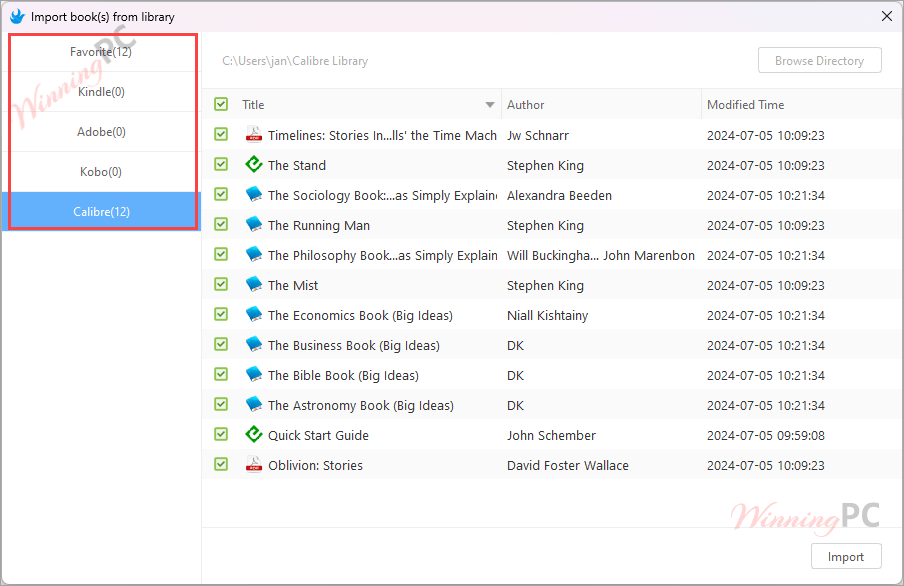
- All-in-One eBook Management: manage, organize, convert, and transfer eBooks in one place for a cleaner digital library.
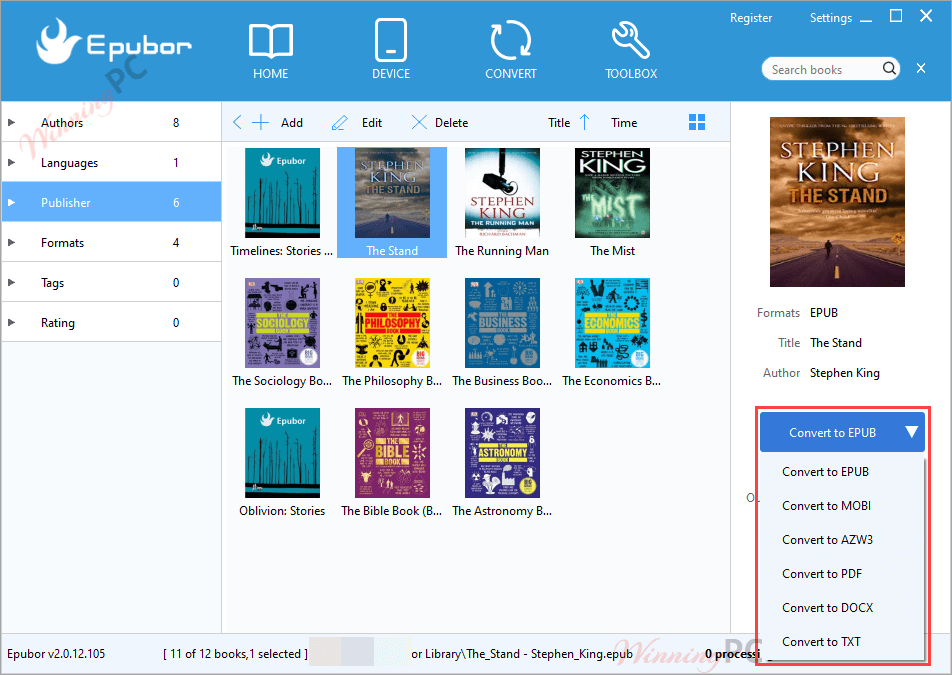
- Wide Format Support: supports EPUB, PDF, Mobi, AZW, AZW3, TXT, DOCX, and many other popular eBook formats.
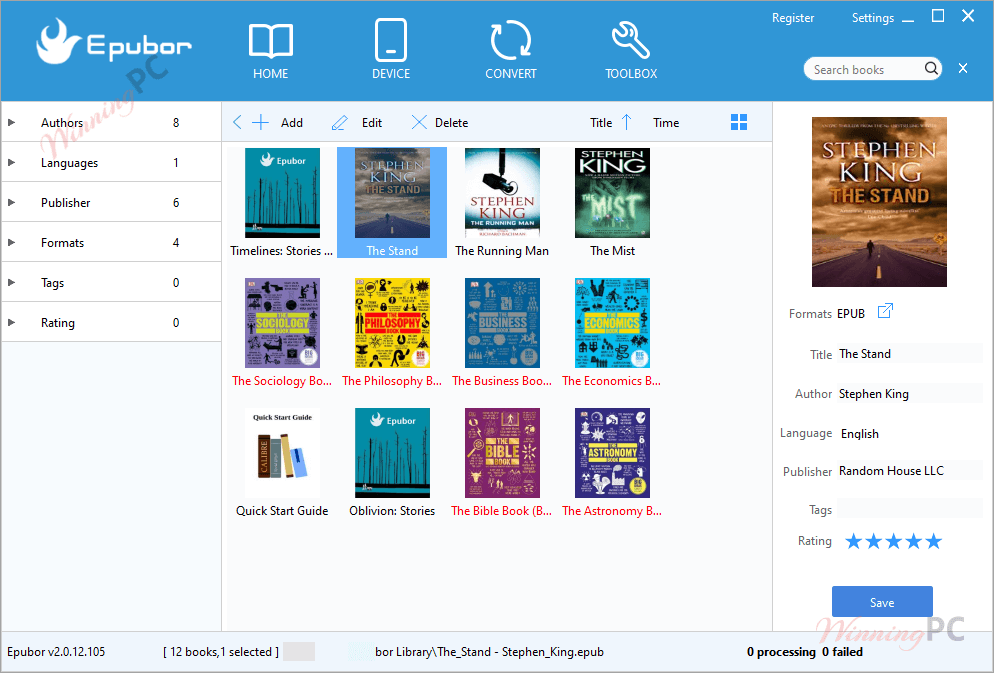
- Smart Cataloging: automatically organize eBooks by author, language, publisher, format, and more.
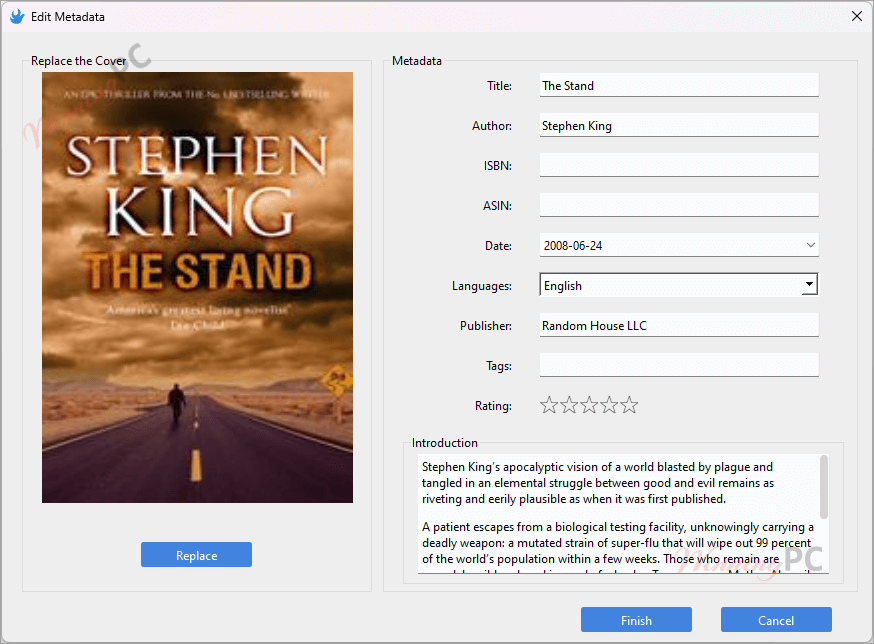
- Metadata Editing: edit book details such as title, author, cover, publisher, ISBN, and language.
- Batch Conversion & Transfer: convert multiple DRM-free eBooks at once to EPUB, PDF, Mobi, AZW3, and other formats without quality loss.
Frequently asked questions
What is Epubor eBook Manager?
It helps users manage, convert, and transfer their eBooks. It supports various formats and devices, making it an ideal tool for organizing digital libraries.
How can I use Epubor eBook Manager to convert eBooks?
The software allows you to batch convert eBooks to different formats such as ePub, Mobi, AZW3, and PDF, maintaining the quality of the original files.
Does Epubor eBook Manager support DRM removal?
Yes, Epubor eBook Manager can remove DRM from eBooks, enabling users to freely convert and transfer their purchased eBooks across different devices and formats.
What file formats are supported by Epubor eBook Manager?
The software supports input formats like ePub, PDF, Mobi, AZW, Azw3, Azw4, Prc, Txt, Docx, and Doc, and output formats including ePub, Mobi, AZW3, PDF, and TXT.
Can I edit eBook metadata with Epubor eBook Manager?
Yes, you can edit eBook metadata such as title, author, cover image, language, publisher, ISBN, and publication date. This feature helps organize and categorize your eBooks efficiently.
How can I get the Epubor eBook Manager at the lowest price?
The coupon code SP**25 from WinningPC provides a 20% discount on the purchase of Epubor eBook Manager, making it more affordable for users to access its full features.
Technical Details
| Language Support | English, Français, Italian, Spanish, Swedish, and more… |
| Money Back Guarantee | 30-Day |
| Operating System | Windows 7/8/10/11 Mac OS X 10.10 and later, including macOS 12 Monterey |
| Shipping | Register code will be sent to your email in minutes |
| Subscription | 1-Year |
| Support Services | Email, Forums, Live Chat, Tickets |