Chris Bruner

Epubor Honto Converter helps users remove DRM from eBooks purchased on the honto.jp store so they can read their books more freely. It allows Honto titles to be used offline on devices such as Kindle, Kobo, and reMarkable, making reading more flexible across platforms. This ebook converter can also convert EPUB and EPUBX files from the Honto Windows app into formats like EPUB, PDF, or image files. Batch conversion, metadata editing, and automatic book detection are included to simplify management. At present, the tool is available only on Windows due to the complexity of Honto’s Mac DRM system.
Key Features and Screenshots
- DRM Removal: Epubor Honto Converter removes DRM protection from Honto eBooks, allowing you to access, share, and back up your purchased content with ease without restrictions with ease.
- Multiple Output Formats: You can use this tool to convert Honto eBooks to EPUB, PDF, and JPG formats, making them accessible on various devices like Kindle and Kobo.
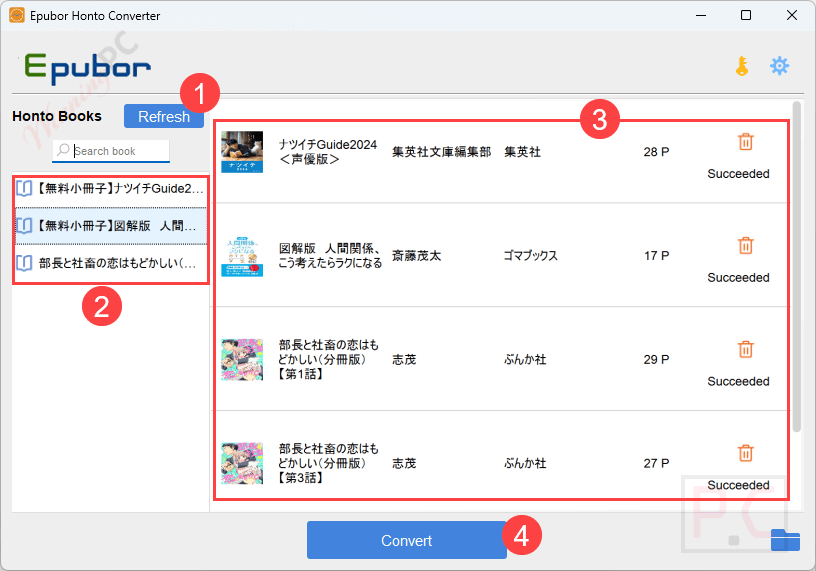
- Batch Conversion: This tool supports batch conversion to help you convert multiple eBooks simultaneously to save time, especially for extensive eBook collections.
- Automatic eBook Detection: Upon launching, this software automatically detects downloaded Honto eBooks on your Windows PC, streamlining the conversion process.
- Metadata Editing: Another important feature of Epubor Honto Converter was that it allowed organizations and individuals to edit eBook metadata, including title, author, and publisher information to manage the eBook library with ease.
- Output Management: You can choose the output folder for easy access to converted files. It also maintains the original quality of eBooks during conversion which means formatting, images, and layouts will be preserved to ensure an optimal reading experience.
- Compatibility with Windows: Epubor Honto Converter is designed exclusively for Windows operating systems, supporting versions 10 and 11, and integrates seamlessly with the Honto desktop application.
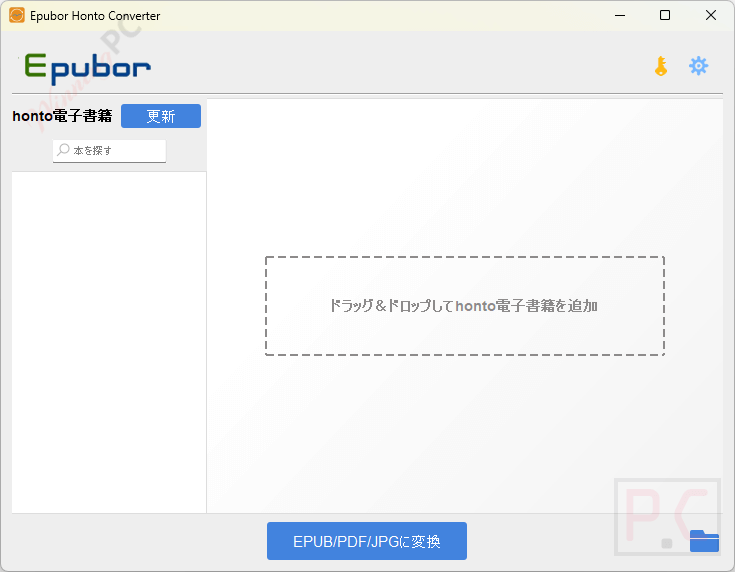
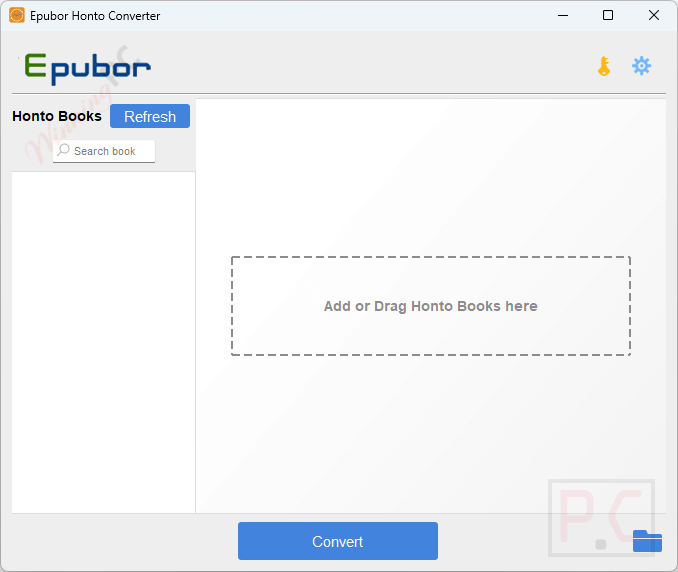
- User-Friendly Interface: This tool has a simple and intuitive interface that makes the conversion process straightforward, allowing users to navigate and operate the software with minimal effort.
Japanese interface
English interface
Frequently asked questions
Does this Honto Converter retain the original formatting of eBooks after conversion?
Yes, the converter aims to preserve the original formatting, including images and layouts, during the conversion process.
What eBook formats can Epubor Honto Converter output?
It can convert Honto eBooks into EPUB, PDF, or image formats.
Which operating systems are compatible with?
Currently, the Epubor Honto Converter is available only for Windows. The converter does not support macOS due to the different DRM protection used in Honto’s Mac app.
Are all Honto eBooks supported by this software?
No, eBooks in the .book format are not supported. To check if your eBook is in this format, visit the book’s description page on Honto’s website; if the compatible device list excludes browsers and Mac, it’s likely in .book format.
How do I convert Honto eBooks using this software?
First, install the Honto app for Windows and download your eBooks. Then, launch the Epubor Honto Converter, which will automatically detect and convert your downloaded eBooks.
Are there any discounts available for the Epubor Honto Converter?
Yes, WinningPC offers a SP**25 discount code that can provide 20% off on Epubor Honto Converter.
Technical Details
| Language Support | English, Français, Italian, Spanish, Swedish, and more… |
| Money Back Guarantee | 30-Day |
| Operating System | Windows 10, 11 |
| Shipping | Register code will be sent to your email in minutes |
| Subscription | 1-Year, 5-Year |
| Support Services | Email, Tickets |