Chris Bruner

Epubor Hoopla Converter backs up digital media from Hoopla accounts. This Epubor software processes standard eBooks directly into EPUB formats and exports digital comics as local PDF files.
For Windows
Epubor Hoopla Converter for Win - 1 Year License
20% off coupon code: regular price $29.99, discounted price $23.99
Epubor Hoopla Converter for Win - 5 Year License
20% off coupon code: regular price $59.99, discounted price $47.99
Epubor Hoopla Converter for Win - 5 Years / 5 PCs
20% off coupon code: regular price $119.99, discounted price $95.99
For Mac
Epubor Hoopla Converter for Mac - 1 Year License
20% off coupon code: regular price $29.99, discounted price $23.99
Epubor Hoopla Converter for Mac - 5 Year License
20% off coupon code: regular price $59.99, discounted price $47.99
Epubor Hoopla Converter for Mac - 5 Years / 5 PCs
20% off coupon code: regular price $119.99, discounted price $95.99
Key Features and Screenshots
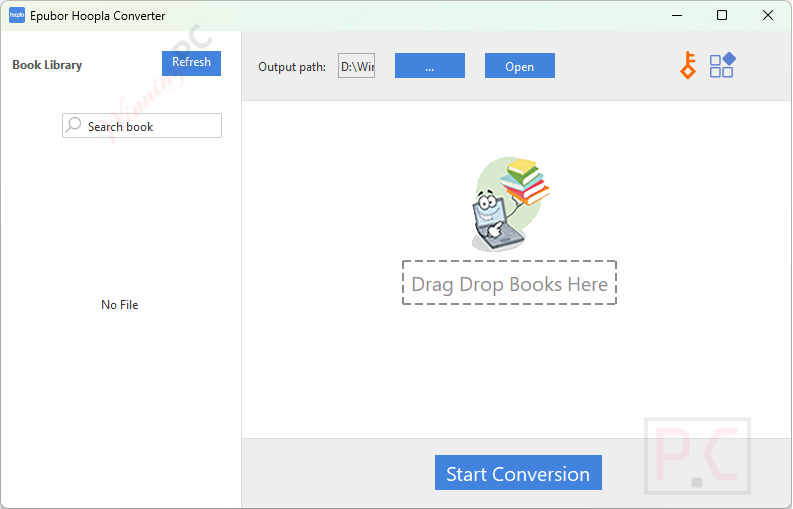
- DRM Removal: Remove DRM protection from borrowed Hoopla eBooks and comics to guarantee unrestricted offline access.
- Format Conversion: Convert Hoopla eBooks into EPUB and comics into PDF formats for universal compatibility with eReaders and tablets.
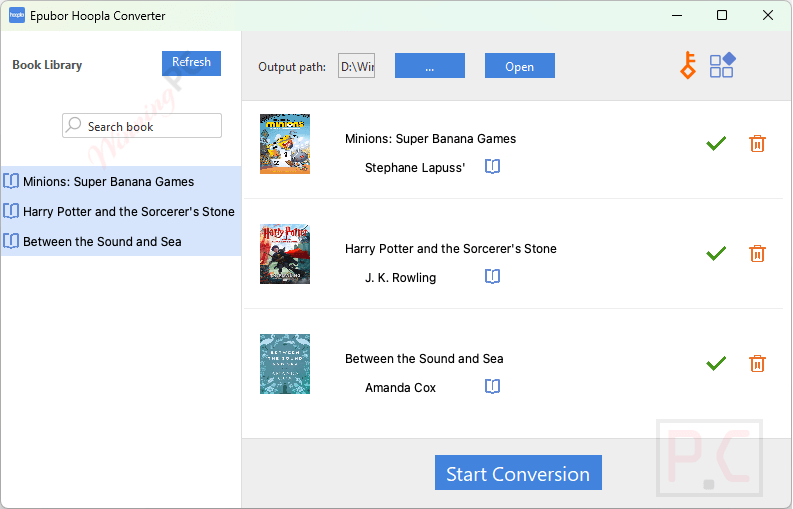
- Automated Batch Processing: Automatically detect downloaded Hoopla content on your computer and convert multiple files simultaneously to save time.
- Original Quality Retention: Preserve the exact text clarity, high-resolution images, and original formatting of your digital content during conversion.
- Custom Output Settings: Tailor your conversion preferences with customizable settings to easily organize and store your digital library.
- Cross-Platform Compatibility: Install and run the application seamlessly across both Windows and macOS operating systems.
Frequently Asked Questions
Can Epubor Hoopla Converter handle both eBooks and comics from Hoopla?
Yes, it can process both eBooks and comics, converting eBooks to EPUB format and comics to PDF format.
Is it necessary to download Hoopla content before using Hoopla Converter?
Yes, you need to download your Hoopla eBooks and comics first. The converter can then automatically detect and upload these downloaded files for conversion.
Can I read the converted files on any device?
Once converted, the files in EPUB or PDF format can be read on a variety of devices that support these formats, providing flexibility in your reading experience.
Does the software support batch conversion?
Yes, Epubor Hoopla Converter allows for batch conversion, enabling you to convert multiple eBooks and comics simultaneously, saving time and effort.
Can I customize the output settings for the converted files?
The software provides options to customize certain output settings, allowing you to tailor the converted files to your preferences.
How can I apply a discount when purchasing an Epubor Hoopla Converter?
During the purchase process, you can enter the SP**25 coupon code provided by WinningPC to receive a 20% discount on the software.
Technical Details
| Language Support | English, Français, Italian, Spanish, Swedish, and more… |
| Money Back Guarantee | 30-Day |
| Operating System | Windows 10, 11 Mac OS X 10.14 and later |
| Shipping | Register code will be sent to your email in minutes |
| Subscription | 1-Year, 5 Years |
| Support Services | Email, Forums, Live Chat, Tickets |