Chris Bruner

You need to back up your IT magazines before the Mynavi service shuts down, but official software pricing can quickly eat into your budget. If you are looking at Epubor Mynavi Unlimited Mate to rescue your digital library, we’ve got your back. We’ve locked in a flat 20% off for both Windows and Mac users, bringing the price down instantly so you can start archiving right now.
Price Comparison Table
Don’t pay retail. Here is exactly what you save when you bypass the standard checkout and use the WinningPC hidden discount link:
| Plan Name | Official Price | WinningPC Price | You Save |
| Win/Mac – 1 Year License | $28.71 | $22.97 | $5.74 (20%) |
| Win/Mac – 5 Year License | $45.94 | $36.75 | $9.19 (20%) |
| Win/Mac – 5 Years / 5 PCs | $91.87 | $73.50 | $18.37 (20%) |
Redemption Guide: How to Claim Your Discount
- Click our exclusive WinningPC Promo Link above to open the secure cart.
- The 20% discount is Auto-Applied, no typing required.
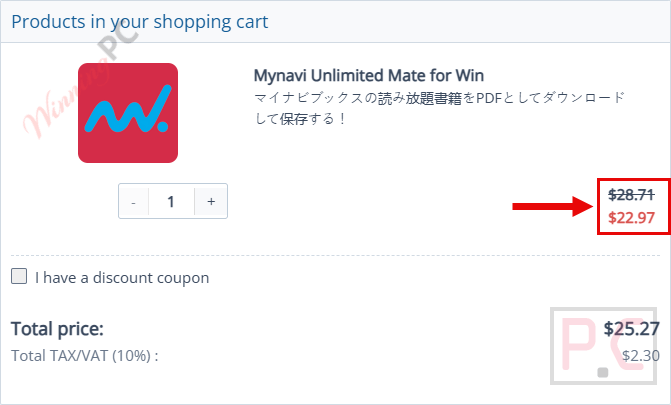
- Verify that the price has dropped (for example, the 1-Year license should read $22.97 instead of $28.71).
What is Epubor Mynavi Unlimited Mate?
Epubor Mynavi Unlimited Mate is a dedicated downloader and converter that lets you save all-you-can-read e-books subscribed to from Mynavi BOOKS directly to PDF format. It’s built specifically for readers of IT magazines, mooks, IT books, Mac Fan, and Web Designing who want to keep their content permanently.
Removing DRM restrictions allows you to read offline, print back issues, and transfer your library to other devices. With the official Mynavi Unlimited subscription service officially ending on March 26, 2026, Epubor Mynavi Unlimited Mate is an essential tool for backing up your personal reading account before your access disappears entirely.
Features & In-Depth Review
- Bypass DRM Restrictions: Strips DRM from your subscribed Mynavi BOOKS unlimited reading items so you can safely back up your files and share them with friends and family.
- Direct PDF Conversion: Downloads and converts your magazines straight into high-quality PDFs. You can easily print out both the latest releases and older back issues right from your computer.
- Cross-Device Compatibility: Because it outputs as standard PDF format, you can easily transfer your technical books to e-readers like Kindle, Kobo, and reMarkable for offline reading.
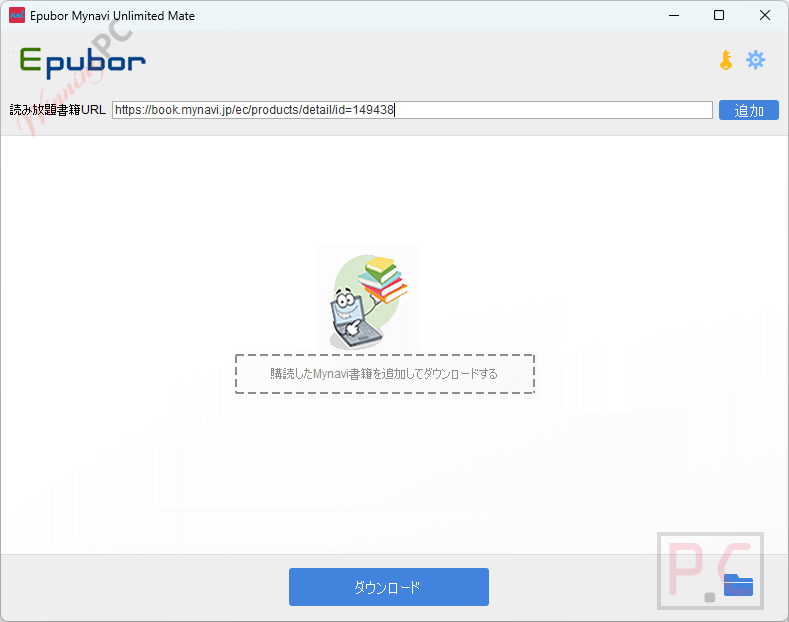
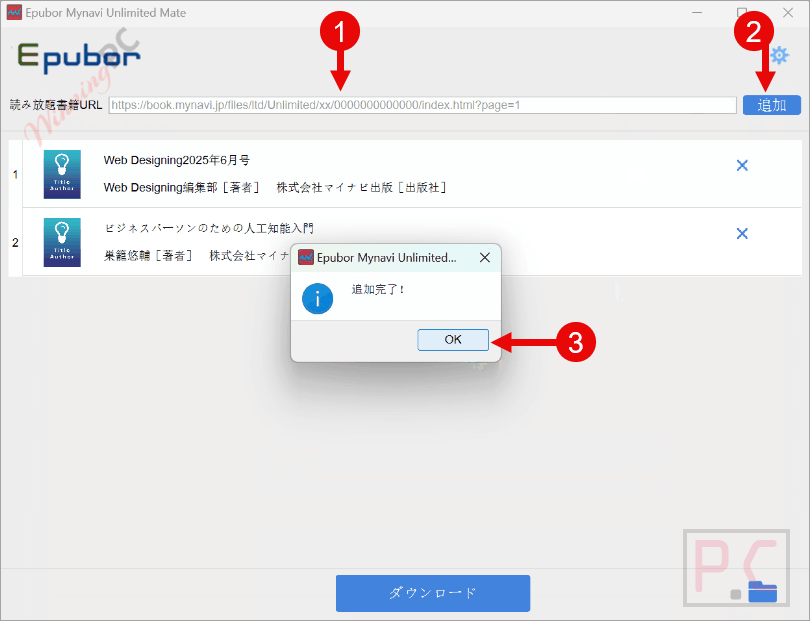
- Manual Queue System: To download, you copy the URL of the book from your computer’s browser and paste it into the software’s input field. To grab multiple books, you just add the URLs one by one.
- License Recovery: If you buy a new computer or do a clean install of your OS, the software allows you to easily recover your registration code without buying it again.
Pros & Cons
More Epubor Mynavi Unlimited Mate screenshots!
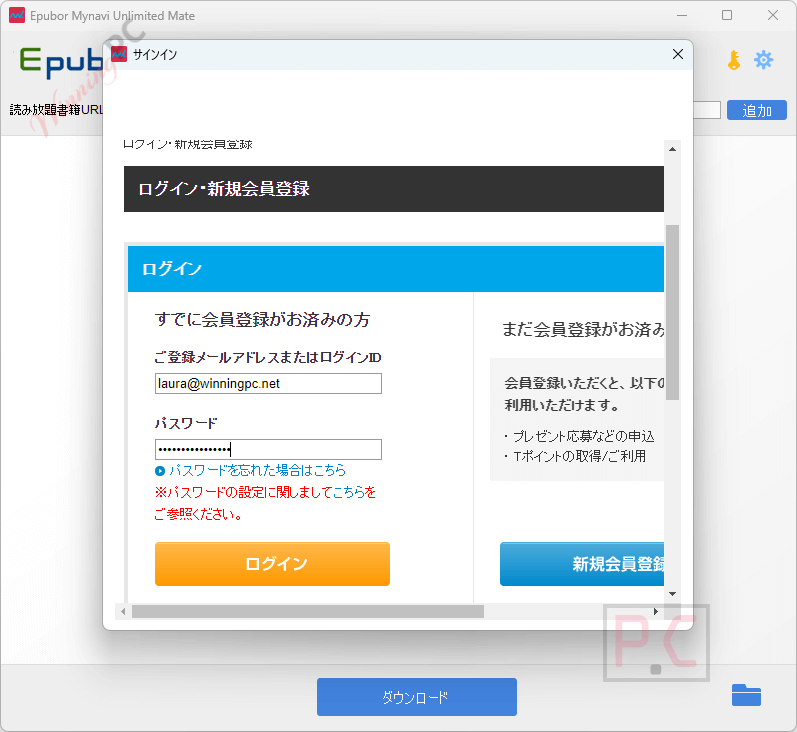
Log in
Paste link
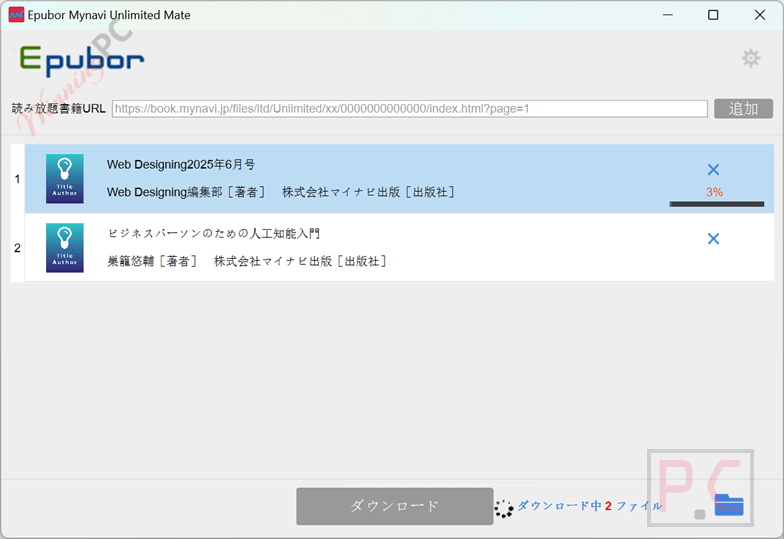
Converting
Frequently Asked Questions
Is this the best coupon for Epubor Mynavi Unlimited Mate?
Yes. WinningPC currently offers the highest discount rate available on the market for this software. We link directly to the developer’s discounted checkout to guarantee the lowest price.
Why is this software so urgent right now?
Due to the discontinuation of regular publication of “Web Designing” and “Mac Fan,” the Mynavi Unlimited subscription service is shutting down. You must use this software to download and back up your subscribed magazines before March 26, 2026.
Does this work with books I bought individually on Mynavi?
No. Epubor Mynavi Unlimited Mate strictly supports the Mynavi BOOKS unlimited reading items. It does not support PDF e-books purchased individually or video content from the platform.
How do I download the books?
First, log in to your Mynavi Books membership within the Epubor app. Then, open your normal web browser, copy the URL of the book you want to read, paste it into the software’s input field, and click the “Add” button. Click “Download” to convert it to PDF.
Can I download my entire library at once?
You can download multiple books, but there isn’t an automated “download all” button. You must copy and paste the URL of each book one by one into the software to queue them up.
What are the limitations of the free trial?
The free version restricts you heavily to prove it works: it only allows you to convert exactly one e-book. To back up your whole library, you need to buy a license.
Can I read the output files on my Kindle?
Absolutely. Epubor Mynavi Unlimited Mate exports everything as standard, DRM-free PDF files, which are natively supported by Kindle, Kobo, reMarkable, and virtually any other tablet or PC.
Technical Specifications
| Supported OS | Windows & Mac |
| Required Account | Active Mynavi Books membership with unlimited reading service purchased. |
| Supported Input | Mynavi BOOKS unlimited reading URLs (IT magazines, mooks, IT books, Mac Fan, Web Designing). |
| Output Format |