
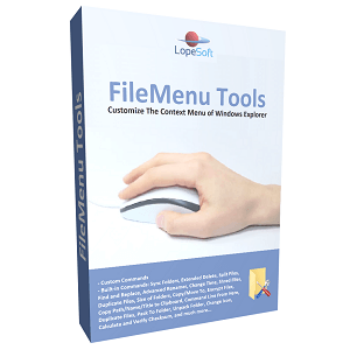
FileMenu Tools is an application that lets you customize the context menu of Windows File Explorer. With FileMenu Tools, you can take full control over the context menu, allowing you to customize and optimize it to suit your specific needs. This software empowers you to add, edit, and remove various context menu items, giving you the ability to tailor it to your workflow. Whether you want to simplify common tasks or add custom commands to the right-click menu, FileMenu Tools provides an intuitive and user-friendly interface to accomplish these tasks with ease.
FileMenu Tools Giveaway License Key Free
- Product name: Lopesoft FileMenu Tools Pro 8.2.2
- Website: https://www.lopesoft.com
- License type: lifetime
- Platform: Windows
- Download: Setup Portable
- License code – last updated: October 01, 2023
Click here...
- the giveaway has ended!
How to get the license key?
Download the Lopesoft FileMenu Tools setup file or portable version by the above download links. Install the software to your computer and activate it by the license key in the giveaway section:

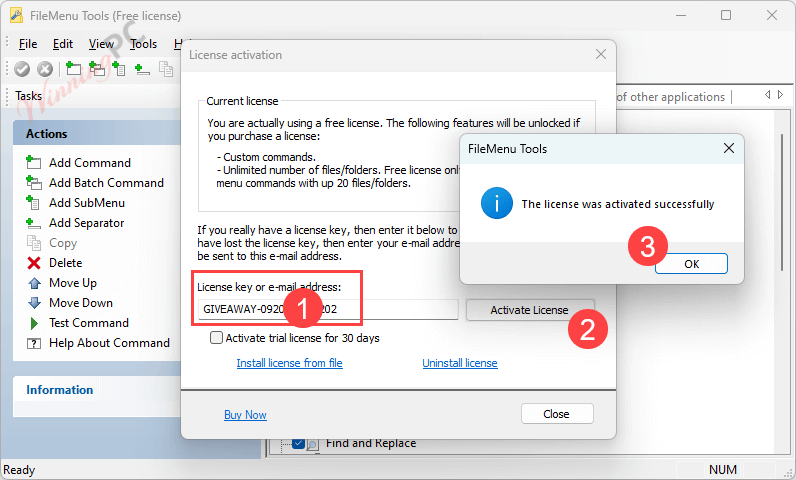
Enjoy it for a lifetime FREE!

FileMenu Tools main screenshot:

Edit “Send to…” menu:

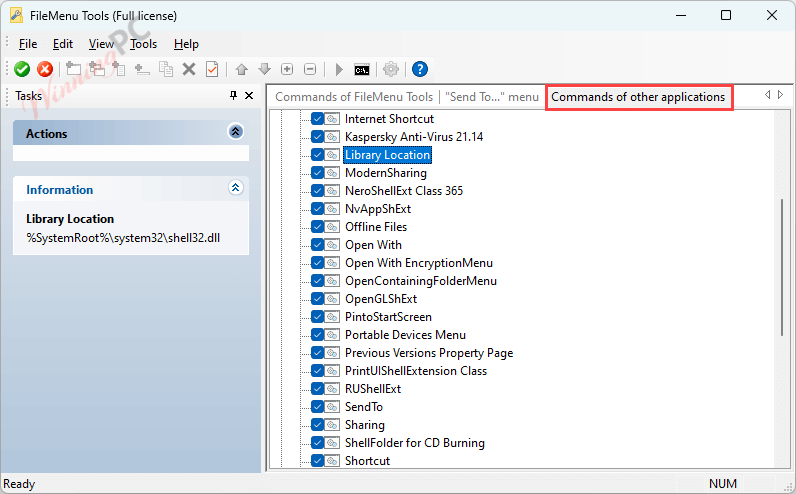
Edit “Commands of other applications” menu:
Settings:

Main Features
- Add and Remove Menu Items: Customize the right-click context menu by adding new items, submenus, and separators, or remove unnecessary ones.
- File Renamer: Rename multiple files and folders in batch mode with various renaming options, such as find and replace, case conversion, and more.
- Advanced Copy and Move: Copy or move files and folders to specific locations with just a few clicks. Create custom destinations for frequently used folders.
- Delete Permanently: Securely delete files and folders, ensuring they cannot be recovered using standard recovery tools.
- Shred Files: Permanently delete files and overwrite their data to prevent any possibility of recovery.
- Change Attributes: Modify file attributes like read-only, hidden, and system properties quickly.
- Change Time and Date: Adjust file timestamps, including creation, modification, and access times.
- Advanced Renamer: Rename files and folders based on various criteria, including date, time, and attributes.
- Find and Replace: Search for specific text within file names and replace it with new text.
- Advanced Delete: Delete files based on advanced criteria, such as file type, size, and date.
- Split and Join: Split large files into smaller parts for easier handling or merge split files back into their original form.
- Find and Delete Empty Folders: Automatically locate and remove empty folders to keep your file system organized.
- Copy Folder Path: Easily copy the path of a file or folder to the clipboard for quick access.
- Edit File Types: Modify the actions associated with specific file types, including adding custom commands.
- Custom Commands: Create custom commands or scripts that can be executed from the context menu.
- Internationalization: Supports multiple languages, making it accessible to users worldwide.
- Batch Mode: Many operations can be performed in batch mode, saving time when working with multiple files and folders.
- Backup and Restore Settings: Backup your customized context menu settings and restore them when needed.
Technical Details
| Language Support | English, Spanish, Chinese (simplified), Chinese (traditional), Czech, Danish, Dutch (NL), Finnish, French, German, Hungarian, Italian, Japanese, Korean, Polish, Portuguese (Brazil), Romanian, Russian, Slovak, Swedish, Turkish, Ukranian, Valencian |
| Money Back Guarantee | 30-Day |
| Operating System | Windows 7, Windows 8, Windows 10, Windows 11 |
| Shipping | Instant Delivery by Email |
| Subscription | Lifetime |
| Support Services |






where is the license key
FileMenu Tools is an excellent tool. Adds features to the Windows Explorer context menu and other ‘explorers’.
Pros: FileMenu Tools is an excellent tool. Adds features to the Windows Explorer context menu and other 'explorers'.
It comes with several feature options, which you can define whether you want them to be available or not via a simple checkbox.
It also allows you to add your resources. In this case you may have some difficulty, as it is not so direct and has some limitations. Even so, it is a highly recommended tool.
Cons: Adding new features could be simplified more and the developer could offer a more meaningful set of examples.
Thanks for your review 🙂
Teşekkürler. Yararlı programlar.
hani nerde lisans anahtarı aşağıdan diyor göremedim yada yok
God bless you … this is what I have been looking for since long time ago.
This is what makes you able to customise the context menu of Windows File Explorer and this software does it easily ! No more trouble with context menu any more.
Thanks Winningpc for providing it
Have a nice weekend
thanks, it’s worked.