
On this page
Franzis FOCUS Projects Giveaway
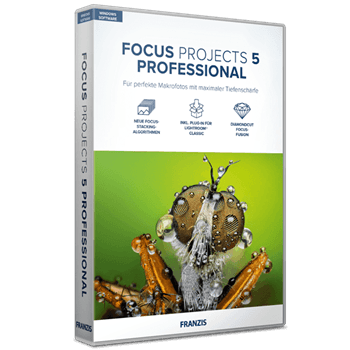
Franzis FOCUS Projects
Complete redesign of the user interface for 4k Ultra-HD.
- Product
- Franzis FOCUS Projects
- Product website
- projects-software.com
- License
- Lifetime
- Platform
- Windows 11/10/8.1/7
- Usage
- Non-commercial only
- Updates
- No future upgrades
- Support
- No support
- Updated
- 2026-10-21
Continue on reg.franzis.de
The publisher handles registration and license delivery on its official website.
The limited-time giveaway!
The free license is no longer available.
Top Photo Editing Software Discount & Coupon Code Oct 2026
ON1 Photo RAW
2 plans · best save 62%
ON1 Photo RAW 2026 + 2027
Free updates for versions 2026 and 2027 | Install on 2 computers
ON1 Photo RAW MAX 2026 + 2027 ★ Best Deal
Install on 3 computers instead of 2
Skylum Luminar Neo
5 plans · best save 88%
Lifetime Bundle (Special Offer) ★ Best Deal
Included: Luminar Neo Lifetime, Light Reflections Overlay Add-On, Color Harmony LUTs Add-On, Wintertime Overlay Add-On, Frosty Winter LUTs Add-On, Tranquil Dawn Skies Add-On, Tender Blushing Skies Add-On.
All Platforms
One-time payment | Perpetual access to Luminar Mobile on 3 mobile devices | Access to Spaces.
Is the FOCUS projects 5 giveaway safe to claim?
Yes. This is Franzis running its own promotion, not a key re-posted by a third party.
No crack or keygen
You install the official Franzis build and unlock it with a code issued to your own account. Nothing is patched.
Straight from the publisher
The code comes from Franzis’ projects-software.com giveaway, not a reseller or a key marketplace.
No card required
The license is free, so there’s no checkout and no payment details to hand over.
Expect upgrade emails
Claiming through your Franzis account means you’ll likely get offers for newer versions afterwards. Harmless, but worth knowing.
How to Get the Franzis FOCUS Projects License Key for Free
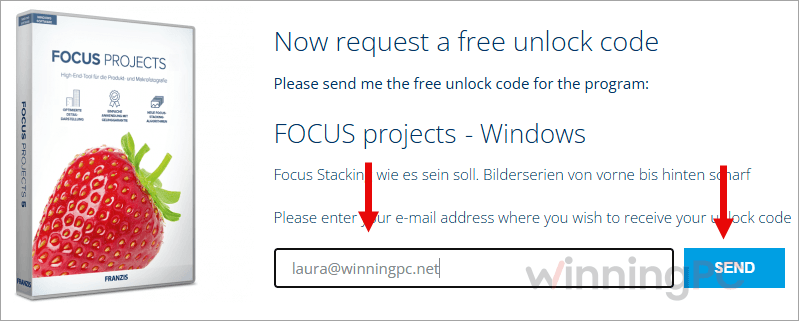
- Open the FOCUS projects giveaway page on projects-software.com and log in to your Franzis account. New to Franzis? Create the account first.
- Request the free registration code for FOCUS projects 5.
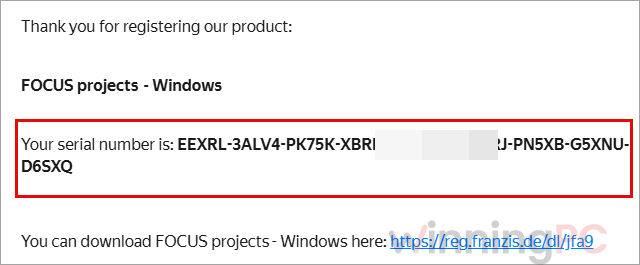
- Check your inbox. Franzis sends two values: your user ID (your customer number) and a personal activation code. Keep this email, because you need both.
- Download and install FOCUS projects 5 on your Windows PC.
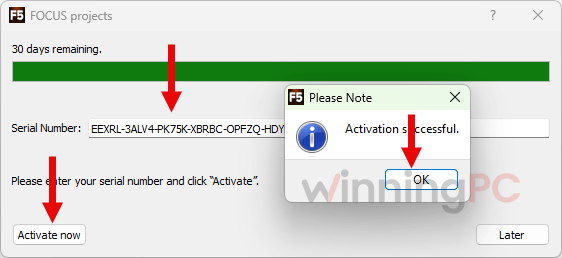
- On the registration screen, type the user ID and activation code into the two fields and press OK. Stay online for this step, since the software needs an internet connection to unlock.
What FOCUS projects 5 does well
The core job, merging a focus series into one sharp frame, runs almost automatically, and the preset-first approach means a beginner can get a clean result before touching a single slider. What makes FOCUS projects 5 more interesting than the stacking button in a general photo editor is the choice of engine. You aren’t stuck with one auto mode: the two new PSF options, for example, are designed for several exposures at the same focal point and fold noise reduction into the merge itself, which matters when you’re shooting dim subjects at high ISO. The flip side is a feature list that sprawls. 3D lighting and VRML export won’t mean much to most macro shooters, and the extras can make the interface feel busier than the job requires.
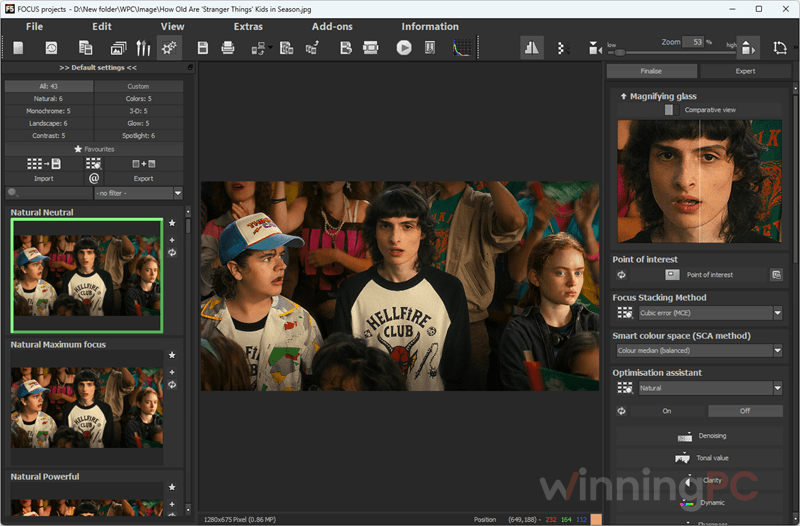
Key features
- 12 stacking algorithms, including PSF color and PSF luminance, so you can pick the method that suits the subject instead of hoping the default works.
- Focus peaking highlights which areas are already sharp, which makes it easy to spot a missing slice in your stack.
- Stacks from video: load a focus sweep recorded as a clip instead of shooting dozens of single frames.
- Lightroom Classic plug-in sends a series straight from your catalog, so it slots into an existing workflow.
- 81 presets plus a professional mode, with RAW development and batch processing for working through several stacks in one go.
What we think
Questions people ask about FOCUS projects 5
Is the giveaway license really lifetime?
Yes, the terms say lifetime. But there are no free updates, so the version you install today is the version you keep.
Can I use the free license for client or business work?
No. The giveaway is for non-commercial use only. If you shoot product images for clients or for a shop you sell through, check the paid license terms with Franzis before relying on it.
Does FOCUS projects 5 work on Windows 11?
Windows 11 isn’t officially listed. Franzis recommends 64-bit Windows 10 and lists Windows 10/8/7 as the minimum, so running the 30-day trial first is a sensible way to check your setup.
Is there a Mac version?
Not in this release’s listing. The published system requirements cover Windows only.
Do I need to stay online to use it?
You need an internet connection to unlock the software. Franzis doesn’t say it needs one after activation.
I didn’t get my activation email. What should I do?
Check your spam and promotions folders first, and make sure you’re logged in to the same Franzis account you used to request the code. The email should contain two things, your user ID and your activation code. Keep in mind the giveaway license comes with no tech support, so the account page is your main route if the email never arrives.
How is the giveaway different from the 30-day trial?
The trial runs for 30 days and then stops. The giveaway gives you a lifetime license for personal use, without updates or support.
System Requirements & Details
| Field | Value |
|---|---|
| Operating system | Windows 11/10, 64-bit |
| Processor | Intel i5 |
| RAM | 8 GB RAM |
| Screen resolution | 1920 x 1080 resolution |
| Graphics | DirectX-compatible graphics card |
| Supported input | Photo focus series, including RAW files (via the RAW development module), and video clips. Specific file types not listed by Franzis. |
| Supported output | Merged image (file types not listed), plus export as a web page, video or 3D VRML object |
| Other requirements | Internet connection to unlock; Franzis account to claim the giveaway |



![[Contest] Rain Cleaner Pro Giveaway: Win 1 of 50 Free 1-Year Licenses](https://winningpc.com/wp-content/uploads/2026/10/rain-cleaner-pro-icon.png "rain cleaner pro icon")

