WinningPC
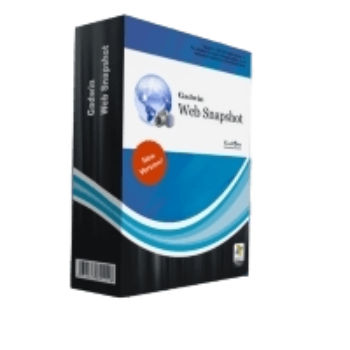
Gadwin Web Snapshot is a specialized tool designed to transform web pages into high-quality images. This tool is only compatible with Internet Explorer and does not support other popular browsers such as Google Chrome, Mozilla Firefox, or Microsoft Edge, which limits its usability for users who prefer or require different browsers. This Internet Explorer add-on enables you to capture high-quality snapshots of entire web pages, including all design elements or specific sections, preserving them precisely as they appear in your browser with just a single click.
This tool offers a range of customizable options once captured, allowing you to edit, resize, and annotate images, providing flexibility for various uses. This tool provides the function to send the Web capture directly to your printer or as an email, streamlining the process of sharing content. Gadwin Web Snapshot will even automatically resize the picture to the specified dimensions, ensuring that images fit specific dimensions without compromising quality.
Gadwin Web Snapshot Coupon Code Oct 2026 (100% Working)

Gadwin Web Snapshot (Personal License)
25% Off coupon code, regular price $24.95, discounted price $18.71
Gadwin Web Snapshot (2-5 Licenses)
34% Off coupon code, regular price $124.75, discounted price $82.31
Gadwin Web Snapshot (6-10 Licenses)
43% Off coupon code, regular price $249.5, discounted price $142.12
Gadwin Web Snapshot (11-25 Licenses)
52% Off coupon code, regular price $623.75, discounted price $299.06
Gadwin Web Snapshot (26-50 Licenses)
64% Off coupon code, regular price $1,247.50, discounted price $448.12
Gadwin Web Snapshot (51-75 Licenses)
70% Off coupon code, regular price $1,871.25, discounted price $559.69
Gadwin Web Snapshot (76-150 Licenses)
80% Off coupon code, regular price $3,742.50, discounted price $725.62
Key Features and Screenshots

- Complete Web Page Capture: Gadwin Web Snapshot allows you to capture the entire web page, not just the visible portion, but also including areas that require scrolling, ensuring that all design elements and content are preserved in the image.
- Browser Integration: This tool is installed as an add-on to Internet Explorer, making it easily accessible directly from the browser’s toolbar for quick and convenient use.
- Integrated Image Editor: The built-in image editor provides tools for resizing, editing, and annotating captured images after capturing a web page for personalized notes or highlights before saving or sharing.
- Direct Printing: Captured images can be sent directly to a printer for printing without the need to save them first. This streamlines the process of creating hard copies of web content.
- Email Integration: You can quickly share your captures via email from the application, simplifying the sharing of web content with colleagues and clients.
- Automatic Image Resizing: The software can automatic resizing options, ensuring that images fit specific dimensions without compromising quality.
- Compatibility: Gadwin Web Snapshot is compatible with multiple versions of Windows, including Windows XP, Vista, 7, 8, and 10. Its integration with Internet Explorer ensures a smooth and unobtrusive user experience.


Frequently asked questions
Can I use Gadwin Web Snapshot with browsers other than Internet Explorer?
No, it is specifically designed as an add-on for Internet Explorer and is not compatible with other browsers.
Who can benefit from using Gadwin Web Snapshot?
Web designers, researchers, educators, and anyone needing to save web content for offline viewing or documentation can benefit from its capabilities.
Does Gadwin Web Snapshot support editing after capture?
Yes, it offers basic editing features such as cropping, resizing, and annotating the captured images.
Can I capture multiple web pages simultaneously?
While the software focuses on single-page captures, users can sequentially capture multiple pages and save them individually.
Are there any specific hardware requirements?
While no specific hardware requirements are mentioned, a standard Windows-compatible system with sufficient memory and processing power is recommended for optimal performance.
Are there any discounts available?
Yes, using the coupon code WinningPC***dwin provided by WinningPC can grant up to an 80% discount on your Gadwin Web Snapshot purchase.
Technical Details
| Language Support | English, Français, Italian, Spanish, Swedish, and more… |
| Money Back Guarantee | 30-Day |
| Operating System | Windows 98/Me/2000/2003/XP/Vista, Windows NT 4.0 SP6 and Internet Explorer 5+ Minimum hardware requirement: P3 500 MHz, 256 MB RAM |
| Shipping | Register code will be sent to your email in minutes |
| Subscription | Lifetime |
| Support Services |