Chris Bruner
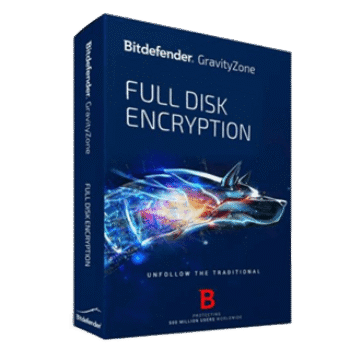
GravityZone Full Disk Encryption is a business solution that protects sensitive company data from loss, theft, or unauthorized access. This business security uses built-in encryption tools from Windows and macOS, making it easy to deploy and manage through the same GravityZone console you already use for endpoint security.
GravityZone Full Disk Encryption Discount
Key Features & Screenshots

- Data Protection: Encrypt endpoint hard drives to secure confidential business data.
- Regulatory Compliance: Meet standards like GDPR, HIPAA, and PCI DSS with audit-ready reports.
- Centralized Management: Control encryption from the same GravityZone console used for security.
- Native Encryption: Works with Windows BitLocker and macOS FileVault for compatibility and performance.
- Pre-Boot Authentication: Ensures no data is read until the correct credentials are entered.
- Simplified Deployment: Encrypt or decrypt drives with just a few clicks, no extra agents or servers needed.
- Recovery Key Storage: Recovery keys are securely stored in case users forget their passwords.
More screenshots


How to Use
Here’s a simple step-by-step for using GravityZone Full Disk Encryption (FDE):
- Sign in to your GravityZone Control Center.
- Make sure FDE is enabled in your license/account.
- Go to Policies -> Create/Edit a policy.
- Turn on Full Disk Encryption in that policy.
- Choose what to encrypt: boot drive and/or other volumes.
- (Optional) Set pre-boot authentication (e.g., password/TPM + PIN).
- Apply the policy to the devices or groups you want to protect.
- Users reboot if prompted; encryption starts and runs in the background.
- Monitor status & reports from the GravityZone console.
- Recover access if needed using stored recovery keys in the console.
- To decrypt/stop, remove the policy or run the decrypt action from the console.
Frequently Asked Questions
What is GravityZone Full Disk Encryption?
It is a security add-on from Bitdefender that protects your business data by encrypting endpoint hard drives.
Which operating systems are supported?
It works with both Windows (via BitLocker) and macOS (via FileVault/diskutil)
Do I need extra software or servers to use it?
No. GravityZone FDE integrates with the existing GravityZone platform.
What happens if an employee forgets their password?
The GravityZone console stores recovery keys, allowing admins to unlock encrypted drives and restore access securely.
Will it slow down my devices?
No. Since it uses native OS encryption (BitLocker/FileVault), performance impact is minimal and users can continue working as normal.
How do I get GravityZone Full Disk Encryption at a discount?
You can save 30% off with the exclusive WinningPC coupon. This limited-time offer, just copy code Gravity***30OFF and use it during checkout to save.
Technical Details
| Language Support | English, Français, Italian, Spanish, Swedish, and more… |
| Money Back Guarantee | 30-Day |
| Operating System | Windows, Windows Server |
| Shipping | Register code will be sent to your email in minutes |
| Subscription | 1-Year, 2-Year, 3-Year |
| Support Services | Email, Tickets, Chat |