

 By
By iDealshare VideoGo for Windows Giveaway Download
iDealshare VideoGo for Windows
All-in-one Video/Audio Converter, Player and Editor
- ProductiDealshare VideoGo
- Websiteidealshare.net
- LicenseLifetime
- PlatformWindows 11/10/8/7/XP/Vista/2000
- Installeri-video-converter.exe
- Original Price$39.99
- SupportNo support
- UpdatesNo future upgrades
- UsageNon-commercial only
License key delivered free to your inbox within minutes.
How to claim your free iDealshare VideoGo license
- Access the official iDealshare giveaway form above
- Enter your name and email to request the free Lifetime license.
- Check your inbox for the license code from WinningPC.
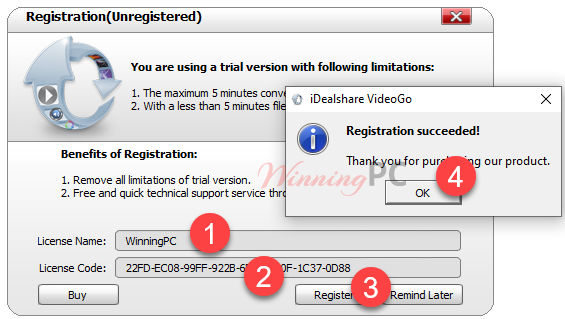
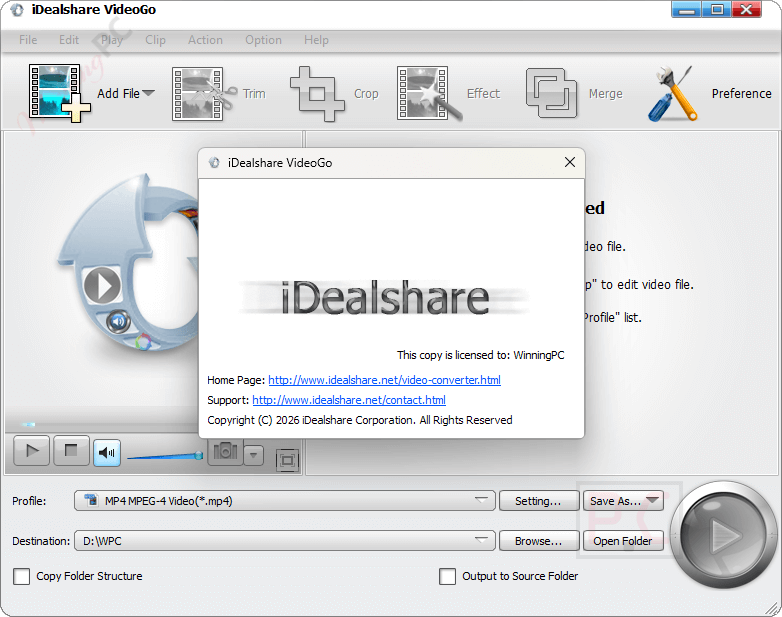
- Open the program, paste your code into the registration window, and activate. Done.
iDealshare VideoGo Coupon Codes Jul 2026
iDealshare VideoGo
2 plans · best save 75%
1 Year License
Lifetime License ★ Best Deal
iDealshare VideoGo review: what it actually does
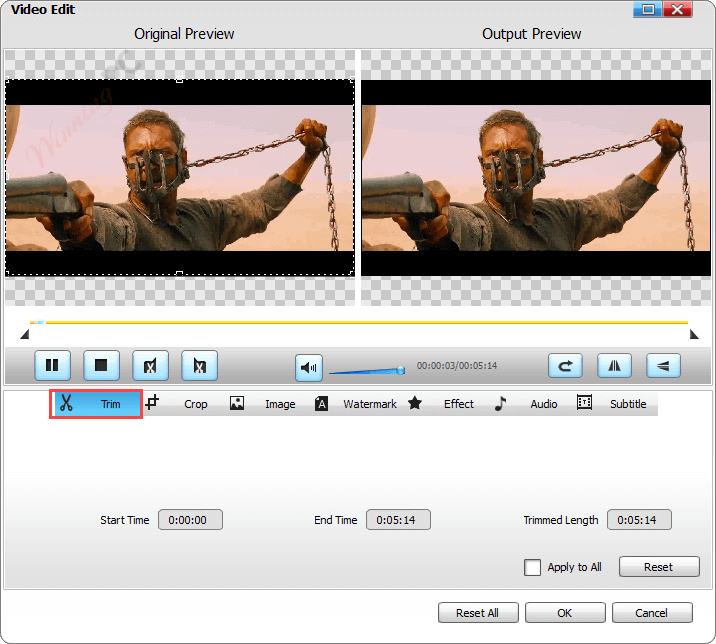
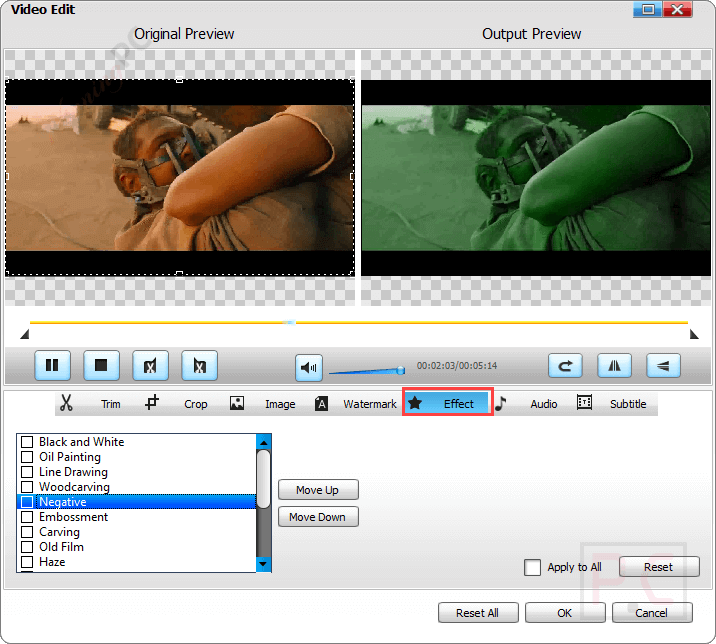
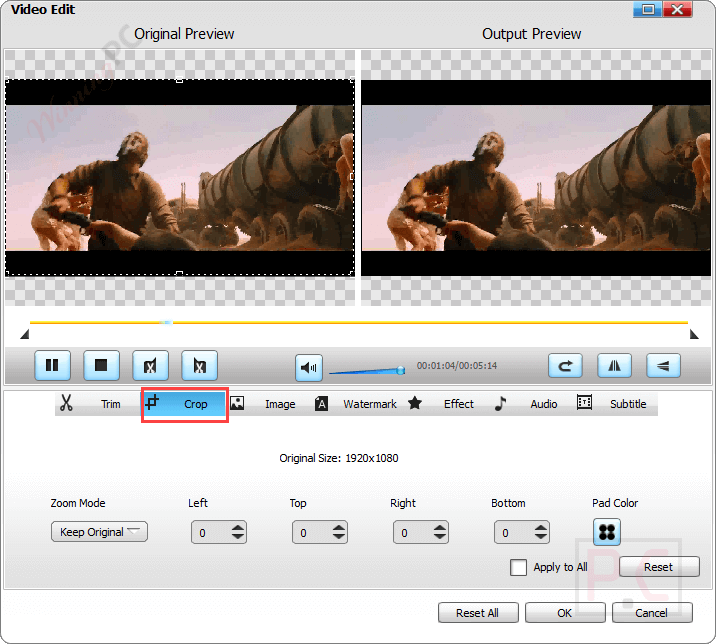
Where iDealshare VideoGo earns its keep is sheer format coverage. It reads camera and broadcast formats that trip up simpler converters (AVCHD, MXF, Apple ProRes, R3D), and this video converter can push audio out to lossless FLAC or ALAC rather than just MP3, which matters if you care about quality. The feature worth understanding is the optional NVIDIA CUDA acceleration: on a machine with a supported GPU it speeds up conversion noticeably, and the developer’s claim is that it does so without extra quality loss. The editing tools are real but basic. You can trim, crop, merge, rotate, adjust brightness, and burn in subtitles, which covers quick fixes but won’t replace a proper editor.
Key features
- Converts between 100+ video and audio formats, including HD, 3D, and camera formats like AVCHD and Apple ProRes.
- Extracts audio from video and converts between audio formats, down to lossless FLAC and ALAC.
- NVIDIA CUDA GPU acceleration for faster conversions on supported cards, plus batch processing and auto-shutdown.
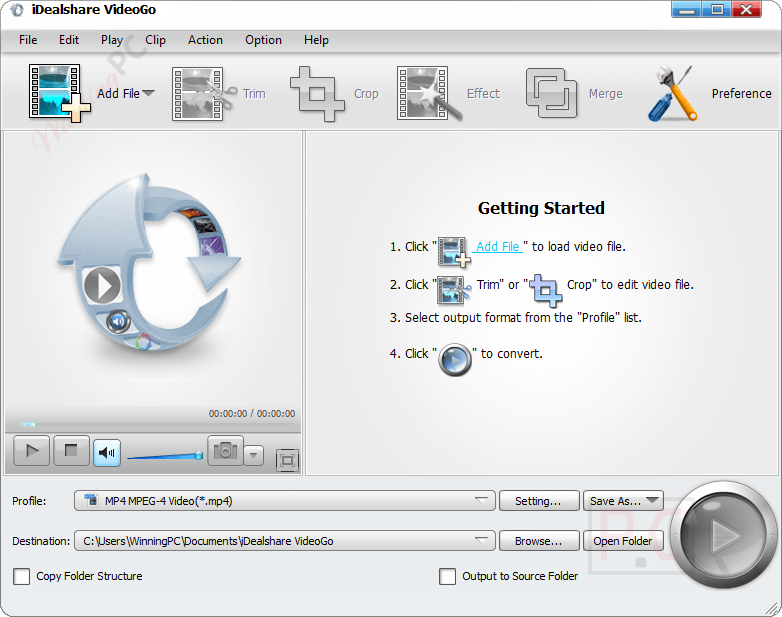
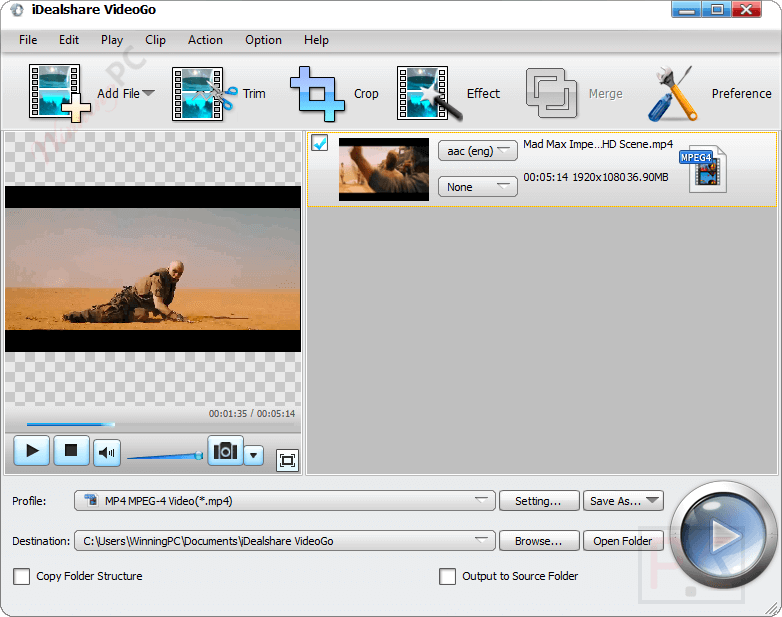
- Built-in editing: trim, crop, merge, split by chapter, rotate, adjust brightness/contrast, add subtitles, watermarks, and effects.
- Device-ready presets for iPhone, iPad, Android, Samsung Galaxy, Xbox, PlayStation, PSP, and more.
Pros and cons
Screenshots
1-Year vs Lifetime: which paid plan makes sense?
| Plan | Price with code | Billing | Updates | Best for |
|---|---|---|---|---|
| Lifetime | $15.00 | One-time | Free lifetime updates | Almost everyone |
| 1-Year | $14.99 | Renews yearly | Updates during the term | Trying it for a single project |
For one extra cent, the Lifetime plan is a one-time payment instead of a yearly renewal. Unless you only need the tool briefly, Lifetime is the obvious pick.
Questions people ask about iDealshare VideoGo
What happens to the giveaway license when the offer ends?
Nothing. Once you’ve claimed and activated the Lifetime key during the giveaway window, it stays valid forever. The 7-day limit applies only to claiming a new key, not to keys already activated.
Does the free giveaway license get updates?
No. The giveaway key runs the version you install and gets no free updates or technical support. If you want the latest build with updates, that’s what the paid version is for (code Give**OFF, from $14.99).
Does iDealshare VideoGo work on Windows 11?
Yes. It supports Windows 11, 10, 8, 7, Vista, XP, and even 2000. It’s Windows-only, though; there’s a separate Mac version on iDealshare’s site.
Can it convert AVCHD or Apple ProRes files?
Yes. Its input list covers AVCHD, MXF, Apple ProRes, R3D, and dozens of other camera and broadcast formats. That coverage is one of the main reasons to pick it over a lighter converter.
Do I need an NVIDIA card to use it?
No. GPU acceleration is optional and only kicks in automatically if you have a supported NVIDIA card, purely to speed things up. Without one the converter still works, just slower on big files.
Can I get a refund on the paid version?
Yes. iDealshare offers a 30-day money-back guarantee on paid plans. The giveaway key is free, so a refund doesn’t apply there.
System Requirements & Supported Formats
| Language Support | English and more… |
| Money Back Guarantee | 30-Day |
| Operating System | Windows 11/10/8/7/Vista/XP/2000 |
| Processor | 1 GHz Intel/AMD or faster |
| RAM | 512 MB or more |
| Disk space | 30 MB for installation |
| Supported input | – Video: MP4, MKV, AVI, WMV, FLV, MOV, MPG, MPEG-1/2/4, 3GP, WebM, MXF, AVCHD, MTS, M2TS, TS, DivX, Xvid, H.264, H.263, RM, RMVB, VOB, Apple ProRes, R3D, and more – Audio: MP3, WAV, WMA, M4A, FLAC, OGG, AAC, AC3, DTS, ALAC, APE, AIFF, AMR, and more |
| Supported output | – Video: MP4, AVI, MKV, WMV, TS, Apple ProRes, WebM, FLV, MOV, 3GP, DivX, H.264, MPG, MPEG-1/2/4, VOB, RMVB – Audio: MP3, AAC, AC3, DTS, FLAC, OGG, APE, M4A, WMA, WAV, AIFF, MP2 |


Just another closed source GUI on top of a pirated distribution of open source GPLv3 FFMPEG which is an ancient version with little or no modern GPU hardware enhancement just ancient CUDA on encoding h264. Better off with something free currently supported and legal like xmedia-recode or even handbrake
It works! Thank you!
I have a older giveaway installed 6.4.0, can I install this giveaway over the old one?
You can install this giveaway version with the new license code.