

IObit Driver Booster 14 PRO Giveaway
IObit Driver Booster Giveaway
Quickly scan, update, and fix your outdated, missing, or broken drivers
- Product
- Driver Booster 14 PRO
- Product website
- iobit.com
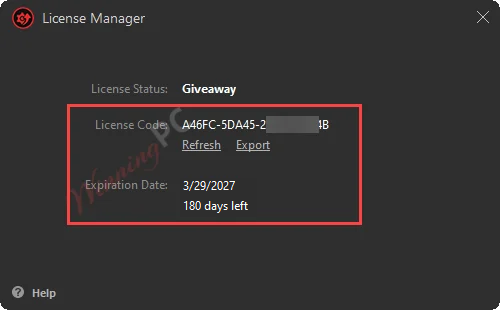
- License
- 6-Month
- Platform
- Windows 11/10, ARM64
- Usage
- Non-commercial only
- Updates
- Free updates
- Support
- No support
- Updated
- 2026-09-30
Continue on iobit.com
The publisher handles registration and license delivery on its official website.
Limited-time giveaway! The license code may have reached its activation limit.
88% Off Driver Booster PRO +Gift Pack
IObit Driver Booster 14 PRO Coupon Codes & Deals

IObit Surprise Pack - 94% OFF with Free Gifts
Limited-time special offer! 6 Items Included: Includes Smart Defrag PRO (1 year, 3PCs) IObit Software Updater PRO (1 year/ 3 PCs) IObit Uninstaller PRO (1 year/ 3 PCs) Advanced SystemCare PRO (1 year/ 3 PCs) Driver Booster PRO (1 year/ 3 PCs) IObit Malware Fighter PRO (1 year/ 3 PCs)

Driver Booster 14 PRO (+Gift Pack)
Bundle content: Protected Folder(1-year), Smart Defrag 12 PRO (1-year, 1PC), IObit Uninstaller PRO 16 (1-year, 1PC), Driver Booster 14 PRO (1-year, 3PCs)

Is this Driver Booster giveaway safe to use?
Yes – this is an official IObit-authorized giveaway, not a cracked build or a repackaged download.
No crack or keygen
You download Driver Booster directly from IObit’s official website and activate with a genuine publisher-issued key. Nothing is patched, modified, or bundled with anything.
Official authorized source
The giveaway is run with IObit’s participation; the key format is the same type issued to paying customers.
Secure checkout for paid plans
If you choose to upgrade, payment goes through IObit’s own encrypted store. WinningPC never handles your card details.
60-day money-back guarantee
All paid plans are fully refundable within 60 days. The giveaway key is free, so there’s no financial risk in trying it either way.
How to Get a IObit Driver Booster 14 PRO License Key for Free
- Download the free version of the program from the link below and install it on your computer.
- Activate the IObit Driver Booster Pro version by using the license code above.
- Enjoy this powerful software for 6 months free and wait for the new license code 😀

IObit Driver Booster 14 PRO review: what it actually does
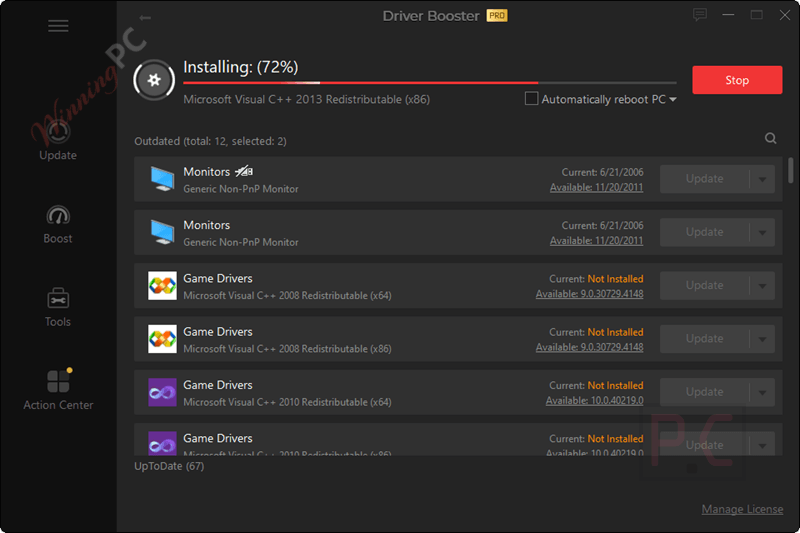
IObit Driver Booster 14 PRO‘s main pitch holds up: a 23-million-driver database covering 1,200+ brands means it rarely misses a device during a scan, even on niche or older hardware. The scan-to-update flow is about as frictionless as it gets – you get a clear list of outdated drivers with version details, and one click handles the rest. What makes the PRO tier worth the upgrade over the free version is the gaming stack. Game Boost mode shifts system resources toward your active game, and the DLL fixer covers 680+ missing game components – the kind of thing Windows Update never touches. The auto-backup before each update is worth calling out too: if a new driver causes problems, rolling back to one of three stored versions takes one click from inside the app, no Device Manager hunting required.
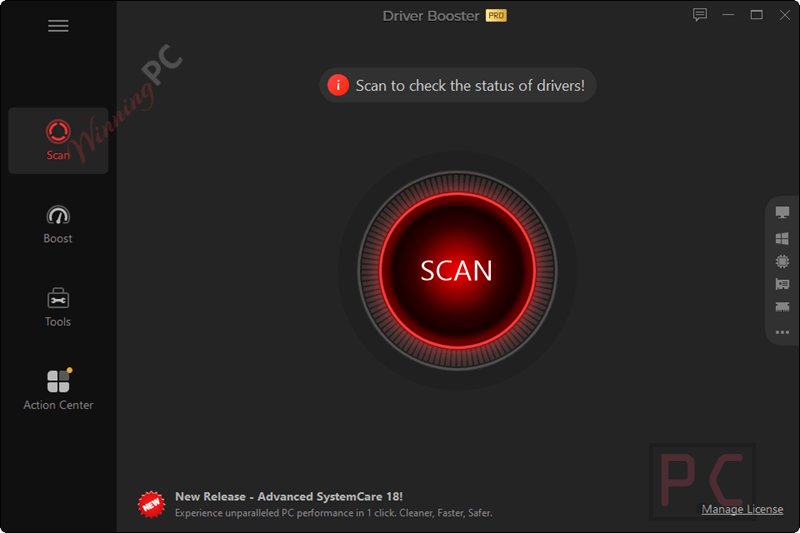
The weaker side: the interface is functional but crowded with cross-sell prompts for other IObit products, which makes the screen noisier than it needs to be. And for a machine with mainstream, up-to-date hardware where Windows Update already does its job, the free tier or the built-in tools may cover 90% of what you actually need.
Key features
- One-click scan against 23,000,000+ WHQL- and IObit-verified drivers from 1,200+ hardware brands.
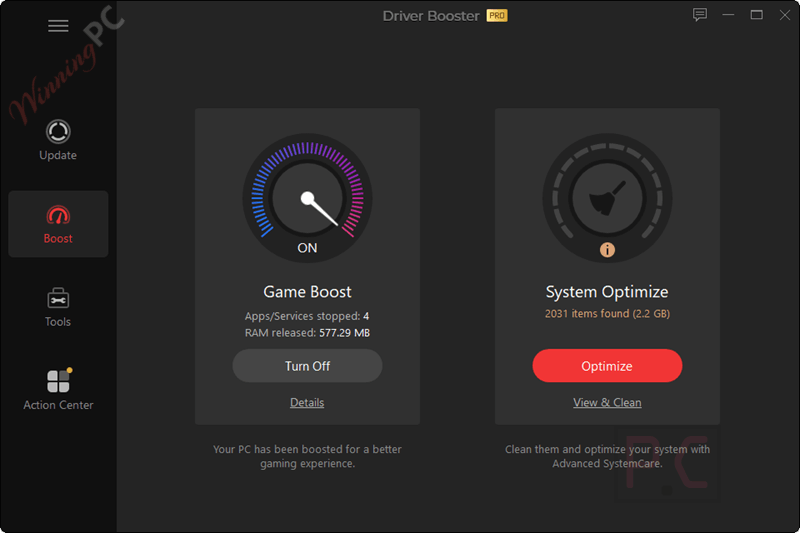
- Game Ready Driver updates for NVIDIA GeForce, AMD Radeon, and Intel Graphics; Game Boost mode to shift resources toward active games.
- Fix for 680+ missing game DLLs with real-time detection.
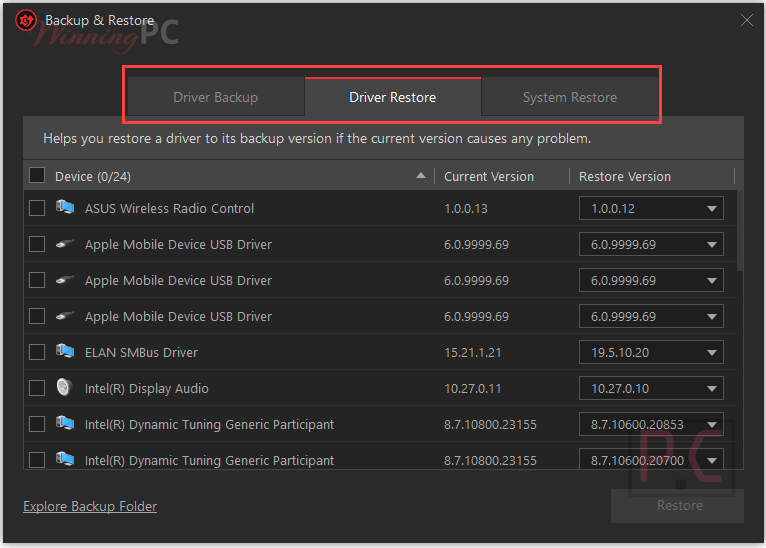
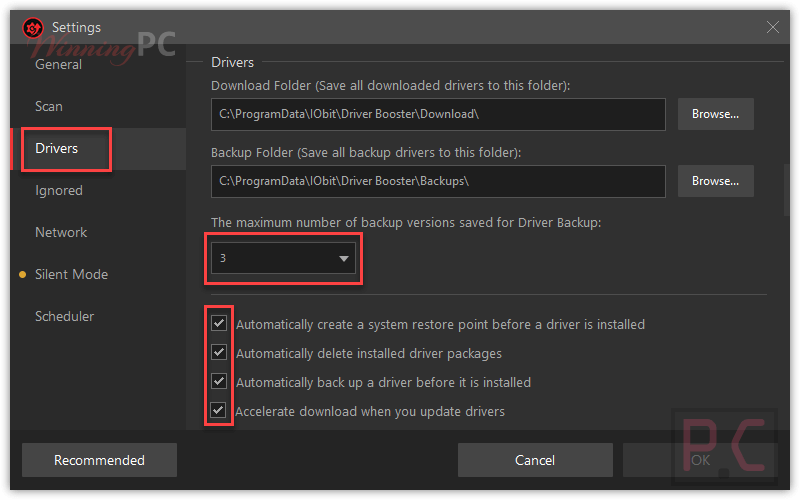
- Auto-restore points (3 previous driver versions stored) before every update.
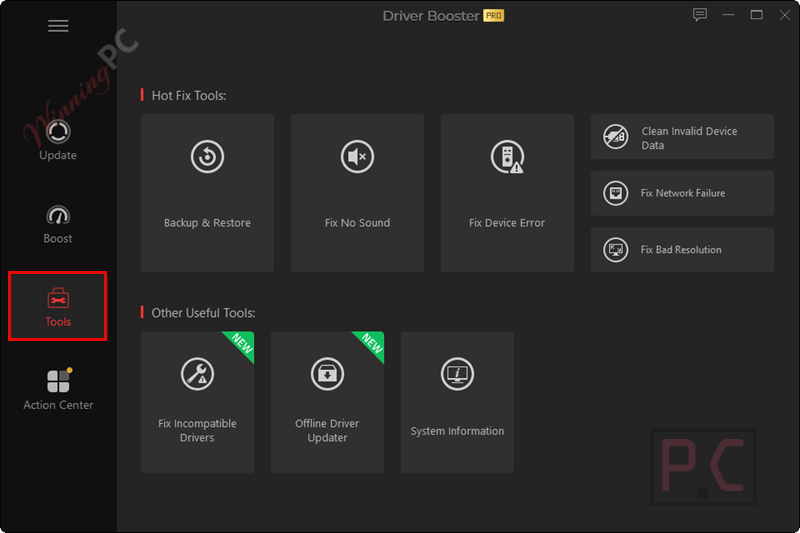
- Hot Fix tools: Fix No Sound, Fix Network Failure, Fix Bad Resolution.
- Offline driver scan mode; system information export.
pros & cons
More screenshots!

Frequently Asked Questions
What is IObit Driver Booster?
IObit Driver Booster is a driver updating tool that automatically identifies outdated drivers and updates them to improve system stability and performance.
What are the key features of the IObit Driver Booster?
Key features include automatic driver updates, a large driver database, offline driver updates, game component updates, and fixing common device errors.
Can IObit Driver Booster update game components?
Yes, it prioritizes updating game components to enhance gaming performance.
Does IObit Driver Booster support offline updates?
Yes, it can download drivers in advance and install them offline.
How does IObit Driver Booster ensure driver safety?
It only installs IObit and WHQL-certified drivers and creates backups for safer restores.
Does IObit Driver Booster fix common device errors?
Yes, it can identify and fix over 35 common device errors, such as sound and network issues.
Is there a discount available for the IObit Driver Booster?
Yes, you can use the coupon code UPS***T40 on WinningPC to save up to 88% on your purchase.
Can I receive a free license for IObit Driver Booster?
Yes, you can visit WinningPC and join the giveaway to receive a free six-month license key.
How do I activate my free license code for IObit Driver Booster?
Follow the instructions provided by WinningPC to activate your free license key.
System Requirements & Details
| Operating system | Windows 11 / 10 / 8.1 / 8 / 7 / Vista / XP – 32-bit & 64-bit; ARM64 supported on Win 10/11 |
| Processor | 1 GHz or faster |
| RAM | 1 GB minimum |
| Disk space | 1 GB free (for driver download cache) |
| Internet connection | Required for cloud database scan; offline scan mode available in PRO |
| Supported input formats | Scan-based driver detection from 1,200+ hardware brands – no manual driver file import |
| Supported output formats | N/A – Driver Booster installs manufacturer-supplied driver packages directly; it is not a file converter |
| Other | Supports Windows ARM64 for Win 10/11; driver backup stored locally |





Man sollte vlt die 4PuP,s beachten die Iobit mitschickt. Jedoch wer den Malwarebyte Adware Cleaner 2x drüber laufen lässt hatt dann ein sauberes Treiber Programm.
Used to give me some problems in the past, but worked perfectly (on the same laptop) now.
Knows more than Windows about the drivers needed, and addresses a need. I’m not sure that Asus is still publishing any drivers for the relatively new laptop.
I don’t like the autostart and other auto stuff, but it’s easy to click it off in the settings.
None of the licenses above are valid. “….exceeded maximum number of…” Please provide valid licenses!
Note that for IObit products, the software continues to work as it always has EXCEPT for some automatic features.
IObit Driver Booster will always be able to find and update hardware drivers – free or pro does this.
The ‘pro’ license adds
– software drivers, such as Java, DirectX, Visual C++, XNA Framework, OpenAL, .NET, and so on,
– automatic features,
– and has a higher speed of download compared to the free version.
Let us know how it works for you.
Thanks for letting us explore this and share.
.
IOBit Driver Booster allows getting drivers for a PC that is NOT connected to the Internet – and, a byproduct of this feature is that it can build a ‘kit’ of drivers’ for any PC, which is especially useful whenever we need to re-install Windows from scratch:
1 – Install IObit Driver Booster on the off-line target PC:
on the target PC that is off the Internet, install Driver Booster from a USB transferred to it,
2 – Save a hardware inventory file from the target PC:
inside IObit Driver Booster on the target PC that is offline, select [ Tools ], [ Offline Driver Updater ], ( 1 ) ( Export ), and it will save a file called [ DriverBooster_OfflineInfo.dbd ],
3 – Copy that file over to a source PC that is on the Internet:
bring that file via USB to a source PC that is on the Internet and has Driver Booster installed and running,
4 – Download drivers via the source PC that is on the Internet:
on the source PC, inside IObit Driver Booster, select [ Tools ], [ Offline Driver Updater ], ( 2 ) ( Download ), then browse to [ Select the exported device info file ] by browsing and clicking on the above-saved-and-transferred [ DriverBooster_OfflineInfo.dbd ], then choose your target [ OS ] version and [ x32 or x64 bit ] version and [ LAN/WAN only drivers only – or – full suite of drivers ], then click [ Download ], and tell it where to save it ( or it will put it on the desktop ), and then wait while it downloads all matching drivers, the result will be a file labeled [ DriverBooster_OfflineDriverPackage.dbop ],
5 – Copy that driver-suite file to the target PC:
copy the resulting file, [ DriverBooster_OfflineDriverPackage.dbop ], to the target PC that has IObit Driver Booster installed,
6 – Install the drivers on the target PC:
in Windows File Explorer, double-click directly on the [ DriverBooster_OfflineDriverPackage.dbop ] file itself, and then IObit Driver Booster should then automatically open the file, and it will automatically install the drivers from that file, and it will cause Windows to recognize and install the devices that are special to that target PC, including LAN/WAN device drivers, allowing the target PC to get on the Internet,
7 – Reboot and use and continue setting up the target PC:
after reboot, the target PC should be successfully updated, at least driver-wise, and offer to go online, offer to connect to your network and connect to your Internet.
Note: all modern-ish computers have at least one USB socket that is recognized regardless of installed drivers, so if other USB sockets don’t immediately work during Windows’ first re-installation, we may need to use the one working USB socket to allow a thumb-flash-drive to be recognized and used to transfer the above-mentioned *.dbd and *.dbop files, so we may have to unplug our mouse or use an external USB hub to multiply the one working USB socket to allow a keyboard and thumb-flash-drive to work at the same time, I use a DIN-plug keyboard on old computers that have those sockets, leaving the one working USB socket for the needed file transfer USB thumb-flash drive – after the [ DriverBooster_OfflineDriverPackage.dbop ] file has been copied and installed, then, all the other USB ports should ‘come alive’ after the next reboot, then we can use whatever DIN- or USB-keyboard, mouse, and so on.
This feature of IObit Driver Booster has been a terrific support for me when reinstalling Windows, a clean, fresh, reinstall, no longer hunting for drivers, no longer contriving how to connect a fresh computer installation to the Internet to download drivers and programs.
And now that I have the specific custom [ DriverBooster_OfflineDriverPackage.dbop ] for each of my computers, a different driver-pack file for each particular computer, I can re-install Windows whenever, and know that I have appropriate drivers to install and control the special devices that are attached to that target PC, including SATA and PCI and USB and Video and LAN drivers.
Significant headache relief.
Just so you know.
Thanks for letting us explore this and share.
.