Chris Bruner

Ironsoftware IronQR steps up as the definitive C# QR Code Library, featuring an incredibly powerful Machine Learning (ML) model designed specifically for reading distorted, blurred, and imperfect QR scans from any angle.
Status: ✅ Active & Verified
Last Checked: October 2026
Offer: 15% Off

IronQR Lite License
5% off coupon code: regular price $799, discounted price $759.05
IronQR Plus License
5% off coupon code: regular price $1,199, discounted price $1,139.05
IronQR Professional License
10% off coupon code: regular price $2,399, discounted price $2,159.10
IronQR Unlimited License
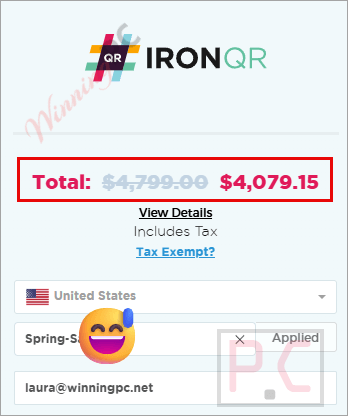
15% off coupon code: regular price $4,799, discounted price $4,079.15
📄 Licensing & Support Details
- Perpetual license
- 1-year Premium Support & Updates
- 30-day money-back guarantee
- Email support
📝 How to apply
- The most foolproof way to activate this discount is by clicking the “Coupon Code” button above.
- After copying the code, select a suitable perpetual license for your project (Lite, Plus, Pro, or Unlimited) and click “Buy License.”
- Enter the code in the appropriate box to have the WinningPC savings deducted from your total.
- Ensure the final amount reflects the expected discount before you finish the transaction.
What is IronQR?
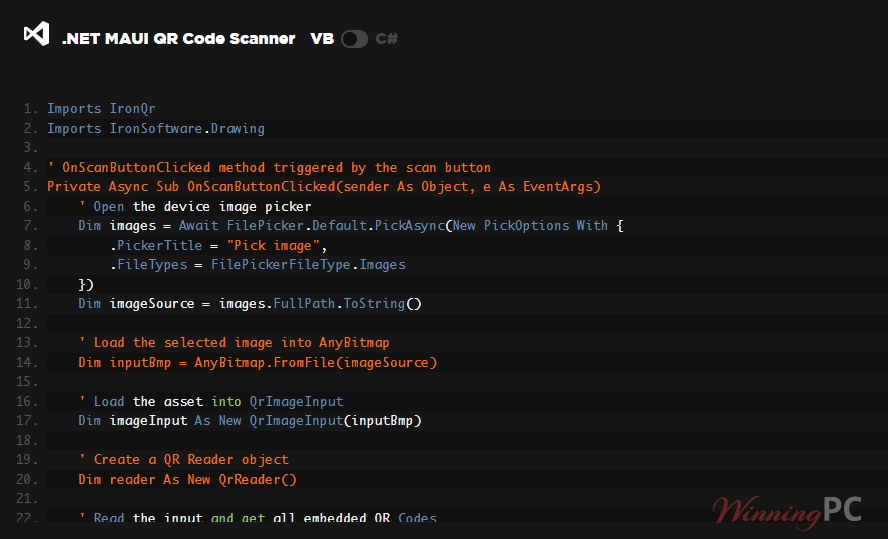
IronQR is a comprehensive C# QR Code library built specifically for .NET developers. Designed to prioritize accuracy, speed, and ease of use, it allows you to generate, read, and thoroughly style standard QR codes, Micro QRs, and rectangular Micro QRs (rMQR). Whether you are building a Web application in Blazor, a mobile app using MAUI, or a cloud-based Azure function, IronQR provides a user-friendly API to integrate robust QR functionality into your ecosystem in minutes.
In-Depth Review & Features
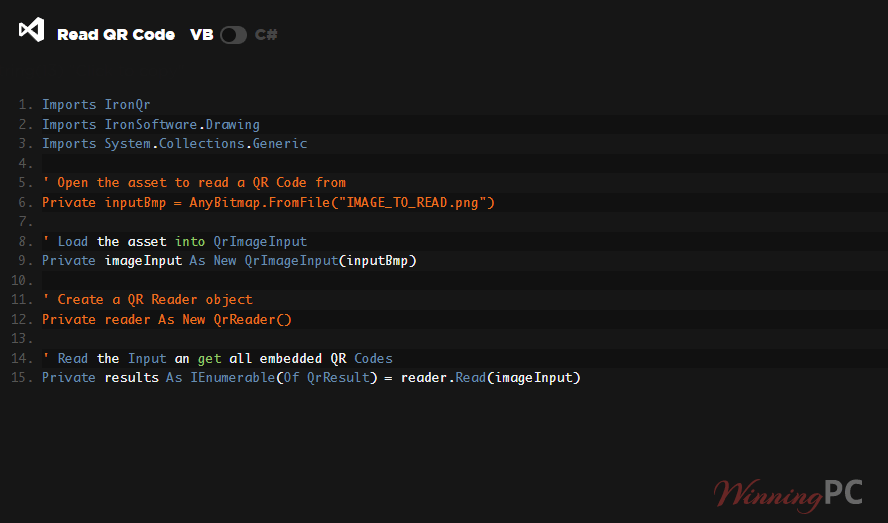
Having integrated several barcode and QR code libraries into .NET applications, I found IronQR to be exceptionally robust, particularly in edge cases such as noisy images or rotated scans. Here is a breakdown of the core features based on my hands-on evaluation:
- Machine Learning-Powered Reading: This is where IronQR flexes its muscles. The dedicated ML model detects and reads QR codes even in highly noisy or distorted images. If I throw a multi-page TIFF or PDF at it with multiple, partially obscured QR codes, it reads them simultaneously.
- Slim Mode: Sometimes, you just need raw speed without the overhead of ML. I love that IronQR includes a “Slim Mode” option that falls back to algorithmic reading to prioritize faster execution times.
- Extensive Styling Controls: Generating a QR code is one thing, but making it look on-brand is another. I easily resized codes, adjusted margins and borders for easier scanning, recolored the outputs, and injected custom company logos directly into the center of the generated QR codes.
- Fault Tolerance & Debugging: IronQR takes error handling seriously. It utilizes powerful checksum technology to validate data integrity. It also automatically zero-pads numbers to ensure valid formatting, and its detailed, plain-English error messages made my debugging sessions significantly shorter.
- Asynchronous & Multithreading Support: For high-performance enterprise apps, I utilized multithreading to rapidly process large batches of QR codes, fully supporting async methods for both reading and writing operations.
Pros & Cons
More screenshots
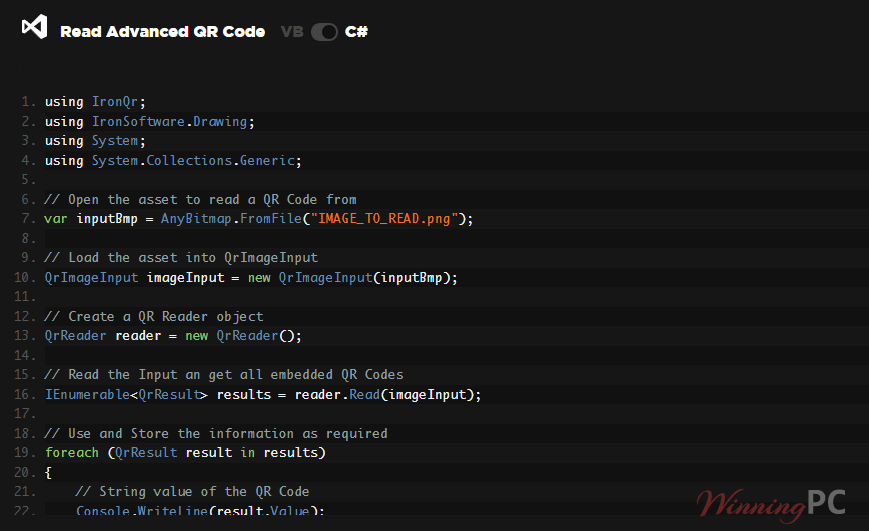
Frequently Asked Questions
Where can I find the best coupon code for IronQR?
WinningPC is currently the best place to find the verified coupon code for this product, offering the highest discount rate on the market. Our exclusive links automatically apply discounts of up to 15% at checkout.
Does IronQR use artificial intelligence?
Yes. IronQR uses a custom Machine Learning (ML) detection model to easily detect and read QR codes from noisy, distorted, or otherwise imperfect inputs.
What if I want faster processing without ML?
You can enable “Slim Mode,” which disables machine-learning features and uses traditional algorithms to prioritize speed and lightweight execution.
What QR formats can IronQR read and generate?
It fully supports standard QR Codes, Micro QR Codes, and Rectangular Micro QR Codes (rMQR).
Can IronQR export generated codes directly to memory without saving to a disk?
Yes! You can transform generated QR codes into Streams (such as MemoryBytes and byte arrays) and export them to the .NET System.Drawing.Objects, or save them to Image/PDF formats.
Does it support asynchronous programming?
Yes. IronQR supports async methods for both reading and writing operations, enabling seamless integration with asynchronous environments.
Can I customize the look of my generated QR codes?
Absolutely. You can resize them, define margins and borders, recolor the background or text, and even add your company’s logo into the design.
Can IronQR read multiple QR codes from a single image?
Yes, it can read multiple QR codes simultaneously in a single image or PDF, even if they are rotated, partially obscured, or viewed from an angle.
Do I need a separate library for 1D Barcodes?
Yes. While IronQR handles QR, Micro QR, and rMQR perfectly, you will need to try their separate IronBarcode Library if you need 1D Barcode support.
Technical Specifications
| Supported Languages | C#, VB.NET, F# |
| .NET Versions | .NET 10, 9, 8, 7, 6, 5; .NET Core (3.1+); .NET Standard (2.0+); .NET Framework (4.6.2+) |
| Project Types | Web (Blazor & WebForms), Mobile (MAUI), Desktop (WPF & MAUI), Console (App & Library) |
| Operating Systems | Windows (10+, Server 2016+), Mac (macOS 10+, x64, ARM), Linux (Ubuntu, Debian, CentOS, etc., x64) |
| Mobile App Environments | Apple iOS (13+), Android API 24+ (v7 “Nougat”) |
| Cloud & Docker | Docker (Windows, Linux, Azure), Azure (VPS, WebApp, Function), AWS (EC2, Lambda) |
| Supported IDEs | Microsoft Visual Studio, JetBrains ReSharper & Rider |
| Read Data Output Formats | Primitive Value (String), Link/Website (Uri), Coordinates (Point F) |
| Write/Export Formats | Image, .NET System.Drawing.Objects, Streams, IronDrawing Images, PDF |