Laura Marano
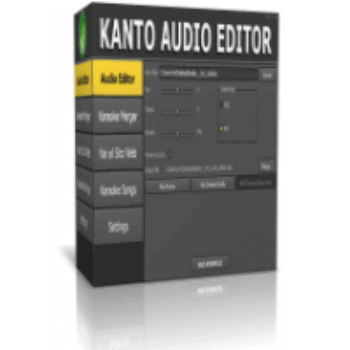
If you’re a karaoke fan or a DJ, you know the pain: you download a backing track, but the key is too high, the tempo drags, or that cheesy melody line ruins the vibe. You shouldn’t have to be a sound engineer to fix it.
Kanto Audio Editor is the quick fix for tweaking MIDI and MP3 backing tracks without destroying the lyrics. We’ve secured an exclusive deal to get you the full suite for under $28.
Status: ✅ Active & Verified
Last Checked: Oct 2026
Offer: 30% Off
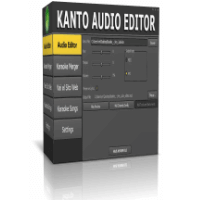
Kanto Audio Editor
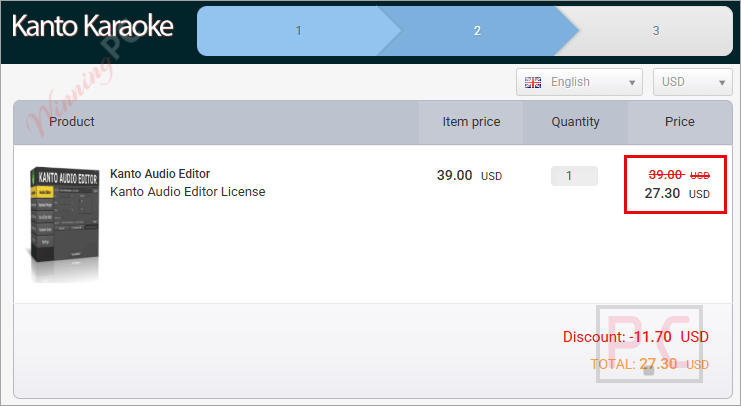
30% Off coupon code: regular price $39, discounted price $27.30
Price Comparison Table
| License Type | Official Price | WinningPC Price | You Save |
| Full Version (3-Year) | $39 | $27.30 | $11.70 (30%) |
Redemption Guide
- Click the red “Claim Discount Now” button above.
- You will be redirected to the official Cisdem checkout page.
- You will see that the discount code is already loaded, and watch the price drop to $27.30.
What is Kanto Audio Editor?
Think of Kanto Audio Editor as a Swiss Army knife for backing tracks. It is designed specifically for people who need to prep music for live performance – Karaoke hosts, singers, and bedroom DJs.
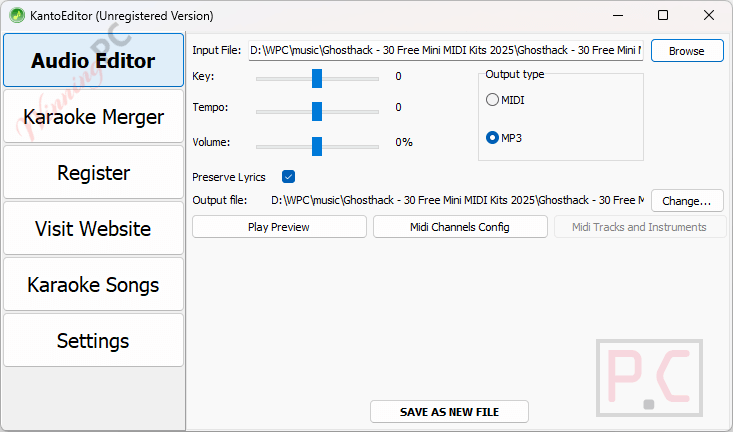
Unlike complex DAWs (Digital Audio Workstations) like Audacity or Pro Tools, which can be overkill and confusing, Kanto focuses on exactly what you need: changing the key so you can hit the notes, speeding up a slow track, or converting old MIDI files to modern MP3s while keeping the scrolling lyrics intact.
Who is this for?
- Singers: Adjust songs to fit your vocal range.
- Karaoke Hosts: Convert obscure KFN files to MP3s that run on any player.
- DJs: Merge multiple tracks into a seamless medley.
In-Depth Review & Features
Most audio editors strip out the metadata (lyrics) when you edit the file. Kanto’s main selling point is that it preserves the text. Here is the breakdown:
- Key & Tempo Shifter (That Keeps Lyrics)
The Benefit: You can lower a song by 2 semitones or speed it up by 10% and save it as a new file.
Use Case: You have a MIDI file of “Bohemian Rhapsody” but it’s too high for you to sing. You drop the key, save it as an MP3, and the lyrics on your screen still sync up perfectly with the new audio. - The “Melody Remover”
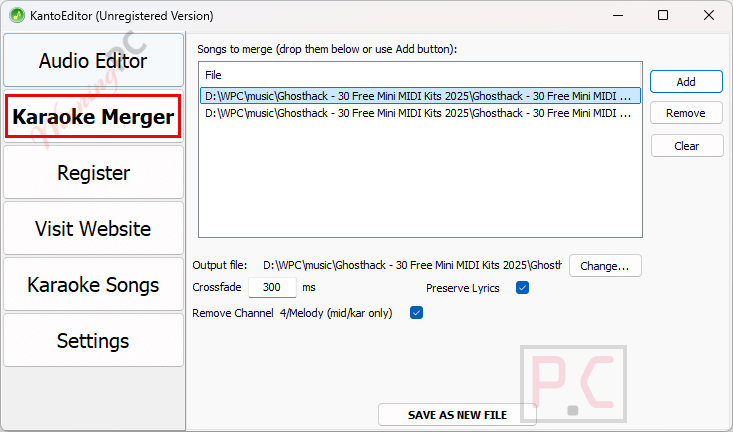
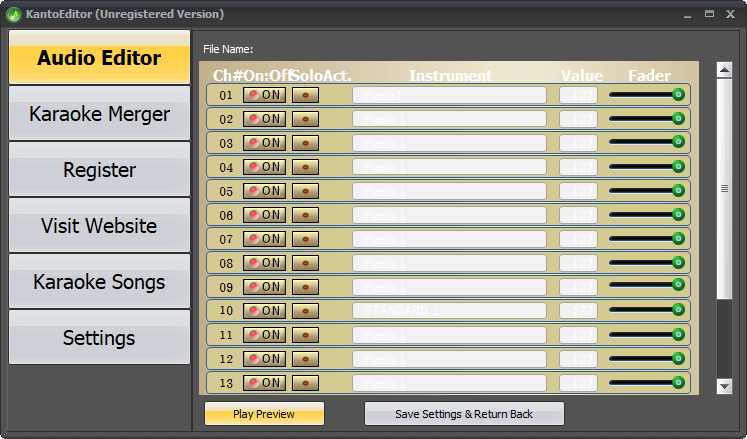
The Benefit: MIDI files often have a cheesy synthesized flute or piano playing the vocal melody. This tool lets you mute specific channels (usually Channel 4) and save the file without it.
Use Case: You want a professional-sounding backing track, not a guide track. You mute the melody channel so you are the only one singing the lead. - KFN to MP3 Converter
The Benefit: KFN (KaraFun) files are great, but not all players support them. This converts them to standard MP3 format.
Use Case: You want to play a KaraFun track on your phone or a standard media player. Kanto converts the audio and embeds the lyrics so they are still usable in compatible players. - Karaoke Medley Maker
The Benefit: The “Karaoke Merger” tool lets you stitch two songs together with crossfading.
Use Case: You want to create a mashup of two popular songs for a wedding entrance or a specialized set. You can merge a MIDI file intro into an MP3 main track seamlessly. - Soundfont Support
The Benefit: MIDI files sound like 1990s video games because they use your computer’s basic system sounds. Kanto supports Soundfonts (.sf2), which are high-quality instrument samples.
Use Case: You make a MIDI track sound like it was recorded with a real band by swapping the default “Microsoft GS Wavetable Synth” for a high-quality Soundfont.
Pros & Cons
Frequently Asked Questions
Is the license a one-time purchase?
No, the license in this deal is valid for 3 years. However, it includes free updates during that period.
Can I use this on multiple computers?
Yes, a single license key allows you to activate the software on up to 2 PCs.
Does it work on Mac?
No, Kanto Audio Editor is currently Windows-only.
How do I receive my code?
It is delivered automatically to your email immediately after purchase.
What is the refund policy?
Since there is a free trial available (which lets you convert the first 60 seconds of a song), they generally do not offer refunds for “I didn’t like it” reasons. Use the trial first to ensure it works for your specific files.
Technical Specifications
| Operating System | Windows 11, 10, 8.1, 8, 7, Vista, XP. |
| Supported Input Formats | .MID, .KAR, .MP3, .KFN, .MP3+G (via conversion). |
| Supported Output Formats | .MID, .MP3. |
| Hardware | Minimal requirements (if your PC turns on, it runs this). |