Cathryn Lee
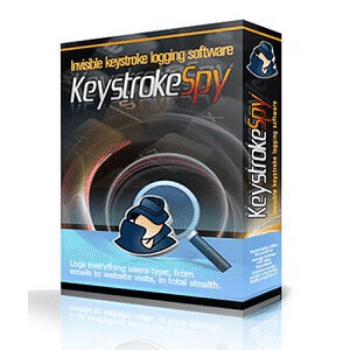
Instead of trying to cover everything like many monitoring applications on the market, Keystroke Spy focuses on keystroke logging and screenshot capturing. It tracks every key pressed, including chats, emails, documents, searches, and passwords, and shows when, where, and which user typed them. It also captures screenshots at set intervals and links them directly to the keystroke logs, giving a clear picture of what was happening on screen. With Keystroke Spy, I can keep an eye on how my kids use a shared family computer, and small business owners can track activity on company-owned devices.
Spytech Keystroke Spy Coupon Code (100% Working)
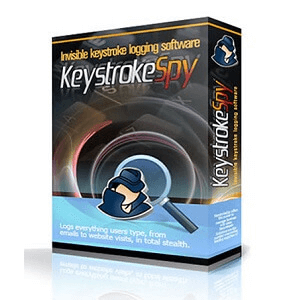
Keystroke Spy
5% discount coupon code, regular price $49.95, discounted price $47.45
Keystroke Spy STEALTH Edition
5% discount coupon code, regular price $59.95, discounted price $56.95
Keystroke Spy - 5 PCs
15% discount coupon code, regular price $249.75, discounted price $214.65
Keystroke Spy - 10 PCs
16% discount coupon code, regular price $499.5, discounted price $419.85
Keystroke Spy - 50 PCs
24% discount coupon code, regular price $2,497.50, discounted price $1,887.60
Keystroke Spy - 100 PCs
30% discount coupon code, regular price $4,995.00, discounted price $3,550.1
For Mac
Keystroke Spy MAC
5% discount coupon code, regular price $49.95, discounted price $47.45
Keystroke Spy MAC STEALTH Edition
5% discount coupon code, regular price $59.95, discounted price $56.95
Key Features and Screenshots
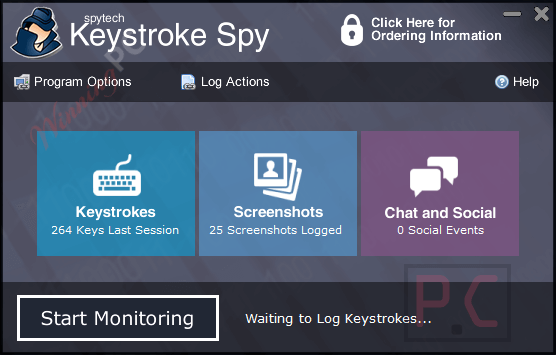
- Comprehensive Keystroke Logging: Records every keystroke typed, including passwords, emails, chat messages, and documents. Logs are timestamped and categorized by application, window title, and user for easy review.
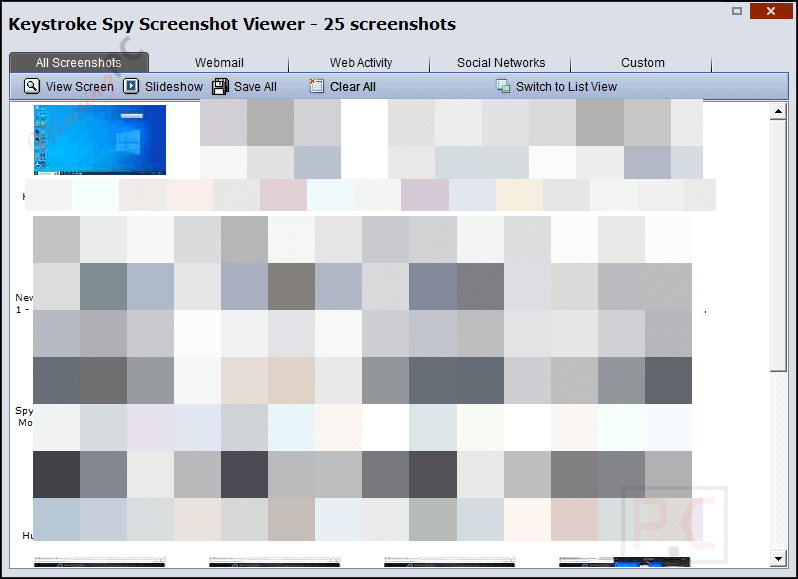
- Screenshot Capture and Playback: Automatically captures screenshots of user activity and provides visual playback in a slideshow format. Screenshots are linked to keystroke logs for context and can be archived for future reference.
- Stealth Operation: Runs invisibly in the background, undetected by users or most security tools. Logs are encrypted and password-protected for secure access.
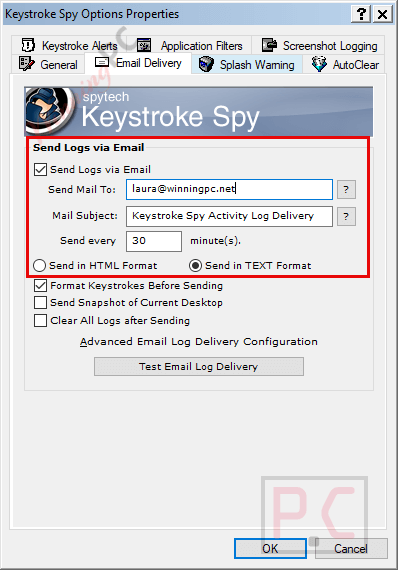
- Remote Monitoring via Email: Sends scheduled activity reports and keyword alerts directly to your email, enabling remote oversight of computer usage.
- Keyword Alerts: Instantly notifies you when specific words or phrases are typed, such as names, addresses, or sensitive terms.
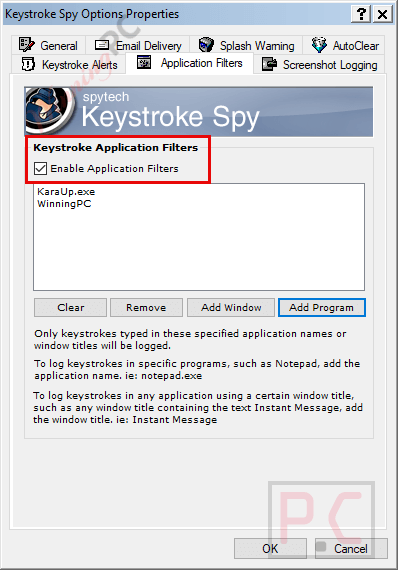
- Filters & Reports: Lets you choose which applications Keystroke Spy will monitor, sends activity logs to your email at set times, and sends alerts when trigger words are typed, such as names or addresses.
- Website and Application Tracking: Logs all websites visited, online searches, and application usage. Tracks social networking activity, emails, and chat messages for complete visibility.
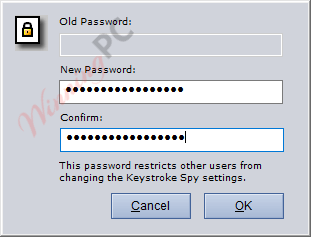
- Password Protection: Protects access with a password, so only you can view the logs and settings.
- Specific Application Logging: Allows configuration to monitor keystrokes and screenshots only within selected programs for targeted tracking.
More screenshots
How to Use (Step-by-Step Guide)
Step 1. Download the installer
Step 2. Set your access password
Step 3. Choose stealth or visible mode
Step 4. Configure what you want to monitor
Step 5. Set application filters (Optional)
Step 6. Enable Email reports (Optional)
Step 7. Set keyword alerts (Optional)

Step 8. Adjust security settings
Step 9. Start monitoring
Step 10. View logs and screenshots
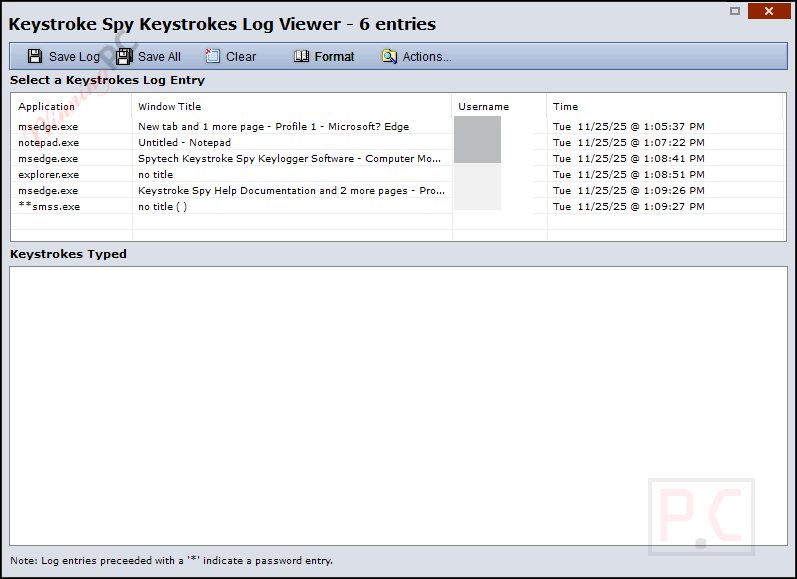
Step 11. Save, export, or clear logs
Step 12. Stop monitoring
Frequently Asked Questions
Can Keystroke Spy run in the background without being seen?
Yes. It can run in full stealth mode and does not appear in Task Manager or startup lists.
Does Keystroke Spy record everything I type?
It records all keystrokes typed on the computer, including messages, searches, passwords, and typed documents.
Can I see which window the keystrokes were typed in?
Yes. Every log includes the window title, username, and a timestamp.
Can I choose which apps Keystroke Spy monitors?
Yes. It supports application filtering so you can log only selected programs.
Can antivirus programs detect Keystroke Spy?
It has settings to avoid detection, but results may vary depending on the antivirus software used.
Is there a discount available?
Yes. WinningPC provides a coupon code SWC***ONS to help you get up to 30% off when you buy Keystroke Spy.
Why Choose WinningPC
- Why Trust? We are committed to providing 100% valid and verified coupon codes, so you can always shop with confidence.
- Found an Invalid Coupon or a Better Deal? If you encounter an invalid code or a better offer, please let us know. Our team updates all discount information regularly to ensure accuracy.
- Official Authorization: We only share authentic discounts from trusted software developers.
- No Fake Discounts: Unlike some sites, we never use misleading deals. The final price you see is the true discounted price.
- Secure Purchases: All transactions are processed on the official vendor’s website, ensuring authenticity and data protection.
- Extra Support: If you face order or vendor issues, contact us. We’ll liaise with the vendor to help resolve your problem quickly.
Technical Details
| Language Support | English, Français, Italian, Spanish, Swedish, and more… |
| Money Back Guarantee | 30-Day |
| Operating System | Windows NT4, 200x, XP, Vista, 7, 8, 8.1, 10, or 11. 32 and 64-bit supported Mac OS X 10.6+ and macOS |
| Shipping | Register code will be sent to your email in minutes |
| Subscription | Lifetime |
| Support Services | Email, Tickets, Phone |